


'%3e%3cpath%20d='M21.0949%203.79395L13.9961%209.82854H21.0949V3.79395Z'%20stroke='black'%20stroke-width='1.38'%20stroke-miterlimit='10'/%3e%3cpath%20d='M13.998%209.82854L7.44531%203.79395V9.82854H13.998Z'%20stroke='black'%20stroke-width='1.38'%20stroke-miterlimit='10'/%3e%3cpath%20d='M13.9961%202.69922V25.1919'%20stroke='black'%20stroke-width='1.38'%20stroke-miterlimit='10'/%3e%3cpath%20d='M20.5488%2016.4113L13.9961%209.82812V18.2217L20.5488%2024.0918V16.4113Z'%20stroke='black'%20stroke-width='1.38'%20stroke-miterlimit='10'/%3e%3cpath%20d='M7.44531%2016.4113L13.998%209.82812V18.0526L7.44531%2024.0918V16.4113Z'%20stroke='black'%20stroke-width='1.38'%20stroke-miterlimit='10'/%3e%3cpath%20d='M4.71094%209.82812V18.6057H7.44125V16.4113L13.9941%209.82812H4.71094Z'%20stroke='black'%20stroke-width='1.38'%20stroke-miterlimit='10'/%3e%3cpath%20d='M13.9961%209.82812L20.5488%2016.4113V18.6057H23.2792V9.82812H13.9961Z'%20stroke='black'%20stroke-width='1.38'%20stroke-miterlimit='10'/%3e%3c/g%3e%3c/svg%3e)

'%3e%3cmask%20id='mask0_21456_29260'%20style='mask-type:luminance'%20maskUnits='userSpaceOnUse'%20x='0'%20y='0'%20width='28'%20height='28'%3e%3cpath%20d='M27.5%200.5H0.5V27.5H27.5V0.5Z'%20fill='white'/%3e%3c/mask%3e%3cg%20mask='url(%23mask0_21456_29260)'%3e%3cpath%20d='M14%2027.5C13.4854%2024.1035%2011.8974%2020.9608%209.46828%2018.5317C7.03922%2016.1026%203.89651%2014.5146%200.5%2014C3.89651%2013.4854%207.03922%2011.8974%209.46828%209.46828C11.8974%207.03922%2013.4854%203.89651%2014%200.5C14.5147%203.89644%2016.1028%207.03905%2018.5318%209.46816C20.9609%2011.8972%2024.1035%2013.4853%2027.5%2014C24.1035%2014.5147%2020.9609%2016.1028%2018.5318%2018.5318C16.1028%2020.9609%2014.5147%2024.1035%2014%2027.5Z'%20fill='url(%23paint0_linear_21456_29260)'/%3e%3c/g%3e%3c/g%3e%3cdefs%3e%3clinearGradient%20id='paint0_linear_21456_29260'%20x1='9.5'%20y1='9.5'%20x2='20.75'%20y2='21.875'%20gradientUnits='userSpaceOnUse'%3e%3cstop%20stop-color='%23F0DCD6'/%3e%3cstop%20offset='0.914506'%20stop-color='%231D6DFF'/%3e%3c/linearGradient%3e%3cclipPath%20id='clip0_21456_29260'%3e%3crect%20width='28'%20height='28'%20fill='white'/%3e%3c/clipPath%3e%3c/defs%3e%3c/svg%3e)
'%3e%3cpath%20d='M22.8019%2011.2412L23.5234%2011.6807V12.0103L23.3172%2012.7796L14.5579%2014.9771L13.7344%2012.7951L22.8019%2011.2412Z'%20fill='%23D97757'/%3e%3cpath%20d='M19.5236%204.77832L20.5322%205.00396L20.8%205.35575L21.0552%206.19876L20.9494%206.73644L15.0712%2015.3068L13.1133%2013.2191L18.5338%205.63471L19.5236%204.77832Z'%20fill='%23D97757'/%3e%3cpath%20d='M14.4577%203.43951L15.0761%203L15.5912%203.21976L16.1065%203.9889L14.6949%2013.0345L13.7364%2012.3397L13.3242%2011.131L14.0456%204.31853L14.4577%203.43951Z'%20fill='%23D97757'/%3e%3cpath%20d='M7.84766%203.5851L8.48285%202.7199L8.89716%202.61914L9.71923%202.74717L10.125%203.08581L13.0815%2010.0748L14.1509%2013.3954L12.8997%2014.1372L8.13117%204.91019L7.84766%203.5851Z'%20fill='%23D97757'/%3e%3cpath%20d='M4.77232%208.38688L4.56641%207.50742L5.18478%206.73828L5.90613%206.84816H6.11223L10.4403%2010.2544L11.78%2011.3531L13.6349%2012.8914L12.6044%2014.7594L11.6769%2013.9903L11.0586%2013.331L5.08168%208.82593L4.77232%208.38688Z'%20fill='%23D97757'/%3e%3cpath%20d='M3.53288%2014.0982L3.06641%2013.5489L3.06647%2013.0601L3.53288%2012.8896L8.78833%2013.2193L13.9408%2013.6588L13.7736%2014.7528L3.94502%2014.2082L3.53288%2014.0982Z'%20fill='%23D97757'/%3e%3cpath%20d='M6.62378%2019.8178H5.59334L5.18359%2019.3146V18.7132L6.93299%2017.3946L14.045%2012.5674L14.7648%2013.8785L6.62378%2019.8178Z'%20fill='%23D97757'/%3e%3cpath%20d='M8.57739%2022.8884L8.16518%2022.9984L7.54688%2022.6687L7.64995%2022.1193L13.7299%2013.5488L14.5543%2014.7574L10.0201%2021.1305L8.57739%2022.8884Z'%20fill='%23D97757'/%3e%3cpath%20d='M13.7361%2023.9861L13.4271%2024.4257L12.8088%2024.6454L12.2935%2024.2058L11.9844%2023.5466L13.5301%2014.6465L14.4576%2014.7563L13.7361%2023.9861Z'%20fill='%23D97757'/%3e%3cpath%20d='M18.9869%2021.5713V22.4503L18.8838%2022.7799L18.4716%2022.9997L17.7503%2022.8974L12.7969%2015.0367L14.7617%2013.4404L16.4104%2016.6269L16.5652%2017.7805L18.9869%2021.5713Z'%20fill='%23D97757'/%3e%3cpath%20d='M21.3629%2020.2507L21.4659%2020.8L21.1568%2021.2396L20.8476%2021.1297L19.0958%2019.8112L16.4165%2017.284L14.3555%2015.7457L14.9736%2013.6582L16.0041%2014.3175L16.6226%2015.5259L21.3629%2020.2507Z'%20fill='%23D97757'/%3e%3cpath%20d='M20.0232%2014.6482L22.5995%2014.8679L23.2178%2015.3074L23.6299%2015.9667V16.441L22.4964%2016.9556L16.7256%2015.4173L14.3555%2015.3074L14.9737%2013L16.6226%2014.3185L20.0232%2014.6482Z'%20fill='%23D97757'/%3e%3c/g%3e%3c/svg%3e)
Are you using Crunchyroll to watch your favorite anime and experiencing issues that disrupt your viewing experience? Some problems you might encounter include Crunchyroll subtitles not working, delays, and out-of-sync playback.
Crunchyroll subtitles may stop working, be delayed, or be out of sync due to app bugs, cache issues, playback settings, device incompatibility, and other factors. In this post, we’ll discuss how to fix these issues.
Key Takeaways
- Crunchyroll subtitle issues, such as not working, delays, or being out of sync, are common and usually caused by VPNs, outdated apps, extensions, device incompatibility, or internet problems.
- Most subtitle issues can be resolved with basic troubleshooting steps, such as restarting the app or device, clearing the cache, updating the app or browser, and toggling subtitles on and off.
- Delayed or out-of-sync subtitles often require specific fixes such as changing subtitle languages, disabling hardware acceleration, switching browsers or devices, or improving internet stability.
- Missing or unchangeable subtitles are often due to licensing and regional restrictions rather than technical issues.
- If issues persist, contacting Crunchyroll Support is recommended. Content creators can use tools like VMEG AI to generate, translate, and edit accurate, high-quality subtitles.
What is Crunchyroll?
Crunchyroll is a streaming service that offers numerous anime titles. This is an ideal platform for anime fans. According to Statista (2025), Crunchyroll ranked among the top-grossing streaming platforms in the United States in the first quarter of 2024, with revenue totaling $91.4 million.
Here are the genres available you can enjoy on Crunchyrool:
- Action
- Adventure
- Comedy
- Drama
- Fantasy
- Music
- Romance
- Sci-Fi
- Seinen
- Shojo
- Shonen
- Slice of Life
- Sports
- Supernatural
- Thriller
Some of the popular series are available on this platform. Whether you are an anime fan or starting to explore the world of anime, Crunchyroll is one of the perfect platforms to try.
Common Reasons Why Crunchyroll Subtitles Are Not Working, Delayed, or Out of Sync
You may encounter some subtitle issues while watching your favorite anime. Here are some common reasons for these issues.
VPN
VPN can cause subtitle issues, including subtitle playback failures. Try turning off the VPN and see if it works.
Browser Add-On or Extensions
Some browser add-ons or extensions may cause some subtitle issues. You can try using incognito mode. Another option is to check browser add-ons and disable them. Then, after disabling them, enable them one by one to identify which add-ons may be causing the issue.
Outdated App
Make sure the app is up to date. You can also try another browser to see if it will work.
Device Incompatibility
Try watching your favorite anime on another device, as device incompatibility may be the cause.
Internet Connection
An internet connection may also cause some subtitle issues. You can check your Wi-Fi signal strength or restart your Wi-Fi.
How to Fix Crunchyroll Subtitles Not Working (Common Fixes)
Based on an Appuals guide, here are some quick fixes you can try:
- Try Reopening the App and Restarting Your Phone
A quick refresh can resolve some glitches after reopening the app. Try relaunching the app and check if it works. If the issue persists, you can restart your phone.
- Check if subtitles are available.
In some cases, subtitles don’t have subtitles. To check, try watching other shows to see if they have subtitles.
- Enable Subtitles or Closed Captions in Settings
There are times when subtitles or closed captions are not automatically enabled. Go to settings and check to see if it is turned on or off.
- Turn subtitles off, then on.
This quick fix can help you resolve the issue by turning off subtitles, then turning them back on. You can do this by setting the language to None, then selecting your preferred language.
- Disable VPN
Try disabling the VPN, as it may be causing the subtitles not to work.
- Clear Cache
It helps refresh the app and resolve some issues.
- Update App
Update your app if an update is available, as it may include bug fixes and other improvements that can improve your viewing experience.
How to Fix Crunchyroll Subtitles Delayed or Lagging
Another issue you might encounter is delayed or lagging subtitles. Here are some quick fixes based on the discussion on the Reddit Community about Crunchyroll's delayed subtitles.
- Switch off subtitles, then set to English.
Some users shared that this fix works for them. You can try them to see if they will fix the delayed subtitles. Pause the video, turn off subtitles, then switch it to English. You can also try changing it to a different language, then switch it again to English.
- Turn off Graphics Acceleration/ Hardware Acceleration in the browser.
Another solution is to disable graphics or hardware acceleration if your browser.
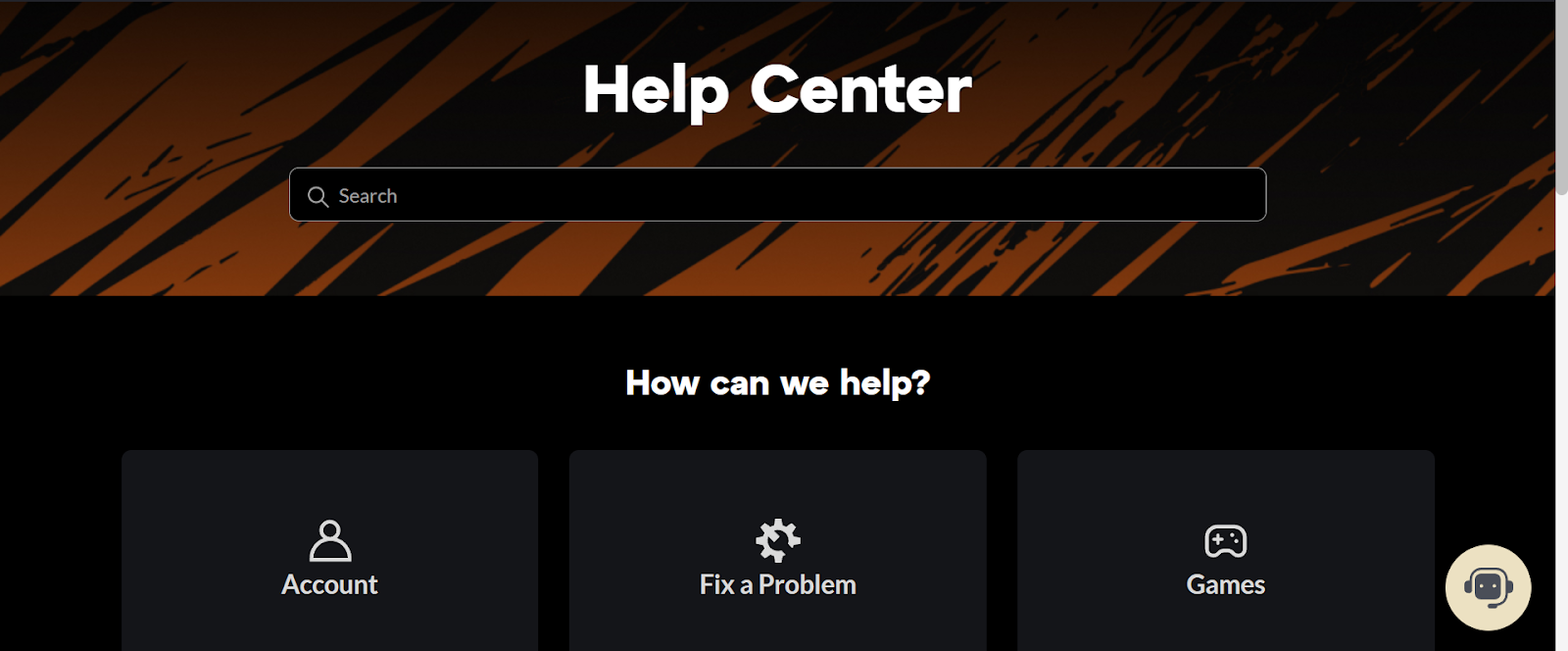
These quick fixes might help you. And if the issue persists, you can visit the Crunchyroll Help Center to report the issue or find some resources.
How to Fix Crunchyroll Subtitles Out of Sync
Out-of-sync subtitles are another issue you might encounter. On an Amazon Forum, a user asked about Crunchyroll not working on Prime Video, and someone responded with some recommended quick fixes, such as:
- Restart and update the PC.
- Check the internet connection bandwidth, as Prime Video streaming requires a minimum bandwidth.
- Switch browsers.
- Update the browser.
- Use different devices.
- Log out of Prime Video and log in again.
- Power cycle the device, modem, and router.
If the issue persists, go to the Crunchyroll Status page to see if a specific service is up and running, facing issues, or having a major outage.
Other Subtitle Issues
Subtitles Errors
Here’s what to do if you encounter errors in subtitles, such as grammar mistakes, typos, and other errors.
Report the issue by contacting Crunchyroll Support. Then, ask to speak to an agent. Here are the details you need to provide:
- Name
- Email
- Information on the mistake or error you encountered
Can't turn off subtitles for some content.
The subtitles are always displayed if the anime has a Japanese audio. Licensing and regional requirements are why subtitles cannot be turned off for some Japanese-language content.
Subtitles can be turned on for anime in other languages. This allows users to toggle subtitles on or off.
Subtitles are not showing up on the web
- Restart Internet Connection
A weak or poor internet connection may cause subtitle issues. Restart your internet, then check if the subtitle issue is fixed.
- Turn off VPN
If you are using a VPN, disable it, as it may be causing subtitles to not work or appear.
- Turn off extensions or browser add-ons.
Extensions and browser add-ons may affect subtitles, causing them to fail. Try turning these off and see if it resolves the issue.
- Try another device
Try using a compatible device to determine where it will work best.
- Update the app
Make sure the app is up to date. You can check the app where you downloaded it to see if an update is available.
Subtitles missing on LG Smart TVs (webOS)
Here are the steps you can follow when you experience this issue:
- Restarting Wi-Fi. Restart your router for at least 1-2 minutes. After that, plug it in and wait for it to connect.
- Clear cache. Clear the app’s cache on your television. To do this, go to Settings > Apps > Crunchyroll, then clear the cache. After this, restart your TV.
- Check the signal strength of your connection. Whenever possible, place the router closer to the TV. You can also use a wired Ethernet cable, as it may help in getting a stronger signal.
- Reinstall the app. Try reinstalling the app on your TV.
- Update LG TV software (webOS). To check for system updates, use the path appropriate to your webOS version. On newer TVs running webOS 6.0 or later, open All Settings, head to Support, select Software Update, and check for updates. If your TV is running webOS 5.0 or an earlier version, open Settings (gear icon), go to All Settings, select Customer Support, open Software Update, and check for updates.
- Visit the LG Support Page to find resources that may help you, and reach out for support.
English subtitles are missing for certain shows.
The licensing agreements in your region are the reason English subtitles are not available. It depends on the streaming license in your country.
Subtitles or dubbed versions are unavailable in my language.
The licensing agreements are why subtitles and dubbing are not available in your language, as they vary by region. If no subtitles or dubbing are available in your language, it means the content is not yet available in your country.
How to Contact Crunchyroll Support?
If you have already tried various quick fixes and the issue persists, you can contact Crunchyroll support for further assistance.
- Go to Crunchyroll Help Center and click the support icon.
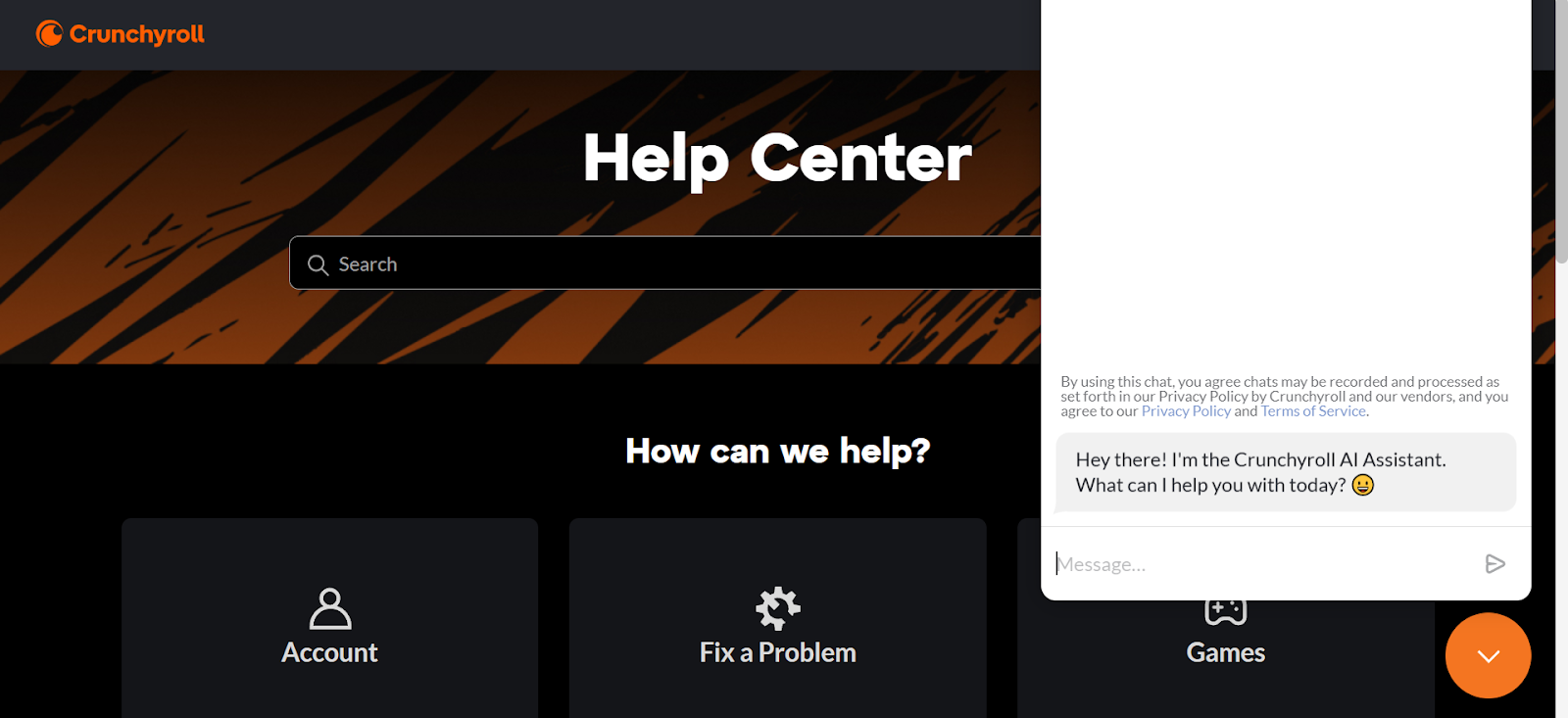
- Click the support icon and type your message. Include your name, the details about the issue you encounter, and other information that might help.
Pro Tip for Creators: Generate, Translate, and Edit Subtitles on VMEG AI
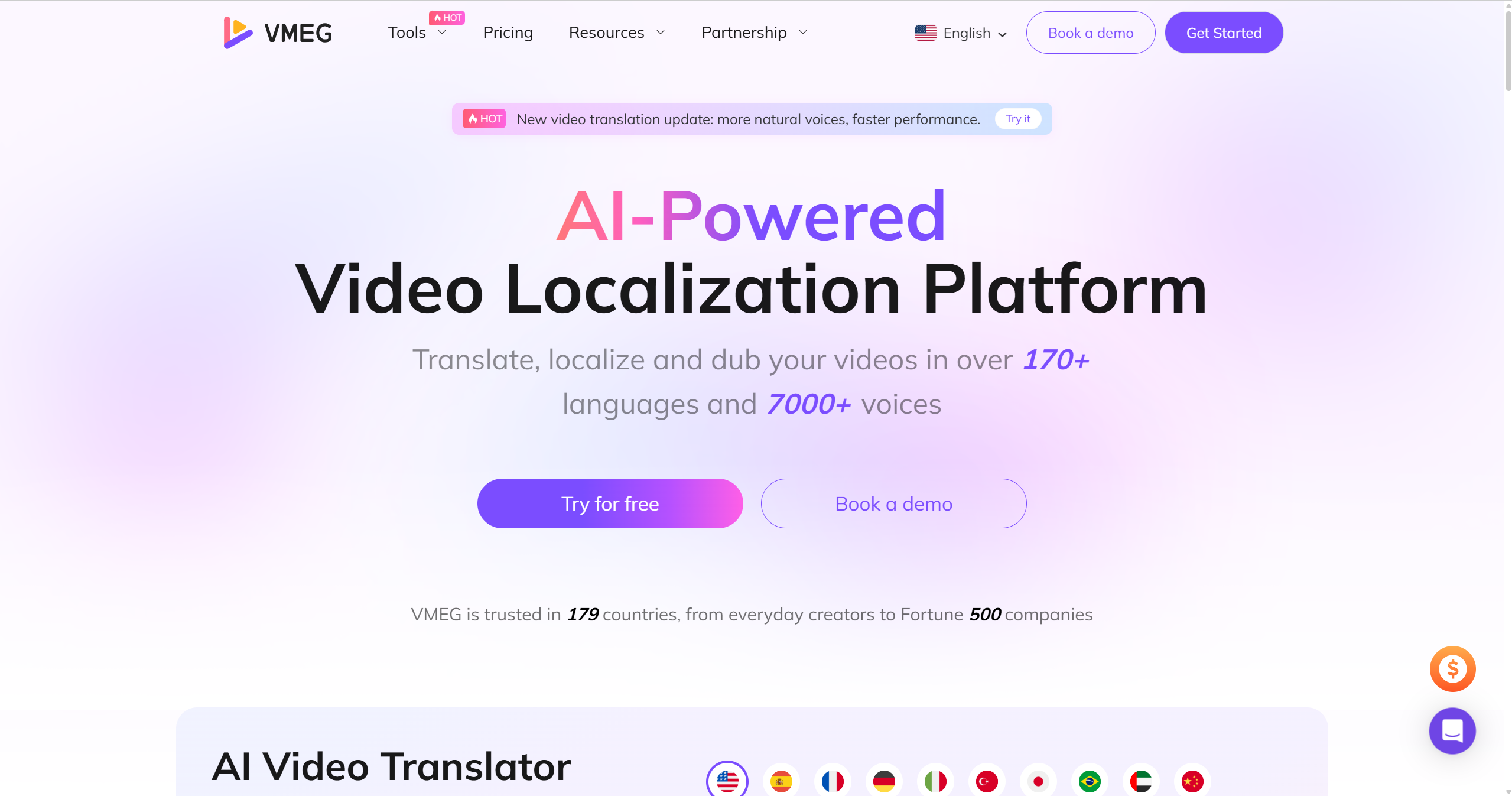
If you are a content creator who wants to create anime-like content with subtitles, you need a tool like VMEG AI. With VMEG AI, you can generate, translate, and edit subtitles. This will help you create content that resonates well with your audience. In addition to subtitles, you can translate and transcribe content using its localization tools.
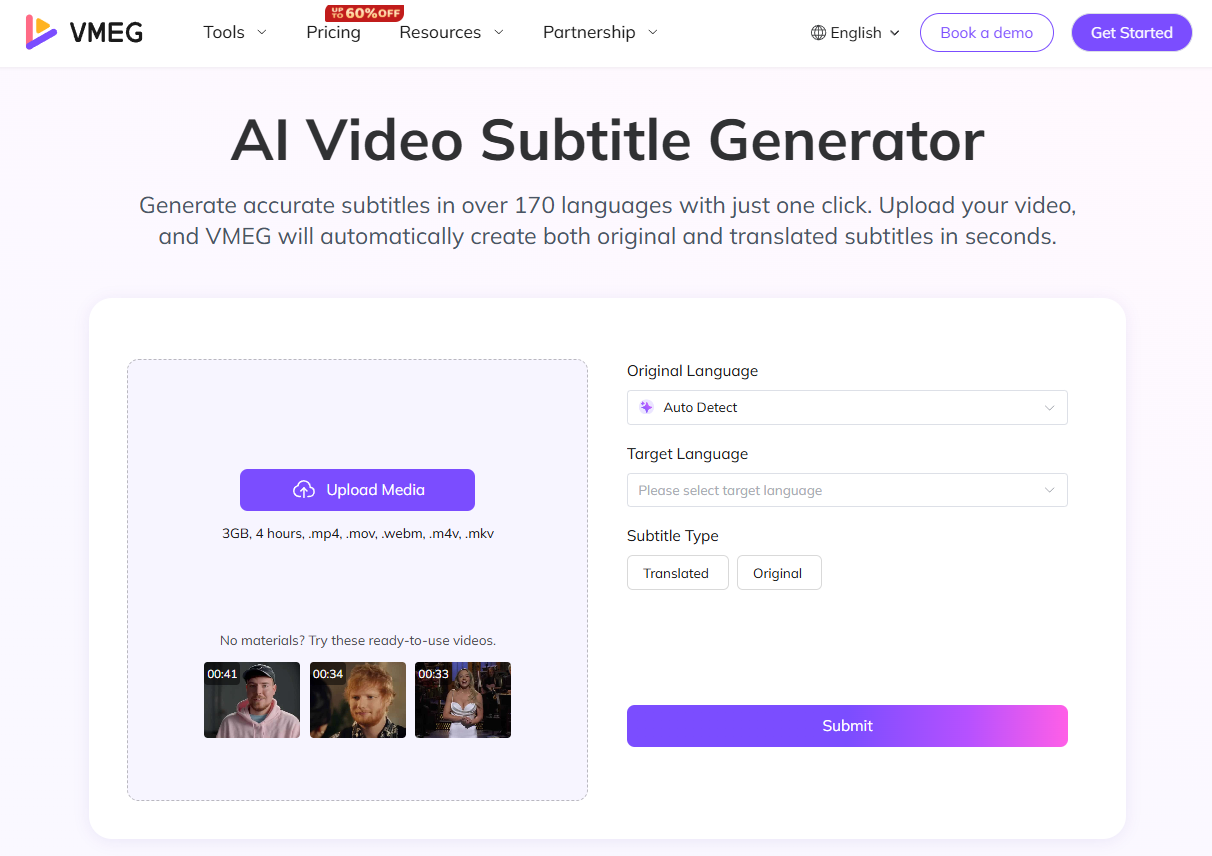
VMEG AI Subtitle Generator & Translator
Core Features of VMEG AI Subtitle Generator
- Supports more than 170 languages. Upload your video, and VMEG AI will generate subtitles in different languages. Its system detects speech and converts it into accurate, time-synced captions. This is ideal for videos of any length or style.
- Translate & Customize Subtitles. Reaching a wider audience will be easier as subtitles/captions can be translated into different languages. After the subtitles are generated, you can edit the text, fine-tune timing, and apply stylish templates.
- Flexible Export. It allows you to download a video with embedded subtitles. If you want to edit it, you can download it as an SRT file. These formats are ready to be uploaded to any platform, as they are perfectly timed.
Core Features of VMEG AI Subtitle Translator
Translate and transcribe subtitles. With VMEG AI, you can translate, edit, and style subtitles according to your preferences. This is helpful in keeping your brand. It offers numerous preset styles, fonts, colors, and positioning options, so you can create a subtitle that is visually consistent.
Supports long-form videos. Even if your videos are 2 hours long, VMEG AI delivers accurate and synced subtitles. It is flawlessly synced with speech pauses, music beats, and scene changes.
Export to SRT files. You can generate subtitles or upload existing subtitle files. The generated and uploaded subtitles can be edited before you download them as SRT files, speeding up video integration.
VMEG AI Subtitle Editor
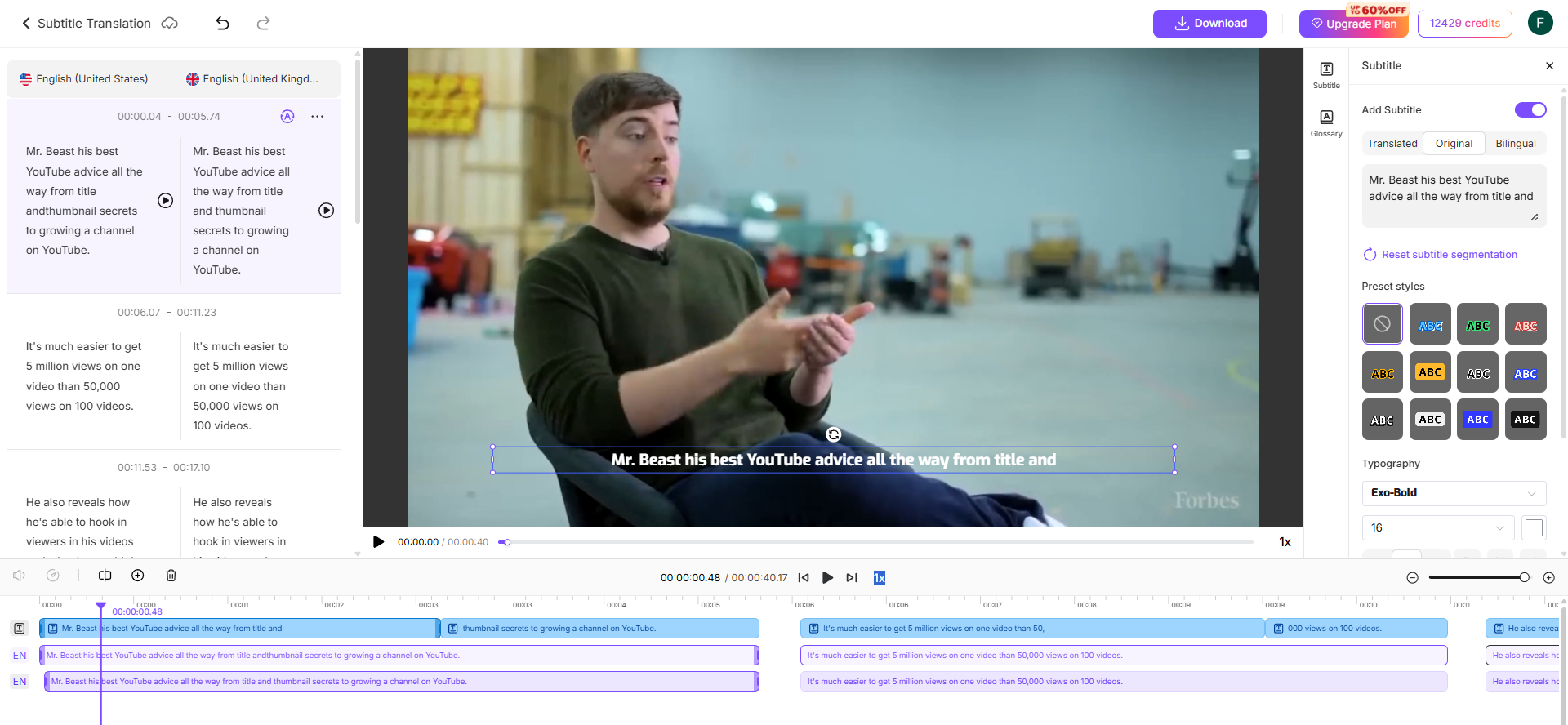
Core Features of VMEG AI Subtitle Editor
User-friendly Interface. Creating clear, synchronized subtitles is easy thanks to its user-friendly, interactive interface.
Customizable Subtitle Styles. Stay consistent with your brand style; use a range of fonts, colors, and formatting options to make your subtitles visually appealing.
Auto Subtitle Preview. This feature helps ensure subtitles are accurate. Before exporting it, preview and edit subtitles. In addition, it can also be downloaded as an SRT file and a video with embedded captions.
FAQs
How do I fix the subtitles on Crunchyroll?
You can fix subtitles on Crunchyroll by doing some quick troubleshooting steps, such as restarting the device, updating the app, checking the subtitle settings, switching and updating browsers, restarting the internet connection, turning off graphics acceleration, turning off subtitles, setting the subtitles to your preferred language, and more.
Why is Crunchyroll out of sync?
Crunchyroll may be out of sync due to several factors, such as a slow internet connection, an outdated app, device incompatibility, browser add-ons or extensions, or a VPN.
Why are my subtitles not working?
Subtitles may not work due to glitches, subtitle availability, VPN, outdated app, disabled subtitles or closed captions, and other issues.
How to fix subtitles being delayed?
If subtitles are delayed, try disabling subtitles, then set it to English, turn off graphics or hardware acceleration in the browser, or contact Crunchyroll support.
How to change Crunchyroll subtitle settings?
Go to Settings and toggle subtitles on or off, or select a language.
Conclusion
Crunchyroll is like a landmine for anime lovers, but viewers may encounter issues, especially with subtitles. Some of these issues include Crunchyroll subtitles not working, delays, or out-of-sync subtitles.
Subtitles are an important part of watching anime, as they help viewers understand the message and relate to the story. These can be resolved by restarting the device, updating the app, toggling subtitles on or off, restarting the internet connection, clearing the cache, checking subtitle availability, and other quick troubleshooting steps.
If you are a content creator producing anime-style content and other content types, you need to deliver a high-quality viewing experience for your audience. To do this, you need to generate, translate, and edit subtitles using a reliable tool such as VMEG AI. VMEG AI is an ideal platform for editing, translating, and generating subtitles for your content, with numerous features to help you create visually appealing content.


The VMEG Team
Behind VMEG stands a passionate team of creatives, engineers, and language lovers. At the crossroads of AI and storytelling, they craft tools that bridge languages and cultures.