


'%3e%3cpath%20d='M21.0949%203.79395L13.9961%209.82854H21.0949V3.79395Z'%20stroke='black'%20stroke-width='1.38'%20stroke-miterlimit='10'/%3e%3cpath%20d='M13.998%209.82854L7.44531%203.79395V9.82854H13.998Z'%20stroke='black'%20stroke-width='1.38'%20stroke-miterlimit='10'/%3e%3cpath%20d='M13.9961%202.69922V25.1919'%20stroke='black'%20stroke-width='1.38'%20stroke-miterlimit='10'/%3e%3cpath%20d='M20.5488%2016.4113L13.9961%209.82812V18.2217L20.5488%2024.0918V16.4113Z'%20stroke='black'%20stroke-width='1.38'%20stroke-miterlimit='10'/%3e%3cpath%20d='M7.44531%2016.4113L13.998%209.82812V18.0526L7.44531%2024.0918V16.4113Z'%20stroke='black'%20stroke-width='1.38'%20stroke-miterlimit='10'/%3e%3cpath%20d='M4.71094%209.82812V18.6057H7.44125V16.4113L13.9941%209.82812H4.71094Z'%20stroke='black'%20stroke-width='1.38'%20stroke-miterlimit='10'/%3e%3cpath%20d='M13.9961%209.82812L20.5488%2016.4113V18.6057H23.2792V9.82812H13.9961Z'%20stroke='black'%20stroke-width='1.38'%20stroke-miterlimit='10'/%3e%3c/g%3e%3c/svg%3e)

'%3e%3cmask%20id='mask0_21456_29260'%20style='mask-type:luminance'%20maskUnits='userSpaceOnUse'%20x='0'%20y='0'%20width='28'%20height='28'%3e%3cpath%20d='M27.5%200.5H0.5V27.5H27.5V0.5Z'%20fill='white'/%3e%3c/mask%3e%3cg%20mask='url(%23mask0_21456_29260)'%3e%3cpath%20d='M14%2027.5C13.4854%2024.1035%2011.8974%2020.9608%209.46828%2018.5317C7.03922%2016.1026%203.89651%2014.5146%200.5%2014C3.89651%2013.4854%207.03922%2011.8974%209.46828%209.46828C11.8974%207.03922%2013.4854%203.89651%2014%200.5C14.5147%203.89644%2016.1028%207.03905%2018.5318%209.46816C20.9609%2011.8972%2024.1035%2013.4853%2027.5%2014C24.1035%2014.5147%2020.9609%2016.1028%2018.5318%2018.5318C16.1028%2020.9609%2014.5147%2024.1035%2014%2027.5Z'%20fill='url(%23paint0_linear_21456_29260)'/%3e%3c/g%3e%3c/g%3e%3cdefs%3e%3clinearGradient%20id='paint0_linear_21456_29260'%20x1='9.5'%20y1='9.5'%20x2='20.75'%20y2='21.875'%20gradientUnits='userSpaceOnUse'%3e%3cstop%20stop-color='%23F0DCD6'/%3e%3cstop%20offset='0.914506'%20stop-color='%231D6DFF'/%3e%3c/linearGradient%3e%3cclipPath%20id='clip0_21456_29260'%3e%3crect%20width='28'%20height='28'%20fill='white'/%3e%3c/clipPath%3e%3c/defs%3e%3c/svg%3e)
'%3e%3cpath%20d='M22.8019%2011.2412L23.5234%2011.6807V12.0103L23.3172%2012.7796L14.5579%2014.9771L13.7344%2012.7951L22.8019%2011.2412Z'%20fill='%23D97757'/%3e%3cpath%20d='M19.5236%204.77832L20.5322%205.00396L20.8%205.35575L21.0552%206.19876L20.9494%206.73644L15.0712%2015.3068L13.1133%2013.2191L18.5338%205.63471L19.5236%204.77832Z'%20fill='%23D97757'/%3e%3cpath%20d='M14.4577%203.43951L15.0761%203L15.5912%203.21976L16.1065%203.9889L14.6949%2013.0345L13.7364%2012.3397L13.3242%2011.131L14.0456%204.31853L14.4577%203.43951Z'%20fill='%23D97757'/%3e%3cpath%20d='M7.84766%203.5851L8.48285%202.7199L8.89716%202.61914L9.71923%202.74717L10.125%203.08581L13.0815%2010.0748L14.1509%2013.3954L12.8997%2014.1372L8.13117%204.91019L7.84766%203.5851Z'%20fill='%23D97757'/%3e%3cpath%20d='M4.77232%208.38688L4.56641%207.50742L5.18478%206.73828L5.90613%206.84816H6.11223L10.4403%2010.2544L11.78%2011.3531L13.6349%2012.8914L12.6044%2014.7594L11.6769%2013.9903L11.0586%2013.331L5.08168%208.82593L4.77232%208.38688Z'%20fill='%23D97757'/%3e%3cpath%20d='M3.53288%2014.0982L3.06641%2013.5489L3.06647%2013.0601L3.53288%2012.8896L8.78833%2013.2193L13.9408%2013.6588L13.7736%2014.7528L3.94502%2014.2082L3.53288%2014.0982Z'%20fill='%23D97757'/%3e%3cpath%20d='M6.62378%2019.8178H5.59334L5.18359%2019.3146V18.7132L6.93299%2017.3946L14.045%2012.5674L14.7648%2013.8785L6.62378%2019.8178Z'%20fill='%23D97757'/%3e%3cpath%20d='M8.57739%2022.8884L8.16518%2022.9984L7.54688%2022.6687L7.64995%2022.1193L13.7299%2013.5488L14.5543%2014.7574L10.0201%2021.1305L8.57739%2022.8884Z'%20fill='%23D97757'/%3e%3cpath%20d='M13.7361%2023.9861L13.4271%2024.4257L12.8088%2024.6454L12.2935%2024.2058L11.9844%2023.5466L13.5301%2014.6465L14.4576%2014.7563L13.7361%2023.9861Z'%20fill='%23D97757'/%3e%3cpath%20d='M18.9869%2021.5713V22.4503L18.8838%2022.7799L18.4716%2022.9997L17.7503%2022.8974L12.7969%2015.0367L14.7617%2013.4404L16.4104%2016.6269L16.5652%2017.7805L18.9869%2021.5713Z'%20fill='%23D97757'/%3e%3cpath%20d='M21.3629%2020.2507L21.4659%2020.8L21.1568%2021.2396L20.8476%2021.1297L19.0958%2019.8112L16.4165%2017.284L14.3555%2015.7457L14.9736%2013.6582L16.0041%2014.3175L16.6226%2015.5259L21.3629%2020.2507Z'%20fill='%23D97757'/%3e%3cpath%20d='M20.0232%2014.6482L22.5995%2014.8679L23.2178%2015.3074L23.6299%2015.9667V16.441L22.4964%2016.9556L16.7256%2015.4173L14.3555%2015.3074L14.9737%2013L16.6226%2014.3185L20.0232%2014.6482Z'%20fill='%23D97757'/%3e%3c/g%3e%3c/svg%3e)
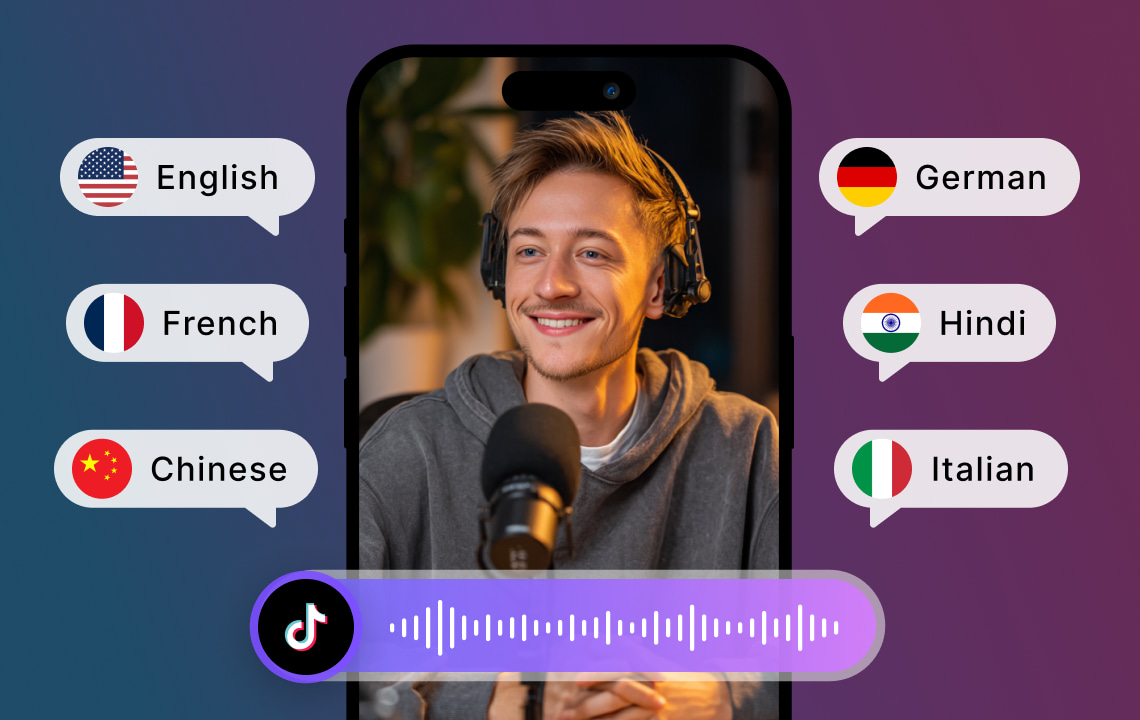
Key Takeaways:
- Post your Tik Tok video to VMEG AI: You can start with a high-quality video to ensure the transcription of the video. Audible sound and minimal noise in the background enhance performance.
- Create AI-Driven Transcripts: VMEG AI is an automatic speech-to-text technology that records conversations, background music, and onscreen indicators.
- Localize to Global Audiences: Translate transcripts into various languages and provide subtitles, captions or AI generated voiceovers to reach more people.
TikTok is a worldwide trend where millions of people consume short-form videos on a daily basis. TikTok content is varied and very appealing whether it is dance reels and tutorials, travel clips and narrative content.
But you are restricted in your audience by making a video in one language. Your videos should be transcribed and localized to access the global viewers. So, how to transcribe a tiktok video?
Transcribing will change the spoken content of your video into text, and localization will change the content into the language and culture of your audience. Collectively, the processes promote accessibility, interface, and international coverage. Herein, this guide will discuss the method of transcribing a TikTok video, its localization, and the ability to use some advanced services to simplify the process and produce the best possible results, such as using VMEG AI.
The Reason to Transcribe and Localize Your TikTok Videos
The transcription and localization are the key strategies that creators should use to achieve the best impact on TikTok.
To begin with, transcription enhances interaction. Most of the users view videos in silent modes either at work, in the commute, or in other quiet conditions. Through subtitles, the viewers can still be engaged even when there is no sound on.
Localization will guarantee that your contents access a wider audience with other languages. You can increase your audience to international audiences who would have not known about your videos without translation of captions or voiceovers.
Another significant advantage is accessibility. Captions and transcripts ensure that your content is accessible to hearing impaired viewers and brings better user experience to the rest. Moreover, journalistic content is simplified to index and makes content more discoverable and assists search optimization on social media.
Lastly, videos that have been transcribed and localised can be reused. A single video and the transcript can be translated into a blog format or snippets of social media, as well as an infographic or a marketing piece, to increase the usefulness of your content on more platforms.
How to Transcribe a TikTok Video: Step-by-Step
- Export Your Video: First, you have to download or export the TikTok video you would like to transcribe. This might be a Reel, Story or TikTok video on your drive. Make sure that your video is compatible in form like MP4 or MOV.
- Add to a Transcription Tool: Add the audio to a machine-translated transcription tool that will automatically transcribe the content. This is time-saving as opposed to manual transcription and negative errors in dialogue, narration, or background speech. VMEG AI offers a niche TikTok transcript generator capable of processing small-scale texts with great effectiveness and precision.
- Check and Revise Transcript: AI transcription is quick with possibility of not translating every subtly particularly with slang, background music, or simultaneous voice. Go through the transcript and correct where necessary. Include comments regarding what is on screen like text or images that are to be included in the captions.
- Format of Subtitles: Divide the transcript into sub-sections that could be used as a subtitle. The segments should include one or two sentences, which must be timed according to the video. Formatted subtitles increase understanding and experience by readers.
- Be Localization Ready: In case you are dealing with a multi-lingual target audience, then translate the transcript to the languages. Choose between subtitles, dubbing or both. Translating in advance means that the process of localization will become easier.
VMEG AI x TikTok Transcript Generator
Turn speech into texts for any TikTok video with VMEG. Support all 170+ Languages.
The Way to Localize Your Transcribed TikTok Video
- Add Subtitles or Captions: Use your edited transcript to add subtitles. In case of a non-native audience, provide the translated copies of the same in the other languages. Make sure that subtitles are readable and do not cover significant graphic details.
- Create Translated Subtitle Files: Export translated subtitles as SRT or VVT formats. This will enable you to use them in other platforms, change translations easily and be consistent.
- Dubbing or Voice-Over: To be even more localized, instead of the original audio, a voice-over in the language of the target will be provided. With the help of AI-based technologies, one can get the impression of a natural voice, which is accompanied by the movements of the lips on the video, resulting in a high level of professionalism.
- Scaffold Visual and Cultural Content: Translating Onscreen Text, Captions, and Graphics and Adapting them to the local culture. This will make the video feel natural to the audience in other locations aside, and it also preserves the readability and the beauty of the video.
- Quality Check: Revise the final video. Make sure that subtitles should be synchronised, translations are right and dubbing should be the same as the original expressions. Error prevention Quality control is used to avoid mistakes that might lessen the engagement or result in confusion.
- Publish Strategically: Use TikTok to post the localized video, and make several versions in various languages, as needed. Include captions and hashtags in the target language to be more visible and interesting. An effective video with a high localized area can help increase your presence and worldwide influence considerably.
Why VMEG AI Is Ideal for TikTok Video Transcription and Localization
VMEG AI is a full-fledged solution to transcription and localization of TikTok creators:
- Quick and Precise Transcription: The platform transcribes what was spoken into text fast, even when the signal is in a video that is short and has background noise.
- Multilanguage Support: VMEG AI supports more than 170 languages, which is ideal when the creators could be addressing the international market.
- Export Subtitle and Caption: Transcripts can be saved as standard text formats such as SRT or VTT, which can be embedded or re-used.
- Translation and Dubbing Capabilities: VMEG AI has the ability to go beyond the transcription process of captions and offer AI-generated voiceovers to do full localization.
- Productivity and Improved Scalability: The tool makes the process easier, which has saved hours of manual work and enables creators to concentrate on the production of content.
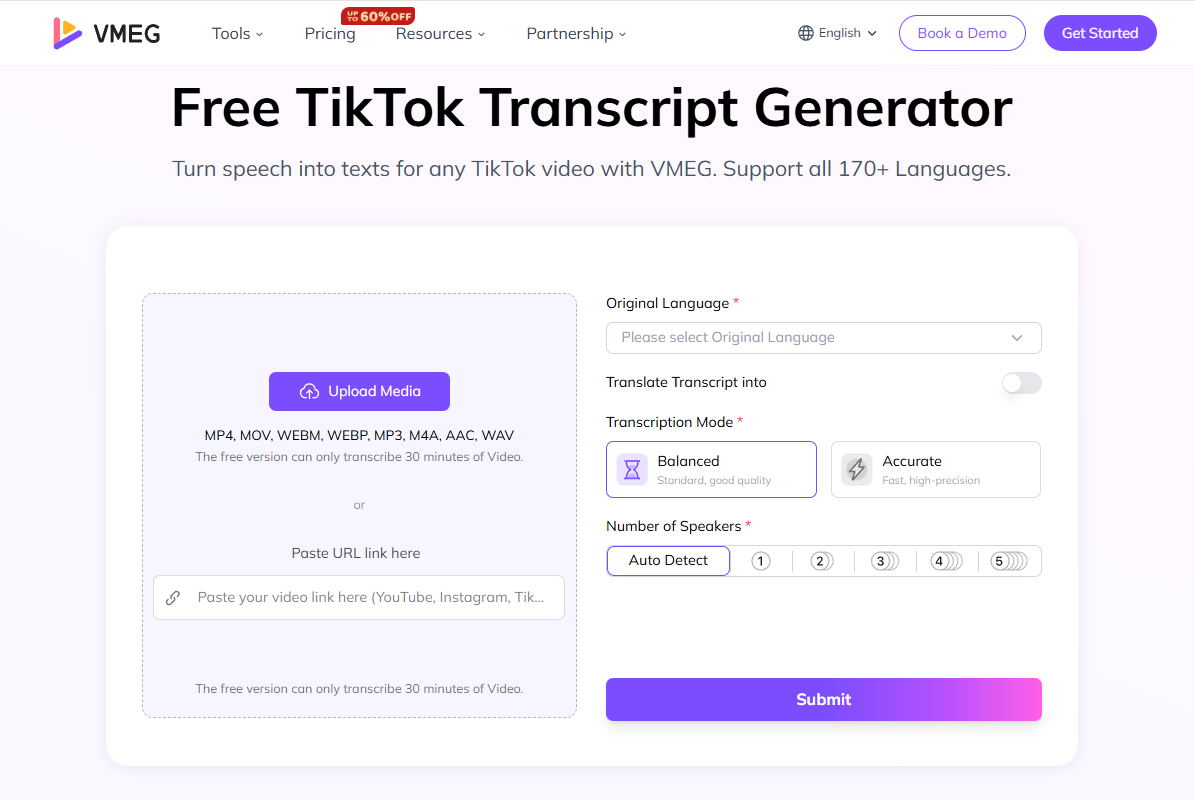
With VMEG AI, it only takes a few clicks to take a TikTok video to a video that is not only in a single language but also a high-quality video that could be viewed by anyone around the world.
Pro Tips on Systems of Transcribed and Localized TikTok Videos
- Use Quality Audio and Video: Transcription accuracy is enhanced by the usage of clear audio, whereas high-quality videos help to improve the location of the subtitles.
- Review Transcripts Manually: It is possible that even developed AI does not comprehend slang or noises. Editing helps to provide precision and clarity.
- Be Brand Consistent: Do not change your tone and style depending on the language.
- Arrange Master Files: Store original videos, raw transcripts, translations, subtitle files, and final videos to make use of it later.
- Take into Account Cultural Sensitivity: Change idioms, slang, and visuals to fit the target audience.
- Give Subtitles a Priority in Silent Viewing: As a large percentage of users on TikTok view videos with the sound off, captions will enhance the degree of engagement.
- Repurpose Content: Blogs, social media posts, and marketing resources Use the transcripts of a video to get maximum use out of one video.
Uses of Transcribed and Localized TikTok Videos
With transcription and localization, various opportunities are opened:
- Social Media Interactions: Subtitles and translation boost watch-throughs and interactions.
- Marketing Campaigns: Target audiences worldwide with culturally adjusted advertisements or videotapes.
- Education and Tutorials: Provide educational materials available to the audience using other languages.
- Entertainment: Memes, challenges, or fan edits get comprehensible around the entire globe.
- Business Communication: Use to communicate updates, product demonstrations or notifications to a wide audience across the globe.
Conclusion
TikTok Video Transcription and Localization is no longer just a choice anymore, it is a necessity to creators and companies who want to have a global presence. Turning speech into text, translating or dubbing, adding subtitles, and culturalizing images, you can make your videos readable, interesting, and effective anywhere in the world.
VMEG AI makes the whole process simpler, offering quick, precise transcription, subtitle export, translation and AI-powered voice-over services. This allows creators to produce localized content of professional quality without hours of manual editing. Hope so, now you know how to transcribe a tiktok video.
The transcription and the localization features, being built into your TikTok workflow will help you build an audience, get more engagement, and make every video worth the value. The appropriate tools and tactics can make international expansion a possibility, making every TikTok video a worldwide reachable content.
FAQs: TikTok Video Transcription and Localization
1. Is there a way to get a transcript of a TikTok video?
Yes. Transcribing Tik Toks even with background noise can be done quickly and with high accuracy using AI-driven tools, such as VMEG AI.
2. How to transcribe on TikTok?
Export TikTok video and upload it in any transcription service like the VMEG AI. The AI will create a transcript, which you can check and correct, in case of necessity.
3. How to get a TikTok video to read text?
The text is transcribed then converted to subtitles or captions with VMEG AI causing the spoken content to appear on-screen.
4. How can I get a transcript of a video?
Post the video to an artificial intelligence transcription software, such as VMEG AI. It will automatically transcribe an audio into a written text and one can edit it, translate it or localize it.
5. Can ChatGPT transcribe video?
ChatGPT is not an audio/video file processing tool. Special AI tools such as VMEG AI have been suggested to be used in the context of transcription in order to obtain accurate results.
6. Is there an AI that can transcribe a video?
Yes. VMEG AI is an artificial intelligence (AI) tool that has the ability to transcribe, translate, and generate subtitles or voiceovers to videos, including TikTok content.


Fay
Behind VMEG stands a passionate team of creatives, engineers, and language lovers. At the crossroads of AI and storytelling, they craft tools that bridge languages and cultures.