


'%3e%3cpath%20d='M21.0949%203.79395L13.9961%209.82854H21.0949V3.79395Z'%20stroke='black'%20stroke-width='1.38'%20stroke-miterlimit='10'/%3e%3cpath%20d='M13.998%209.82854L7.44531%203.79395V9.82854H13.998Z'%20stroke='black'%20stroke-width='1.38'%20stroke-miterlimit='10'/%3e%3cpath%20d='M13.9961%202.69922V25.1919'%20stroke='black'%20stroke-width='1.38'%20stroke-miterlimit='10'/%3e%3cpath%20d='M20.5488%2016.4113L13.9961%209.82812V18.2217L20.5488%2024.0918V16.4113Z'%20stroke='black'%20stroke-width='1.38'%20stroke-miterlimit='10'/%3e%3cpath%20d='M7.44531%2016.4113L13.998%209.82812V18.0526L7.44531%2024.0918V16.4113Z'%20stroke='black'%20stroke-width='1.38'%20stroke-miterlimit='10'/%3e%3cpath%20d='M4.71094%209.82812V18.6057H7.44125V16.4113L13.9941%209.82812H4.71094Z'%20stroke='black'%20stroke-width='1.38'%20stroke-miterlimit='10'/%3e%3cpath%20d='M13.9961%209.82812L20.5488%2016.4113V18.6057H23.2792V9.82812H13.9961Z'%20stroke='black'%20stroke-width='1.38'%20stroke-miterlimit='10'/%3e%3c/g%3e%3c/svg%3e)

'%3e%3cmask%20id='mask0_21456_29260'%20style='mask-type:luminance'%20maskUnits='userSpaceOnUse'%20x='0'%20y='0'%20width='28'%20height='28'%3e%3cpath%20d='M27.5%200.5H0.5V27.5H27.5V0.5Z'%20fill='white'/%3e%3c/mask%3e%3cg%20mask='url(%23mask0_21456_29260)'%3e%3cpath%20d='M14%2027.5C13.4854%2024.1035%2011.8974%2020.9608%209.46828%2018.5317C7.03922%2016.1026%203.89651%2014.5146%200.5%2014C3.89651%2013.4854%207.03922%2011.8974%209.46828%209.46828C11.8974%207.03922%2013.4854%203.89651%2014%200.5C14.5147%203.89644%2016.1028%207.03905%2018.5318%209.46816C20.9609%2011.8972%2024.1035%2013.4853%2027.5%2014C24.1035%2014.5147%2020.9609%2016.1028%2018.5318%2018.5318C16.1028%2020.9609%2014.5147%2024.1035%2014%2027.5Z'%20fill='url(%23paint0_linear_21456_29260)'/%3e%3c/g%3e%3c/g%3e%3cdefs%3e%3clinearGradient%20id='paint0_linear_21456_29260'%20x1='9.5'%20y1='9.5'%20x2='20.75'%20y2='21.875'%20gradientUnits='userSpaceOnUse'%3e%3cstop%20stop-color='%23F0DCD6'/%3e%3cstop%20offset='0.914506'%20stop-color='%231D6DFF'/%3e%3c/linearGradient%3e%3cclipPath%20id='clip0_21456_29260'%3e%3crect%20width='28'%20height='28'%20fill='white'/%3e%3c/clipPath%3e%3c/defs%3e%3c/svg%3e)
'%3e%3cpath%20d='M22.8019%2011.2412L23.5234%2011.6807V12.0103L23.3172%2012.7796L14.5579%2014.9771L13.7344%2012.7951L22.8019%2011.2412Z'%20fill='%23D97757'/%3e%3cpath%20d='M19.5236%204.77832L20.5322%205.00396L20.8%205.35575L21.0552%206.19876L20.9494%206.73644L15.0712%2015.3068L13.1133%2013.2191L18.5338%205.63471L19.5236%204.77832Z'%20fill='%23D97757'/%3e%3cpath%20d='M14.4577%203.43951L15.0761%203L15.5912%203.21976L16.1065%203.9889L14.6949%2013.0345L13.7364%2012.3397L13.3242%2011.131L14.0456%204.31853L14.4577%203.43951Z'%20fill='%23D97757'/%3e%3cpath%20d='M7.84766%203.5851L8.48285%202.7199L8.89716%202.61914L9.71923%202.74717L10.125%203.08581L13.0815%2010.0748L14.1509%2013.3954L12.8997%2014.1372L8.13117%204.91019L7.84766%203.5851Z'%20fill='%23D97757'/%3e%3cpath%20d='M4.77232%208.38688L4.56641%207.50742L5.18478%206.73828L5.90613%206.84816H6.11223L10.4403%2010.2544L11.78%2011.3531L13.6349%2012.8914L12.6044%2014.7594L11.6769%2013.9903L11.0586%2013.331L5.08168%208.82593L4.77232%208.38688Z'%20fill='%23D97757'/%3e%3cpath%20d='M3.53288%2014.0982L3.06641%2013.5489L3.06647%2013.0601L3.53288%2012.8896L8.78833%2013.2193L13.9408%2013.6588L13.7736%2014.7528L3.94502%2014.2082L3.53288%2014.0982Z'%20fill='%23D97757'/%3e%3cpath%20d='M6.62378%2019.8178H5.59334L5.18359%2019.3146V18.7132L6.93299%2017.3946L14.045%2012.5674L14.7648%2013.8785L6.62378%2019.8178Z'%20fill='%23D97757'/%3e%3cpath%20d='M8.57739%2022.8884L8.16518%2022.9984L7.54688%2022.6687L7.64995%2022.1193L13.7299%2013.5488L14.5543%2014.7574L10.0201%2021.1305L8.57739%2022.8884Z'%20fill='%23D97757'/%3e%3cpath%20d='M13.7361%2023.9861L13.4271%2024.4257L12.8088%2024.6454L12.2935%2024.2058L11.9844%2023.5466L13.5301%2014.6465L14.4576%2014.7563L13.7361%2023.9861Z'%20fill='%23D97757'/%3e%3cpath%20d='M18.9869%2021.5713V22.4503L18.8838%2022.7799L18.4716%2022.9997L17.7503%2022.8974L12.7969%2015.0367L14.7617%2013.4404L16.4104%2016.6269L16.5652%2017.7805L18.9869%2021.5713Z'%20fill='%23D97757'/%3e%3cpath%20d='M21.3629%2020.2507L21.4659%2020.8L21.1568%2021.2396L20.8476%2021.1297L19.0958%2019.8112L16.4165%2017.284L14.3555%2015.7457L14.9736%2013.6582L16.0041%2014.3175L16.6226%2015.5259L21.3629%2020.2507Z'%20fill='%23D97757'/%3e%3cpath%20d='M20.0232%2014.6482L22.5995%2014.8679L23.2178%2015.3074L23.6299%2015.9667V16.441L22.4964%2016.9556L16.7256%2015.4173L14.3555%2015.3074L14.9737%2013L16.6226%2014.3185L20.0232%2014.6482Z'%20fill='%23D97757'/%3e%3c/g%3e%3c/svg%3e)
Video is one of the most popular content types across platforms, especially on social media accounts. To create a high-quality video output that your audience will love, you need a modern, reliable tool. And if you are looking for a tool, you can try Kapwing. It is a video creation platform where you can edit videos. In this blog post, we will discuss Kapwing Reviews to help you learn more about it.
What Is Kapwing?
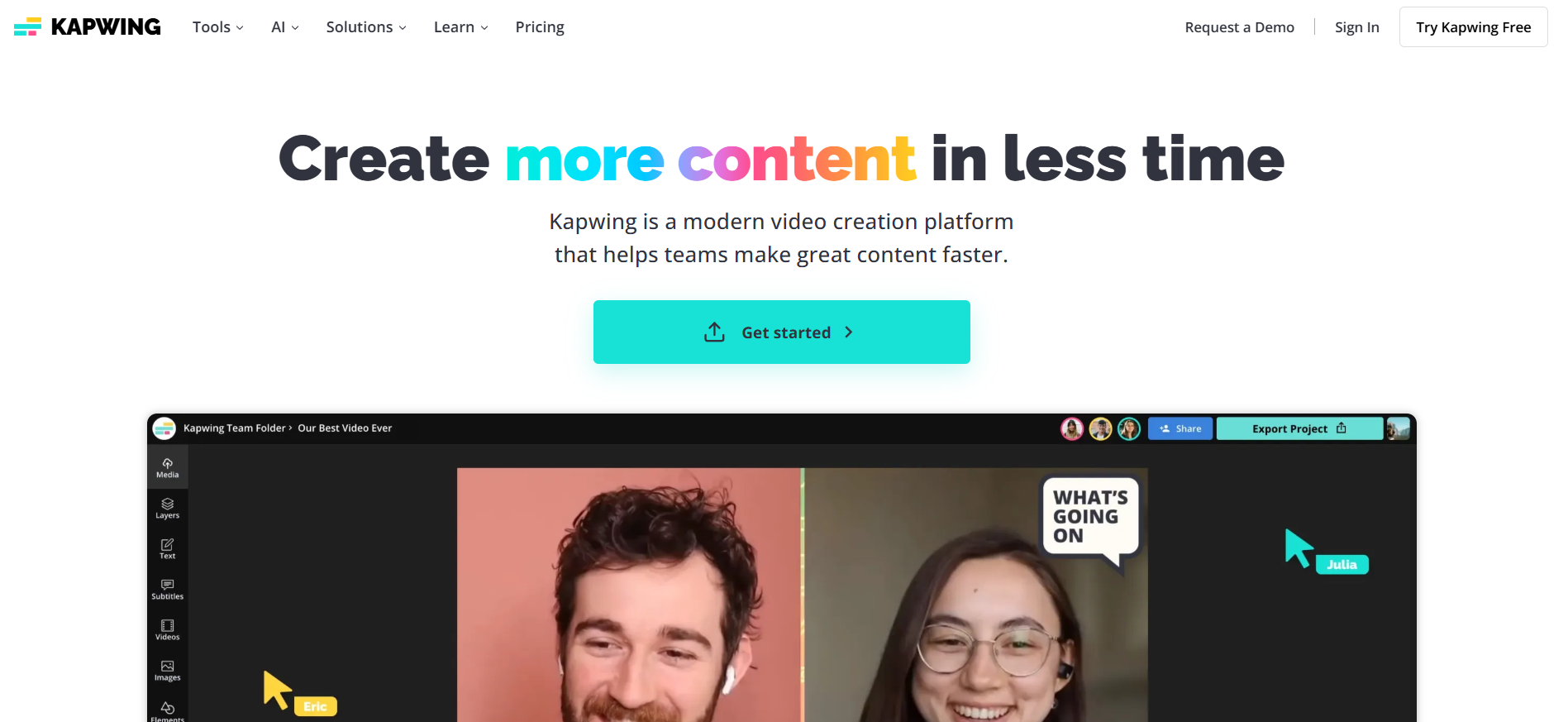
*Image Credit: Screenshot from Kapwing website accessed November 2025 for illustrative purposes only.
Kapwing is one of the video creation platforms that brings content creation to the next level. It is a perfect tool for teams, as it allows people to collaborate on projects. It offers a range of functions that let users create videos more quickly with its easy-to-use tools. With Kapwing, you can create content faster, making you more efficient and productive.
Key Features
Streamline Video Creation Process. It streamlines the video creation process with its automation, templates, AI tools, feedback, and project status. With these features, video creation can be done faster and more effectively.
Consistent Branding. Staying consistent on your brand design is easy, as it provides custom templates and brand assets that team members can access. It will help create content with a consistent and appealing design.
Other Features. Kapwing’s other features include collaborative editing, waveforms, clean audio, unlimited overlays, smart cut, background remover, stock assets, templates, resizer, trimmer, and subtitles.
Kapwing Video Translation Features
Kapwing offers multiple tools for your video projects, including Video Translation, which lets you translate your videos to reach a global audience.
It supports more than 100 languages. With more than 100 languages supported, your video becomes accessible worldwide with just a few clicks.
Flexible Export Options. It supports multiple export formats, such as VTT, SRT, and TXT, making workflow and distribution easier and more convenient for all.
Other Features. It offers additional features and tools, such as timing adjustments, search-and-replace, custom spellings, translation rules, and pronunciation rules.
Pro Tip: Try VMEG AI and Reach Global Audience
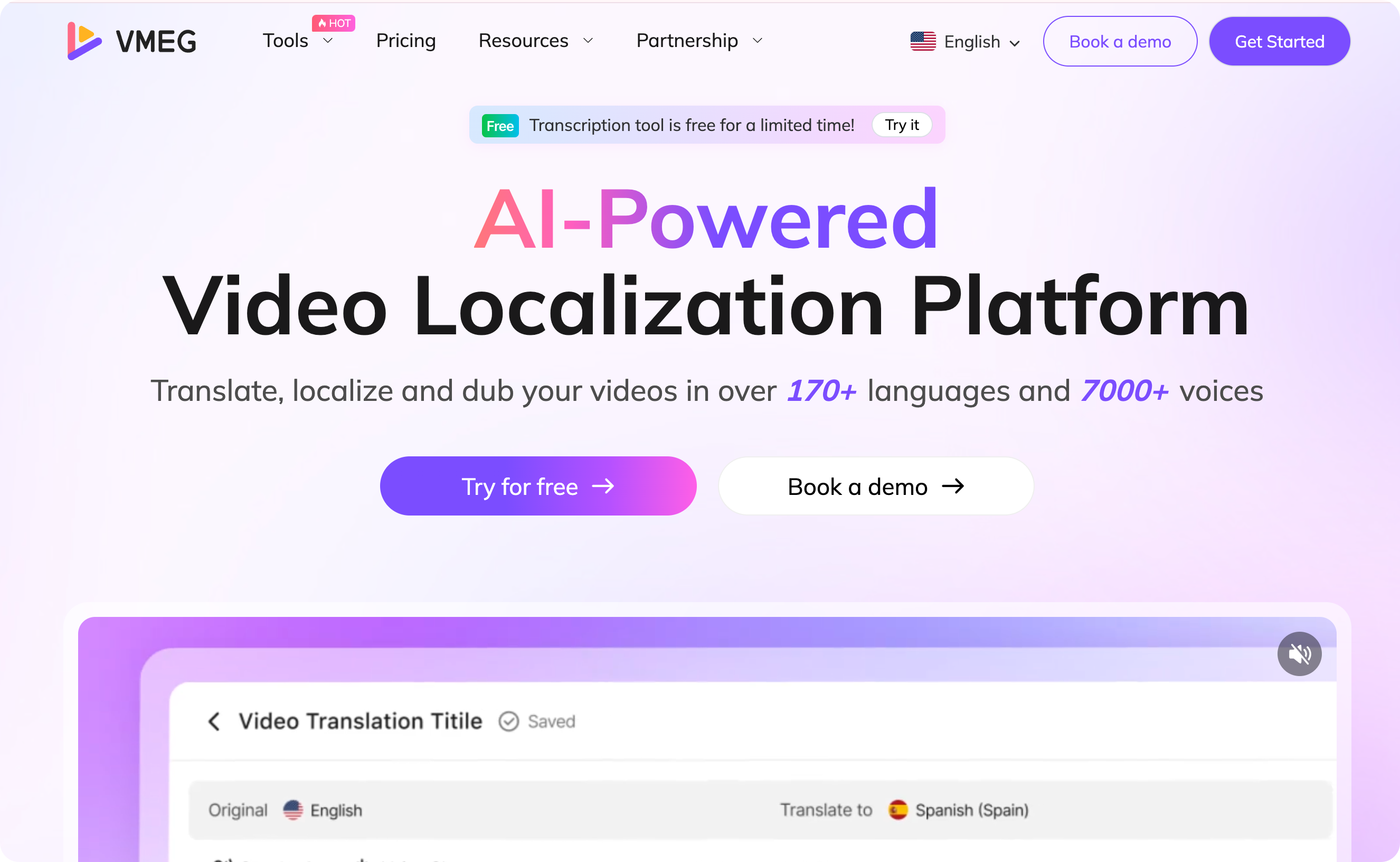
VMEG AI is a powerful tool perfect for various kinds of projects. With VMEG AI, you can translate, localize, and dub your videos, and more, to reach a global audience. Whether you need translation, subtitles, transcription, or text-to-speech, VMEG AI can handle it. It supports more than 7,000 voices and 170 languages, enabling you to create content that resonates with a global audience.
Why Choose VMEG AI’s Video Translation Tool?
V - Video Localization Mastery
Video Localization is VMEG AI’s masterpiece. It transforms videos and content into multilingual versions with high quality and accuracy.
M – Multi-Language Support
It supports more than 170 languages to help you expand worldwide with just a few clicks.
E – Effortless Localization and Workflow
VMEG AI is an easy-to-use platform, perfect for beginners. It only takes a few seconds or minutes to create an output.
G – Global Audience Expansion
Since we are now more connected than ever, VMEG AI helps creators, businesses, and individuals break language barriers. It helps increase content visibility worldwide.
A – AI-Powered Automation
As an AI-Powered Video Localization Platform, it streamlines workflows, making them easier, faster, and more efficient for translation, dubbing, lip-sync, subtitle generation, and more.
I – Intuitive User Experience
The process from uploading or pasting links to processing the input into the type of content you need and exporting it is simple and easy.
Why Use Kapwing for Your Projects?
Video content is one of the most interactive content types, making people more interested in it. From learning to lifestyle content, businesses and individuals use videos to connect with their audiences and convey their messages. Here are some reasons why you should try Kapwing for your projects.
Powerful Features
Its powerful features, as discussed above, make video content creation faster and easier. It helps save time, effort, and costs while delivering high-quality results for all your needs.
Multiple Tools
Aside from the video editor, it also offers tools such as Repurpose Studio, Subtitle Studio, Resize Video, Speaker Focus, Audio Editor, Transcribe Video, and more.
AI-Powered Tools
It also has AI-powered innovative tools that make content creation faster and more efficient. It includes AI Video Editor, Video Generator, Translate Video, Song Generator, and more.
Improve Productivity
Kapwing features and tools improve productivity by accelerating and automating the content creation process. These tools speed up the process, helping create content faster and better.
Who Should Use Kapwing?
Is Kapwing ideal for you? Kapwing is a perfect tool for those who want a modern, beginner-friendly, easy-to-use platform for content creation.
Content Creators
If you are a YouTuber, educator, or social media influencer, you can use Kapwing to create videos.
Marketing and Social Media Teams
It is an ideal tool for teams, as it allows real-time collaboration, making it easier and more convenient to finish a project.
Small Businesses
This platform is perfect for small businesses as it offers a free plan. It helps cut costs while maintaining quality output. It also provides a reasonable price for those who want to upgrade to plans with more features.
Students and Teachers
Kapwing is also great for students and teachers. Whether for a project or any academic material, Kapwing offers tools that make content creation more exciting.
Remote Teams
With the rise of remote work, remote teams can easily access and collaborate on projects wherever they are. Suggestions and feedback can be provided in real time, helping projects be completed faster.
How Kapwing Performs: Kapwing Reviews
Here is the data from different review platforms to know what users say about Kapwing.
Platforms | ||||
Rating | 4.8 | Unavailable | 4.4 | 4 |
Total Reviews | 4,999 | 1,359 | 207 | 38 |
High star Review Insights | Impressive, Super easy to learn, Easy to use, Awesome, Excellent | Very Helpful, Great website, Easy to use, Very Intuitive | Fast, Amazing Experience, Easy and Useful | Easy to Use, Best Solution, |
Pros | Not specifically stated | Not specifically stated | Efficient Video Creation Tools, Easy and Versatile Video Editing | High Quality, Ease of Use, Design Quality, Content Creation, AI Excellence |
Cons | Not specifically stated | Not specifically stated | Frequent Technical Glitches, Concerns over pricing transparency | Slow Rendering, Poor Support, Feature Limitations |
Keywords / Most Used Words / Popular Topics | Website, software, app, subtitles, download, user-friendly | Refund, Subscription, Payment, Social Media, Cancellation | Video Editing, Subtitle Generation, Editing Tools | Not Specifically Stated |
Pricing / Value for Money Rating | Not available | Not available | 4.3 | Not Available |
Features / Functionality Rating | Not available | Not available | 4.4 | Not Available |
Please note that the data accessed in November 2025 from review platforms may change based on recent reviews and other factors. You can visit Kapwing and the review platforms above for more updates and information.
How to Assess If Kapwing Is for You
Assessing whether Kapwing is ideal for you is important for a smooth, satisfying experience. Here are some of the things to check if it is a perfect platform for your needs.
Check Kapwing Reviews
Check out various Review platforms to stay up to date on its products and services. With reviews, you will see the reasons users gave for their high or low rating.
Ask People Who Already Use It
If you have family, friends, colleagues, or someone you know who is using Kapwing, you can ask for their experience and ask some questions.
Identify Your Needs
Know what type of projects you are currently doing and your plans to see if the features of Kapwing are aligned with your needs and preferences.
Consider Your Workflow and Preferences
Kapwing is ideal for you if you prefer to work on any device, collaborate with teams, and prefer a modern tool. However, it may not be for you if you prefer to work offline or have slow internet.
Use The Free Plan
One of the best ways to assess whether it is ideal for you is to use the free plan to test whether the features match your needs and whether it is easy to use. You can run a trial project to see whether the tools integrate easily and whether the output meets your quality expectations.
Contact Support for Questions or Inquiries
If you have any questions, you can contact support to ensure everything is clear. In this way, you will also be able to test their response time. You can also visit its Help Center to view the resources that might help you.
Read their terms, conditions, and policies.
It is always best to read and understand the terms, conditions, and policies to determine whether they align with your expectations. For example, before you upgrade or subscribe to a plan, read their refund policy to know what to expect.
Conclusion
Kapwing is an ideal tool to try if its features, tools, and terms match your needs and preferences. Currently, it has a good rating across various review platforms, indicating strong performance. Before you upgrade to a plan, ensure you know its pricing and refund policy, as well as the features available on your desired plan.
And if you are looking for an easy-to-use tool to translate video or localize your content for a global audience, try VMEG AI. It is ideal for those who want a simple platform that delivers accurate, high-quality output.
FAQs
Is Kapwing Free?
Kapwing offers a free plan for users and also a paid plan for those who want to upgrade and unlock more features.
Does Kapwing leave a watermark?
Kapwing adds a watermark to users on the free plan. Users need to upgrade to Pro to remove watermarks.
Does Kapwing have an app?
The Kapwing app on the Google Play Store is currently paused, but they plan to launch an iOS app in the future. As of now, you can use its website to create projects.


Fay
Behind VMEG stands a passionate team of creatives, engineers, and language lovers. At the crossroads of AI and storytelling, they craft tools that bridge languages and cultures.