


'%3e%3cpath%20d='M21.0949%203.79395L13.9961%209.82854H21.0949V3.79395Z'%20stroke='black'%20stroke-width='1.38'%20stroke-miterlimit='10'/%3e%3cpath%20d='M13.998%209.82854L7.44531%203.79395V9.82854H13.998Z'%20stroke='black'%20stroke-width='1.38'%20stroke-miterlimit='10'/%3e%3cpath%20d='M13.9961%202.69922V25.1919'%20stroke='black'%20stroke-width='1.38'%20stroke-miterlimit='10'/%3e%3cpath%20d='M20.5488%2016.4113L13.9961%209.82812V18.2217L20.5488%2024.0918V16.4113Z'%20stroke='black'%20stroke-width='1.38'%20stroke-miterlimit='10'/%3e%3cpath%20d='M7.44531%2016.4113L13.998%209.82812V18.0526L7.44531%2024.0918V16.4113Z'%20stroke='black'%20stroke-width='1.38'%20stroke-miterlimit='10'/%3e%3cpath%20d='M4.71094%209.82812V18.6057H7.44125V16.4113L13.9941%209.82812H4.71094Z'%20stroke='black'%20stroke-width='1.38'%20stroke-miterlimit='10'/%3e%3cpath%20d='M13.9961%209.82812L20.5488%2016.4113V18.6057H23.2792V9.82812H13.9961Z'%20stroke='black'%20stroke-width='1.38'%20stroke-miterlimit='10'/%3e%3c/g%3e%3c/svg%3e)

'%3e%3cmask%20id='mask0_21456_29260'%20style='mask-type:luminance'%20maskUnits='userSpaceOnUse'%20x='0'%20y='0'%20width='28'%20height='28'%3e%3cpath%20d='M27.5%200.5H0.5V27.5H27.5V0.5Z'%20fill='white'/%3e%3c/mask%3e%3cg%20mask='url(%23mask0_21456_29260)'%3e%3cpath%20d='M14%2027.5C13.4854%2024.1035%2011.8974%2020.9608%209.46828%2018.5317C7.03922%2016.1026%203.89651%2014.5146%200.5%2014C3.89651%2013.4854%207.03922%2011.8974%209.46828%209.46828C11.8974%207.03922%2013.4854%203.89651%2014%200.5C14.5147%203.89644%2016.1028%207.03905%2018.5318%209.46816C20.9609%2011.8972%2024.1035%2013.4853%2027.5%2014C24.1035%2014.5147%2020.9609%2016.1028%2018.5318%2018.5318C16.1028%2020.9609%2014.5147%2024.1035%2014%2027.5Z'%20fill='url(%23paint0_linear_21456_29260)'/%3e%3c/g%3e%3c/g%3e%3cdefs%3e%3clinearGradient%20id='paint0_linear_21456_29260'%20x1='9.5'%20y1='9.5'%20x2='20.75'%20y2='21.875'%20gradientUnits='userSpaceOnUse'%3e%3cstop%20stop-color='%23F0DCD6'/%3e%3cstop%20offset='0.914506'%20stop-color='%231D6DFF'/%3e%3c/linearGradient%3e%3cclipPath%20id='clip0_21456_29260'%3e%3crect%20width='28'%20height='28'%20fill='white'/%3e%3c/clipPath%3e%3c/defs%3e%3c/svg%3e)
'%3e%3cpath%20d='M22.8019%2011.2412L23.5234%2011.6807V12.0103L23.3172%2012.7796L14.5579%2014.9771L13.7344%2012.7951L22.8019%2011.2412Z'%20fill='%23D97757'/%3e%3cpath%20d='M19.5236%204.77832L20.5322%205.00396L20.8%205.35575L21.0552%206.19876L20.9494%206.73644L15.0712%2015.3068L13.1133%2013.2191L18.5338%205.63471L19.5236%204.77832Z'%20fill='%23D97757'/%3e%3cpath%20d='M14.4577%203.43951L15.0761%203L15.5912%203.21976L16.1065%203.9889L14.6949%2013.0345L13.7364%2012.3397L13.3242%2011.131L14.0456%204.31853L14.4577%203.43951Z'%20fill='%23D97757'/%3e%3cpath%20d='M7.84766%203.5851L8.48285%202.7199L8.89716%202.61914L9.71923%202.74717L10.125%203.08581L13.0815%2010.0748L14.1509%2013.3954L12.8997%2014.1372L8.13117%204.91019L7.84766%203.5851Z'%20fill='%23D97757'/%3e%3cpath%20d='M4.77232%208.38688L4.56641%207.50742L5.18478%206.73828L5.90613%206.84816H6.11223L10.4403%2010.2544L11.78%2011.3531L13.6349%2012.8914L12.6044%2014.7594L11.6769%2013.9903L11.0586%2013.331L5.08168%208.82593L4.77232%208.38688Z'%20fill='%23D97757'/%3e%3cpath%20d='M3.53288%2014.0982L3.06641%2013.5489L3.06647%2013.0601L3.53288%2012.8896L8.78833%2013.2193L13.9408%2013.6588L13.7736%2014.7528L3.94502%2014.2082L3.53288%2014.0982Z'%20fill='%23D97757'/%3e%3cpath%20d='M6.62378%2019.8178H5.59334L5.18359%2019.3146V18.7132L6.93299%2017.3946L14.045%2012.5674L14.7648%2013.8785L6.62378%2019.8178Z'%20fill='%23D97757'/%3e%3cpath%20d='M8.57739%2022.8884L8.16518%2022.9984L7.54688%2022.6687L7.64995%2022.1193L13.7299%2013.5488L14.5543%2014.7574L10.0201%2021.1305L8.57739%2022.8884Z'%20fill='%23D97757'/%3e%3cpath%20d='M13.7361%2023.9861L13.4271%2024.4257L12.8088%2024.6454L12.2935%2024.2058L11.9844%2023.5466L13.5301%2014.6465L14.4576%2014.7563L13.7361%2023.9861Z'%20fill='%23D97757'/%3e%3cpath%20d='M18.9869%2021.5713V22.4503L18.8838%2022.7799L18.4716%2022.9997L17.7503%2022.8974L12.7969%2015.0367L14.7617%2013.4404L16.4104%2016.6269L16.5652%2017.7805L18.9869%2021.5713Z'%20fill='%23D97757'/%3e%3cpath%20d='M21.3629%2020.2507L21.4659%2020.8L21.1568%2021.2396L20.8476%2021.1297L19.0958%2019.8112L16.4165%2017.284L14.3555%2015.7457L14.9736%2013.6582L16.0041%2014.3175L16.6226%2015.5259L21.3629%2020.2507Z'%20fill='%23D97757'/%3e%3cpath%20d='M20.0232%2014.6482L22.5995%2014.8679L23.2178%2015.3074L23.6299%2015.9667V16.441L22.4964%2016.9556L16.7256%2015.4173L14.3555%2015.3074L14.9737%2013L16.6226%2014.3185L20.0232%2014.6482Z'%20fill='%23D97757'/%3e%3c/g%3e%3c/svg%3e)
In a global digital landscape, the "file too large" error is more than an inconvenience—it is a productivity killer. Whether you are a professional editor seeking client approval or a localization manager coordinating dubbed content across continents, turning a bulky MP4 into a high-speed link is essential.
Standard cloud storage often falls short. Professionals require specialized features: ad-free players, frame-accurate commenting, and high-bitrate streaming that preserves every detail of their work.
This need is echoed by users across the web. For instance, one creator from Reddit recently asked:
"Any software/website for sending video links to other people? ... All I want basically is a platform/software that let me upload videos (as big as possible), then send them to friends as quickly as possible. "
To address this, we have analyzed the best tools for 2026, focusing on the speed, security, and "streamability" required to bridge the gap between a basic upload and a professional broadcast.
Why You Need a Dedicated Video Link Generator
Before diving into the tools, it is essential to understand why a specialized generator outperforms generic file-sharing methods, such as email attachments or standard Google Drive links.
- Bypassing Limits: Avoid 25MB attachment caps and enterprise spam filters.
- Instant Playback: Recipients stream video immediately through optimized players rather than waiting for massive downloads.
- Dynamic Control: Add password protection, set expiration dates, or update the file without changing the URL.
- Viewer Analytics: Track engagement with heatmaps and stats to confirm when and where stakeholders watched.
7 Best Video Link Generators (Detailed Review)
VMEG AI: Content Translation and Localization Distribution Platform
In the 2026 landscape, a link that only plays video is no longer enough for global brands. VMEG AI redefines the "video to link" workflow by adding a layer of artificial intelligence. It is designed for users who don't just want to share a file, but want that file to be understood by anyone, anywhere, instantly.
How to Generate a Localized Video Link with VMEG AI
VMEG AI simplifies the path from a raw file to a global shareable link. Unlike traditional hosters, it processes the content while generating the URL. Here is how to do it:
Step 1: Upload and Define Your Content
Navigate to the Video Translator dashboard. VMEG AI offers two flexible ways to start:
- Local Upload: Drag and drop your MP4, MOV, or AVI files directly from your computer.
- URL Integration: Paste a link from YouTube, Google Drive, or social medias to import the video instantly.
Once uploaded, fill in the basic information about your video. This includes selecting your target language and the "voice style" of the translation.

Step 2: Process and Share
After you click "Generate," the AI goes to work, transcribing and translating your content. Once the task is complete:
- Review the Result: You can watch the translated video directly in the browser to ensure the dubbing or subtitles are perfect.
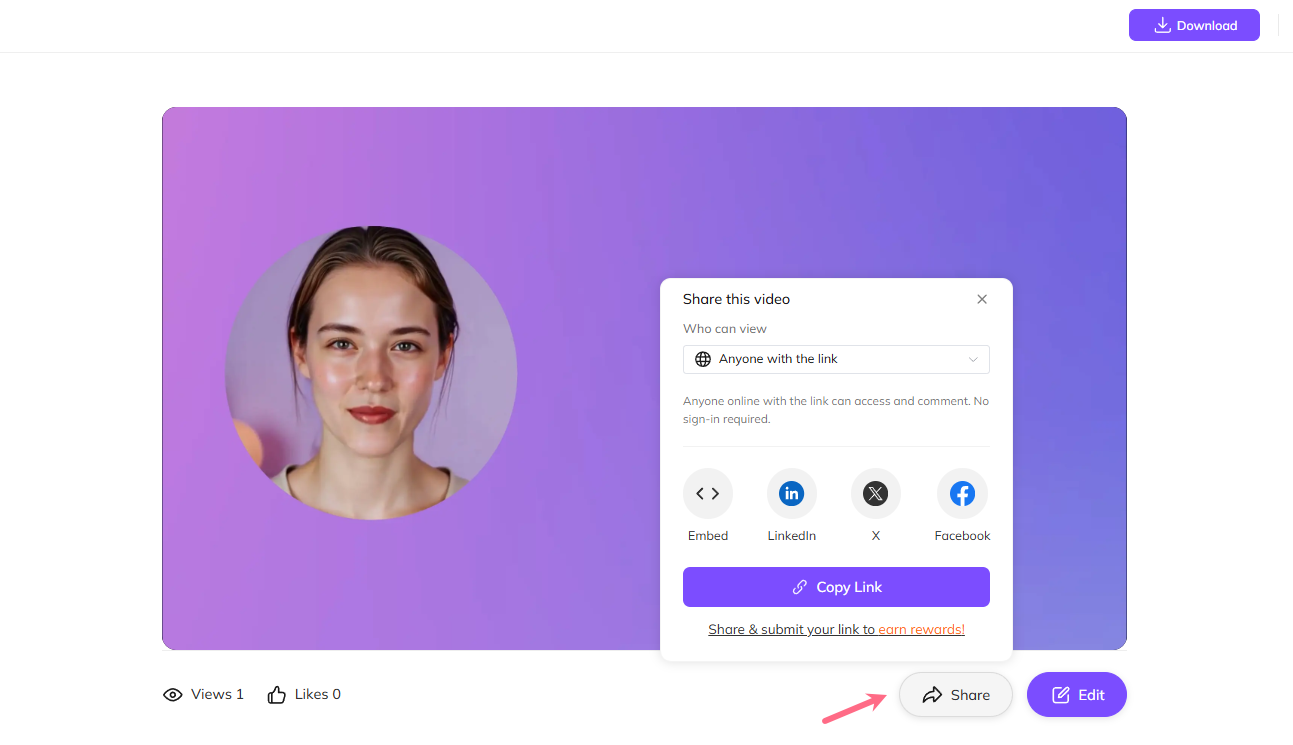
- One-Click Sharing: Look for the "Share" button of the video task. Clicking this instantly generates a hosted link that you can send to clients, team members, or social media followers.
Key Features:
- Automatic Link Generation: The moment your AI translation or dubbing task is complete, a unique URL is ready for distribution.
- Multilingual Interactive Player: Recipients can toggle between original and translated audio tracks or subtitles directly within the browser link.
- AI Voice Cloning: The shared video maintains the original speaker’s tone and emotion across different languages, preserving brand integrity.
- Real-time Link Updates: Need to tweak subtitles? Edit it in the VMEG dashboard, and the changes reflect instantly on the existing share link without needing to resend.
Vimeo: The Industry Standard for Professionalism
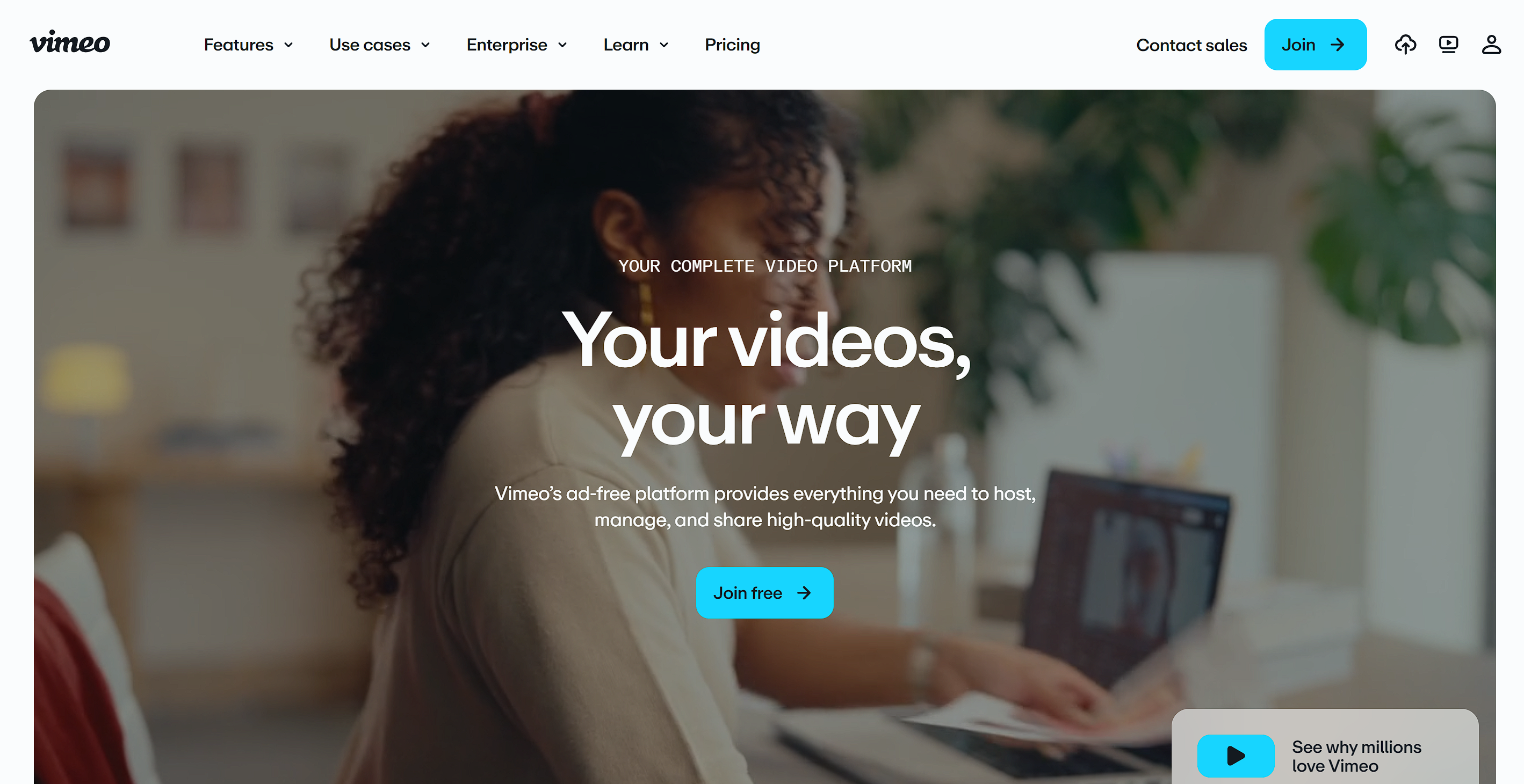
Vimeo is often described as the "anti-YouTube." While YouTube is a social discovery platform driven by ads and algorithms, Vimeo is a dedicated hosting infrastructure built specifically for creators, filmmakers, and corporate teams who prioritize high-fidelity playback and brand control.
Once you upload a video to your dashboard, Vimeo generates a unique "Review Page" or a "Share Link." You can toggle privacy settings to ensure only people with the link (or a specific password) can view the content.
Key Features:
- Customizable Player: Modify the play bar colors, add your own logo, and remove the "Vimeo" branding.
- Review Tools: Allows stakeholders to leave time-coded notes directly on the video frame—essential for localization QC.
- Version History: Replace a video file without changing the shareable URL, saving you from resending links to clients.
Pros:
- Ad-free environment keeps the focus entirely on your video.
- Powerful privacy controls, including domain masking and password protection.
- Seamless integration with professional tools like Adobe Premiere Pro and Final Cut Pro.
Cons:
- The most useful professional features are locked behind a paid subscription.
- Bandwidth limits on lower-tier plans can be restrictive for high-traffic videos.
- Not designed for "one-off" file transfers; it functions more as a hosting platform.
Best Use Case: Presenting final localized assets to high-end clients or hosting a professional portfolio.
Dropbox Transfer: For the "Heavy Lifters"
While the standard Dropbox app is built for long-term file synchronization, Dropbox Transfer is a specialized offshoot designed for the "push" delivery of massive assets. It acts as a digital courier service that moves files from A to B without cluttering the recipient’s storage. You drag your video file into the Transfer window. Dropbox generates a one-time link. The recipient clicks the link to view a preview or download the file in its original quality.

Alt: Best Video Link Generator - Dropbox Transfer
Key Features:
- Massive Capacity: Send up to 100GB in a single transfer (on Professional plans).
- Download Tracking: Receive real-time notifications the moment your link is accessed or the file is downloaded.
- Link Expiration: Set the link to expire after 3, 7, or 30 days to ensure your data doesn't sit on the web indefinitely.
- Branded Landing Pages: Customize the background and logo of the download page to maintain a professional appearance.
Pros:
- Does not count against the recipient's Dropbox storage quota.
- Extremely high trust factor; most corporations already whitelist Dropbox.
- Supports "Original Quality" downloads—critical for raw video assets.
Cons:
- Preview quality is often lower than the original file to save bandwidth.
- No built-in video editing or annotation tools.
- If the sender deletes the file from their "Transfer" folder, the link breaks.
Best Use Case: Sending raw 4K footage or large batches of localized video files to editors and partners.
Zight (Formerly CloudApp): The Speed King
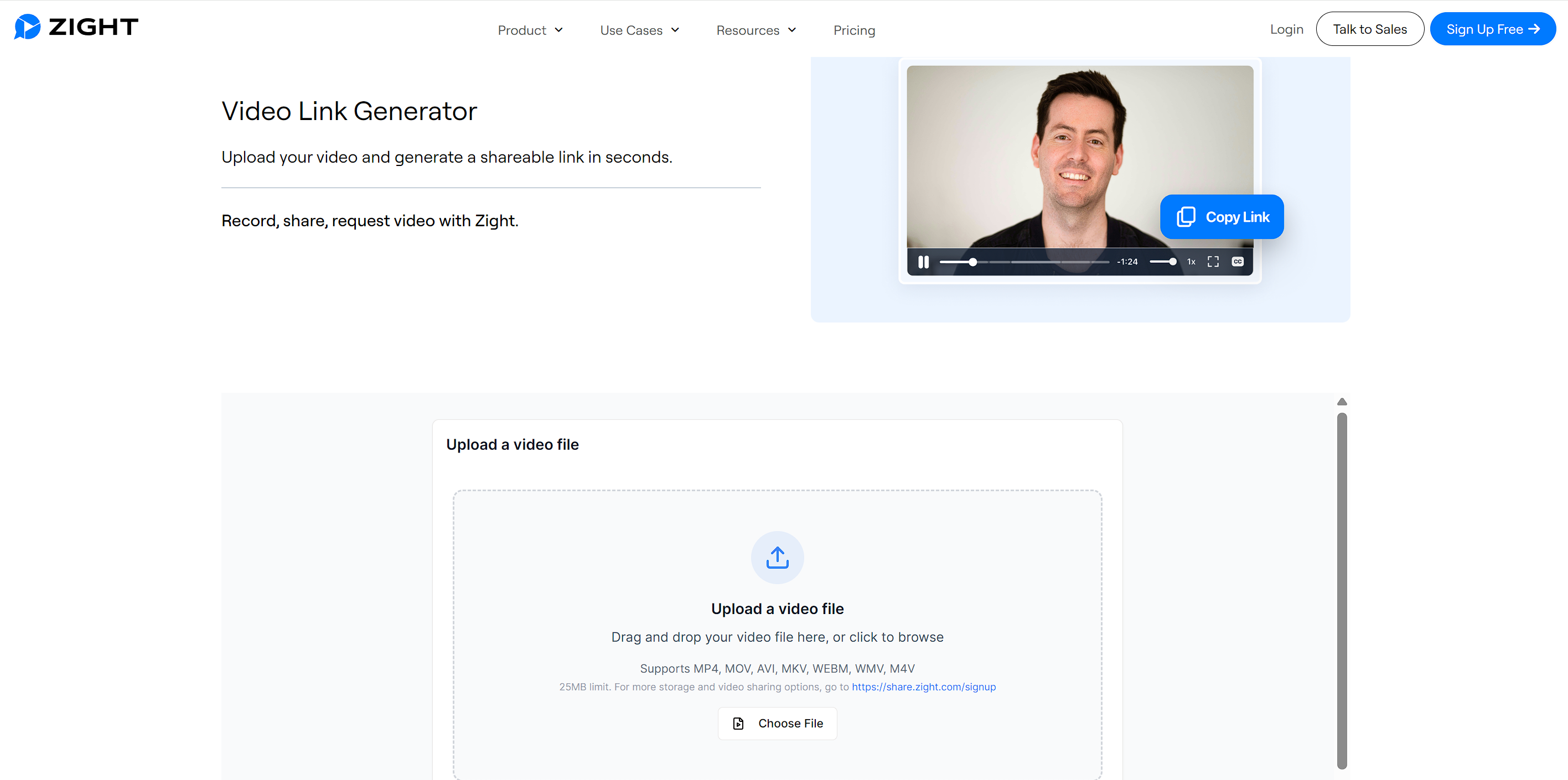
Zight is designed for the modern "asynchronous" workplace. It is a lightweight app that lives in your computer’s taskbar, turning the act of sharing a video into a "two-click" process. It is the gold standard for productivity and rapid communication.
You drag an existing MP4 onto the Zight icon. As the file begins to upload, the shareable URL is automatically copied to your clipboard. You can paste the link into Slack or Email before the upload is even 100% complete.
Key Features:
- Instant Link Generation: No need to navigate complex dashboards; the URL is generated the second the upload starts.
- In-Browser Player: Recipients can watch the video in a clean, distraction-free player without downloading anything.
- Engagement Analytics: See exactly who opened the link and for how long they watched the content.
Pros:
- Unbeatable speed for internal team communication and rapid feedback.
- Free version is highly functional for short, quick shares.
- Native apps for Mac, Windows, and iOS make it truly cross-platform.
Cons:
- The player UI is utilitarian and lacks "premium" branding options.
- Not suitable for hosting high-stakes marketing videos for public consumption.
- Storage limits on the free tier can fill up quickly with large video files.
Best Use Case: Quick internal reviews, bug reporting, and "over-the-shoulder" style collaboration between localization teams.
WeTransfer: The "One-and-Done" Specialist
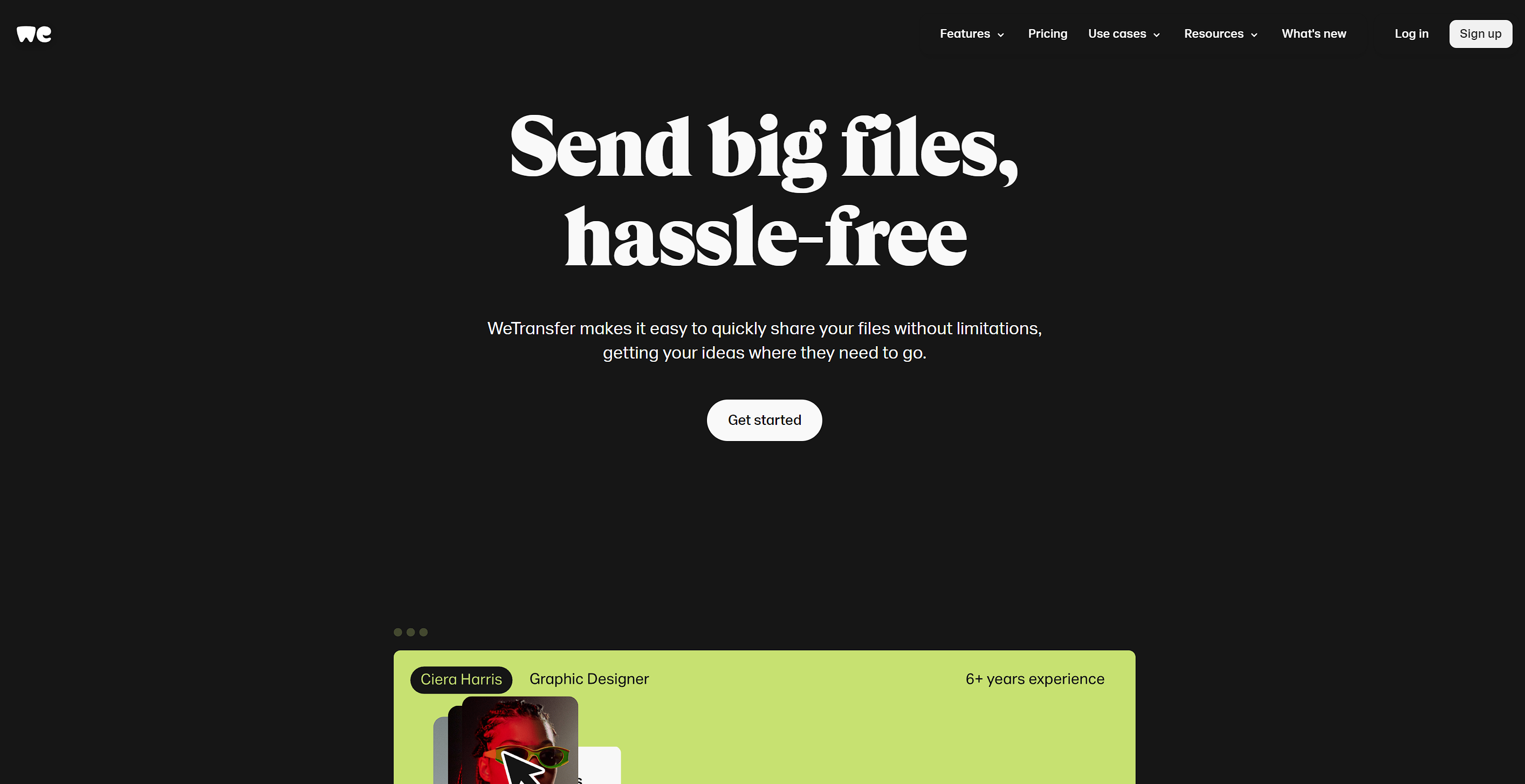
WeTransfer is perhaps the most famous link generator in the world because of its radical simplicity. It requires no account, no setup, and no commitment. It is the digital equivalent of handing someone a USB stick and walking away.
Key Features:
- Zero-Friction Sharing: You can send a 2GB file for free without ever creating an account or logging in.
- Self-Destructing Links: By default, links expire after 7 days, providing a natural layer of security for temporary files.
- Wallpaper Ads: The transfer page features high-quality art or ads, making the waiting period more visually appealing for the recipient.
Pros:
- The easiest tool for non-technical clients or partners to use.
- High deliverability; WeTransfer links rarely get stuck in corporate spam filters.
- No storage management required—it’s a "send and forget" tool.
Cons:
- Free links expire quickly; if the recipient is on vacation, they might miss the window.
- No way to "update" the video file once the link has been generated.
- Limited player controls; recipients often have to download to see the full quality.
Best Use Case: One-off file transfers to freelancers, external vendors, or partners who don't want to sign up for a new service.
Kapwing: The Creator’s Workhorse
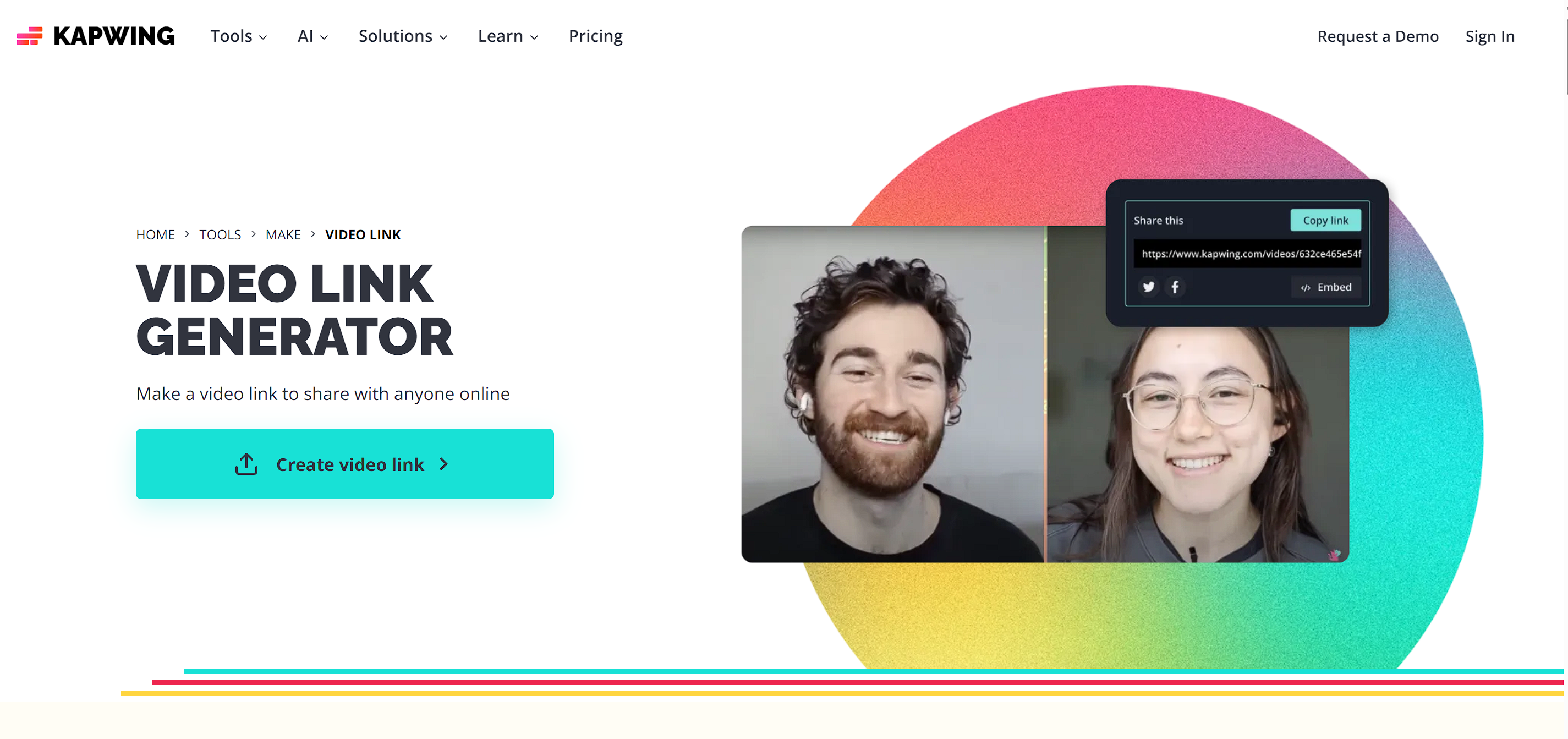
Kapwing is unique because it combines a video link generator with a full-featured cloud editor. In a traditional workflow, if you find a mistake in your video, you have to edit locally, re-export, and re-upload. Kapwing allows you to fix it in the browser. You upload your video to the Kapwing studio. You can then edit the footage or simply hit "Export" to generate a hosted landing page where the video can be viewed or downloaded.
Key Features:
- Cloud-Based Editing: Trim, crop, or resize your video for social media after uploading.
- AI Subtitle Generation: Automatically generate and "burn in" subtitles—a massive feature for localization.
- Collaborative Workspace: Multiple team members can access the same link to make edits in real-time.
- Templates & Assets: Add text overlays, progress bars, or "call to action" buttons before sharing.
Pros:
- Saves massive amounts of time on small "quick fix" edits and watermarking.
- The most feature-rich option for social media managers and content creators.
- Perfect for adding "Draft" or "Review Only" labels to shared work.
Cons:
- The free version includes a watermark on all exported videos.
- Export times can be slow for very large or complex 4K files.
- Browser-based editing can be hardware-intensive for older computers.
Best Use Case: Content creators who need to make final tweaks or add subtitles before sharing a localized link.
Streamable: The "Direct Link" Specialist
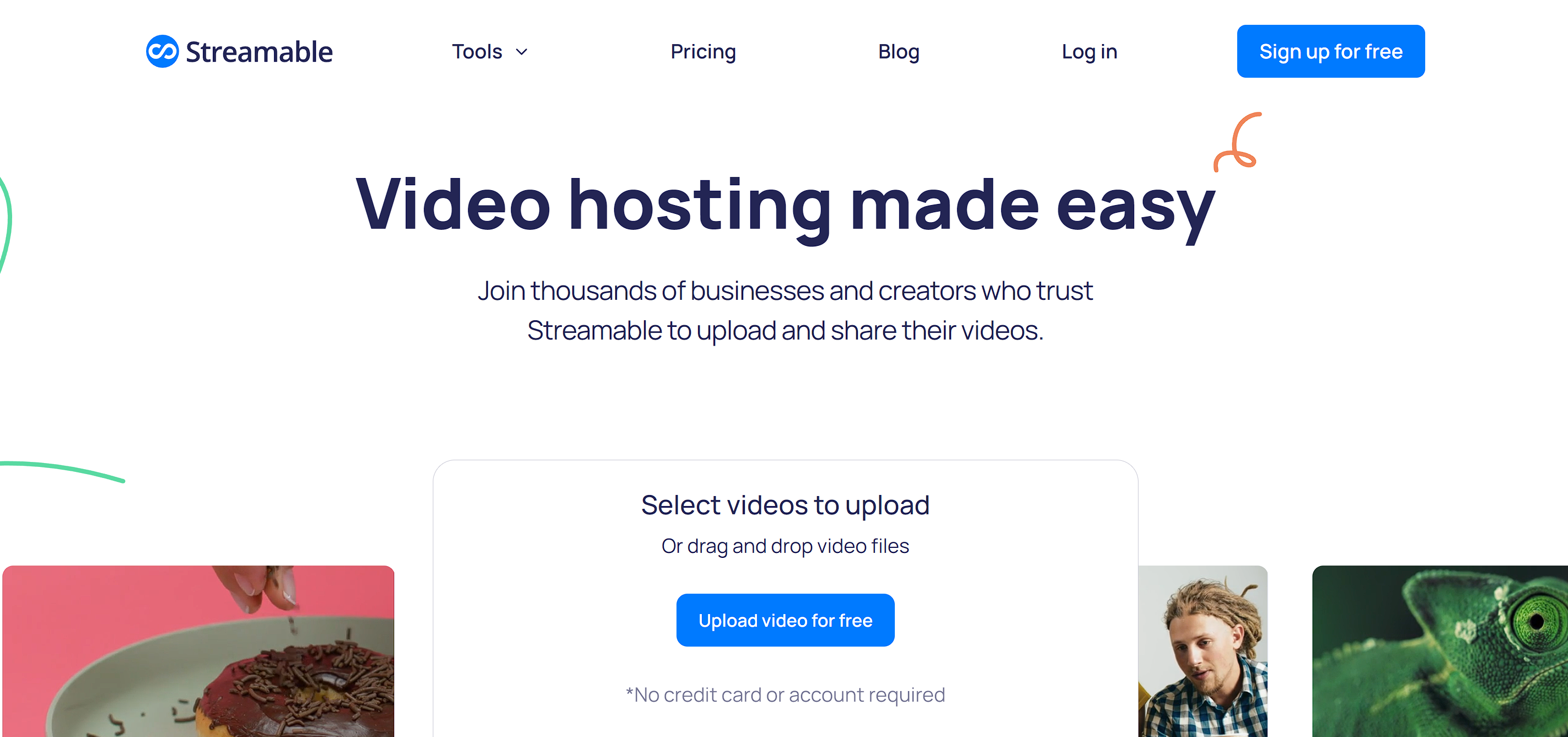
Streamable is the minimalist's choice. It is optimized for one thing: getting a video onto the web as fast as possible so it can be embedded or shared on high-traffic platforms like Reddit, Discord, or custom blogs.
Key Features:
- Lightning-Fast Encoding: Streamable processes videos faster than almost any other platform.
- Direct MP4 Links: Allows you to generate a link that ends in .mp4, which is essential for developers or custom HTML5 players.
- Simple Clipping: Paste a link from another site (like YouTube or Twitch) to "clip" a section and turn it into a new shareable link.
- Privacy Control: Easily toggle whether your video is "Public" or "Private" with a single click.
Pros:
- The cleanest, most distraction-free viewing experience on the market.
- Extremely reliable hosting for embedding videos directly into websites or apps.
- Excellent for social media sharing where loading speed is the priority.
Cons:
- Very few branding, analytics, or lead-generation features.
- No advanced security features like password protection on free plans.
- Video management becomes difficult if you have hundreds of files without folders.
Best Use Case: Developers, social media power users, and those needing a "naked" URL for embedding localized video into custom web players.
Global Performance: Why CDN Matters for Video Sharing
For global teams, the video hosting location is critical. Professional generators use a Content Delivery Network (CDN) to ensure quality:
- Low Latency: CDNs mirror your video on global servers. A viewer in Tokyo accesses data from a local Japanese node rather than a distant US server, eliminating buffering.
- Accurate QC: In localization, even minor lag can make dubbing look "off-sync." A CDN provides the frame-accurate playback needed for precise quality checks.
- Reliability: High-speed delivery ensures your link remains stable across different regions and varying internet speeds.
Frequently Asked Questions (FAQ)
Is there a free video link generator with no limits?
No tool offers "unlimited" everything for free, as video hosting is expensive. However, Streamable and WeTransfer offer generous free tiers for one-off shares, while Kapwing allows for free exports with a small watermark.
How do I turn a video into a link on my iPhone?
Most of the tools mentioned—especially Zight and Loom—have mobile apps. Simply upload the file from your camera roll, and the app will generate a shareable URL instantly.
Can I track who clicked my video link?
Yes. Tools like Wistia and Vimeo (Enterprise) provide detailed analytics that show the viewer's location, the device they used, and how much of the video they actually watched.
Will generating a link reduce my video quality?
It depends on the tool. Generic cloud storage usually compresses video for "preview" only. To ensure the recipient sees the full resolution, use a professional host like Vimeo or Dropbox Transfer, which allow the recipient to view or download the "Original File."
Conclusion
Choosing the right video link generator is the first step in a successful content strategy. By moving away from clunky attachments and toward professional, high-speed links, you improve your brand authority and speed up your production cycles.


Fay
Behind VMEG stands a passionate team of creatives, engineers, and language lovers. At the crossroads of AI and storytelling, they craft tools that bridge languages and cultures.