

'%3e%3cpath%20d='M21.0949%203.79395L13.9961%209.82854H21.0949V3.79395Z'%20stroke='black'%20stroke-width='1.38'%20stroke-miterlimit='10'/%3e%3cpath%20d='M13.998%209.82854L7.44531%203.79395V9.82854H13.998Z'%20stroke='black'%20stroke-width='1.38'%20stroke-miterlimit='10'/%3e%3cpath%20d='M13.9961%202.69922V25.1919'%20stroke='black'%20stroke-width='1.38'%20stroke-miterlimit='10'/%3e%3cpath%20d='M20.5488%2016.4113L13.9961%209.82812V18.2217L20.5488%2024.0918V16.4113Z'%20stroke='black'%20stroke-width='1.38'%20stroke-miterlimit='10'/%3e%3cpath%20d='M7.44531%2016.4113L13.998%209.82812V18.0526L7.44531%2024.0918V16.4113Z'%20stroke='black'%20stroke-width='1.38'%20stroke-miterlimit='10'/%3e%3cpath%20d='M4.71094%209.82812V18.6057H7.44125V16.4113L13.9941%209.82812H4.71094Z'%20stroke='black'%20stroke-width='1.38'%20stroke-miterlimit='10'/%3e%3cpath%20d='M13.9961%209.82812L20.5488%2016.4113V18.6057H23.2792V9.82812H13.9961Z'%20stroke='black'%20stroke-width='1.38'%20stroke-miterlimit='10'/%3e%3c/g%3e%3c/svg%3e)

'%3e%3cmask%20id='mask0_21456_29260'%20style='mask-type:luminance'%20maskUnits='userSpaceOnUse'%20x='0'%20y='0'%20width='28'%20height='28'%3e%3cpath%20d='M27.5%200.5H0.5V27.5H27.5V0.5Z'%20fill='white'/%3e%3c/mask%3e%3cg%20mask='url(%23mask0_21456_29260)'%3e%3cpath%20d='M14%2027.5C13.4854%2024.1035%2011.8974%2020.9608%209.46828%2018.5317C7.03922%2016.1026%203.89651%2014.5146%200.5%2014C3.89651%2013.4854%207.03922%2011.8974%209.46828%209.46828C11.8974%207.03922%2013.4854%203.89651%2014%200.5C14.5147%203.89644%2016.1028%207.03905%2018.5318%209.46816C20.9609%2011.8972%2024.1035%2013.4853%2027.5%2014C24.1035%2014.5147%2020.9609%2016.1028%2018.5318%2018.5318C16.1028%2020.9609%2014.5147%2024.1035%2014%2027.5Z'%20fill='url(%23paint0_linear_21456_29260)'/%3e%3c/g%3e%3c/g%3e%3cdefs%3e%3clinearGradient%20id='paint0_linear_21456_29260'%20x1='9.5'%20y1='9.5'%20x2='20.75'%20y2='21.875'%20gradientUnits='userSpaceOnUse'%3e%3cstop%20stop-color='%23F0DCD6'/%3e%3cstop%20offset='0.914506'%20stop-color='%231D6DFF'/%3e%3c/linearGradient%3e%3cclipPath%20id='clip0_21456_29260'%3e%3crect%20width='28'%20height='28'%20fill='white'/%3e%3c/clipPath%3e%3c/defs%3e%3c/svg%3e)
'%3e%3cpath%20d='M22.8019%2011.2412L23.5234%2011.6807V12.0103L23.3172%2012.7796L14.5579%2014.9771L13.7344%2012.7951L22.8019%2011.2412Z'%20fill='%23D97757'/%3e%3cpath%20d='M19.5236%204.77832L20.5322%205.00396L20.8%205.35575L21.0552%206.19876L20.9494%206.73644L15.0712%2015.3068L13.1133%2013.2191L18.5338%205.63471L19.5236%204.77832Z'%20fill='%23D97757'/%3e%3cpath%20d='M14.4577%203.43951L15.0761%203L15.5912%203.21976L16.1065%203.9889L14.6949%2013.0345L13.7364%2012.3397L13.3242%2011.131L14.0456%204.31853L14.4577%203.43951Z'%20fill='%23D97757'/%3e%3cpath%20d='M7.84766%203.5851L8.48285%202.7199L8.89716%202.61914L9.71923%202.74717L10.125%203.08581L13.0815%2010.0748L14.1509%2013.3954L12.8997%2014.1372L8.13117%204.91019L7.84766%203.5851Z'%20fill='%23D97757'/%3e%3cpath%20d='M4.77232%208.38688L4.56641%207.50742L5.18478%206.73828L5.90613%206.84816H6.11223L10.4403%2010.2544L11.78%2011.3531L13.6349%2012.8914L12.6044%2014.7594L11.6769%2013.9903L11.0586%2013.331L5.08168%208.82593L4.77232%208.38688Z'%20fill='%23D97757'/%3e%3cpath%20d='M3.53288%2014.0982L3.06641%2013.5489L3.06647%2013.0601L3.53288%2012.8896L8.78833%2013.2193L13.9408%2013.6588L13.7736%2014.7528L3.94502%2014.2082L3.53288%2014.0982Z'%20fill='%23D97757'/%3e%3cpath%20d='M6.62378%2019.8178H5.59334L5.18359%2019.3146V18.7132L6.93299%2017.3946L14.045%2012.5674L14.7648%2013.8785L6.62378%2019.8178Z'%20fill='%23D97757'/%3e%3cpath%20d='M8.57739%2022.8884L8.16518%2022.9984L7.54688%2022.6687L7.64995%2022.1193L13.7299%2013.5488L14.5543%2014.7574L10.0201%2021.1305L8.57739%2022.8884Z'%20fill='%23D97757'/%3e%3cpath%20d='M13.7361%2023.9861L13.4271%2024.4257L12.8088%2024.6454L12.2935%2024.2058L11.9844%2023.5466L13.5301%2014.6465L14.4576%2014.7563L13.7361%2023.9861Z'%20fill='%23D97757'/%3e%3cpath%20d='M18.9869%2021.5713V22.4503L18.8838%2022.7799L18.4716%2022.9997L17.7503%2022.8974L12.7969%2015.0367L14.7617%2013.4404L16.4104%2016.6269L16.5652%2017.7805L18.9869%2021.5713Z'%20fill='%23D97757'/%3e%3cpath%20d='M21.3629%2020.2507L21.4659%2020.8L21.1568%2021.2396L20.8476%2021.1297L19.0958%2019.8112L16.4165%2017.284L14.3555%2015.7457L14.9736%2013.6582L16.0041%2014.3175L16.6226%2015.5259L21.3629%2020.2507Z'%20fill='%23D97757'/%3e%3cpath%20d='M20.0232%2014.6482L22.5995%2014.8679L23.2178%2015.3074L23.6299%2015.9667V16.441L22.4964%2016.9556L16.7256%2015.4173L14.3555%2015.3074L14.9737%2013L16.6226%2014.3185L20.0232%2014.6482Z'%20fill='%23D97757'/%3e%3c/g%3e%3c/svg%3e)
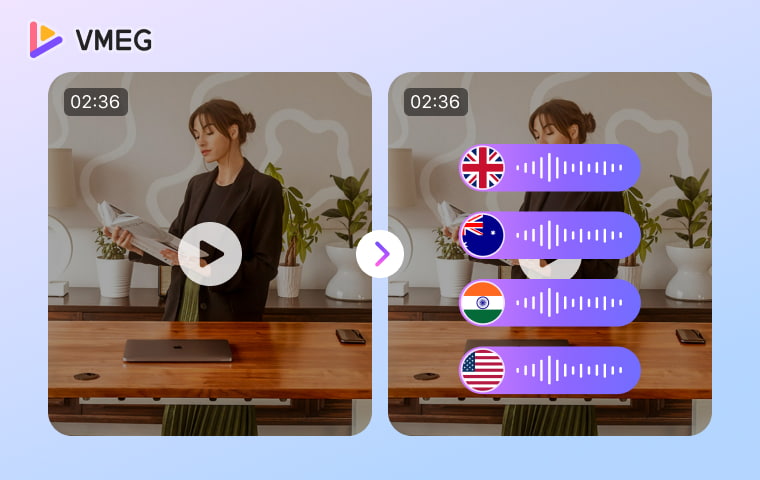
Key Takeaways
- According to industry research, YouTube supports users across 100+ countries and 80+ languages, making multilingual video localization a key growth strategy for international reach.
- Video localization improves not only accessibility but also international SEO visibility by enabling multilingual indexing, translated subtitles, and localized metadata.
- Manual translation remains the preferred option for highly regulated industries such as legal, medical, or compliance-related training where precision and human oversight are critical.
- YouTube’s built-in subtitle translation tools are suitable for basic accessibility needs, but they lack professional dubbing, contextual translation refinement, and advanced customization features.
- Modern video localization platforms can process long-form videos in minutes rather than hours, making scalable multilingual publishing possible for small teams and independent creators.
With online video reach exceeding 90%, its widespread popularity makes it an ideal marketing tool for global marketers. YouTube is available in over 100 countries and 80 languages, and its global users are expected to reach 2.85 billion by 2025 (GMI Research). Most audiences prefer content in their native language.
Therefore, video translation is essential for the content reaching international audiences. Whether you're translating YouTube videosor making content accessible to English speakers, the right translation method can spread your message.
Here in this post, you will read 3 proven methods to translate your videos that save time, especially the AI-powered solutions leading the way for speed, accuracy, and cost-effectiveness.
How to Translate a Video Link to Any Language Online
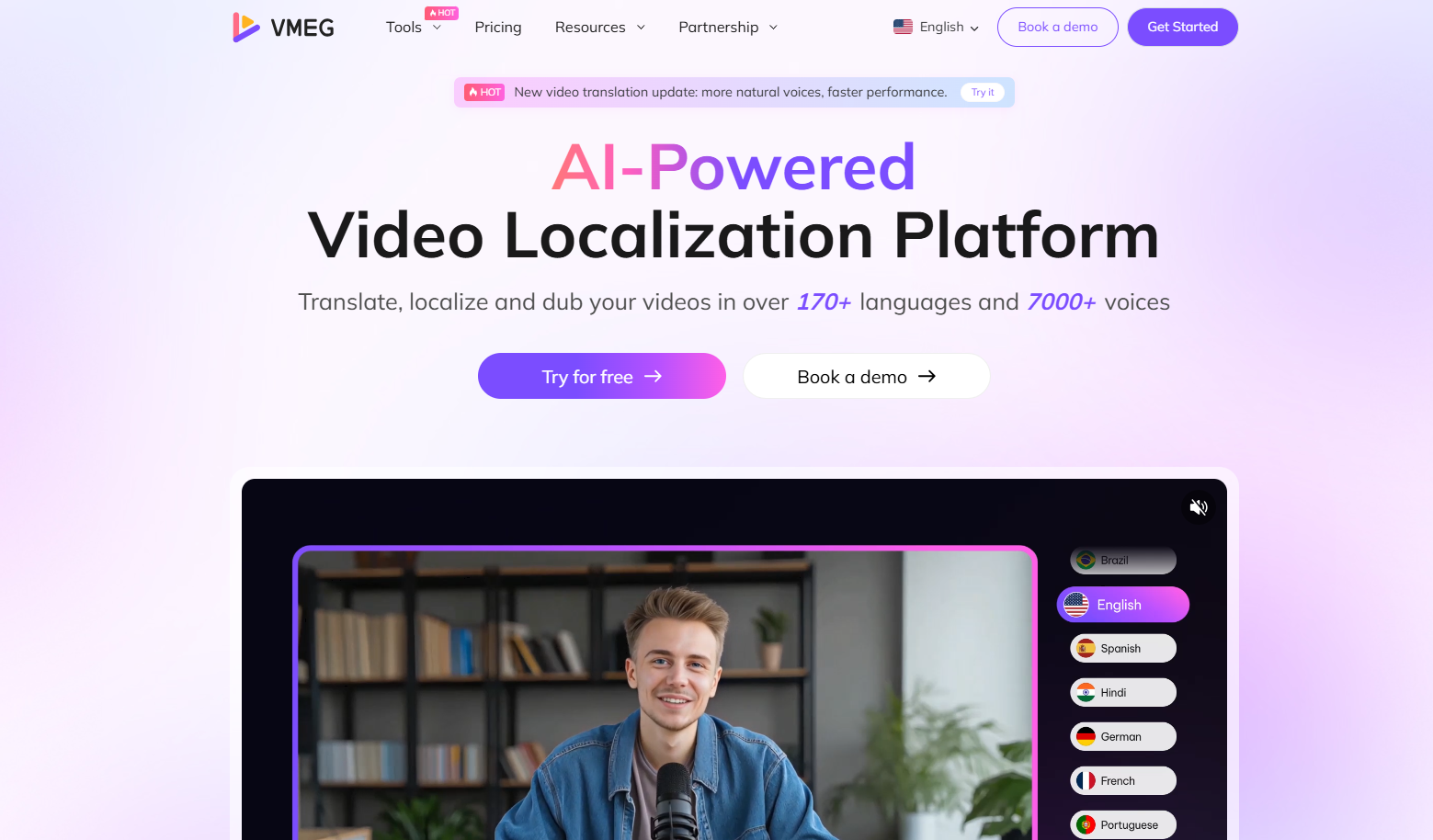
Use Video Localization Tool - VMEG
VMEG is the most efficient and professional solution with 170+ languages for translation and 7000+ natural voices for dubbing. It combines cutting-edge AI technology with user-friendly design, delivering professional-quality results in minutes rather than hours.
Key Features of VMEG Localization Platform
- Translation with 170+ Languages and Accents: Translate your videos into languages you need, including English, Spanish, French, Arabic, and more.
- Voice Cloning with 7000+ AI Voices: Clone original voices to speak translated language while maintaining original characteristics, creating seamless dubbing that sounds natural and authentic.
- Fast Processing: VMEG translates 2-hour videos in under 10 minutes, compared to traditional methods that take hours or days.
- 99% Accuracy Rate: Advanced AI algorithms ensure precise translation with context awareness, idiom recognition, and technical terminology handling.
Steps to Translate a Video with VMEG Video Translator
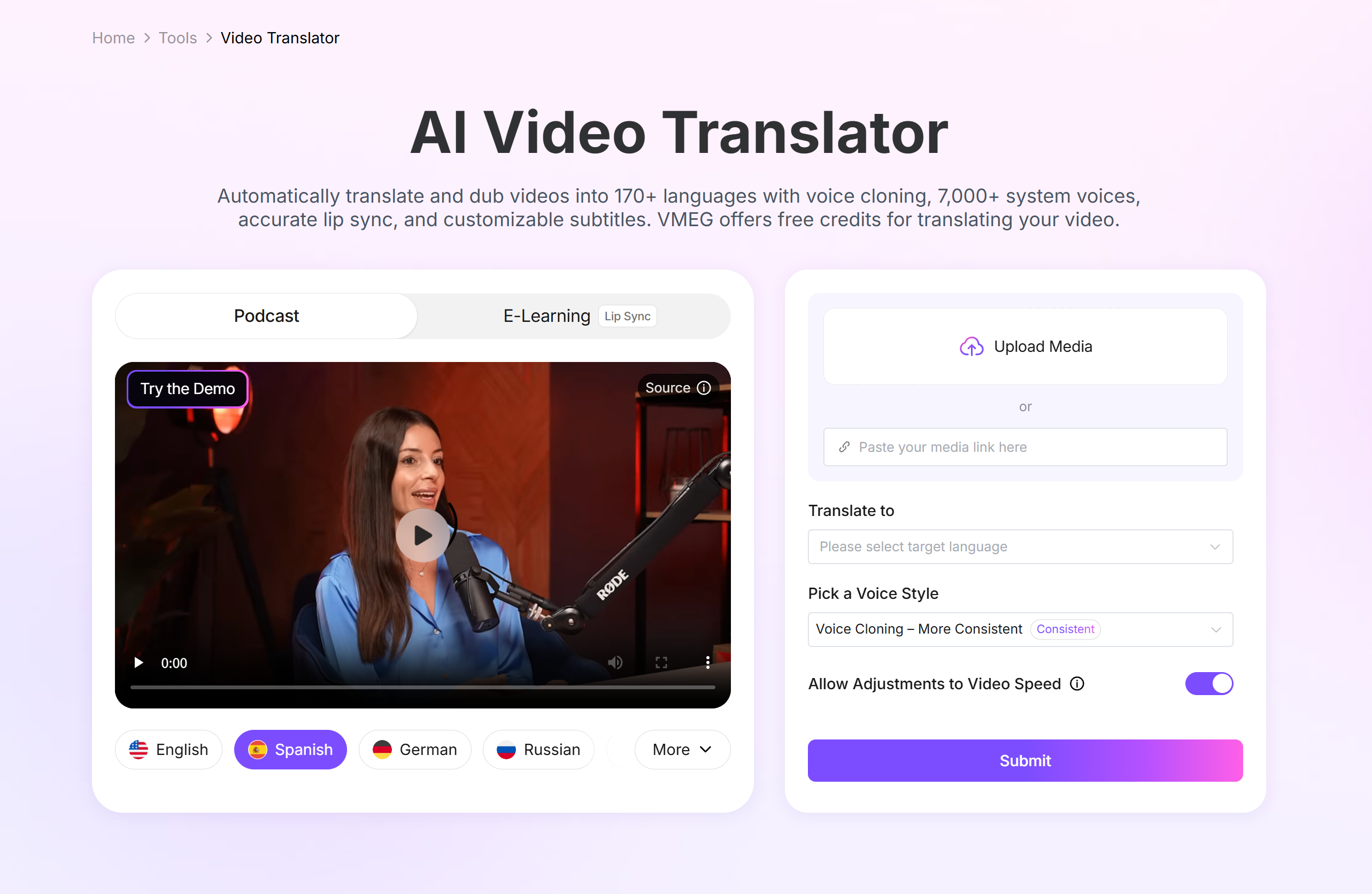
Step 1: Upload Your Video & Submit Task
Navigate to the video translator landing and click to upload a video or paste video link to upload.
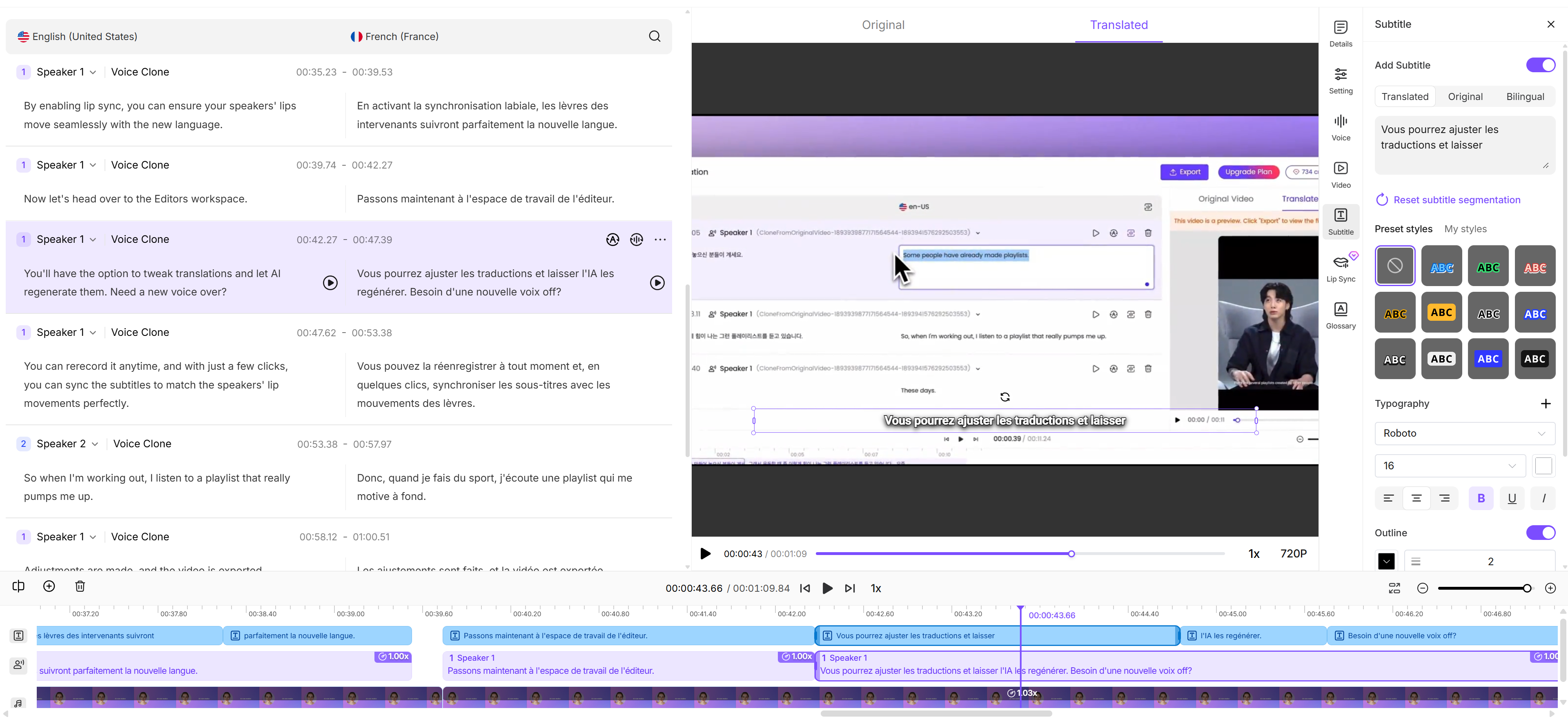
Step 2: Review or Edit your Translation
Press the play button to check the translation and dubbing results sentence by sentence. And you can adjust voice emotions (default, happy, sad, etc.), volumes, or add subtitles from the template.
Step 3: Export and Download
Once done, click the “Download” button to export and download the translated video. Or you can download translated or original subtitles separately with .srt format.
How to Use YouTube Auto-Translate Features
YouTube's built-in translation tools offer a free solution for basic video translation, though with notable limitations compared to dedicated AI platforms. It is best for content creators already using YouTube and audiences who need basic subtitle translation and don't require high accuracy or professional presentation.
Steps to Use YouTube Auto-Translate
- Upload your video to YouTube (can be unlisted for privacy).
- Enable auto-generated captions, then use YouTube Studio to translate captions into English.
- The platform automatically generates subtitles, but accuracy varies significantly based on audio quality and speaker accents.
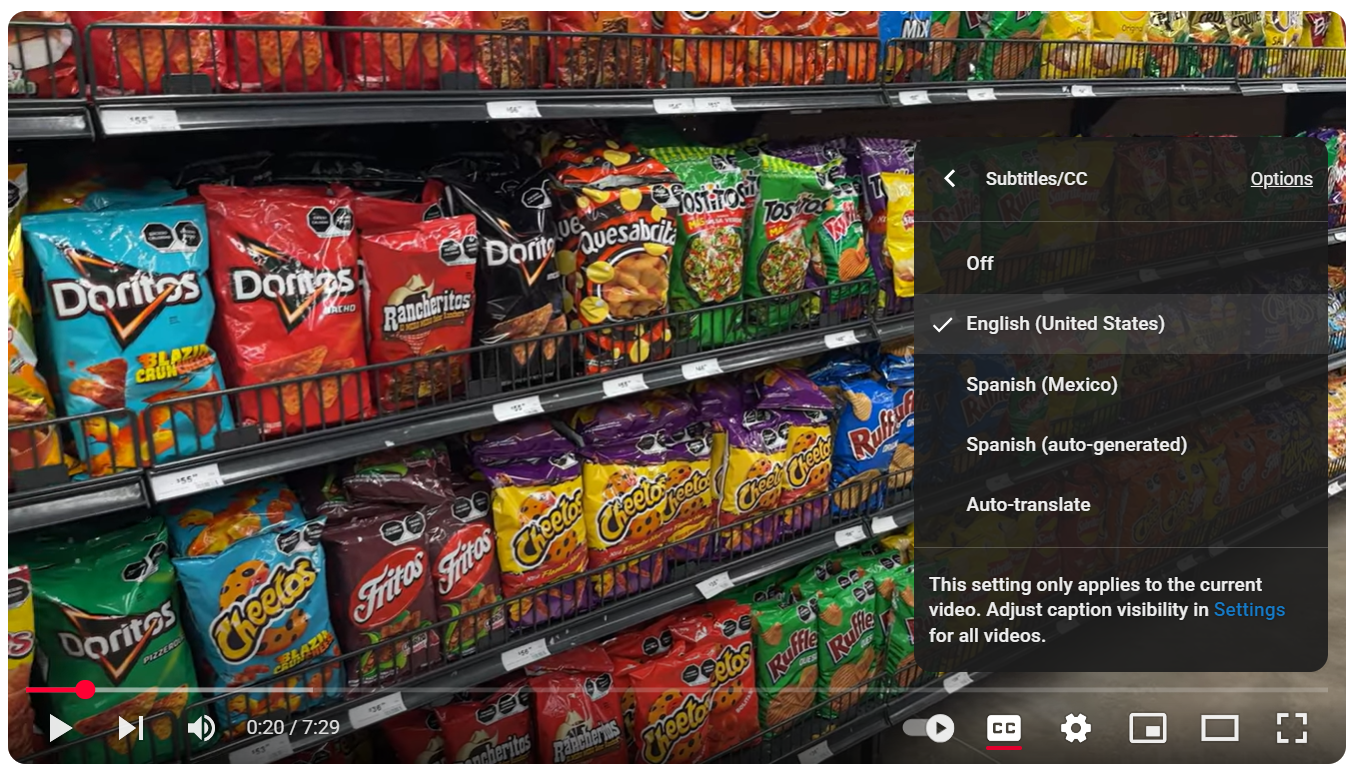
Audiences simply open the video > Settings > Subtitles/CC > Select English.
Pros:
- Completely free for YouTube creators
- Integrated with YouTube's ecosystem
- Supports multiple languages
Cons:
- Limited accuracy (typically 60-80%)
- No voice dubbing options
- Requires a public or unlisted YouTube upload
- Basic subtitle customization
- No batch processing capabilities
How to Translate via Manual Translation
For maximum control over translation quality, manual translation combined with subtitle editing tools provides the most accurate results, though it requires a significant time investment. It is suitable for high-stakes content like legal presentations, medical training, or marketing campaigns where perfect accuracy is non-negotiable and budget is a concern.
Here’s the manual process
First, transcribe your video's audio manually or use transcription services. Then translate the text using human translators. Finally, use subtitle editing software like Aegisub or Subtitle Edit to sync translations with video timing.
Pros & cons of manual process
Pros:
- Highest possible accuracy with human oversight
- Complete control over timing and presentation
- Cultural context and nuance preservation
- Professional quality for critical content
Cons:
- Extremely time-consuming (8-12 hours per hour of video)
- Requires translation expertise
- Expensive for professional services ($3-7 per minute)
- Complex workflow with multiple tools
Recommended professional subtitle tools
- Aegisub: Free, open-source subtitle editor with advanced timing controls
- Subtitle Edit: Windows-based tool with translation assistance features
- Rev: Professional transcription service with translation add-ons
Comparison: Which Method Works Best?
Feature | VMEG AI | YouTube Built-in | Manual Translation |
Accuracy | 99% | 60-80% | 95-100% |
Speed | 1-10 minutes | Real-time for Caption Enabled | 8-12 hours |
Cost | $1/minute | Free | $3-7/minute |
Voice Dubbing | ✅ Yes | ❌ No | ❌ No (extra cost) |
Privacy | ✅ Secure | ❌ Public upload | ✅ Secure |
Best For | Businesses & Content Creators | Casual Users | Critical Content |
For Content Creators: VMEG offers the best balance of speed, accuracy, and cost-effectiveness for regular video translation needs.
For Businesses & Educators: VMEG's professional features, privacy protection, and voice dubbing capabilities make it ideal for marketing and training content.
For Casual Users: YouTube's free tools work for basic needs, while free online tools suit occasional personal projects.
For Critical Content: Manual translation with professional oversight ensures maximum accuracy for high-stakes situations.
Tips for Better Video Translation
Test Different Voices: When using AI dubbing, test multiple voice options to find the best match for your content's tone and target audience.
Quality Control Process: Always review translated content before publishing. Even AI-powered tools benefit from human oversight for context and cultural appropriateness.
Optimize Your Source Audio for Manual: Clear audio with minimal background noise improves transcription and translation accuracy.
AI Dubbing
Manage high-volume video localization with VMEG Dubbing Workflow. A professional, modular pipeline designed for teams to transcribe, translate, and dub videos with step-by-step verification and absolute control.
Why Does Video Translation Matter?
Video translation is more than just adding subtitles - it converts the video's original language, including the audio and visual content, to another language, making it accessible to a wider audience. Translating videos helps with the following aspects.
For creators looking to reach audiences:
- Massive Audience Expansion: Video translation helps creators reach billions of non-native speakers. For example, English content reaches about 1.53 billion people worldwide who speak English either natively or as a second language in 2025.
- Inclusive Learning Access: Video translation helps institutions reach billions of non-native speakers. Translated courses break language barriers, benefit diverse learners, and meet accessibility regulations globally.
- Business Growth: Companies using multilingual video content get higher user engagement and conversion rates in international markets. For example, the number of Netflix international subscribers has grown rapidly under the localization strategy.
For audiences:
- Accessibility: Video transcription ensures your content meets accessibility standards, making it inclusive for non-native speakers, deaf/hard-of-hearing communities, and viewers in sound-sensitive environments (public transport, offices).
- Cultural and Educational Connection: Localized videos open opportunities for non-native speakers to learn, including cultures, tutorials, lectures, etc.
Frequently Asked Questions
Can I translate a video for free?
Yes, YouTube offers free auto-translation. However, professional results typically require paid solutions like VMEG for optimal accuracy and features.
How long does it take to translate a video?
AI-powered tools like VMEG translate videos in 1-10 minutes based on video length. Manual translation takes 8-12 hours per hour of video, while the free YouTube process is nearly real-time.
What's the most accurate video translation method?
VMEG's AI technology achieves 99% accuracy for most content types, rivaling professional human translation while being significantly faster and more cost-effective.
Can I translate YouTube videos automatically?
Yes, YouTube provides auto-translation features, but accuracy is limited. For better results, download your video and use dedicated translation tools.
Do I need special software to translate videos?
Modern AI platforms like VMEG work entirely through web browsers, requiring no software installation. Simply upload your video and export the translated result.
Conclusion
Video translation to English or any language opens unlimited opportunities for global reach and audience engagement. Here we provide multiple methods, you can choose the right one for your needs. Start translating your videos today and unlock the potential of English-speaking audiences worldwide.
Translating a video online via VMEG is straightforward for professional accuracy and quality. Its advanced AI translation, voice dubbing capabilities, and privacy protection make it suitable for everything from YouTube content to business presentations. Try VMEG's complete video localization service free for your first minute of content. Experience professional-quality translation that takes minutes, not hours!


The VMEG Team
Behind VMEG stands a passionate team of creatives, engineers, and language lovers. At the crossroads of AI and storytelling, they craft tools that bridge languages and cultures.