

'%3e%3cpath%20d='M21.0949%203.79395L13.9961%209.82854H21.0949V3.79395Z'%20stroke='black'%20stroke-width='1.38'%20stroke-miterlimit='10'/%3e%3cpath%20d='M13.998%209.82854L7.44531%203.79395V9.82854H13.998Z'%20stroke='black'%20stroke-width='1.38'%20stroke-miterlimit='10'/%3e%3cpath%20d='M13.9961%202.69922V25.1919'%20stroke='black'%20stroke-width='1.38'%20stroke-miterlimit='10'/%3e%3cpath%20d='M20.5488%2016.4113L13.9961%209.82812V18.2217L20.5488%2024.0918V16.4113Z'%20stroke='black'%20stroke-width='1.38'%20stroke-miterlimit='10'/%3e%3cpath%20d='M7.44531%2016.4113L13.998%209.82812V18.0526L7.44531%2024.0918V16.4113Z'%20stroke='black'%20stroke-width='1.38'%20stroke-miterlimit='10'/%3e%3cpath%20d='M4.71094%209.82812V18.6057H7.44125V16.4113L13.9941%209.82812H4.71094Z'%20stroke='black'%20stroke-width='1.38'%20stroke-miterlimit='10'/%3e%3cpath%20d='M13.9961%209.82812L20.5488%2016.4113V18.6057H23.2792V9.82812H13.9961Z'%20stroke='black'%20stroke-width='1.38'%20stroke-miterlimit='10'/%3e%3c/g%3e%3c/svg%3e)

'%3e%3cmask%20id='mask0_21456_29260'%20style='mask-type:luminance'%20maskUnits='userSpaceOnUse'%20x='0'%20y='0'%20width='28'%20height='28'%3e%3cpath%20d='M27.5%200.5H0.5V27.5H27.5V0.5Z'%20fill='white'/%3e%3c/mask%3e%3cg%20mask='url(%23mask0_21456_29260)'%3e%3cpath%20d='M14%2027.5C13.4854%2024.1035%2011.8974%2020.9608%209.46828%2018.5317C7.03922%2016.1026%203.89651%2014.5146%200.5%2014C3.89651%2013.4854%207.03922%2011.8974%209.46828%209.46828C11.8974%207.03922%2013.4854%203.89651%2014%200.5C14.5147%203.89644%2016.1028%207.03905%2018.5318%209.46816C20.9609%2011.8972%2024.1035%2013.4853%2027.5%2014C24.1035%2014.5147%2020.9609%2016.1028%2018.5318%2018.5318C16.1028%2020.9609%2014.5147%2024.1035%2014%2027.5Z'%20fill='url(%23paint0_linear_21456_29260)'/%3e%3c/g%3e%3c/g%3e%3cdefs%3e%3clinearGradient%20id='paint0_linear_21456_29260'%20x1='9.5'%20y1='9.5'%20x2='20.75'%20y2='21.875'%20gradientUnits='userSpaceOnUse'%3e%3cstop%20stop-color='%23F0DCD6'/%3e%3cstop%20offset='0.914506'%20stop-color='%231D6DFF'/%3e%3c/linearGradient%3e%3cclipPath%20id='clip0_21456_29260'%3e%3crect%20width='28'%20height='28'%20fill='white'/%3e%3c/clipPath%3e%3c/defs%3e%3c/svg%3e)
'%3e%3cpath%20d='M22.8019%2011.2412L23.5234%2011.6807V12.0103L23.3172%2012.7796L14.5579%2014.9771L13.7344%2012.7951L22.8019%2011.2412Z'%20fill='%23D97757'/%3e%3cpath%20d='M19.5236%204.77832L20.5322%205.00396L20.8%205.35575L21.0552%206.19876L20.9494%206.73644L15.0712%2015.3068L13.1133%2013.2191L18.5338%205.63471L19.5236%204.77832Z'%20fill='%23D97757'/%3e%3cpath%20d='M14.4577%203.43951L15.0761%203L15.5912%203.21976L16.1065%203.9889L14.6949%2013.0345L13.7364%2012.3397L13.3242%2011.131L14.0456%204.31853L14.4577%203.43951Z'%20fill='%23D97757'/%3e%3cpath%20d='M7.84766%203.5851L8.48285%202.7199L8.89716%202.61914L9.71923%202.74717L10.125%203.08581L13.0815%2010.0748L14.1509%2013.3954L12.8997%2014.1372L8.13117%204.91019L7.84766%203.5851Z'%20fill='%23D97757'/%3e%3cpath%20d='M4.77232%208.38688L4.56641%207.50742L5.18478%206.73828L5.90613%206.84816H6.11223L10.4403%2010.2544L11.78%2011.3531L13.6349%2012.8914L12.6044%2014.7594L11.6769%2013.9903L11.0586%2013.331L5.08168%208.82593L4.77232%208.38688Z'%20fill='%23D97757'/%3e%3cpath%20d='M3.53288%2014.0982L3.06641%2013.5489L3.06647%2013.0601L3.53288%2012.8896L8.78833%2013.2193L13.9408%2013.6588L13.7736%2014.7528L3.94502%2014.2082L3.53288%2014.0982Z'%20fill='%23D97757'/%3e%3cpath%20d='M6.62378%2019.8178H5.59334L5.18359%2019.3146V18.7132L6.93299%2017.3946L14.045%2012.5674L14.7648%2013.8785L6.62378%2019.8178Z'%20fill='%23D97757'/%3e%3cpath%20d='M8.57739%2022.8884L8.16518%2022.9984L7.54688%2022.6687L7.64995%2022.1193L13.7299%2013.5488L14.5543%2014.7574L10.0201%2021.1305L8.57739%2022.8884Z'%20fill='%23D97757'/%3e%3cpath%20d='M13.7361%2023.9861L13.4271%2024.4257L12.8088%2024.6454L12.2935%2024.2058L11.9844%2023.5466L13.5301%2014.6465L14.4576%2014.7563L13.7361%2023.9861Z'%20fill='%23D97757'/%3e%3cpath%20d='M18.9869%2021.5713V22.4503L18.8838%2022.7799L18.4716%2022.9997L17.7503%2022.8974L12.7969%2015.0367L14.7617%2013.4404L16.4104%2016.6269L16.5652%2017.7805L18.9869%2021.5713Z'%20fill='%23D97757'/%3e%3cpath%20d='M21.3629%2020.2507L21.4659%2020.8L21.1568%2021.2396L20.8476%2021.1297L19.0958%2019.8112L16.4165%2017.284L14.3555%2015.7457L14.9736%2013.6582L16.0041%2014.3175L16.6226%2015.5259L21.3629%2020.2507Z'%20fill='%23D97757'/%3e%3cpath%20d='M20.0232%2014.6482L22.5995%2014.8679L23.2178%2015.3074L23.6299%2015.9667V16.441L22.4964%2016.9556L16.7256%2015.4173L14.3555%2015.3074L14.9737%2013L16.6226%2014.3185L20.0232%2014.6482Z'%20fill='%23D97757'/%3e%3c/g%3e%3c/svg%3e)
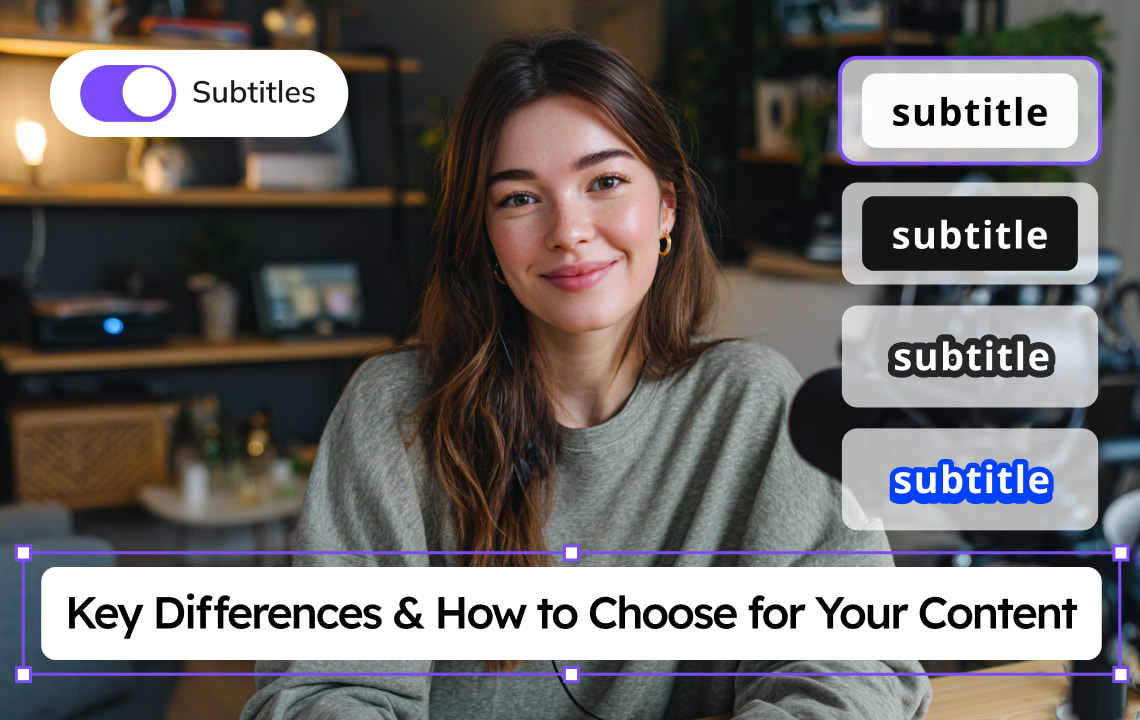
Captions are an important element of video content, as they make the video more accessible. It is helpful in different scenarios, such as a noisy environment where you can’t hear the audio clearly, or a quiet space where you need to lower the volume and loud audio is not appropriate.
When it comes to adding captions for video accessibility and localization, creators often face an important choice: open caption vs. closed caption.
What Are Open Captions?
Open captions are always visible in the video and are also known as “burned-in” text. The content creator or the uploader adds the text in the video. They can choose the font style, color, and placement in the video. The viewer cannot turn off these captions.
Key Characteristics
- Always visible on every device and platform
- Not controllable by viewers.
- The elements, including font, color, background, and placement, are styled during editing or video production.
- External caption file is not required.
- Its placement, style, and appearance remain consistent across different players or platforms.
Pros
- Captions visibility.
- Consistent formatting and placement on different platforms
- No compatibility issues with caption file types, making it accessible.
- Ideal for those who upload on platforms that do not support closed captions
- Great for branding.
Cons
- Cannot be toggled off
- Large file size
- May be pixelated on low-quality exports
- Takes time and effort to create
If your goal is universal visibility, you want to stay consistent with your branding and have more creative control, open captions are the best option for your content.
What Are Closed Captions?
Closed captions are captions that viewers can turn on or off. The user can upload these captions in SRT, VTT, or other caption files, or they can be automatically generated by the platform using text-to-speech AI. The automatic captions and their translations depend on the platform's support for them.
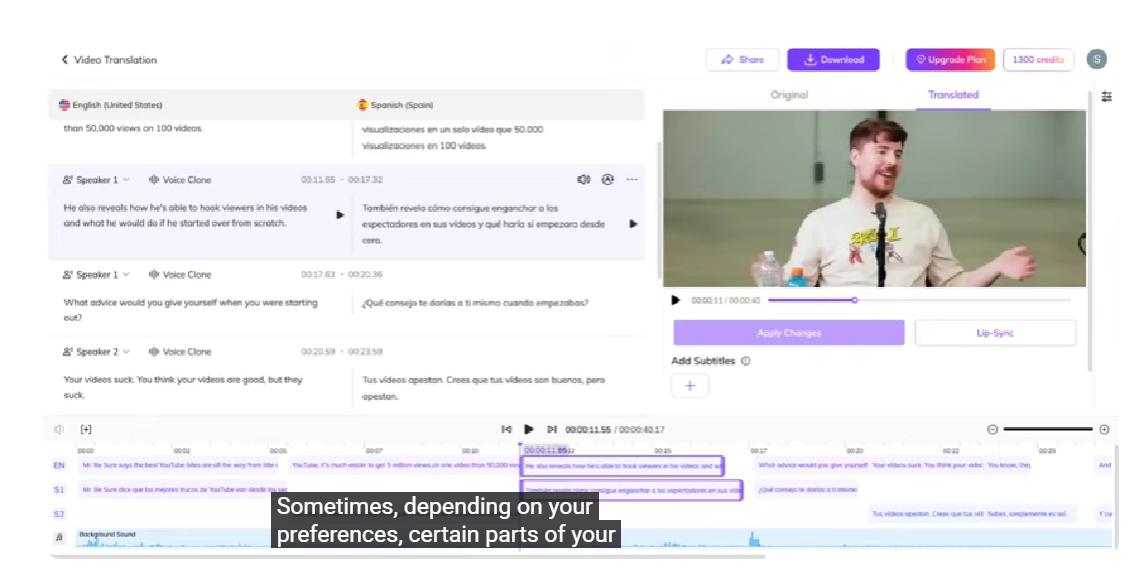
Example of a video with closed captions.
Key Characteristics
- Can be turned on or off
- Includes dialogue and audio cues, such as sound effects and music.
- Supported by most platforms
- It can easily be uploaded, or let the text-to-speech AI automatically generate it for you.
Closed captions make the video more accessible to viewers. If the caption file is uploaded, the platform will automatically generate translations in the languages it supports. If no caption file is uploaded, the platform may automatically generate captions from the audio and translate them, depending on its capabilities.
Pros
- Can be controlled by the user for better accessibility
- Aligns with accessibility standards, such as ADA and WCAG
- Lower file size
- Supports multiple languages in a single video
- It can be done by uploading a file or letting the platform translate it automatically.
Cons
- Appearance and style vary by platform and player
- Risk of misalignment if files are not synced properly
- Risk of misalignment of words in automatically generated captions
- May have compatibility issues
Closed captions are ideal when accessibility, flexibility, and multi-language support are the priority.
Difference Between Open Caption vs. Closed Caption
Feature | Open Caption | Closed Caption |
Visibility | Cannot be turned off | Can be turned off |
File type | Burned in, part of the video file | Separate file, such as SRT, VTT, ETC, or embedded into video |
Creation | Created and embedded during video editing | Manually uploaded or automatically generated by AO |
Translation | It requires creating new open captions in another language. | Platforms can translate it into languages if supported |
Accessibility | Visible to all viewers | Viewers can toggle it on or off |
Editing after upload | The video must be edited, as it is burned into text | Can be replaced or edited |
Platform recognition | Not recognized as a platform, see it as part of the video | Recognized based on audio and as a caption track by video players |
Use Case | Branding, stylized videos, aesthetic emphasis | Streaming platforms, online video players, and accessibility compliance |
Social Media Benefits of Using Captions
According to an article published by Aviral AI, recent studies show that captions increase engagement by 40% compared to videos without captions, and that 85% of videos on Facebook are watched with the sound off.
Additionally, captioned videos are watched an average of 80% longer and deliver a 12% increase in comprehension among native speakers. Completion rates are also significantly higher: 91% of captioned videos are viewed in full, compared to just 66% for videos without captions.
These statistics show the impact of using captions on social platforms. Captions can increase engagement, watch time, and comprehension.
Why Does the Difference Matter?
Knowing the difference between open captions and closed captions matters because it affects the content's aesthetics and the viewer's experience.
1. Accessibility & Compliance
Captions make videos more accessible to people. This is also good for compliance with regulations such as the ADA (Americans with Disabilities Act) and WCAG (Web Content Accessibility Guidelines). Closed captions are preferred for these types of rules because they allow users to control the video and make it more accessible.
According to TestPros, by August/September 2026, new FCC regulations require that closed caption settings on all streaming devices be ‘readily accessible’ - meaning viewers must be able to find and preview them effortlessly.
2. User Experience
Each user has different viewing preferences; some rely on them while others may find them distracting. Closed captions offer flexibility as they can be turned on or off. In contrast, open captions can be more visible and helpful, especially in areas with too much noise or in environments that require silence.
3. Platform Behavior
Every platform has its own system for handling captions. Some platforms may favor open captions for visibility, some support both, and some require a specific caption type for compliance.
4. Brand Control & Visual Style
Those who want to control visual style and have a consistent branding may prefer open captions. These will give them the freedom to choose their preferred text elements, such as font, color, background boxes, and animations. Closed captions can be inconsistent because their appearance depends on the platform’s system.
5. Localization & International Distribution
If you aim for localization and international distribution, closed captions are more scalable. It provides an audience from different nationalities with the option to choose their preferred language, if supported by the platform. For open captions, you need to recreate the video to add the captions in other languages.
Who Should Use Open Captions?
Open captions are ideal for individuals and businesses that need visible, consistent, and stylized captions.
Best Users:
- Social media marketers need to stay within brand caption guidelines.
- Advertisers who need creative control
- Filmmakers who want to integrate captions stylistically
- Event organizers for conferences, live shows, and public displays.
Who Should Use Closed Captions?
Closed captions are essential for accessibility, multi-language support, and regulatory compliance. These are also good for those who want to use a platform that supports automatic captions, so they can save time in creating and editing captions.
Best Users:
- Creators who want to rely on automatic captions.
- Individuals who want to easily edit and replace the caption file without the need to edit the entire video.
- Those who want to make content easily more accessible in different languages.
How Open Caption and Closed Caption Work
It is essential to understand how captions are created to determine which one best matches your preferred style and workflow.
How Open Caption Works
Captions Are Created During Post-Production
After creating the video, the audio will be transcribed. You can transcribe it manually, which may take time, hire a transcriber, which may incur more cost, or use AI-powered tools like VMEG to transcribe your video easily. Timing information is also needed to ensure the text aligns with the video. Then, the text elements will be edited to align with the preferred style for clarity and readability.
Caption Styling Is Built Into the Video
Creators choose the caption elements, such as the font style, font size, colors, backgrounds, placements, and animations. This helps maintain brand style consistency.
The Video Is Rendered With Captions Included
If you found an error, the video must be re-exported to correct it. The style of captions will remain consistent across platforms and devices. For uploading or distribution, a separate caption file is not required.
Supported Everywhere
Open captions are supported and compatible with various platforms and devices, including social media, video players, TV monitors, and streaming services that support or require burned-in captions for specific content.
How Closed Captions Work
Create the Caption File
The caption file must be created first. The process includes transcription, timecoding, adding audio descriptions (e.g., laughter and music), and speaker labels.
Deliver as a Sidecar File or Embedded Metadata
The standard formats supported are SRT and VTT. The formats vary on platform, broadcast standard, and streaming standard.
Platform and Viewers Control the Display
The platform and viewers can control closed captions, such as their visibility. The platform gives viewers the control to turn captions on or off. Some platforms also support translating audio into different languages.
Multi-Language Support
With closed captions, localization has been made easier. You only need one video file, and the platform provides multiple caption files for different languages, if supported.
How to Choose Between Open Captions and Closed Captions
Here is a simple guideline to help you decide which caption type fits your content.
1. Determine Content Goals, Audience, and Platforms.
The best format depends on content goals, audience, and platforms. If your content goal is to make captions visible and consistent across platforms, open captions are a good option. Check the platform you choose and see how your video appears with open or closed captions.
2. Determine Audience Accessibility Needs
Some content must meet regulatory compliance standards, and if you want to comply, closed captions are the ideal option. The captioning rules may vary by platform and region. You can create a distribution checklist before starting editing and production.
3. Evaluate Creative Design Requirements
Evaluate the preferred creative design requirements. If you want to adhere to a specific brand guideline and want more aesthetic content, open captions are the ideal choice.
4. Consider Localization Needs
If you want to localize your content to reach a global audience in less time and effort, closed captions are the perfect choice. Some platforms support automatic captions, but they may not always be aligned, especially when there is slang or the audio is unclear, since automatic captions rely on audio.
5. Editing and Revision Costs
Closed captions are easier to fix because they are uploaded separately, whereas open captions require editing the video, which may take more time and effort.
6. Test on All Platforms
Captions vary depending on device; you can try uploading a video on various devices and platforms to see if it works well.
Transcribe Video File and Localize Content with VMEG AI
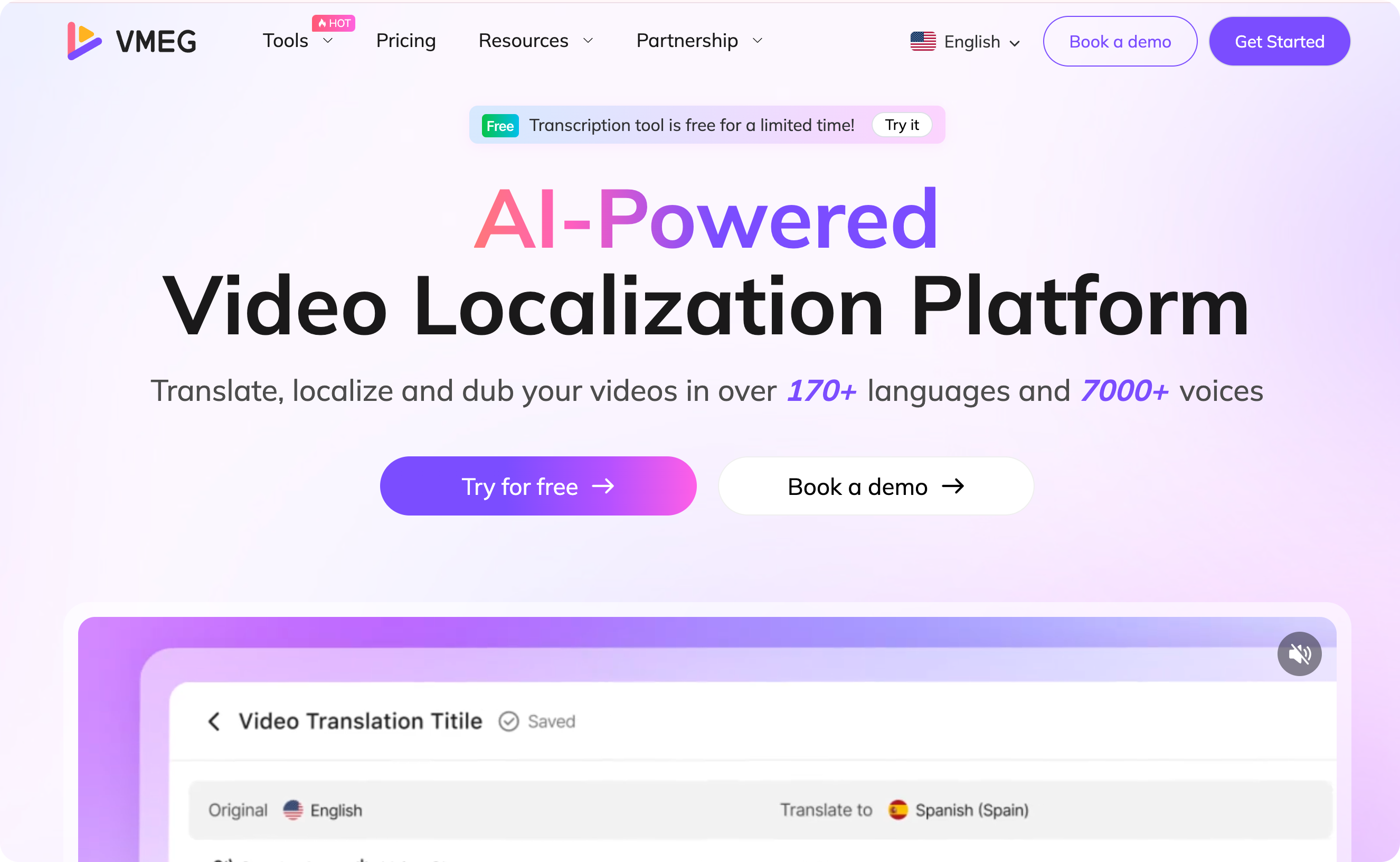
Unlike other tools, VMEG AI offers a true multimodal advantage. Whether you need Closed Caption files (SRT/VTT) for SEO and accessibility, or branded Burn-in captions for social media, you can do it all without switching platforms.
Multimodal Transcription & Captioning
Effortlessly convert video, audio, and MP4 files to text with specialized generators for TikTok and YouTube. Support for both downloadable SRT/VTT files and branded burn-in captions ensures your content is optimized for SEO and accessibility.
End-to-End Content Localization
A comprehensive suite of translation tools—including Video/Audio/MP3 and Movie Translators—designed to help you reach global audiences with speed and precision.
AI-Powered Dubbing & Lip Sync
Go beyond simple subtitles with advanced Video Dubbing and Lip Sync technology, ensuring that translated audio matches the speaker’s visual movements for a professional, seamless viewing experience.
Unmatched Language & Voice Library
Break language barriers with support for over 170 languages and a diverse library of 7,000+ lifelike AI voices, providing authentic and high-quality audio for any region.
Conclusion
In deciding between open caption and closed caption, the choice still depends on the platform, content goal, distribution, audience accessibility needs, and overall content strategy. Choose open captions for visibility and stylized text. On the other hand, closed captions are great for multilingual support, accessibility compliance, and flexible distribution.
Both captions play an essential role in video localization. And if you have a proper content strategy, the accessibility, engagement, and international reach will improve, and you will see good results. In addition, you need tools like VMEG AI to streamline processes such as transcription and translation, saving time and reducing costs.


The VMEG Team
Behind VMEG stands a passionate team of creatives, engineers, and language lovers. At the crossroads of AI and storytelling, they craft tools that bridge languages and cultures.