

'%3e%3cpath%20d='M21.0949%203.79395L13.9961%209.82854H21.0949V3.79395Z'%20stroke='black'%20stroke-width='1.38'%20stroke-miterlimit='10'/%3e%3cpath%20d='M13.998%209.82854L7.44531%203.79395V9.82854H13.998Z'%20stroke='black'%20stroke-width='1.38'%20stroke-miterlimit='10'/%3e%3cpath%20d='M13.9961%202.69922V25.1919'%20stroke='black'%20stroke-width='1.38'%20stroke-miterlimit='10'/%3e%3cpath%20d='M20.5488%2016.4113L13.9961%209.82812V18.2217L20.5488%2024.0918V16.4113Z'%20stroke='black'%20stroke-width='1.38'%20stroke-miterlimit='10'/%3e%3cpath%20d='M7.44531%2016.4113L13.998%209.82812V18.0526L7.44531%2024.0918V16.4113Z'%20stroke='black'%20stroke-width='1.38'%20stroke-miterlimit='10'/%3e%3cpath%20d='M4.71094%209.82812V18.6057H7.44125V16.4113L13.9941%209.82812H4.71094Z'%20stroke='black'%20stroke-width='1.38'%20stroke-miterlimit='10'/%3e%3cpath%20d='M13.9961%209.82812L20.5488%2016.4113V18.6057H23.2792V9.82812H13.9961Z'%20stroke='black'%20stroke-width='1.38'%20stroke-miterlimit='10'/%3e%3c/g%3e%3c/svg%3e)

'%3e%3cmask%20id='mask0_21456_29260'%20style='mask-type:luminance'%20maskUnits='userSpaceOnUse'%20x='0'%20y='0'%20width='28'%20height='28'%3e%3cpath%20d='M27.5%200.5H0.5V27.5H27.5V0.5Z'%20fill='white'/%3e%3c/mask%3e%3cg%20mask='url(%23mask0_21456_29260)'%3e%3cpath%20d='M14%2027.5C13.4854%2024.1035%2011.8974%2020.9608%209.46828%2018.5317C7.03922%2016.1026%203.89651%2014.5146%200.5%2014C3.89651%2013.4854%207.03922%2011.8974%209.46828%209.46828C11.8974%207.03922%2013.4854%203.89651%2014%200.5C14.5147%203.89644%2016.1028%207.03905%2018.5318%209.46816C20.9609%2011.8972%2024.1035%2013.4853%2027.5%2014C24.1035%2014.5147%2020.9609%2016.1028%2018.5318%2018.5318C16.1028%2020.9609%2014.5147%2024.1035%2014%2027.5Z'%20fill='url(%23paint0_linear_21456_29260)'/%3e%3c/g%3e%3c/g%3e%3cdefs%3e%3clinearGradient%20id='paint0_linear_21456_29260'%20x1='9.5'%20y1='9.5'%20x2='20.75'%20y2='21.875'%20gradientUnits='userSpaceOnUse'%3e%3cstop%20stop-color='%23F0DCD6'/%3e%3cstop%20offset='0.914506'%20stop-color='%231D6DFF'/%3e%3c/linearGradient%3e%3cclipPath%20id='clip0_21456_29260'%3e%3crect%20width='28'%20height='28'%20fill='white'/%3e%3c/clipPath%3e%3c/defs%3e%3c/svg%3e)
'%3e%3cpath%20d='M22.8019%2011.2412L23.5234%2011.6807V12.0103L23.3172%2012.7796L14.5579%2014.9771L13.7344%2012.7951L22.8019%2011.2412Z'%20fill='%23D97757'/%3e%3cpath%20d='M19.5236%204.77832L20.5322%205.00396L20.8%205.35575L21.0552%206.19876L20.9494%206.73644L15.0712%2015.3068L13.1133%2013.2191L18.5338%205.63471L19.5236%204.77832Z'%20fill='%23D97757'/%3e%3cpath%20d='M14.4577%203.43951L15.0761%203L15.5912%203.21976L16.1065%203.9889L14.6949%2013.0345L13.7364%2012.3397L13.3242%2011.131L14.0456%204.31853L14.4577%203.43951Z'%20fill='%23D97757'/%3e%3cpath%20d='M7.84766%203.5851L8.48285%202.7199L8.89716%202.61914L9.71923%202.74717L10.125%203.08581L13.0815%2010.0748L14.1509%2013.3954L12.8997%2014.1372L8.13117%204.91019L7.84766%203.5851Z'%20fill='%23D97757'/%3e%3cpath%20d='M4.77232%208.38688L4.56641%207.50742L5.18478%206.73828L5.90613%206.84816H6.11223L10.4403%2010.2544L11.78%2011.3531L13.6349%2012.8914L12.6044%2014.7594L11.6769%2013.9903L11.0586%2013.331L5.08168%208.82593L4.77232%208.38688Z'%20fill='%23D97757'/%3e%3cpath%20d='M3.53288%2014.0982L3.06641%2013.5489L3.06647%2013.0601L3.53288%2012.8896L8.78833%2013.2193L13.9408%2013.6588L13.7736%2014.7528L3.94502%2014.2082L3.53288%2014.0982Z'%20fill='%23D97757'/%3e%3cpath%20d='M6.62378%2019.8178H5.59334L5.18359%2019.3146V18.7132L6.93299%2017.3946L14.045%2012.5674L14.7648%2013.8785L6.62378%2019.8178Z'%20fill='%23D97757'/%3e%3cpath%20d='M8.57739%2022.8884L8.16518%2022.9984L7.54688%2022.6687L7.64995%2022.1193L13.7299%2013.5488L14.5543%2014.7574L10.0201%2021.1305L8.57739%2022.8884Z'%20fill='%23D97757'/%3e%3cpath%20d='M13.7361%2023.9861L13.4271%2024.4257L12.8088%2024.6454L12.2935%2024.2058L11.9844%2023.5466L13.5301%2014.6465L14.4576%2014.7563L13.7361%2023.9861Z'%20fill='%23D97757'/%3e%3cpath%20d='M18.9869%2021.5713V22.4503L18.8838%2022.7799L18.4716%2022.9997L17.7503%2022.8974L12.7969%2015.0367L14.7617%2013.4404L16.4104%2016.6269L16.5652%2017.7805L18.9869%2021.5713Z'%20fill='%23D97757'/%3e%3cpath%20d='M21.3629%2020.2507L21.4659%2020.8L21.1568%2021.2396L20.8476%2021.1297L19.0958%2019.8112L16.4165%2017.284L14.3555%2015.7457L14.9736%2013.6582L16.0041%2014.3175L16.6226%2015.5259L21.3629%2020.2507Z'%20fill='%23D97757'/%3e%3cpath%20d='M20.0232%2014.6482L22.5995%2014.8679L23.2178%2015.3074L23.6299%2015.9667V16.441L22.4964%2016.9556L16.7256%2015.4173L14.3555%2015.3074L14.9737%2013L16.6226%2014.3185L20.0232%2014.6482Z'%20fill='%23D97757'/%3e%3c/g%3e%3c/svg%3e)

With technological innovation, people have been more connected than ever. There are many languages around the world, and to stay connected and understand each other, people need translation apps. These apps can help convey the message and break language barriers, whether you are traveling, on business, or simply creating content.
What Is The Best Translation App for iPhone?
App Name | Best For | Offline Mode | Camera Translation | Voice Conversation |
Apple Translate | iPhone users & privacy‑focused translation | Yes – on‑device downloaded languages | Yes – camera view/photo translate | Yes – voice & conversation |
Google Translate | All‑around travel & everyday use | Yes – downloadable language packs, may vary | Yes – instant camera & text in photo translation | Yes – speech & conversation mode |
DeepL Translate | High‑accuracy text & document translation | Not specifically stated on app features, offline may vary or may be limited | Yes – camera/photo translate | Yes – dictation & text‑to‑speech |
Transync AI | Real‑time AI interpretation for meetings & events | No offline mode | No (focused on voice/meeting) | Yes – real‑time two‑way voice interpretation |
Microsoft Translator | Multi‑person conversations & enterprise use | Yes – downloadable packs | Yes | Yes – conversation & speech |
iTranslate | Feature‑rich travel & learning | Yes | Yes – camera translation | Yes – voice translation & phrasebooks |
Reverso | Translation with contextual examples & learning | Yes (dictionary, vocabulary, history) | Yes - camera translation | Yes – voice translate |
SayHi Translate | Simple voice‑forward conversational use | Not specifically stated, may be limited or may vary | Yes - photo translation | Yes – voice translation |
Naver Papgo | Asian languages (Korean/Japanese/Chinese) | Yes – offline available | Yes – image translation | Yes – voice & conversation |
Speak & Translate | Broad language support, travel | Yes - available on premium | Yes - Snap Mode on premium | Yes – voice translate |
Notes on Key Features
Features such as camera translation, offline mode, voice translation, and conversation translation may vary by app and subscription plan. Visit the app store and the app’s official website to learn more and find the best option that fits your goals.
There are many translation apps for iPhone available, and with so many options, you might get overwhelmed about which to use. Here are some of the best translation apps for iPhone.
Apple Translate
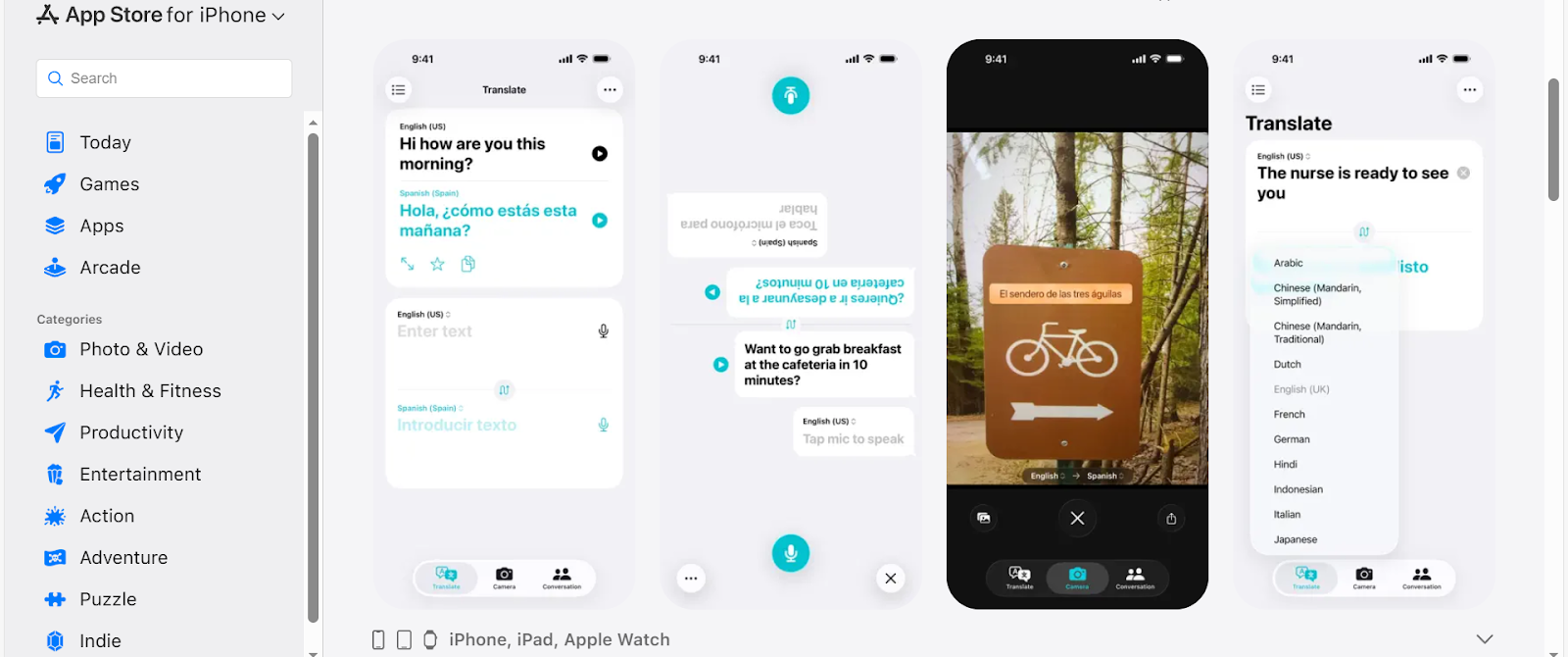
Image Credits: Screenshots from the App Store accessed December 2025 for illustrative purposes only.
Apple Translate is a built-in app on iPhone. It can translate text and voice in different languages. It offers various features that make translation easier and more convenient.
Key Features:
- Offline Translation. It has an on-device mode that allows users to translate even when offline, making it more convenient.
- Built-in dictionary. With a built-in dictionary, users can easily understand the meaning of a translated word when they tap the word.
- Translate using the camera. This is an ideal feature, especially if you are travelling or in another place that uses different languages.
- Favorites. The phrases you want to keep and those you use often can be saved to favorites, so you can easily access them.
By 2025, iOS may have continued to expand system-level translation through Apple Intelligence, the Translate app, and hardware- and gesture-based triggers.
On supported iPhones, users can start translation without manually opening an app by using the Action Button when configured for translation, invoking Siri for voice-to-voice conversations, or leveraging camera-based text translation enhanced by Visual Intelligence.
For hands-free or gesture-based use, Back Tap can be configured to run translation shortcuts. While Apple’s native tools are deeply integrated into the system, third-party apps such as DeepL and Google Translate may offer similar quick-access workflows through the Shortcuts app.
Google Translate
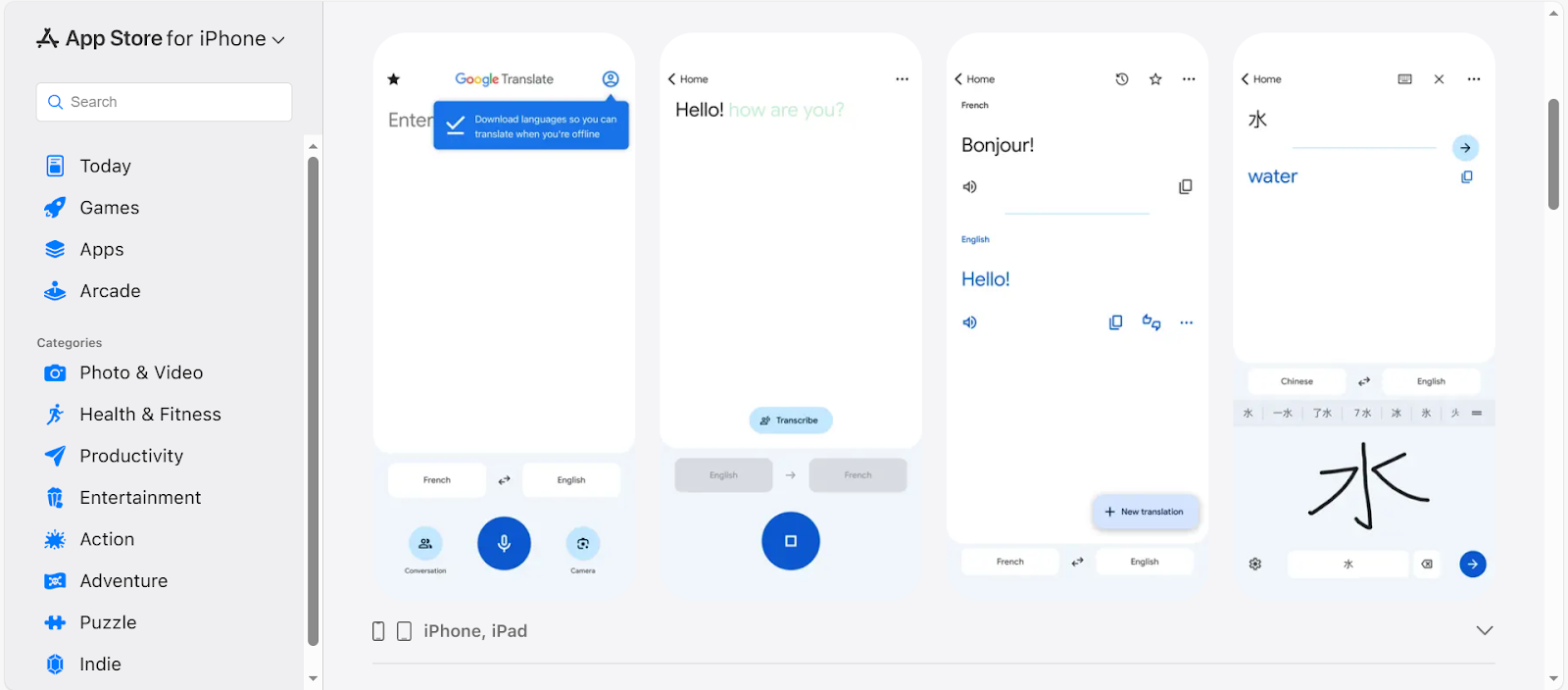
Image Credits: Screenshots from the App Store accessed December 2025 for illustrative purposes only.
Google Translate is one of the popular translation apps. It supports multiple languages, helping users easily connect with others and overcome language barriers.
Key Features:
- Supports multiple languages. It supports numerous languages, making translation more convenient.
- Camera and photo translation. These are perfect, especially for travelers, as they can help them easily understand menus, signage, and other items written in another language.
- Document and Web Translation. Users can translate a document by simply uploading it or a webpage by entering the URL.
- Save. Translations, especially the ones you use often, can be saved and easily accessed next time you need them.
DeepL Translate
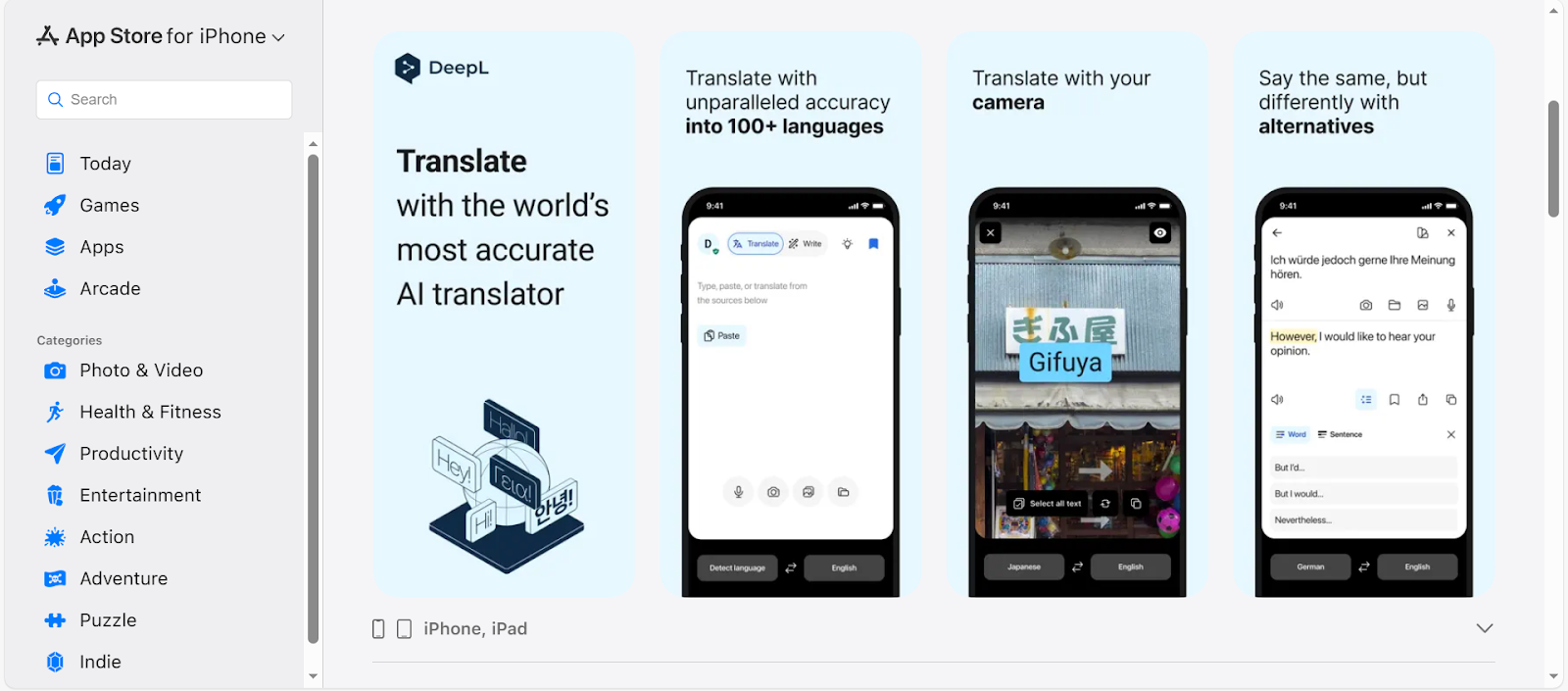
Image Credits: Screenshots from the App Store accessed December 2025 for illustrative purposes only.
Another reliable translation app is DeepL Translate. With its highly accurate translations, individuals, professionals, and businesses can conveniently connect with people from around the world.
Key Features:
- Supports more than 100 languages. Users can translate text into various languages, including Chinese, French, Spanish, and more.
- Translate Files. It can translate documents in PPTX, DOCX, and PDF formats.
- Translate Image. This is a helpful feature, especially if you are travelling, so you can easily take a photo of signage and other documents and translate them.
- Glossary. Another feature of DeepL is a glossary where users can add personalized terms to ensure translations remain consistent.
Transync AI
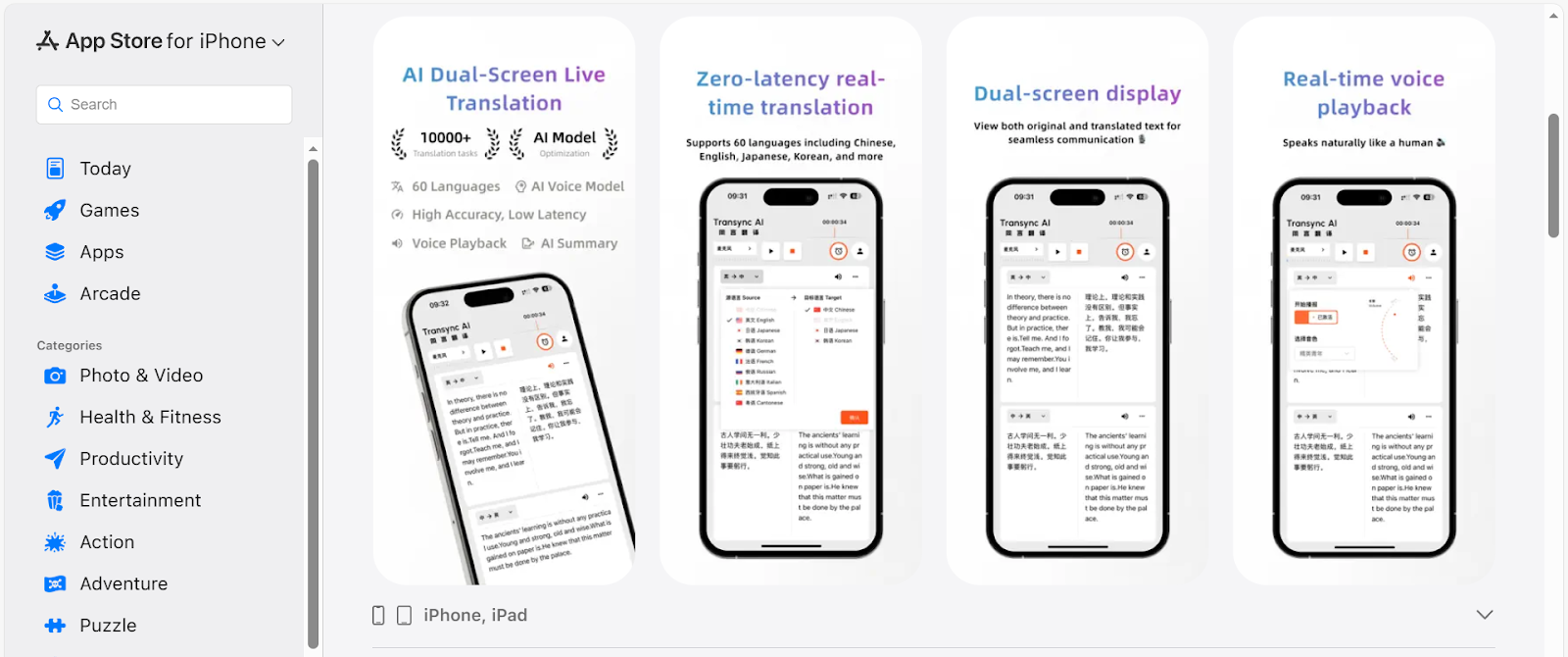
Image Credits: Screenshots from the App Store accessed December 2025 for illustrative purposes only.
Transync AI is one of the best translation apps for iPhone as it supports real-time translation, making it ideal for business meetings. It supports 60 languages with low latency, empowering users to have a smooth communication whether they are travelling or in a business meeting.
Key Features:
Integration to Various Meeting Platforms. It seamlessly integrates with platforms such as Microsoft Teams, Zoom, Google Meet, and others.
Real-time Translation. It supports real-time translation, so every member can easily understand the conversation.
AI-powered meeting minutes. After the meeting, the minutes and summary can be automatically generated, making it easier to create reports.
Microsoft Translator
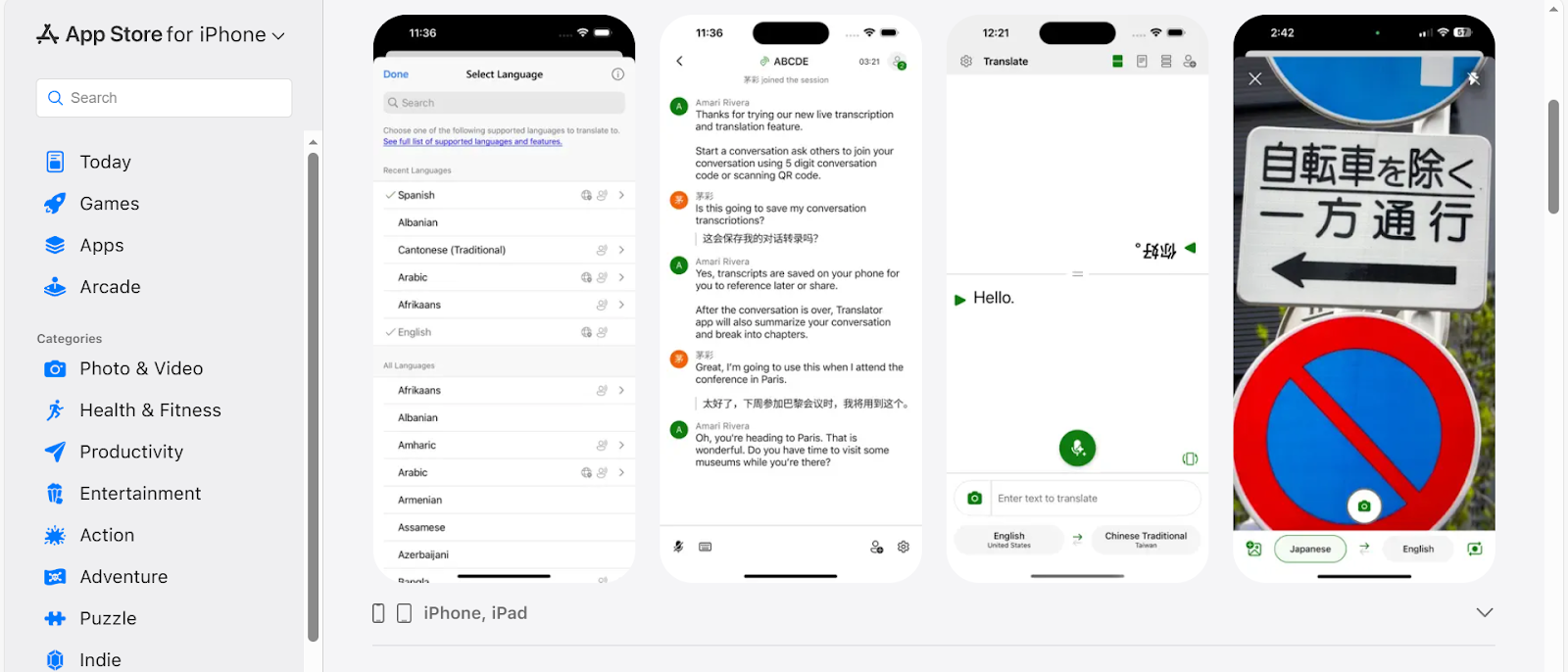
Image Credits: Screenshots from the App Store accessed December 2025 for illustrative purposes only.
Microsoft Translator is ideal for a variety of uses, whether at home, school, or in business. With this app, you can easily connect with someone from different cultures, nationalities, and backgrounds.
- Supports more than 100 languages. It supports multiple languages, making conversations easier.
- Translate images. Whether you are in other places or in a multilingual environment, you can take a photo and translate it.
- Chapters and Transcripts. These features are perfect for group conversations with your friends, colleagues, or family.
iTranslate
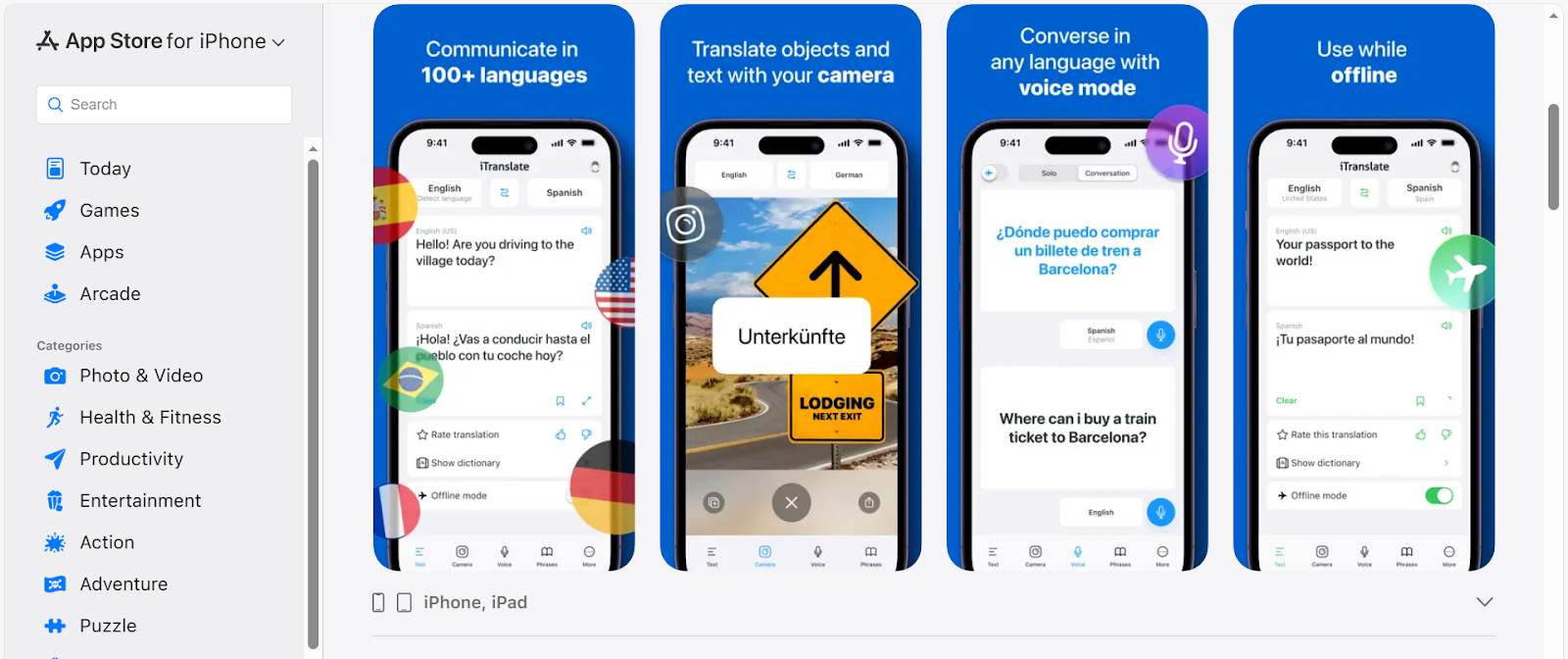
Image Credits: Screenshots from the App Store accessed December 2025 for illustrative purposes only.
Wherever you are, a language barrier will not be a challenge with an app like iTranslate. With this app, you can communicate with other people from different backgrounds as it supports more than 100 languages.
Key Features:
- Voice Translation. Just speak the word or phrase, and it will be translated into your preferred language.
- Camera Translation. The signs, menu, and other things that you’ve come across along the way can be easily translated using a camera.
- Keyboard Translation. This keyboard extension makes translation easier on your messaging app.
Other Translation Apps to Try
Reverso
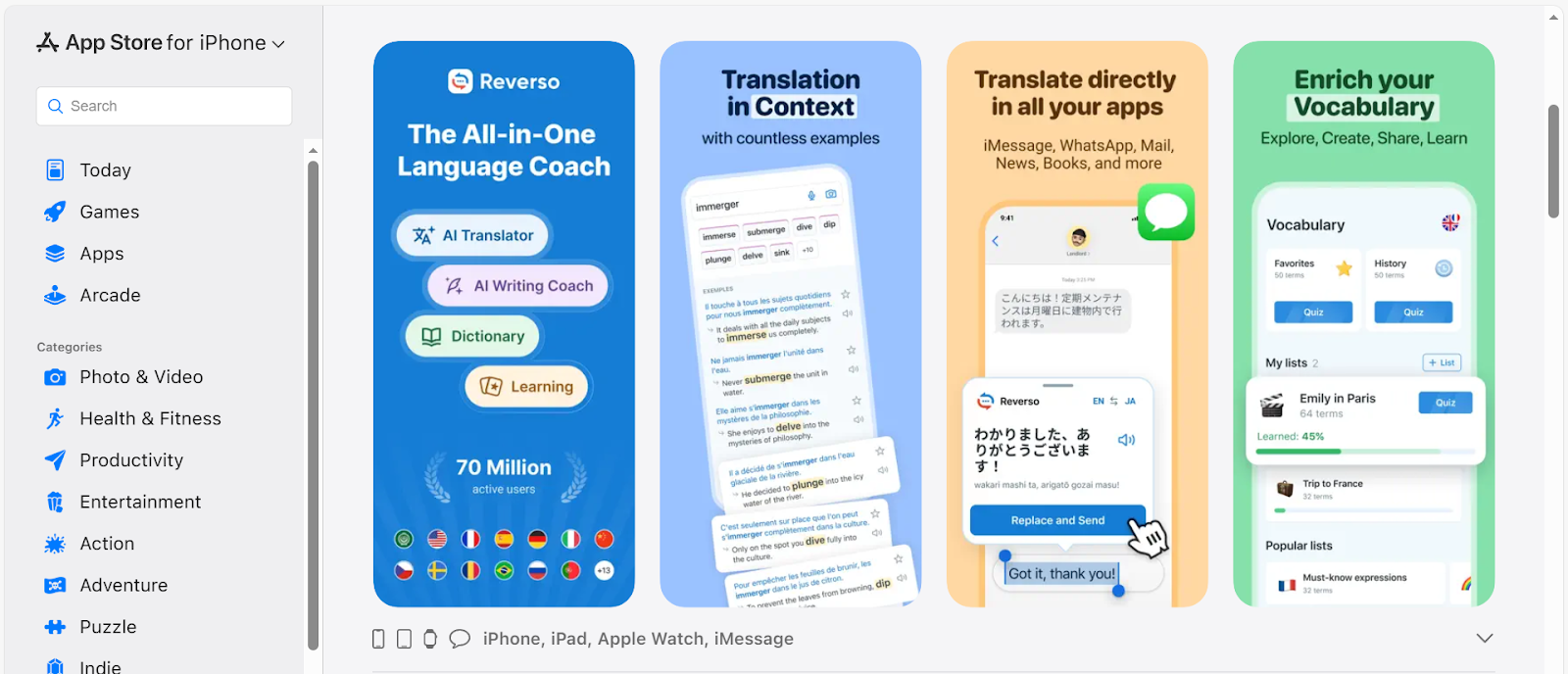
Image Credits: Screenshots from the App Store accessed December 2025 for illustrative purposes only.
Reverso is an all-in-one translation buddy that offers different features that make translation fun, educational, and convenient. Its features include direct app translation, vocabulary enrichment, quizzes & flashcards, speaking practice with AI voice recognition, an AI writing coach, and more.
SayHi Translate
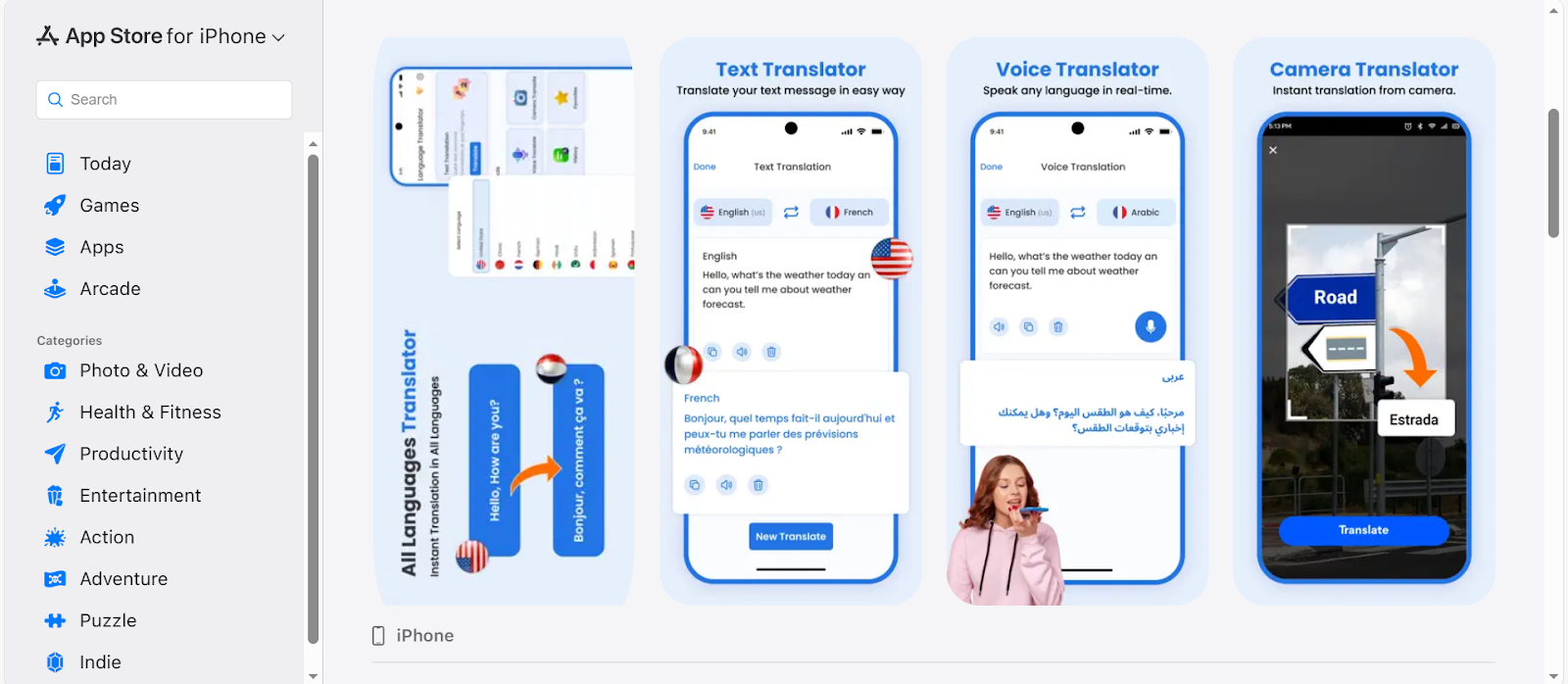
Image Credits: Screenshots from the App Store accessed December 2025 for illustrative purposes only.
SayHi Translate provides users with an intuitive experience, whether they are translating text, voice, or images. Its features include voice, text, and photo translation, as well as favorites and history, making different languages more accessible.
Naver Papago
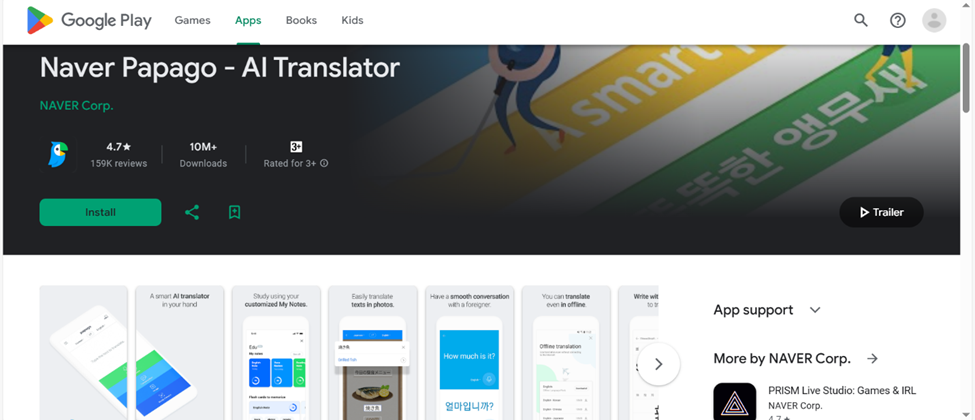
Image Credits: Screenshots from the App Store accessed December 2025 for illustrative purposes only.
Naver Papago is an app that can translate multiple languages, including English, Chinese, Spanish, French, and more. Its features include text, image, voice, offline, conversation, handwriting, website translations, and more.
Speak & Translate
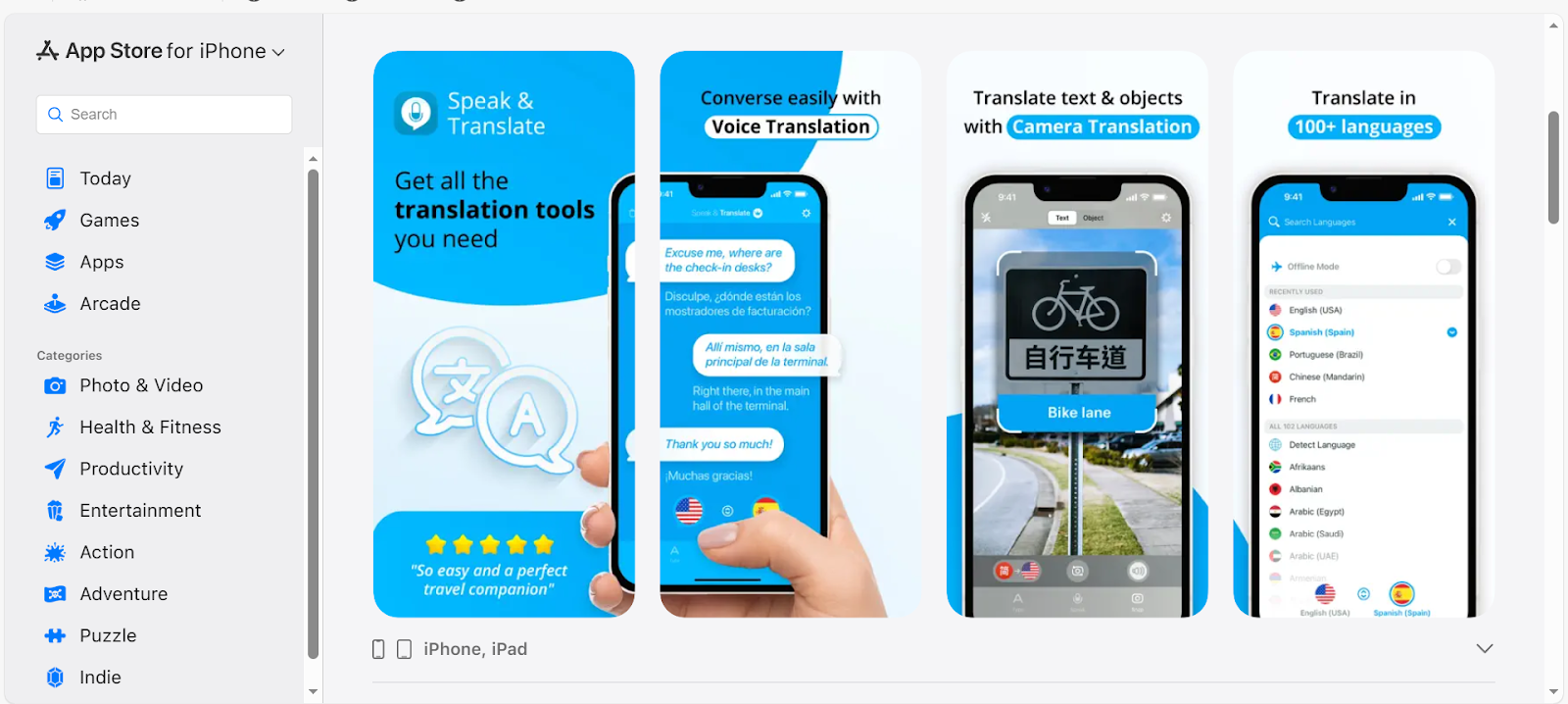
Image Credits: Screenshots from the App Store accessed December 2025 for illustrative purposes only.
Speak & Translate is a tool for effective communication in different languages, wherever you are. Its free features include text and voice translation, color themes, language detection, and iCloud integration. It also offers premium features, including offline mode, snap mode, unlimited translations, and ad-free.
Why You Need a Translation App on Your iPhone
There are many reasons why you need a translation app on your iPhone. Having a translation app helps in breaking the language barrier. It also makes communicating across different languages easier, whether you are at home, school, work, or elsewhere.
Connect with people from different nationalities.
Translation apps help people connect more easily, especially now that we are more globally connected. Whether you are a student in a foreign university, a business owner with international clients, or a traveller, these apps can make you more confident in conversation.
Travel without stress
Translation apps are also a critical companion when travelling, as they help with reading signage, menus, and instructions. Most translation apps support camera translation so that you can snap a photo and have it translated into your preferred language.
Boosts your productivity and learning
Whether you are studying a new language or collaborating with international teams, translation apps can help you be more productive and learn something new, as apps provide instant translation. Some apps also feature a dictionary and vocabulary to help users understand phrases easily.
Handle everyday tasks effortlessly.
Daily tasks will be effortless with a translation app. Some tasks that involve translation include shopping online on foreign websites, translating subtitles for favorite shows, reading multilingual packaging, understanding user manuals, and other daily tasks that may require translation.
Stay prepared for emergencies.
It is always best to be prepared, and translation apps can save you, especially if you are in an unfamiliar place or situation. This will help you to communicate effectively, express urgent needs, understand instructions, and avoid danger.
Who Should Use an iPhone Translation App?
Translation apps are designed for individuals and businesses that need to communicate effectively with other people, understand different cultures, and more.
Travelers
Travelers need a translation app to make their travels more convenient and lessen the hassle. With translation apps, they can get more of their travels by easily navigating transportation, reading restaurant menus, and communicating during emergencies.
Students and language learners
Students and language learners who study other languages need a translation app to check their understanding easily. These apps are also helpful for students studying at a foreign university.
Content Creators
Content Creators should use translation apps to create subtitles and translate captions in their video content. Translations will help them reach the audience worldwide. If you are looking for a tool to localize content, try VMEG AI, an AI-powered localization platform.
Businesses
Businesses with international teams and clients should use translation apps to ensure effective communication. Whether translating a document, creating promotional content, or having a team conversation, translation apps make things more convenient for everyone.
Other Individuals
Those individuals who need translation in daily tasks should use translation apps. It will help them easily understand things like subtitles, songs, packaging, signage, and more.
How Translation Apps on Your iPhone Can Boost Productivity
Translation apps can boost productivity in personal, professional, or business settings.
Instant Communication Across Languages
Real-time translations prevent delays caused by language barriers. With these tools, people can easily communicate and respond promptly. It helps when communicating with clients, coworkers, and travelers from different nationalities.
Faster Information Access
You do not need to wait for someone to translate things for you, as you can translate documents, conversations, and other things with just a single tap or a few taps. It saves you time from having to look up the meanings of words or phrases you encounter.
Improved Work Collaboration
Those working in international teams in a global workspace can boost productivity with translation apps that easily translate documents and other files, ensuring everyone is on the same page.
How to Choose the Best Translation App for iPhone
Several factors must be considered when choosing the best translation app for iPhone.
Translation accuracy
Choose a translation app that provides highly accurate translations, especially if it will be used in formal conversations.
Supported languages
The languages an app supports are another factor to consider. Select an app that accurately supports many languages.
Modes available
Check whether the translation apps support the modes you need, such as text, voice, camera, or live conversation. Choose a tool that can be integrated with other applications that need translations.
Offline access
An internet connection may not always be reliable, so choose a translation app that works offline.
Ease of use & UI
A translation app with an easy-to-use, simple user interface will make it easier to translate files and conversations.
Pricing
Another factor to consider is the pricing. Check the features they offer for free and compare different apps. Also, if you want to unlock premium features, choose an app that meets all your needs so it's worth the price.
VMEG AI: Best Translation Website for Localization
Translation apps are convenient to use in various settings, as they support text, document, voice, and camera translations.
These apps are great for one-on-one talk, but they may not be ideal for video creation or multi-speaker dubbing. VMEG AI handles heavy lifting - retaining original emotions with Voice Cloning and ensuring professional visuals with AI Lip-Sync.
This is an ideal tool for content creation, especially for those who want to localize their content and reach global audiences. VMEG AI provides highly accurate translations, supports more than 170 languages, and offers 7,000 lifelike voices. With VMEG, content creation will be easier, and you will be more productive, as you can create more content in less time.
Conclusion
The best translation apps on the iPhone depend on your needs, context, and use case. Check the features first, then try several apps to find the one that best suits your needs and delivers highly accurate translations. And if you need a platform that supports video, audio, MP3, and movie translations, as well as other localization tools, for your content or business, VMEG AI is the best choice.
FAQs
Which iPhone translation app is the most accurate for business in 2025?
DeepL is one of the most accurate iPhone translation apps for business in 2025.
Is Apple’s built-in Translate app better than Google Translate?
Google Translate supports more languages and multiple devices, while Apple Translate is more convenient but limited to Apple devices.
How can I translate a long video on my iPhone?
Use VMEG AI to translate a long video on your iPhone.
Can an iPhone translate text in real time?
Users can use Live Translation in the Messages app. It is enabled by Apple Intellifence, which lets users see incoming messages in other languages, and those texts are automatically translated into their desired language.


The VMEG Team
Behind VMEG stands a passionate team of creatives, engineers, and language lovers. At the crossroads of AI and storytelling, they craft tools that bridge languages and cultures.