

'%3e%3cpath%20d='M21.0949%203.79395L13.9961%209.82854H21.0949V3.79395Z'%20stroke='black'%20stroke-width='1.38'%20stroke-miterlimit='10'/%3e%3cpath%20d='M13.998%209.82854L7.44531%203.79395V9.82854H13.998Z'%20stroke='black'%20stroke-width='1.38'%20stroke-miterlimit='10'/%3e%3cpath%20d='M13.9961%202.69922V25.1919'%20stroke='black'%20stroke-width='1.38'%20stroke-miterlimit='10'/%3e%3cpath%20d='M20.5488%2016.4113L13.9961%209.82812V18.2217L20.5488%2024.0918V16.4113Z'%20stroke='black'%20stroke-width='1.38'%20stroke-miterlimit='10'/%3e%3cpath%20d='M7.44531%2016.4113L13.998%209.82812V18.0526L7.44531%2024.0918V16.4113Z'%20stroke='black'%20stroke-width='1.38'%20stroke-miterlimit='10'/%3e%3cpath%20d='M4.71094%209.82812V18.6057H7.44125V16.4113L13.9941%209.82812H4.71094Z'%20stroke='black'%20stroke-width='1.38'%20stroke-miterlimit='10'/%3e%3cpath%20d='M13.9961%209.82812L20.5488%2016.4113V18.6057H23.2792V9.82812H13.9961Z'%20stroke='black'%20stroke-width='1.38'%20stroke-miterlimit='10'/%3e%3c/g%3e%3c/svg%3e)

'%3e%3cmask%20id='mask0_21456_29260'%20style='mask-type:luminance'%20maskUnits='userSpaceOnUse'%20x='0'%20y='0'%20width='28'%20height='28'%3e%3cpath%20d='M27.5%200.5H0.5V27.5H27.5V0.5Z'%20fill='white'/%3e%3c/mask%3e%3cg%20mask='url(%23mask0_21456_29260)'%3e%3cpath%20d='M14%2027.5C13.4854%2024.1035%2011.8974%2020.9608%209.46828%2018.5317C7.03922%2016.1026%203.89651%2014.5146%200.5%2014C3.89651%2013.4854%207.03922%2011.8974%209.46828%209.46828C11.8974%207.03922%2013.4854%203.89651%2014%200.5C14.5147%203.89644%2016.1028%207.03905%2018.5318%209.46816C20.9609%2011.8972%2024.1035%2013.4853%2027.5%2014C24.1035%2014.5147%2020.9609%2016.1028%2018.5318%2018.5318C16.1028%2020.9609%2014.5147%2024.1035%2014%2027.5Z'%20fill='url(%23paint0_linear_21456_29260)'/%3e%3c/g%3e%3c/g%3e%3cdefs%3e%3clinearGradient%20id='paint0_linear_21456_29260'%20x1='9.5'%20y1='9.5'%20x2='20.75'%20y2='21.875'%20gradientUnits='userSpaceOnUse'%3e%3cstop%20stop-color='%23F0DCD6'/%3e%3cstop%20offset='0.914506'%20stop-color='%231D6DFF'/%3e%3c/linearGradient%3e%3cclipPath%20id='clip0_21456_29260'%3e%3crect%20width='28'%20height='28'%20fill='white'/%3e%3c/clipPath%3e%3c/defs%3e%3c/svg%3e)
'%3e%3cpath%20d='M22.8019%2011.2412L23.5234%2011.6807V12.0103L23.3172%2012.7796L14.5579%2014.9771L13.7344%2012.7951L22.8019%2011.2412Z'%20fill='%23D97757'/%3e%3cpath%20d='M19.5236%204.77832L20.5322%205.00396L20.8%205.35575L21.0552%206.19876L20.9494%206.73644L15.0712%2015.3068L13.1133%2013.2191L18.5338%205.63471L19.5236%204.77832Z'%20fill='%23D97757'/%3e%3cpath%20d='M14.4577%203.43951L15.0761%203L15.5912%203.21976L16.1065%203.9889L14.6949%2013.0345L13.7364%2012.3397L13.3242%2011.131L14.0456%204.31853L14.4577%203.43951Z'%20fill='%23D97757'/%3e%3cpath%20d='M7.84766%203.5851L8.48285%202.7199L8.89716%202.61914L9.71923%202.74717L10.125%203.08581L13.0815%2010.0748L14.1509%2013.3954L12.8997%2014.1372L8.13117%204.91019L7.84766%203.5851Z'%20fill='%23D97757'/%3e%3cpath%20d='M4.77232%208.38688L4.56641%207.50742L5.18478%206.73828L5.90613%206.84816H6.11223L10.4403%2010.2544L11.78%2011.3531L13.6349%2012.8914L12.6044%2014.7594L11.6769%2013.9903L11.0586%2013.331L5.08168%208.82593L4.77232%208.38688Z'%20fill='%23D97757'/%3e%3cpath%20d='M3.53288%2014.0982L3.06641%2013.5489L3.06647%2013.0601L3.53288%2012.8896L8.78833%2013.2193L13.9408%2013.6588L13.7736%2014.7528L3.94502%2014.2082L3.53288%2014.0982Z'%20fill='%23D97757'/%3e%3cpath%20d='M6.62378%2019.8178H5.59334L5.18359%2019.3146V18.7132L6.93299%2017.3946L14.045%2012.5674L14.7648%2013.8785L6.62378%2019.8178Z'%20fill='%23D97757'/%3e%3cpath%20d='M8.57739%2022.8884L8.16518%2022.9984L7.54688%2022.6687L7.64995%2022.1193L13.7299%2013.5488L14.5543%2014.7574L10.0201%2021.1305L8.57739%2022.8884Z'%20fill='%23D97757'/%3e%3cpath%20d='M13.7361%2023.9861L13.4271%2024.4257L12.8088%2024.6454L12.2935%2024.2058L11.9844%2023.5466L13.5301%2014.6465L14.4576%2014.7563L13.7361%2023.9861Z'%20fill='%23D97757'/%3e%3cpath%20d='M18.9869%2021.5713V22.4503L18.8838%2022.7799L18.4716%2022.9997L17.7503%2022.8974L12.7969%2015.0367L14.7617%2013.4404L16.4104%2016.6269L16.5652%2017.7805L18.9869%2021.5713Z'%20fill='%23D97757'/%3e%3cpath%20d='M21.3629%2020.2507L21.4659%2020.8L21.1568%2021.2396L20.8476%2021.1297L19.0958%2019.8112L16.4165%2017.284L14.3555%2015.7457L14.9736%2013.6582L16.0041%2014.3175L16.6226%2015.5259L21.3629%2020.2507Z'%20fill='%23D97757'/%3e%3cpath%20d='M20.0232%2014.6482L22.5995%2014.8679L23.2178%2015.3074L23.6299%2015.9667V16.441L22.4964%2016.9556L16.7256%2015.4173L14.3555%2015.3074L14.9737%2013L16.6226%2014.3185L20.0232%2014.6482Z'%20fill='%23D97757'/%3e%3c/g%3e%3c/svg%3e)
Key Points
- Direct audio upload and transcription via ChatGPT are inconsistent; success often depends on having a paid subscription (like GPT-4o) and access to specific multimodal features.
- For guaranteed accuracy and reliability, users should first utilize dedicated audio-to-text tools like VMEG AI, WhisperAI, TurboScribe, or Otter.ai.
The rise of AI tools makes things easier, from summarizing to other activities that can be done with Artificial Intelligence. One of the well-known AI tools is ChatGPT, which is easy to use and offers a range of features. ChatGPT is used for different activities such as brainstorming, summarizing documents, and generating images. But, are you also wondering if ChatGPT can transcribe Audio?
Quick answer: ChatGPT can transcribe audio as part of the transcription process, often working alongside other tools, but direct transcription depends on your account and whether features like audio upload or voice mode are enabled.
What ChatGPT Actually Does for Audio Transcription?
Audio transcription is the process of translating an audio file to text. ChatGPT has multimodal capabilities with GPT-4o and uses OpenAI’s Whisper, enabling it to process diverse inputs and outputs, such as text, images, and audio.
ChatGPT can be part of the transcription process, such as polishing, summarizing, or repurposing the text output, as direct audio transcription is not guaranteed. Before polishing or repurposing the text output, you will need an audio-text transcription tool.
However, you can try it first on your account, especially if you are subscribed to a paid plan, but it is still not guaranteed. Try uploading an audio file and ask it to transcribe to see if it will work. According to transcribe lingo, ChatGPT can transcribe audio but has limitations, depending on context and users, and can work in multiple ways, such as record mode, voice and dictation, uploaded files, and an API for developers.
ChatGPT also has a record mode that can transcribe audio recordings, such as meetings. It can also be used to summarize the text for idea generation and content repurposing.
Who Can Use ChatGPT for Audio Transcription?
Individuals from different walks of life, from students to professionals and business owners, can use ChatGPT for audio transcription. Since there is no guarantee that users can transcribe directly with ChatGPT, users can use third-party tools, then use ChatGPT to polish or summarize content. However, users can try it out first to see whether direct audio translation works on their account.
Podcasters, Marketers, YouTubers, and Content Creators.
The text output can be repurposed for blog posts, articles, social media posts, and more.
Students and Researchers.
ChatGPT can summarize the content or create other content types depending on needs and preferences. For example, students can turn the text output into notes. Researchers can ask ChatGPT to summarize it in bullet points or highlight the key insights.
Business Owners and Professionals.
The output can be pasted into ChatGPT to generate documents, such as meeting notes, summaries, standard operating procedure guides, and more.
Why People Might Want ChatGPT to Transcribe Audio?
Have you ever considered using ChatGPT to transcribe audio to streamline your project workflow or make things easier, since you are already familiar with it? Here are some reasons why people might want ChatGPT to Transcribe Audio.
Convenience and Speed
People want convenience and speed. ChatGPT can help them save time and effort and boost productivity. It is also a convenient tool as it is easy to use and many people are already familiar with its interface.
Integrated Processing
Having a single app that lets you transcribe and get an output makes things faster and easier. The audio can be transcribed into text, and the text output can be repurposed in various ways.
Multimodal Analysis
ChatGPT can translate, rewrite, analyze tone, and generate insights from text. It maximizes the use of text output so that it can be easily integrated on different platforms, such as websites and social media posts, depending on the use case.
Content Repurposing
Text outputs can be repurposed in different versions, such as articles and blog posts for websites, captions and post ideas for social media, and reports for business and professional purposes.
Real-time Feedback
One of the best things about ChatGPT is that it provides real-time feedback, so when there is something in the text output that you want to learn more about, you can get an instant response.
How Can ChatGPT Be Part of Audio Transcription
You can try transcribing audio directly in ChatGPT to see if it works on your account. Here’s a guide on how to use ChatGPT to transcribe audio.
1. Prepare and Upload the Audio File.
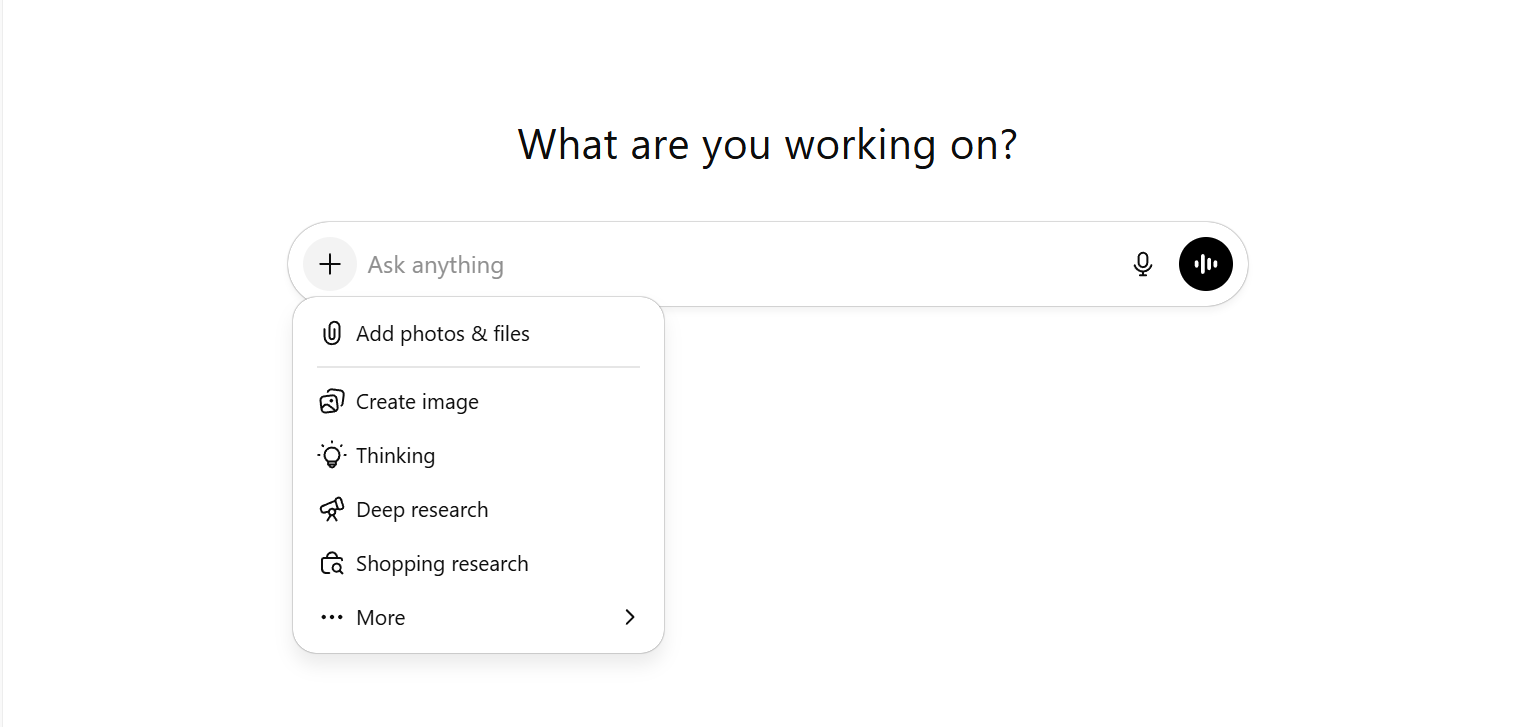
Click the plus button, then the paperclip icon to attach the audio file. Wait for it to upload. Uploading may take some time, depending on the audio length and other factors.
2. Type the prompt once the file has been uploaded.
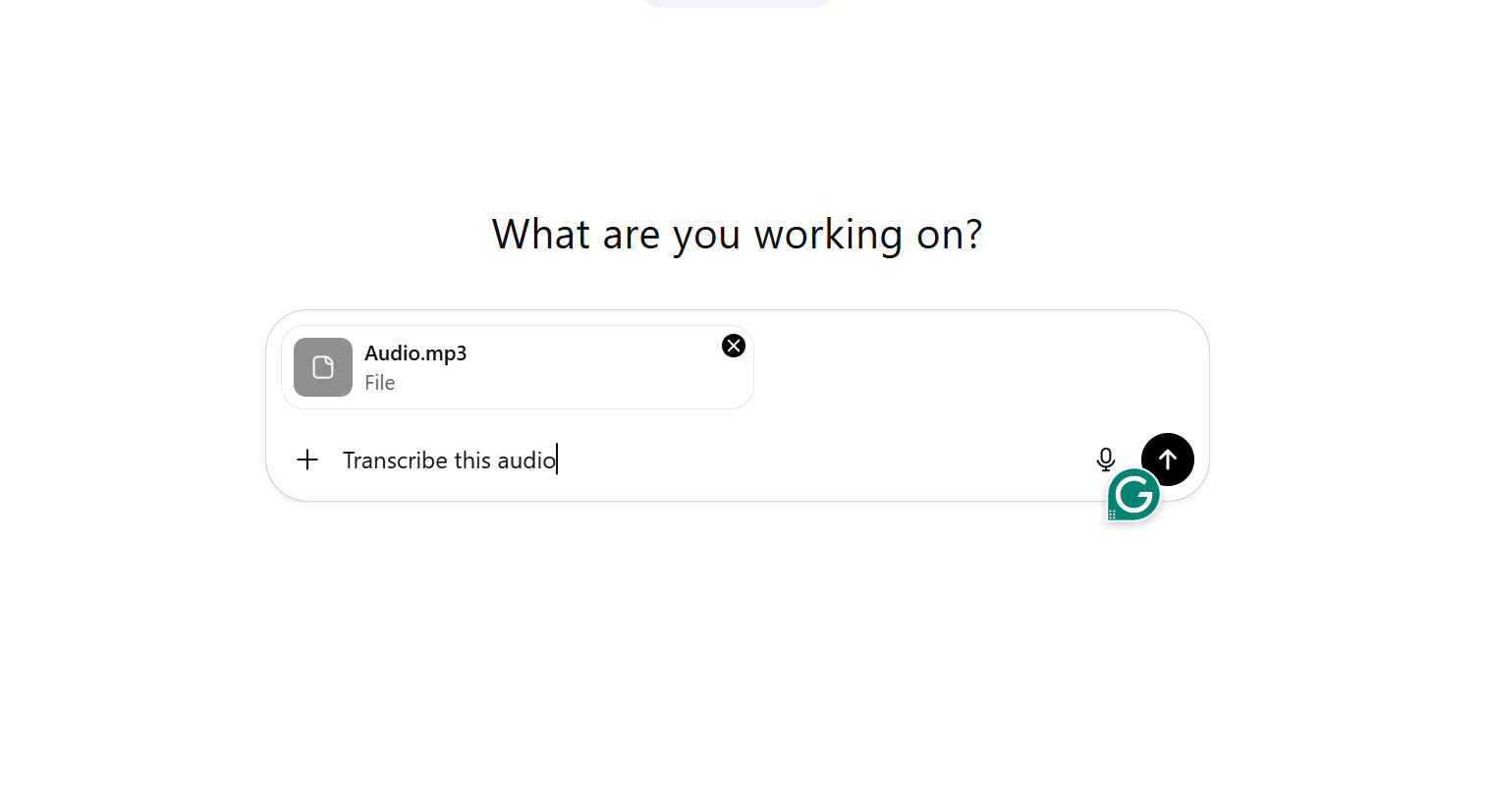
You can say something like “transcribe this audio” and “transcribe and summarize the key points.” You can specify the transcription style you want, such as “transcribe exactly what is said and include the filler words”, or “transcribe and remove filler words.”
3. Wait for its response.
If your audio has been successfully transcribed, you can enhance the transcript using ChatGPT. After the audio has been transcribed, you can improve it as needed. You can ask ChatGPT to summarize, list key points, convert to other content, and more.
Here is a response from ChatGPT using a free account.

Aside from file uploads, you can also use ChatGPT's voice or dictation recording modes to transcribe your audio if it works on your account. Just press or click the dictate or voice mode button to process the audio.
Image Credits: Screenshot of ChatGPT’s interface accessed November 2025 for illustrative purposes only.
How To Use Other Audio-to-Text for Audio Transcription
If direct audio transcription for file uploads doesn’t work on ChatGPT, use other audio-to-text tools before pasting the transcribed text on ChatGPT for enhancement, content repurposing, and other purposes.
Here are some audio-to-text tools you can try:
VMEG AI
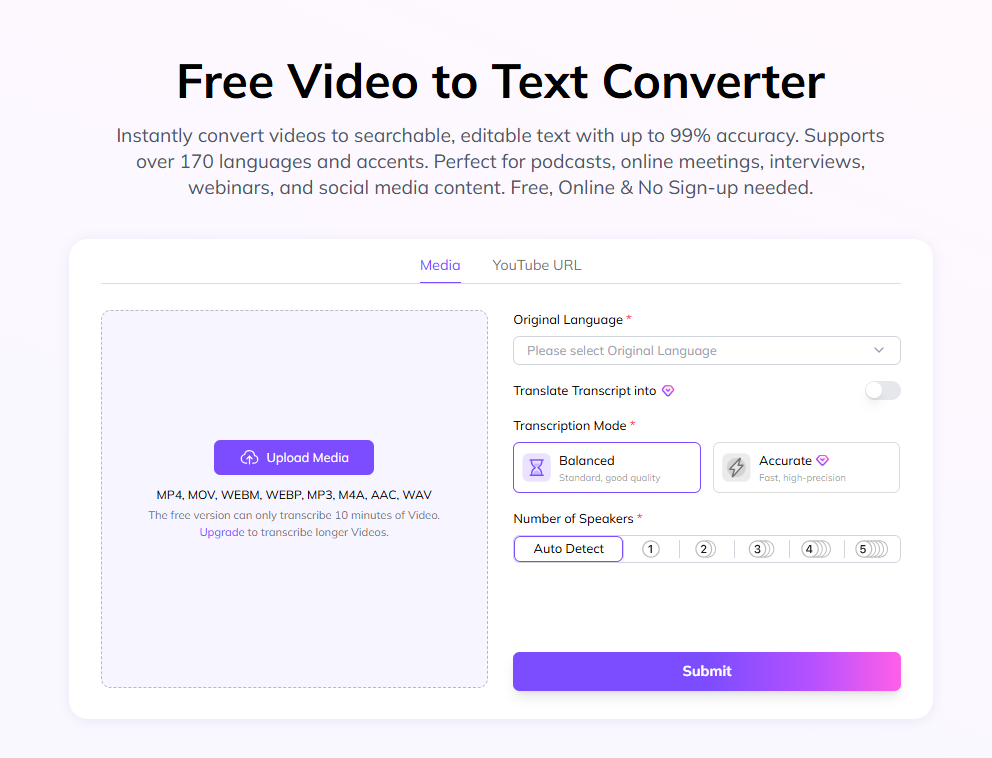
VMEG AI is a powerful platform that can take your content to the next level. It supports more than 170 languages and accents. It is a perfect tool for all your audio or video-to-text projects, such as meetings, podcasts, voice messages, interviews, and more.
Key Features:
- Fast and accurate transcriptions. It takes only a few seconds or minutes to transcribe the audio, and it provides accurate word recognition and automatically tags speakers. It is also safe to use, as uploads are encrypted and you are the only one who decides what to do with your content.
- Supports multiple file types. It supports MP3, MP4, MOV, WEBM, WEBP, M4A, WAV, and ACC. It also supports YouTube links, perfect for YouTubers who want to transcribe their videos for content repurposing and other uses.
- Supports more than 170 languages. VMEG AI transforms your audio recordings into searchable, precise text that resonates with your audience and various use cases. Beyond that, you can also translate your transcript into other languages, making it perfect for reaching a global audience.
- Free, online, no sign-up, no downloads, and no hassle. Try VMEG AI to see how it transforms your audio. You can also upgrade to experience its features that will speed up your workflow.
- Easy-to-use. With just a few clicks, you can transcribe your audio faster. You just need to upload the audio or paste the YouTube link, select your preferred transcription settings, and refine and export your text.
WhisperAI Powered by OpenAI

Image Credit: Screenshot of Whisper AI homepage accessed November 2025 for illustrative purposes only.
Just like ChatGPT, Whisper AI is also powered by OpenAI, making it an ideal transcription tool. It can transcribe audio and videos and supports more than 100 languages.
Key Features:
Speaker Labels. It identifies different speakers in different settings, such as meetings, interviews, and more.
Supports Multiple File Types. Users can upload files in various formats, including MP3, MP4, M4A, WAV, and WEBM.
Real-time AI Transcription. Whether you are in a lecture, an interview, or meetings, you can get real-time transcription, making it easier to take notes.
TurboScribe
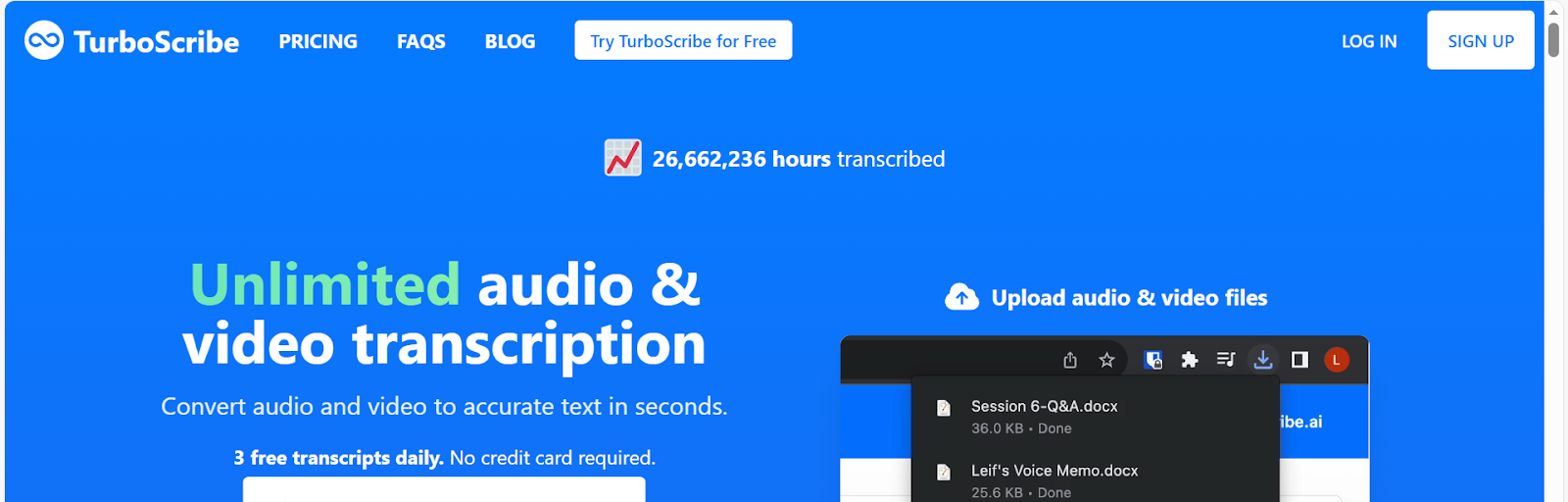
Image Credit: Screenshot of TurboScribe homepage accessed November 2025 for illustrative purposes only.
TurboScribe uses and is built around Whisper AI. It offers audio and video transcription with fast, accurate results in more than 98 languages.
Key Features:
Large File Uploads. Users can upload files ranging from 30 minutes to 10 hours, depending on their current plan.
Supports multiple audio and video formats. It supports various file types, including MP3, MP4, WAV, MOV, OGG, and more.
Translate transcripts. Transcripts and subtitles can be translated into more than 130 languages. This feature is helpful if you want to localize your content and reach a wider audience.
Otter.ai

Image Credit: Screenshot of Otter.ai homepage accessed November 2025 for illustrative purposes only.
Otter.ai is a perfect tool for live meetings. This tool makes meetings smarter by providing summaries, transcripts, and templates.
Otter Notetaker. This feature allows users to integrate it with various meeting platforms, such as Google Meet and Zoom. It can record, transcribe, and summarize meetings, making team collaborations more efficient and productive.
AI Features. It has an Otter AI Chat that can be used during and after the meetings. This will help you better understand the context, as participants can ask questions in real time.
Supports multiple file formats. It supports audio formats, such as MP3, M4A, WAV, and more. The video formats it supports are MP4, MPEG, AVI, and more.
These tools can help in converting audio or video files into text conveniently. Each platform has unique features, but they share the same basic purpose of converting audio to text. Simply follow the prompts on the platform until your audio is fully transcribed. Once you have the transcript, you can use ChatGPT to summarize or repurpose the content.
Conclusion
Audio-to-text translation is easy, especially with the right tools and AI. ChatGPT can be used for audio transcription by testing it on your account to see if it works. However, if it does not work on your account, you can still use it by pasting the text output generated by other tools and polishing or repurposing it for various content. Try AI audio transcription tools, such as VMEG AI, to transcribe audio into precise and accurate text in minutes.
Whether you are a content creator, business, student, marketer, or educator, learning how this workflow can help you save time and effort, and scale and maximize your output for your different needs.
FAQs
Can I transcribe audio on ChatGPT?
You can try transcribing audio directly in ChatGPT by uploading the audio file and asking it to transcribe it based on your needs. If it doesn’t work, use third-party transcription tools.
How can ChatGPT be part of audio transcription?
ChatGPT can be part of audio transcription by pasting the text output, then repurposing it into the content you need.
What are the audio-to-text tools that can be used for transcription?
The audio-to-text tools you can use for transcription are VMEG AI, ChatGPT, WhisperAI, TurboScribe, and Otter.ai.


The VMEG Team
Behind VMEG stands a passionate team of creatives, engineers, and language lovers. At the crossroads of AI and storytelling, they craft tools that bridge languages and cultures.