

'%3e%3cpath%20d='M21.0949%203.79395L13.9961%209.82854H21.0949V3.79395Z'%20stroke='black'%20stroke-width='1.38'%20stroke-miterlimit='10'/%3e%3cpath%20d='M13.998%209.82854L7.44531%203.79395V9.82854H13.998Z'%20stroke='black'%20stroke-width='1.38'%20stroke-miterlimit='10'/%3e%3cpath%20d='M13.9961%202.69922V25.1919'%20stroke='black'%20stroke-width='1.38'%20stroke-miterlimit='10'/%3e%3cpath%20d='M20.5488%2016.4113L13.9961%209.82812V18.2217L20.5488%2024.0918V16.4113Z'%20stroke='black'%20stroke-width='1.38'%20stroke-miterlimit='10'/%3e%3cpath%20d='M7.44531%2016.4113L13.998%209.82812V18.0526L7.44531%2024.0918V16.4113Z'%20stroke='black'%20stroke-width='1.38'%20stroke-miterlimit='10'/%3e%3cpath%20d='M4.71094%209.82812V18.6057H7.44125V16.4113L13.9941%209.82812H4.71094Z'%20stroke='black'%20stroke-width='1.38'%20stroke-miterlimit='10'/%3e%3cpath%20d='M13.9961%209.82812L20.5488%2016.4113V18.6057H23.2792V9.82812H13.9961Z'%20stroke='black'%20stroke-width='1.38'%20stroke-miterlimit='10'/%3e%3c/g%3e%3c/svg%3e)

'%3e%3cmask%20id='mask0_21456_29260'%20style='mask-type:luminance'%20maskUnits='userSpaceOnUse'%20x='0'%20y='0'%20width='28'%20height='28'%3e%3cpath%20d='M27.5%200.5H0.5V27.5H27.5V0.5Z'%20fill='white'/%3e%3c/mask%3e%3cg%20mask='url(%23mask0_21456_29260)'%3e%3cpath%20d='M14%2027.5C13.4854%2024.1035%2011.8974%2020.9608%209.46828%2018.5317C7.03922%2016.1026%203.89651%2014.5146%200.5%2014C3.89651%2013.4854%207.03922%2011.8974%209.46828%209.46828C11.8974%207.03922%2013.4854%203.89651%2014%200.5C14.5147%203.89644%2016.1028%207.03905%2018.5318%209.46816C20.9609%2011.8972%2024.1035%2013.4853%2027.5%2014C24.1035%2014.5147%2020.9609%2016.1028%2018.5318%2018.5318C16.1028%2020.9609%2014.5147%2024.1035%2014%2027.5Z'%20fill='url(%23paint0_linear_21456_29260)'/%3e%3c/g%3e%3c/g%3e%3cdefs%3e%3clinearGradient%20id='paint0_linear_21456_29260'%20x1='9.5'%20y1='9.5'%20x2='20.75'%20y2='21.875'%20gradientUnits='userSpaceOnUse'%3e%3cstop%20stop-color='%23F0DCD6'/%3e%3cstop%20offset='0.914506'%20stop-color='%231D6DFF'/%3e%3c/linearGradient%3e%3cclipPath%20id='clip0_21456_29260'%3e%3crect%20width='28'%20height='28'%20fill='white'/%3e%3c/clipPath%3e%3c/defs%3e%3c/svg%3e)
'%3e%3cpath%20d='M22.8019%2011.2412L23.5234%2011.6807V12.0103L23.3172%2012.7796L14.5579%2014.9771L13.7344%2012.7951L22.8019%2011.2412Z'%20fill='%23D97757'/%3e%3cpath%20d='M19.5236%204.77832L20.5322%205.00396L20.8%205.35575L21.0552%206.19876L20.9494%206.73644L15.0712%2015.3068L13.1133%2013.2191L18.5338%205.63471L19.5236%204.77832Z'%20fill='%23D97757'/%3e%3cpath%20d='M14.4577%203.43951L15.0761%203L15.5912%203.21976L16.1065%203.9889L14.6949%2013.0345L13.7364%2012.3397L13.3242%2011.131L14.0456%204.31853L14.4577%203.43951Z'%20fill='%23D97757'/%3e%3cpath%20d='M7.84766%203.5851L8.48285%202.7199L8.89716%202.61914L9.71923%202.74717L10.125%203.08581L13.0815%2010.0748L14.1509%2013.3954L12.8997%2014.1372L8.13117%204.91019L7.84766%203.5851Z'%20fill='%23D97757'/%3e%3cpath%20d='M4.77232%208.38688L4.56641%207.50742L5.18478%206.73828L5.90613%206.84816H6.11223L10.4403%2010.2544L11.78%2011.3531L13.6349%2012.8914L12.6044%2014.7594L11.6769%2013.9903L11.0586%2013.331L5.08168%208.82593L4.77232%208.38688Z'%20fill='%23D97757'/%3e%3cpath%20d='M3.53288%2014.0982L3.06641%2013.5489L3.06647%2013.0601L3.53288%2012.8896L8.78833%2013.2193L13.9408%2013.6588L13.7736%2014.7528L3.94502%2014.2082L3.53288%2014.0982Z'%20fill='%23D97757'/%3e%3cpath%20d='M6.62378%2019.8178H5.59334L5.18359%2019.3146V18.7132L6.93299%2017.3946L14.045%2012.5674L14.7648%2013.8785L6.62378%2019.8178Z'%20fill='%23D97757'/%3e%3cpath%20d='M8.57739%2022.8884L8.16518%2022.9984L7.54688%2022.6687L7.64995%2022.1193L13.7299%2013.5488L14.5543%2014.7574L10.0201%2021.1305L8.57739%2022.8884Z'%20fill='%23D97757'/%3e%3cpath%20d='M13.7361%2023.9861L13.4271%2024.4257L12.8088%2024.6454L12.2935%2024.2058L11.9844%2023.5466L13.5301%2014.6465L14.4576%2014.7563L13.7361%2023.9861Z'%20fill='%23D97757'/%3e%3cpath%20d='M18.9869%2021.5713V22.4503L18.8838%2022.7799L18.4716%2022.9997L17.7503%2022.8974L12.7969%2015.0367L14.7617%2013.4404L16.4104%2016.6269L16.5652%2017.7805L18.9869%2021.5713Z'%20fill='%23D97757'/%3e%3cpath%20d='M21.3629%2020.2507L21.4659%2020.8L21.1568%2021.2396L20.8476%2021.1297L19.0958%2019.8112L16.4165%2017.284L14.3555%2015.7457L14.9736%2013.6582L16.0041%2014.3175L16.6226%2015.5259L21.3629%2020.2507Z'%20fill='%23D97757'/%3e%3cpath%20d='M20.0232%2014.6482L22.5995%2014.8679L23.2178%2015.3074L23.6299%2015.9667V16.441L22.4964%2016.9556L16.7256%2015.4173L14.3555%2015.3074L14.9737%2013L16.6226%2014.3185L20.0232%2014.6482Z'%20fill='%23D97757'/%3e%3c/g%3e%3c/svg%3e)
Key Takeaways
- Clideo is a video editing platform that provides a range of tools to help users create video content. It is also ideal for those looking for a tool that runs in a browser.
- Clideo has a good average rating, based on reviews, with users noting that it is easy to use, beginner-friendly, and has cool features.
- According to reviews, the pros of using Clideo include a good user experience, convenience, great features, and ease of use.
- When it comes to cons, based on Clideo reviews across different platforms, some users mention crashes and a watermark. Various factors may affect the reviews, so it is best to try it yourself to see if it is the right tool for you.
- For video localization, VMEG AI is one of the best alternatives. It is a localization platform, where you can localize, translate, dub, lip-sync, or transcribe your content.
Are you looking for a quick online video editor that runs on a browser, so you don’t have to download software? If so, you might have encountered Clideo. But is it the right tool for you? In this Clideo Review from different platforms, you’ll get an insight into its features, pros, cons, and whether it is perfect for your project, or if you need an alternative.
What Is Clideo?
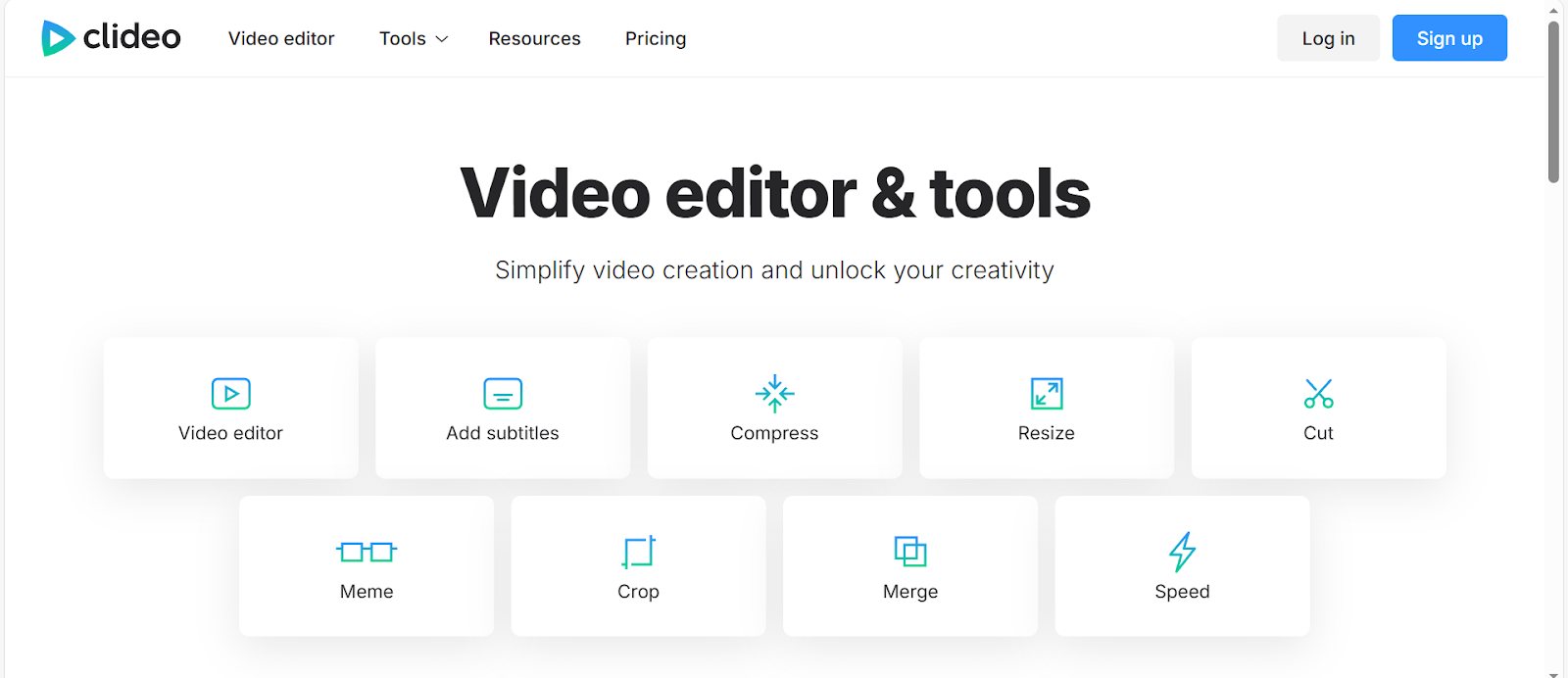
Image Credits: Screenshot from the Clideo website, accessed February 2026, for illustrative purposes only.
Clideo is a video editing platform that makes creating videos easier. It offers various tools, including the ability to adjust, resize, and flip videos, add subtitles, record presentations, and more.
Clideo Video Editor Key Features
- Supports multiple devices, including Android, Windows, Mac, and iOS, making it more accessible.
- Easy to use and user-friendly.
- Supports various aspect-ratio presets to create content for different platforms.
- Works online, so you do not need to download software.
- Supports different formats.
- Provides a range of tools for seamless video editing.
Clideo Reviews from Different Platforms
Rating | 4.8 | 2.9 | 4.6 |
Total Reviews | 9,815 | 8 | 665 |
High Star Review Insights | Simple to use, fast, smooth, useful | Beginner and user-friendly, a handy tool | Cool features, easy to use |
Pros Based on Reviews | Good experience, user-friendly, free, and easy to use. | Provides good experience, simple to use | Provides convenience, great features |
Cons Based on Reviews | Issues with crashes and watermark | Watermark, Slow | Crashes, issues in saving |
Please note that the data was accessed in February 2026 from review platforms and may change based on recent reviews and other factors. You can visit its official website and the review platforms above for more updates and information.
Who Should Use Clideo?
Clideo is ideal for individuals and businesses that create videos, offering a range of editing tools to help you produce high-quality content.
Beginners and First-Time Video Editors
Based on Clideo reviews, users say that it is simple and easy to use, making it ideal for beginners and first-time video editors. It doesn’t require any special software or technical expertise. It also includes various tools to enhance editing skills.
Social Media Creators Needing Quick Edits
According to Forbes (2024), short-form video is an effective content type that cannot go unnoticed.
Short-form video is one of the content types we watch and pay attention to on social media. Social media creators who want to create short-form videos and other video content for platforms like Facebook, YouTube, and more can use Clideo. With Clideo, you can quickly create your video in different sizes and orientations, including landscape, vertical, and square.
Users Who Prefer Browser-Based Tools
Clideo runs on a browser, so you do not need to install or download any applications. This is great for those who want to work across multiple devices, have limited storage space, or prefer cloud-based tools to desktop software. It can work on your devices as long as you have a reliable internet connection.
Students and Casual Users
Students working on school projects, hobbyists making personal videos, and casual users looking to edit videos will find Clideo useful. It offers essential tools without unnecessary complexity, making it a convenient choice for occasional editors.
Who May Need a Clideo Alternative?
Clideo may not be an ideal tool for everyone, especially those looking for specific features that it doesn't offer.
Creators and Teams Looking For Specific Features
If you require specialized editing tools, such as advanced or professional ones, Clideo may feel limited. Some projects require a specific tool or feature to produce the desired output. The platform's features and tools must match your project needs to enable a faster, more convenient workflow.
Users Who Are Looking For A Platform Aligned With Their Workflow
Users have different workflows, and if Clideo’s system isn't aligned with yours, you may need to find another tool. Some important factors to consider when assessing a platform are workflow, timelines, integrations with other software, team collaboration features, and project versioning.
Users Who Need Advanced AI Localization
Clideo offers video and audio translation, but those looking for a platform specifically designed for localization may need an alternative. When choosing a localization platform, select one that supports multiple languages and provides highly accurate translations.
Factors to Consider to Know if Clideo Is Right for You
Wondering if Clideo is right for you? Here are some factors to consider to determine whether it is ideal for your project and preferences.
Editing Complexity
If you are a beginner in video editing, you need an easy-to-use tool. Based on Clideo reviews across different platforms, users say it is easy to use. Consider the level of editing you need. Clideo is great for basic tasks, such as resizing, adding text to video, adding subtitles, and more. But if your project requires specific or advanced effects, you may need to find another tool.
Your Language and Localization Needs
Check if your desired language is supported by Clideo, especially if you want to translate audio or video. If you want a tool that supports a wide range of languages and dialects, or if you need sophisticated AI-driven localization support, other platforms may offer stronger support.
Content Purpose
Think about the content you will create and its purpose; it is not just about effects and other elements. It is important to know your purpose: personal use, business use, social media, school project, or promotional content. Clideo is ideal for different projects, but it may not be great for those who want more advanced creative control.
Your Audience Reach
Ask yourself who your target audience is and where your content will appear. For content aimed at friends, followers, or students, a quick browser tool is the right choice. But if you’re targeting large audiences across multiple platforms and have high expectations for quality and customization, you might need another tool to deliver your content.
Accuracy and Quality Requirements
Evaluate the accuracy and quality of your video output, so that you can choose a tool that provides an output that meets your standards. Try various tools first to see whether their output meets your precision requirements.
Clideo Video Translation Tool
Video translation is one of the tools offered by Clideo. With this tool, you can translate voice or subtitles.
Clideo Video Translation Features
- Supports subtitle translation and AI translation voiceover.
- The translation can be saved as a separate file.
- The translation can be embedded in the video content.
- Supports multiple formats, such as MP4, MOV, MKV, and more.
- Personalized subtitles are designed by changing elements, such as font, size, and more.
- Projects are safe, as only you can access the videos you create.
- It runs in a web browser so that you can translate videos on any device.
VMEG AI – A More Advanced Video Translation & Localization Alternative
What Is VMEG AI?
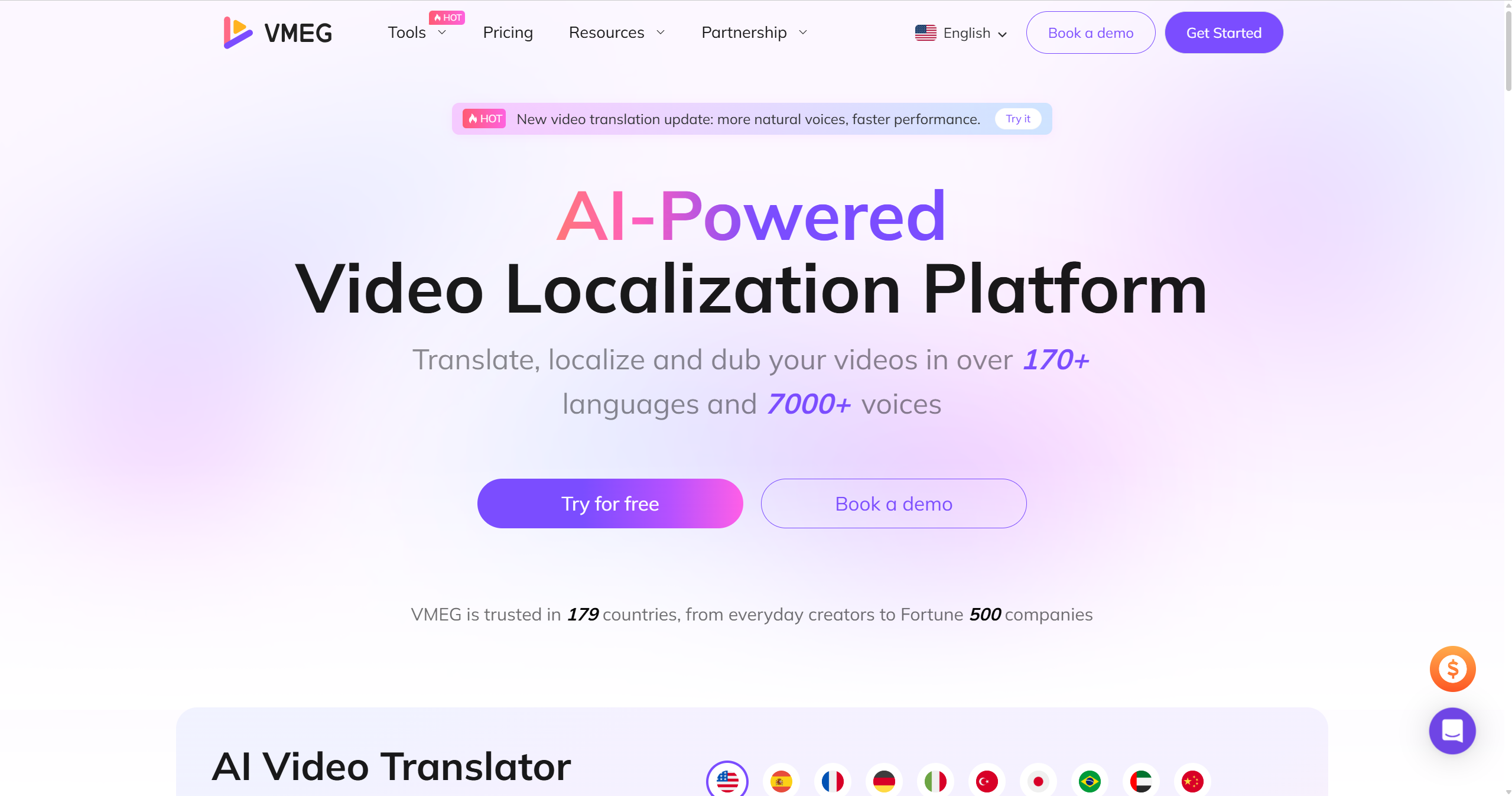
VMEG AI is a video localization tool ideal for a range of projects, including school projects, promotional materials, training videos, and learning resources. With VMEG AI, you can translate videos in different languages, helping you reach a wider audience.
VMEG AI’s Video Translation Workflow
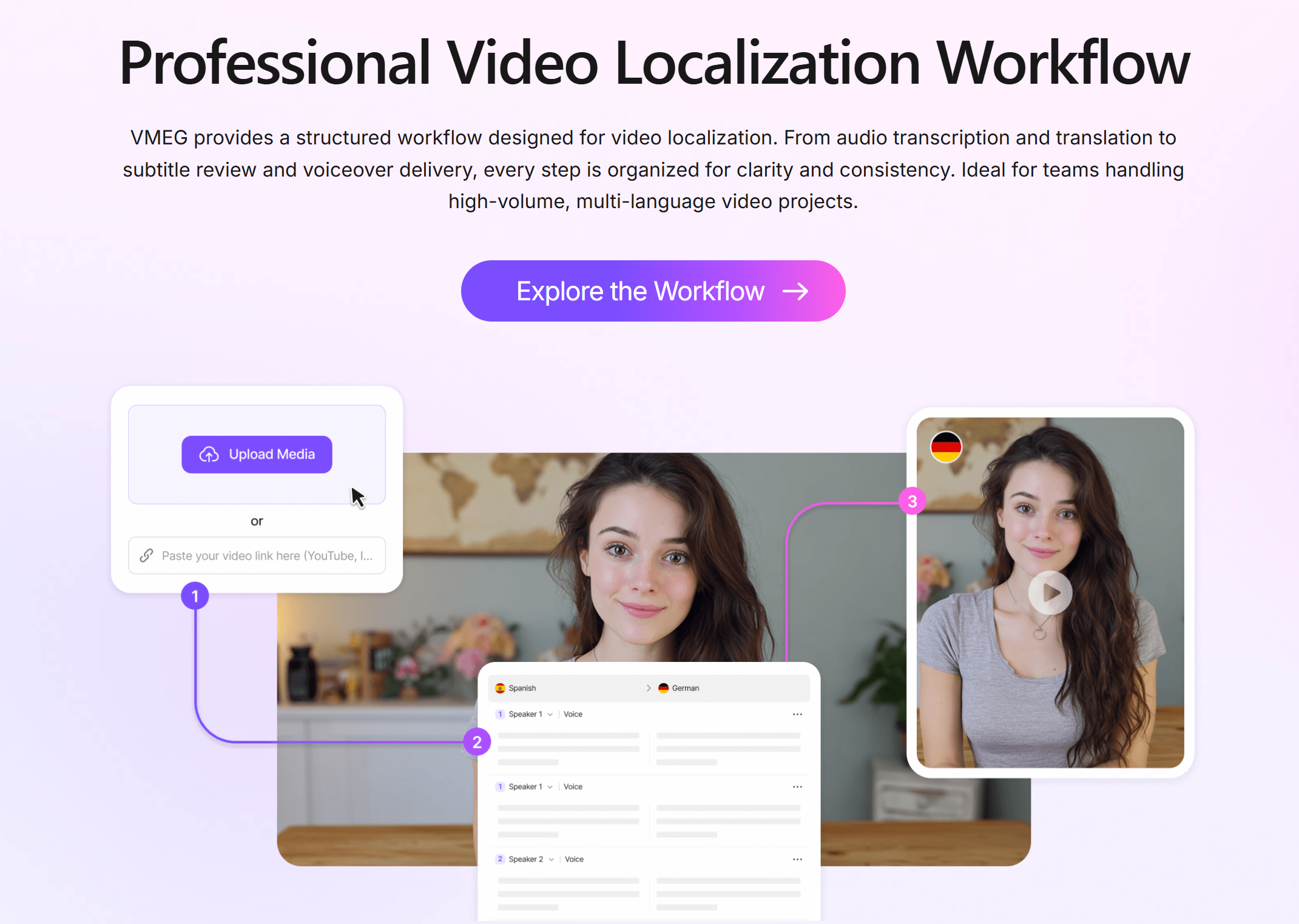
- Upload a media file or paste the link.
- Set your preferred settings, such as the original language, target language, voice style, and video speed adjustments.
- After setting your preferences, click “Submit” and wait for your content to be translated.
- Review the generated output to ensure accuracy and context.
VMEG AI supports hybrid translation, allowing you or a professional human editor to edit the AI-generated output to ensure the video is accurate and maintains the original meaning.
When VMEG AI Is a Better Choice
- It supports more than 170 languages and 7,000 AI voices.
- Offers bulk localization, speeding up the workflow.
- Easy to use, from uploading media or pasting a link to exporting content, making it ideal for beginners.
- Provides voice cloning to create a personalized or brand-consistent sound.
- Ideal for different projects, from social media posts to marketing materials, and more.
- Supports human-like dubbing and accurate lip-sync, making the content look natural.
- Provides highly accurate translation, saving you time in editing.
FAQs
Is Clideo free?
Clideo offers free features and a premium plan. Some of the features you might need are available in the premium.
Does Clideo leave a watermark?
Yes, Clideo has a watermark for free users. If you do not want to include a watermark, you need to buy a plan.
Is Clideo good for beginners?
Clideo is good for beginners; based on Clideo Reviews across different platforms, users say it is easy to use.
Is Clideo trusted?
Clideo is a trusted tool as it keeps data safe. However, as a user, you are responsible for the videos you create and must ensure that you are the owner of those videos or have the owner's permission to edit them. Also, read the terms and conditions and the privacy policy to ensure safety.
Does Clideo save your videos?
Clideo saves your videos, but it depends on the tool and whether you are logged in. Some projects can be saved only after you export, while others can be saved automatically while you edit.
Conclusion
Clideo offers various editing tools that will help you create a project that suits your needs. Based on Clideo reviews across different platforms, users say it is simple to use, user-friendly, and has cool features. Some cons include watermark issues and crashes. Various factors may influence your review, so it is best to try it yourself to see if it is the ideal tool for you.
An alternative may be needed if the features and tools you need are not available on Clideo. For example, if you want to localize content, you may need a tool specifically designed for the task, such as VMEG AI. VMEG AI supports multiple languages, AI voices, lip-sync, dubbing, voice cloning, and more, making it an ideal tool for localization. Localize with VMEG AI now and reach a global audience.


The VMEG Team
Behind VMEG stands a passionate team of creatives, engineers, and language lovers. At the crossroads of AI and storytelling, they craft tools that bridge languages and cultures.