


'%3e%3cpath%20d='M21.0949%203.79395L13.9961%209.82854H21.0949V3.79395Z'%20stroke='black'%20stroke-width='1.38'%20stroke-miterlimit='10'/%3e%3cpath%20d='M13.998%209.82854L7.44531%203.79395V9.82854H13.998Z'%20stroke='black'%20stroke-width='1.38'%20stroke-miterlimit='10'/%3e%3cpath%20d='M13.9961%202.69922V25.1919'%20stroke='black'%20stroke-width='1.38'%20stroke-miterlimit='10'/%3e%3cpath%20d='M20.5488%2016.4113L13.9961%209.82812V18.2217L20.5488%2024.0918V16.4113Z'%20stroke='black'%20stroke-width='1.38'%20stroke-miterlimit='10'/%3e%3cpath%20d='M7.44531%2016.4113L13.998%209.82812V18.0526L7.44531%2024.0918V16.4113Z'%20stroke='black'%20stroke-width='1.38'%20stroke-miterlimit='10'/%3e%3cpath%20d='M4.71094%209.82812V18.6057H7.44125V16.4113L13.9941%209.82812H4.71094Z'%20stroke='black'%20stroke-width='1.38'%20stroke-miterlimit='10'/%3e%3cpath%20d='M13.9961%209.82812L20.5488%2016.4113V18.6057H23.2792V9.82812H13.9961Z'%20stroke='black'%20stroke-width='1.38'%20stroke-miterlimit='10'/%3e%3c/g%3e%3c/svg%3e)

'%3e%3cmask%20id='mask0_21456_29260'%20style='mask-type:luminance'%20maskUnits='userSpaceOnUse'%20x='0'%20y='0'%20width='28'%20height='28'%3e%3cpath%20d='M27.5%200.5H0.5V27.5H27.5V0.5Z'%20fill='white'/%3e%3c/mask%3e%3cg%20mask='url(%23mask0_21456_29260)'%3e%3cpath%20d='M14%2027.5C13.4854%2024.1035%2011.8974%2020.9608%209.46828%2018.5317C7.03922%2016.1026%203.89651%2014.5146%200.5%2014C3.89651%2013.4854%207.03922%2011.8974%209.46828%209.46828C11.8974%207.03922%2013.4854%203.89651%2014%200.5C14.5147%203.89644%2016.1028%207.03905%2018.5318%209.46816C20.9609%2011.8972%2024.1035%2013.4853%2027.5%2014C24.1035%2014.5147%2020.9609%2016.1028%2018.5318%2018.5318C16.1028%2020.9609%2014.5147%2024.1035%2014%2027.5Z'%20fill='url(%23paint0_linear_21456_29260)'/%3e%3c/g%3e%3c/g%3e%3cdefs%3e%3clinearGradient%20id='paint0_linear_21456_29260'%20x1='9.5'%20y1='9.5'%20x2='20.75'%20y2='21.875'%20gradientUnits='userSpaceOnUse'%3e%3cstop%20stop-color='%23F0DCD6'/%3e%3cstop%20offset='0.914506'%20stop-color='%231D6DFF'/%3e%3c/linearGradient%3e%3cclipPath%20id='clip0_21456_29260'%3e%3crect%20width='28'%20height='28'%20fill='white'/%3e%3c/clipPath%3e%3c/defs%3e%3c/svg%3e)
'%3e%3cpath%20d='M22.8019%2011.2412L23.5234%2011.6807V12.0103L23.3172%2012.7796L14.5579%2014.9771L13.7344%2012.7951L22.8019%2011.2412Z'%20fill='%23D97757'/%3e%3cpath%20d='M19.5236%204.77832L20.5322%205.00396L20.8%205.35575L21.0552%206.19876L20.9494%206.73644L15.0712%2015.3068L13.1133%2013.2191L18.5338%205.63471L19.5236%204.77832Z'%20fill='%23D97757'/%3e%3cpath%20d='M14.4577%203.43951L15.0761%203L15.5912%203.21976L16.1065%203.9889L14.6949%2013.0345L13.7364%2012.3397L13.3242%2011.131L14.0456%204.31853L14.4577%203.43951Z'%20fill='%23D97757'/%3e%3cpath%20d='M7.84766%203.5851L8.48285%202.7199L8.89716%202.61914L9.71923%202.74717L10.125%203.08581L13.0815%2010.0748L14.1509%2013.3954L12.8997%2014.1372L8.13117%204.91019L7.84766%203.5851Z'%20fill='%23D97757'/%3e%3cpath%20d='M4.77232%208.38688L4.56641%207.50742L5.18478%206.73828L5.90613%206.84816H6.11223L10.4403%2010.2544L11.78%2011.3531L13.6349%2012.8914L12.6044%2014.7594L11.6769%2013.9903L11.0586%2013.331L5.08168%208.82593L4.77232%208.38688Z'%20fill='%23D97757'/%3e%3cpath%20d='M3.53288%2014.0982L3.06641%2013.5489L3.06647%2013.0601L3.53288%2012.8896L8.78833%2013.2193L13.9408%2013.6588L13.7736%2014.7528L3.94502%2014.2082L3.53288%2014.0982Z'%20fill='%23D97757'/%3e%3cpath%20d='M6.62378%2019.8178H5.59334L5.18359%2019.3146V18.7132L6.93299%2017.3946L14.045%2012.5674L14.7648%2013.8785L6.62378%2019.8178Z'%20fill='%23D97757'/%3e%3cpath%20d='M8.57739%2022.8884L8.16518%2022.9984L7.54688%2022.6687L7.64995%2022.1193L13.7299%2013.5488L14.5543%2014.7574L10.0201%2021.1305L8.57739%2022.8884Z'%20fill='%23D97757'/%3e%3cpath%20d='M13.7361%2023.9861L13.4271%2024.4257L12.8088%2024.6454L12.2935%2024.2058L11.9844%2023.5466L13.5301%2014.6465L14.4576%2014.7563L13.7361%2023.9861Z'%20fill='%23D97757'/%3e%3cpath%20d='M18.9869%2021.5713V22.4503L18.8838%2022.7799L18.4716%2022.9997L17.7503%2022.8974L12.7969%2015.0367L14.7617%2013.4404L16.4104%2016.6269L16.5652%2017.7805L18.9869%2021.5713Z'%20fill='%23D97757'/%3e%3cpath%20d='M21.3629%2020.2507L21.4659%2020.8L21.1568%2021.2396L20.8476%2021.1297L19.0958%2019.8112L16.4165%2017.284L14.3555%2015.7457L14.9736%2013.6582L16.0041%2014.3175L16.6226%2015.5259L21.3629%2020.2507Z'%20fill='%23D97757'/%3e%3cpath%20d='M20.0232%2014.6482L22.5995%2014.8679L23.2178%2015.3074L23.6299%2015.9667V16.441L22.4964%2016.9556L16.7256%2015.4173L14.3555%2015.3074L14.9737%2013L16.6226%2014.3185L20.0232%2014.6482Z'%20fill='%23D97757'/%3e%3c/g%3e%3c/svg%3e)
Key Takeaways
- Flixier offers a range of AI tools, including AI Video Translator, AI Video Generator, AI Video Editor, and more. It also offers various tools, including adding audio and text to videos, enhancing videos, and more.
- Based on user reviews across platforms, users mention efficiency, suitability for lower-end devices, ease of use, a smooth editing experience, and more.
- According to user reviews on various platforms, some pros of using Flixier include an intuitive, easy-to-understand interface and a user-friendly design.
- When it comes to cons, some users say that its kinda limited and there are glitches sometimes.
- One of the best alternatives to Flixier is VMEG AI, especially if you are looking for an AI translation tool that supports more languages, accents, and AI voices.
One of the things people do before using a product or service is check its reviews. If you are looking for a tool for video editing, translation, and more, you may encounter Flixier. If you are looking for a Flixier review to see what people who have used it think, you’ve come to the right place.
According to Business Research Insights (2026), the video localization market is being transformed by AI-powered automation, which improves translation accuracy and streamlines localization workflows, delivering greater operational value.
If you are localizing your videos, Flixier also offers a video translation tool to help you reach a wider audience. In this post, you’ll get insights into Flixier to help you determine whether it's the perfect tool for your needs.
What Is Flixier?
Image Credit: Screenshot from Flixier website, accessed February 2026, for illustrative purposes only.
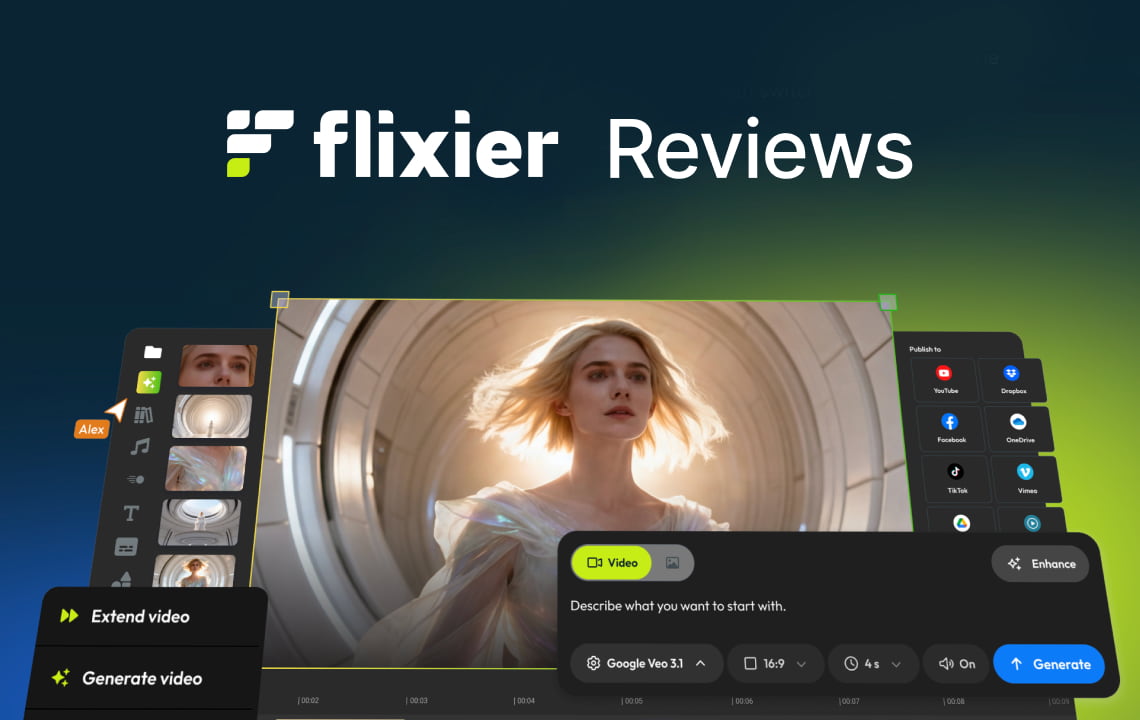
Flixier is a video editor and generator powered by AI. It runs in a browser, so you do not have to download any software.
Flixier Key Features
- Provides various AI tools, including an AI video translator, an AI video editor, an AI video generator, and more.
- Offers various tools, such as Zoom Recordings, Green-Screen Videos, Adding Audio to Videos, Enhancing Videos, and more.
- It is ideal for different purposes, such as Training Videos, Online Courses, Short Videos for Social, repurposing long videos, and more.
- Offers a variety of video templates to create videos easily.
- Ideal for team collaboration, where team members can collaborate in real-time.
Flixier Reviews: What Real Users Are Saying
Rating | 4.1 | 4.8 | 4.4 | 4.5 |
Total Reviews | 226 | 26 | 76 | 179 |
High star Review Insights | Efficient, Great for lower-end devices, Easy to use, Intuitive | Fast, Accessible, Ease of Use, Smooth and Accessible | Smooth editing experience, Intuitive interface, Seamless user experience | Easy to use, user-friendly, Great video quality, Great for Beginners |
Pros Based on Reviews | Intuitive, game-changer, Easy to use | No need to download software, Easy to use, Easy-to-understand interface | Intuitive Interface, User-friendly, Fast Rendering, Cloud-based platform, free tier | Ease of use, Video editing, Speed, User-friendly, High quality |
Cons Based on Reviews | Kinda limited, lags, | Glitch sometimes | Limited export time, limited free version, and customer support issues | Plan limitations, slow rendering, upload issues, expensive cost, |
Please note that the data was accessed in February 2026 from review platforms and may change based on recent reviews and other factors. You can visit its official website and the review platforms above for more updates and information.
In a Reddit discussion where some users shared their experiences and views about Flixier, a Flixier staff member said the company has improved over the years. The improvements include fewer bugs, smoother editing, a refreshed UI, higher export success rates, more transparent pricing, and better support.
Who Should Use Flixier?
Businesses and individuals across industries can use Flixier, as it is ideal for a wide range of projects.
Content creators & YouTubers
Flixier can be used by anyone creating reels, shorts, and videos on various social media platforms. With Flixier, you can quickly create and publish content, stay on-brand across platforms, keep your audience engaged with AI hooks, and use it in your browser.
Marketing, customer, and sales teams
Marketing, customer, and sales teams can also use this platform to create professional product demos, product tutorials, support guides, feature walkthroughs, product updates, sales kickoff videos, and more.
Educators & trainers
Those educators and trainers who create online courses can also use Flixier. With Flixier, you don’t have to be overwhelmed by creating a course. You can record your screen, voice, and camera, and add visuals, text, subtitles, and more.
Human resource teams
Human resources teams will also benefit from using Flixier, as it helps you easily create onboarding videos, such as welcome videos, system tutorials, and more.
Who May Need An Alternative?
Users needing specific features
Those looking for specific features and a user experience may need to consider an alternative that helps them produce output that meets their project needs.
High-end cinematic editing
If you need specialized cinematic editing tools and features, you may also need an alternative to achieve the results you envision for your content.
Businesses focused on global video localization.
Businesses focused on global video localization may need a specialized localization tool to localize content and reach a wider audience easily.
Factors to Consider to Know If Flixier is For You
Here are some factors to consider to know if Flixier is for you or if you need to look for an alternative:
Primary Editing Needs
Know your editing needs, such as the projects and the editing features and interface, to know if it fits your preferences.
Tools & Features You Need
Each platform has its own tools and features that make it unique. There might be a specific tool or feature on one platform that isn't available on others.
Collaboration & Team Workflow
One of Flixier's features is collaboration, making it a good choice if you need a platform that supports team collaboration.
Hardware & Technical Constraints
Flixier runs in your browser, so you don't need to download any app or software.
Content Volume & Export Frequency
If you want to create more content, such as localizing specific videos, you might need a tool that supports bulk localization, such as VMEG AI.
Budget & Pricing
Another factor to consider is your budget and the price offered by platforms. Flixier offers a free plan, but it may be limited for some of your project needs. Check out various tools and compare their free offerings and subscription plans.
Learning Curve & Ease of Use
When learning a tool, look for one that is easy to use and doesn’t require technical skills or knowledge so that you can start using it immediately.
Flixer’s Video Localization Feature
One feature of Flixier is the Realistic AI Video Translator, which lets you translate subtitles or add voiceovers to videos in different languages.
Flixier’s Video Translation Features:
- Supports multiple languages and human-like voices.
- Supports various video formats, including MP4, MKV, and more.
- Easy to use
- Ideal for different projects
- Transcribe, translate, or repurpose your video content.
Pro Tip: Use VMEG AI for Video Translation, Localization, and Multilingual Content Scaling
What Is VMEG AI?
VMEG AI is an AI-powered video localization platform that supports more than 170 languages and 7,000 AI lifelike voices. It offers various localization tools, including translation, transcription, subtitles, and text-to-speech.
Key Capabilities of VMEG AI
- Supports multiple formats
- Ideal for different projects
- Supports hybrid translation (AI + Human Translation)
- Offers voice cloning, lip-sync, and dubbing
- Great for all skill levels
- Offers multiple tools for various localization needs
- Has advanced security protocols
How VMEG AI Fits Into a Modern Video Workflow
VMEG AI is ideal for modern video workflows, as it supports hybrid translation. Hybrid translation is ideal for speed and accuracy.
In hybrid translation:
- AI is used to localize content quickly.
- After generation, a human can review it to ensure accuracy.
These methods help in creating high-quality content. This ensures that your context aligns with the context, culture, and other important elements that make it more relevant.
Features of VMEG AI:
- Supports more than 170 languages and accents.
- High-quality voice cloning
- Provides more than 7,000 AI-lifelike voices.
- Supports accurate lip sync
- Human-like dubbing
- Supports bulk localization for a faster workflow
- Allows users to upload media or paste the media link
- Easy to navigate
FAQs
Is Flixier completely free?
Flixier is not completely free, but it offers different plans, including a free plan.
Is Flixier a good video editor?
Yes, Flixier is a good video editor because it offers a range of AI-powered tools and features.
What is Flixier used for?
Flixier is used to generate, edit, and translate content, and more.
Does Flixier have a watermark?
Flixier has a watermark on its free plan. If you do not want a watermark, you need to subscribe to its plan that suits your budget and project needs.
What are the alternatives to Flixier?
One of the best alternatives to Flixier is VMEG AI, especially if you are localizing videos. Other alternatives are Adobe Express, CapCut, Filmora, Canva, and more.
Conclusion
Flixier is a tool you can use generate, edit, translate content, and more. It has high ratings on different platforms, making it a good choice. Based on user feedback, its pros include an easy-to-use, intuitive interface and a cloud-based platform. On the other hand, some users say it's kinda limited and sometimes has glitches. Various factors may affect user experience, so the best way to determine whether it is ideal for you is to try it and see how it suits your projects.


The VMEG Team
Behind VMEG stands a passionate team of creatives, engineers, and language lovers. At the crossroads of AI and storytelling, they craft tools that bridge languages and cultures.