


How to Generate AI News Reporter Voice with Text to Speech
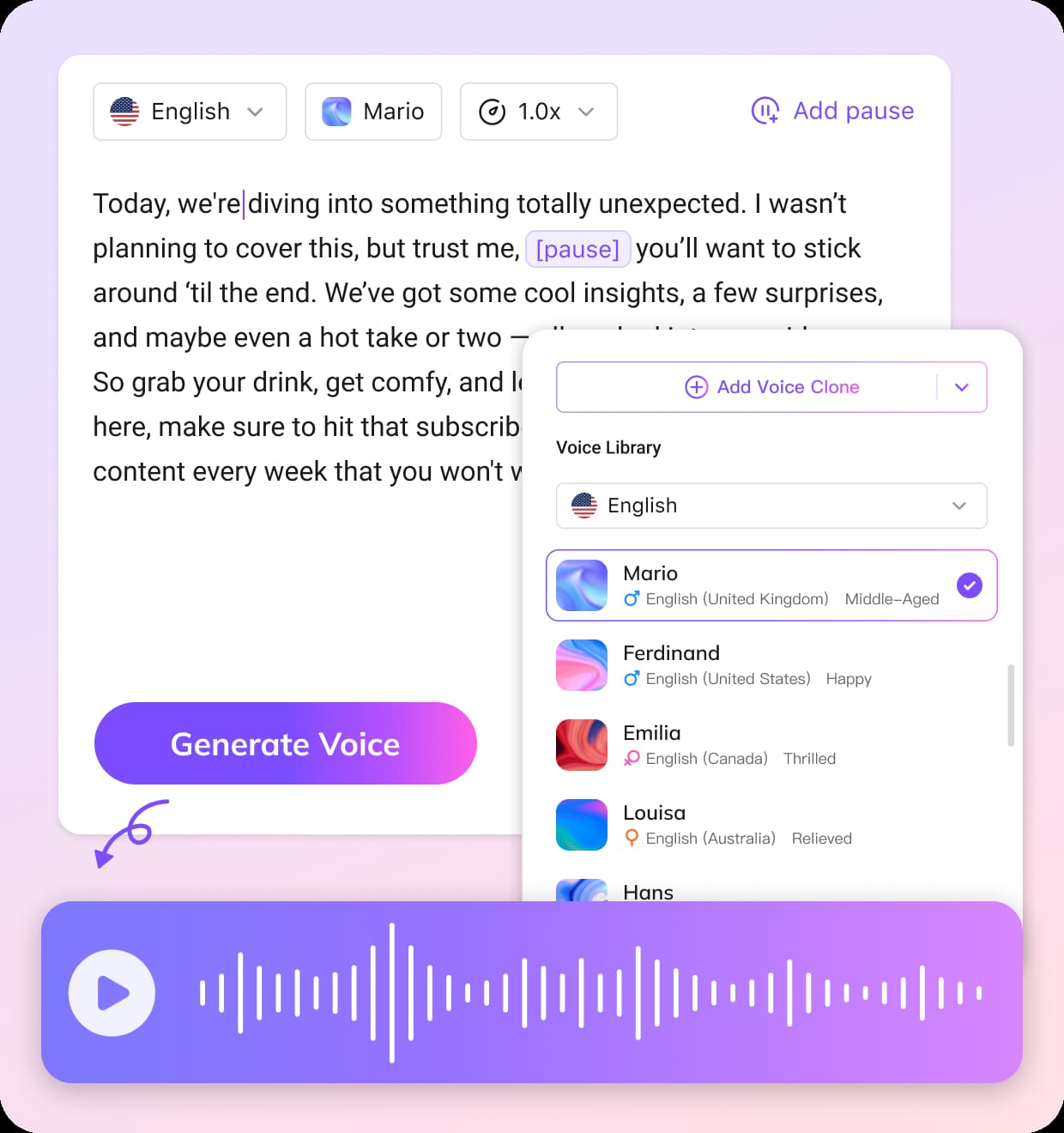
Enter or Paste Your Text
Copy and paste your news script or type your content directly into the editor. The text to speech news tool will prepare your script for voice generation.
Preview and Choose a News AI Voice
Listen to different voice options and select the one that best fits a professional news reporter style. You can preview the voices before generating the audio.
Generate and Edit the Audio
Click generate to create the voiceover. You can then edit the audio by adjusting speed, refining pauses, and adding natural breathing breaks for a realistic news reporter delivery.
Key Features of Text to Speech News Generator
Key Features of Text to Speech News Generator
Create realistic text to speech news audio with AI voices trained to sound like professional news reporters. VMEG's system generates clear, authoritative narration suitable for news videos, announcements, and informational content. With advanced news AI voice technology, your scripts are transformed into natural broadcast-style voiceovers that sound polished and credible.
Generate News TTS
Fast Script-to-News Audio Conversion
Turn written content into high-quality text-to-speech news audio in seconds. Simply paste your script and the AI instantly generates a natural sounding news report voice. This feature is ideal for journalists, YouTubers, and media creators who want to produce news-style content quickly without recording a voice manually.
Generate News TTS
Built-in Editor for Precise Voice Control
Fine-tune your text-to-speech news output with a powerful built-in editor. Easily adjust text, control speaking speed, and insert pauses to create a more natural and engaging delivery. This allows you to shape the rhythm and tone of your news reporter voice, making your content sound more professional and aligned with real-world news broadcasting standards.
Generate News TTSWho Uses Text to Speech News Tool

Journalists and Media Professionals
Newsrooms and independent reporters use text to speech news tools to turn scripts into broadcast-ready audio. This helps speed up production and maintain a consistent news voice across different segments.

Content Creators and YouTubers
Creators producing news-style videos can quickly generate realistic voiceovers without recording manually. It is especially useful for faceless channels, daily updates, or breaking news content.

Businesses and Marketing Teams
Brands use news-style voiceovers to present updates, announcements, or industry insights in a professional format. This adds credibility and makes content more engaging for audiences across platforms.
FAQs about Text to Speech News
What is text to speech news?
Text to speech news is a way to turn written news scripts into audio using AI voices. With VMEG, you can convert articles or scripts into realistic news-style voiceovers that sound like a professional news reporter.
Can I create a news reporter voice with AI?
Yes. VMEG’s news AI voice generator is designed to produce clear, professional narration that matches the tone of a real news reporter. It’s ideal for news videos, reports, and informational content.
How natural does the news AI voice sound?
The generated voice sounds smooth and natural, with proper pacing and pronunciation. It is designed to match the style of broadcast news, making it suitable for video production and media content.
Can I use text to speech news for videos?
Yes. You can use text to speech news voiceovers for YouTube videos, news content, social media clips, and presentations. The audio can be easily added to your video workflow.
Can I edit the script before generating the voice?
Yes. VMEG includes a built-in editor where you can adjust your text, control speed, and add pauses to improve the final voice output.
Discover More on VMEG
Related Searches
AI News Reporter Voice Generator
Turn written content into realistic text to speech news audio with AI. Generate professional news reporter style voiceovers using natural news AI voice technology for videos.
Generate News TTS