

Key Takeaways:
- Start with an authorized source: Use an Instagram Reel, Story, or video post that you own or are authorized to process. Clear speech and low background noise make review easier.
- Create and review a transcript: Use AI to generate editable text, then check names, brands, numbers, terminology, and speaker changes before reuse.
- Choose the right localization layer: Turn the reviewed transcript into captions, translated subtitles, or a broader dubbing and localization workflow when your audience needs it.
- Export for your publishing workflow: Save the reviewed transcript or subtitles in a suitable format, then check timing and readability before posting.
Instagram video is often watched without sound, so a clear text version can help viewers follow a Reel, Story, or video post. If you own the video or are authorized to process it, a transcript can also make the content easier to review, quote, and repurpose. So, how do you transcribe Instagram videos?
A transcript is the editable written version of spoken audio. Captions or subtitles are time-aligned text shown in the video. Localization can build on a reviewed transcript with translation, dubbing, on-screen text, and cultural adaptation for a specific audience.
This guide explains how to transcribe an Instagram video, review the result, and prepare it for captions or localization with tools such as VMEG AI.
Why Transcribe and Localize Your Instagram Videos?
Transcription and localization are practical ways to make Instagram content easier to follow across viewing situations and languages. A transcript also gives creators a working version of the spoken content for review and reuse.
When viewers cannot play audio, well-timed captions can help them follow the message and decide whether to keep watching.
Localization can help you prepare content for additional audiences. Depending on the project, this may include translated captions, dubbed audio, localized on-screen text, or market-specific wording. Choose the languages and formats that match your actual audience rather than creating versions by default.
Accessibility is another important reason. Transcripts and captions can make spoken content easier to access for people who are deaf or hard of hearing and for people who prefer reading. A reviewed transcript can also support content reuse and discoverability when it is published as useful, indexable supporting content, but it does not guarantee rankings.
Finally, a reviewed transcript makes content repurposing easier. One video can become blog notes, social posts, quotes, learning materials, or a source for localized versions when the content rights allow it.
How to Transcribe Instagram Videos Step-by-Step
- Prepare an authorized video source: Start with an Instagram Reel, Story, or video post that you own or are authorized to process. Use the original file where possible, or a permitted accessible link if your transcription tool supports it. Common video formats such as MP4 and MOV are suitable for most workflows.
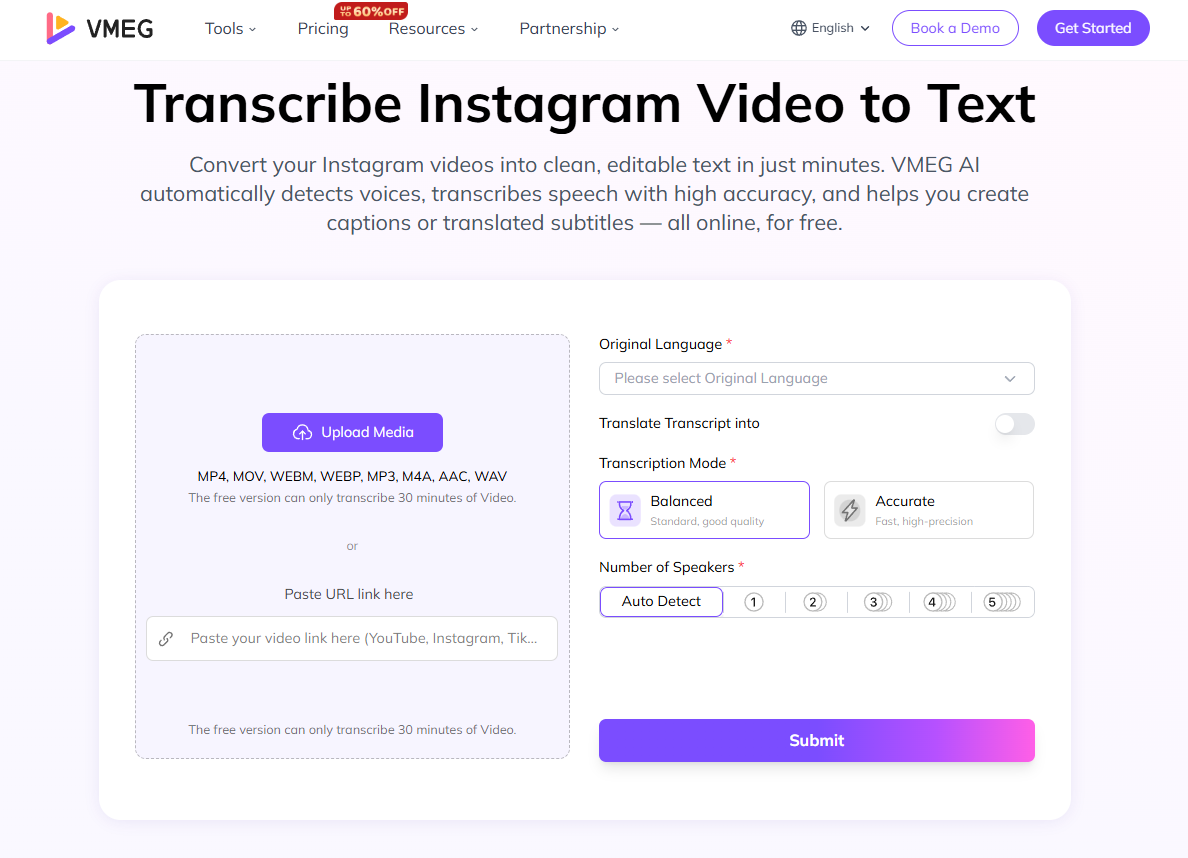
- Upload to a transcription tool: Upload the authorized video to an AI-based transcription tool. It can generate a first draft of the spoken dialogue or narration faster than manual transcription, but the output still needs review.
- Proofread and revise the transcript: Review AI-generated text before publishing. Correct names, brand names, numbers, technical terms, and speaker labels. Note any important on-screen text or scene changes that should be reflected in captions or subtitles.
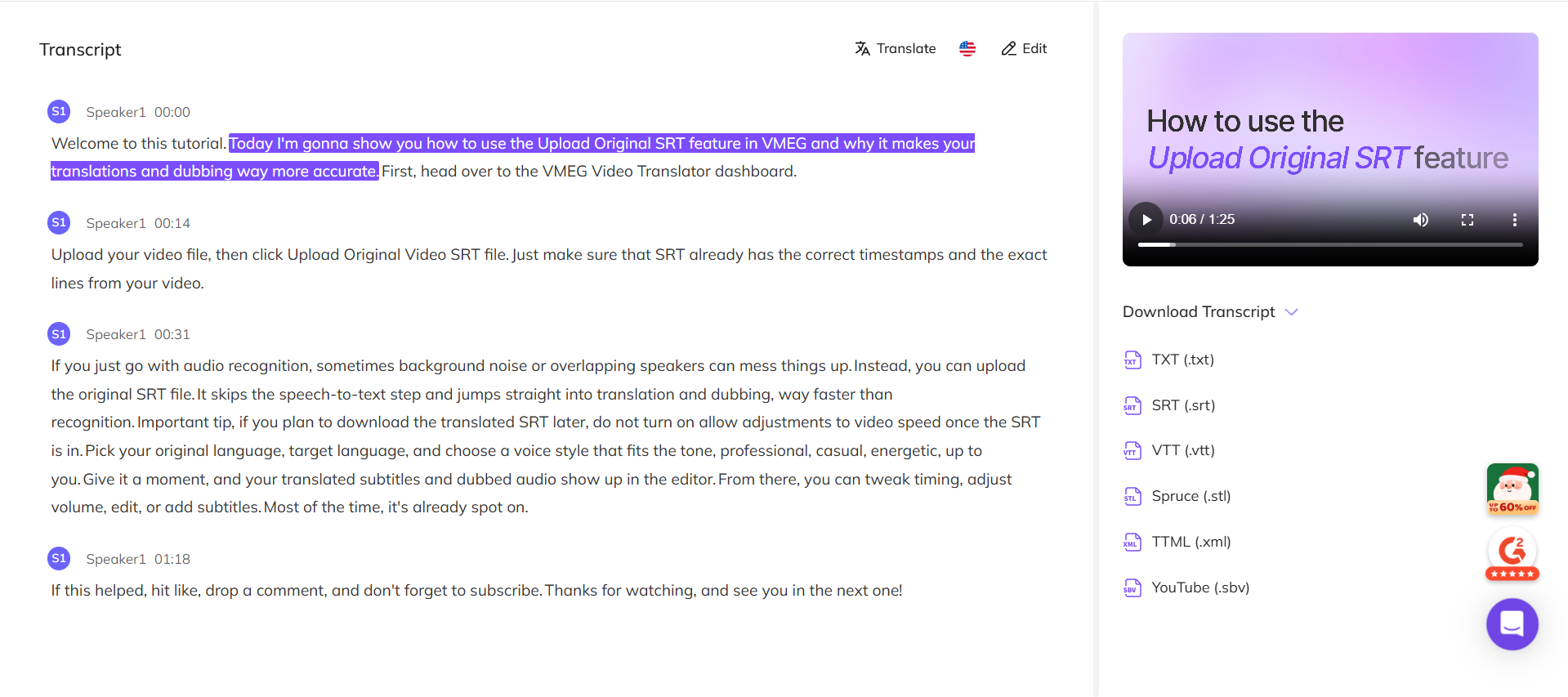
- Format captions or subtitles: Split the reviewed transcript into short, time-aligned caption segments. Keep each segment readable, avoid covering important visuals, and check that the timing follows the spoken audio.
- Prepare for localization: If your audience uses other languages, translate the reviewed transcript and decide whether translated subtitles, dubbing, or both are appropriate. Plan terminology and target-language versions before publishing.
VMEG AI x Instagram Transcription
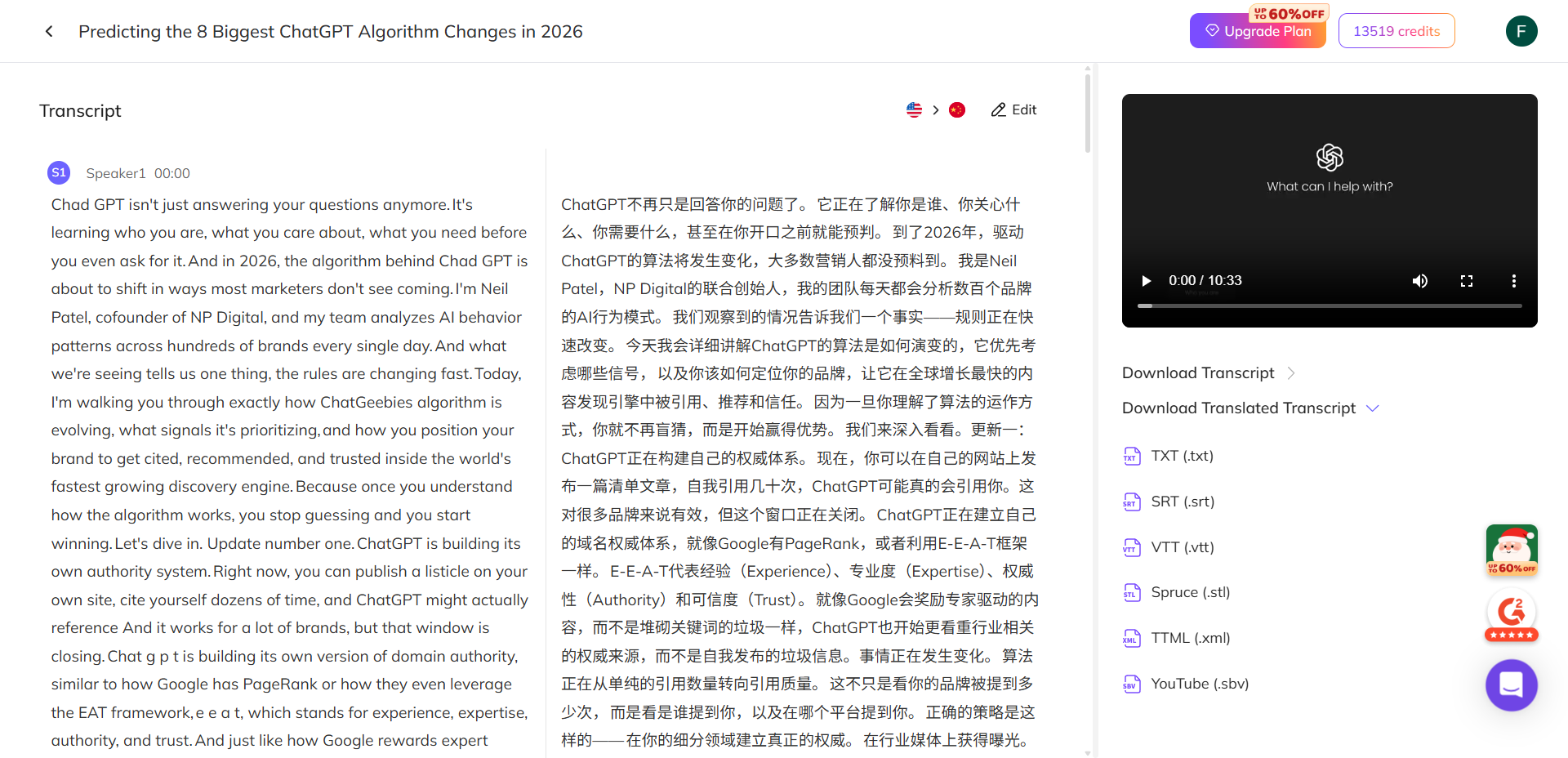
Turn authorized Instagram videos into editable text with VMEG AI. Set transcription preferences, review the generated transcript, then use it for captions, translated subtitles, or a broader localization workflow.
How to Localize Your Transcribed Videos
- Add subtitles or captions: Use the reviewed transcript to create time-aligned captions or subtitles. For multilingual audiences, prepare translated versions in the languages you have prioritized. Keep text clear and avoid covering key visuals.
- Dubbing or voice-over: Dubbing is an optional localization layer when listening in the target language matters. Review translation, voice choice, timing, and any lip-sync output before publishing; not every transcription project needs dubbed audio.
- Modify visual elements: Adapt graphics, titles, and on-screen text for the target language. Check cultural references, text length, reading direction where relevant, and whether the visual design still supports the message.
- Quality assurance: Check translation accuracy, terminology, caption timing, subtitle readability, dubbing alignment where used, and cultural suitability. This review helps prevent misunderstandings and publishing errors.
- Publish strategically: Prepare localized versions for the audiences you intend to serve. Adapt the post caption, hashtags, and publishing schedule to each audience, then measure results before expanding to additional languages.
The Way VMEG AI Makes the Process of Instagram Video Transcription Simple
VMEG AI provides an online workflow for transcribing Instagram video into editable text. Start with an authorized file or an accessible supported link, then set the transcription mode, language, speaker preferences, and translation option that fit the project.
After processing, use the editor to correct the transcript and prepare it for captions, translations, or other approved content reuse. Export the result in the format your workflow needs, then complete a final quality check before publishing.
This workflow can reduce manual typing while keeping the creator responsible for source permissions, transcript review, and the final publishing decision.
Pro Tips for Maximum Impact
- Use a clear source video: Clear speech, limited background noise, and distinct speakers make transcription and caption review easier.
- Keep source and translated versions: Save the reviewed transcript and approved localized copy so future edits use the correct version.
- Maintain brand voice and terminology: Use a glossary for product names, recurring phrases, and tone across translations or dubbing.
- Repurpose with context: Use reviewed excerpts for blog notes, social posts, or marketing assets, and keep the original context intact.
- Check privacy and consent: Confirm you have permission to process and reuse the video, especially when it includes identifiable people, sensitive information, or voice replication.
Localized Videos Applications of Transcribed and Localized Videos
Transcribed and localized Instagram videos can support several practical uses:
- Social media accessibility: Captions and translations can help more viewers follow the message in their preferred language or without sound.
- Marketing campaigns: Adapt approved campaign videos for selected markets with culturally appropriate language and visual context.
- Multilingual tutorials or courses: Make educational content easier to follow with reviewed transcripts and localized subtitles.
- Entertainment: Make Reels and other approved content easier to follow across languages while preserving context and rights.
- Business communication: Prepare company updates, product demonstrations, or announcements for employees and clients who use different languages.
Final Words
Transcription gives you an editable version of the spoken content in an Instagram video. From there, you can create captions, repurpose approved excerpts, or prepare a localization workflow for the audiences you want to reach.
Use a tool such as VMEG AI to create a first draft, then review the transcript, translations, timing, and any dubbing before publishing. The final quality check matters more than simply generating text quickly.
Start with content you own or are authorized to process, choose the output that matches your audience, and use performance results to decide which languages or versions to expand next.
FAQs: Instagram Video Transcription and Localization
1. Can you transcribe an Instagram video?
Yes. You can transcribe an Instagram Reel, Story, or video post when you own the source video or are authorized to process it. AI tools can create an editable first draft, but you should review the result before publishing or repurposing it.
2. How do I turn on Transcribe on Instagram?
Instagram does not provide a universal editable-transcript switch for every video, and interface options can vary. For a complete editable transcript, use a video you own or are authorized to process with a transcription workflow, then review the generated text.
3. How to get a transcript on Instagram?
Upload a video you own or are authorized to process, or use a supported accessible link. VMEG AI can generate editable transcript text that you can review, export, translate, or turn into subtitles.
4. How do I turn a video into a transcript?
Upload an authorized video to a transcription tool, select language and speaker preferences, generate the text, then review and export it. Use the reviewed transcript as the source for captions, subtitles, or localization.
5. Can I transcribe a private Instagram video?
Only process a private video when you own it or have clear permission and lawful access to use it. Do not promise that private, restricted, or another person’s content can be downloaded or processed by a third-party tool.


Fay
Behind VMEG stands a passionate team of creatives, engineers, and language lovers. At the crossroads of AI and storytelling, they craft tools that bridge languages and cultures.