Voice Cloning

Payment & Billing
Video Translation
Getting Started
Voice Cloning
- How to Clone a Voice
Ask Questions
Subtitles
Transcription
Text to Speech
Audio Translation
How to Clone a Voice
How to Add a Cloned Voice in "My Assets"
- Go to: My Assets → Clone Voice → Add Clone Voice
- Upload an audio file: Choose an MP3 or WAV file under 20MB and at least 3 seconds long.
- Name your voice: Give your cloned voice a name for easy identification.
- Submit: Click "Submit" to start the cloning process.
- Done: Your new voice will appear in your voice library, ready to use.
- Note: Each voice cloning costs 10 credits.
Here is a walkthrough demo on Create a New Voice Clone from an Audio File
Add Voice Cloning to Translation
When submitting a video translation or audio translation task, you have two options:
- Clone the voice from your original video. Once the translation task is processed, the cloned voice will be automatically saved in "My Assets".
- Or click "Manually Select Voices" to choose a cloned voice for the translation output
Here is a walkthrough demo on How to Apply Cloned Voices to Your Translation Task
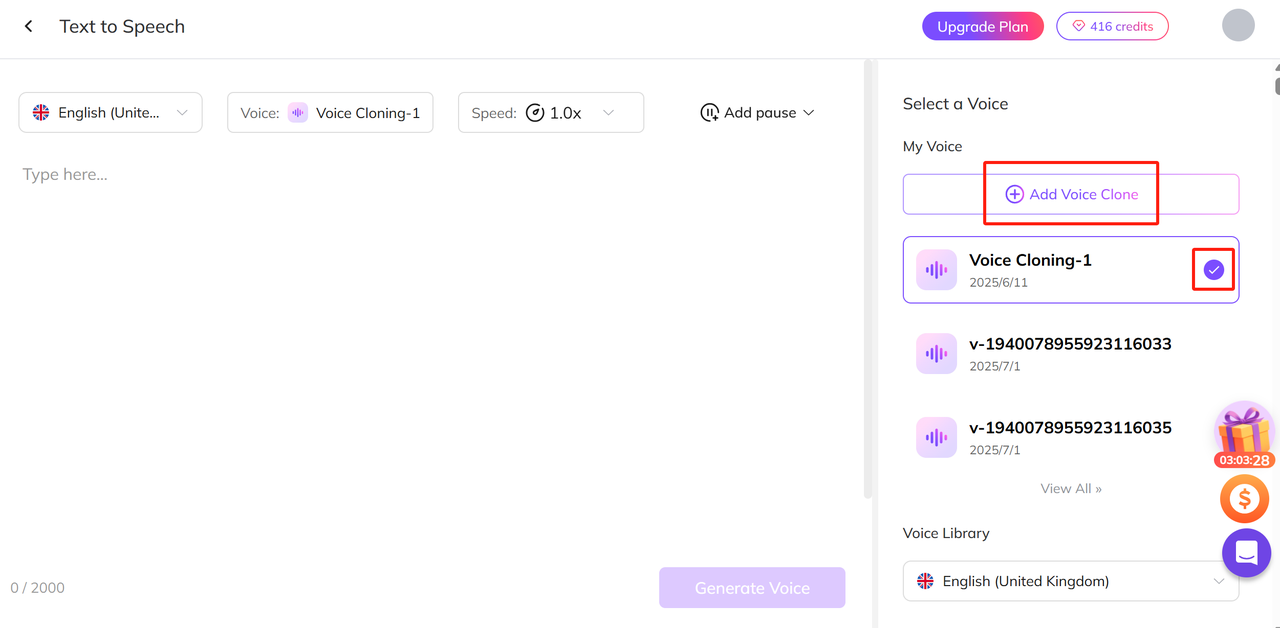
Add Voice Cloning to Text-to-Speech
When submitting a text-to-speech task, you can select a cloned voice to use for the audio output.