AI Voice Changer
Give your recordings a new persona with VMEG AI voice changer, designed to convert uploaded audio files into high-quality, realistic speech.
How to use a Voice Changer to alter the sound of spoken audio?
01Upload audio files
Upload your own audio files directly from your device, or use a link to upload files quickly. VMEG supports share links from YouTube, Instagram, Facebook, and Google Drive.
02Select the language and the voice you want
First, select the audio language or the language you want to translate. Then, choose your preferred voice from the VMEG AI voice library. Submit the task - you’ll need to log in to do so.
03Preview, edit & export in the audio editor
Once the task is generated, you can view the text of the spoken content in the audio editor to proofread or edit it. You can also reselect the voice and generate an unlimited number of versions. Export options include MP3 and SRT files.
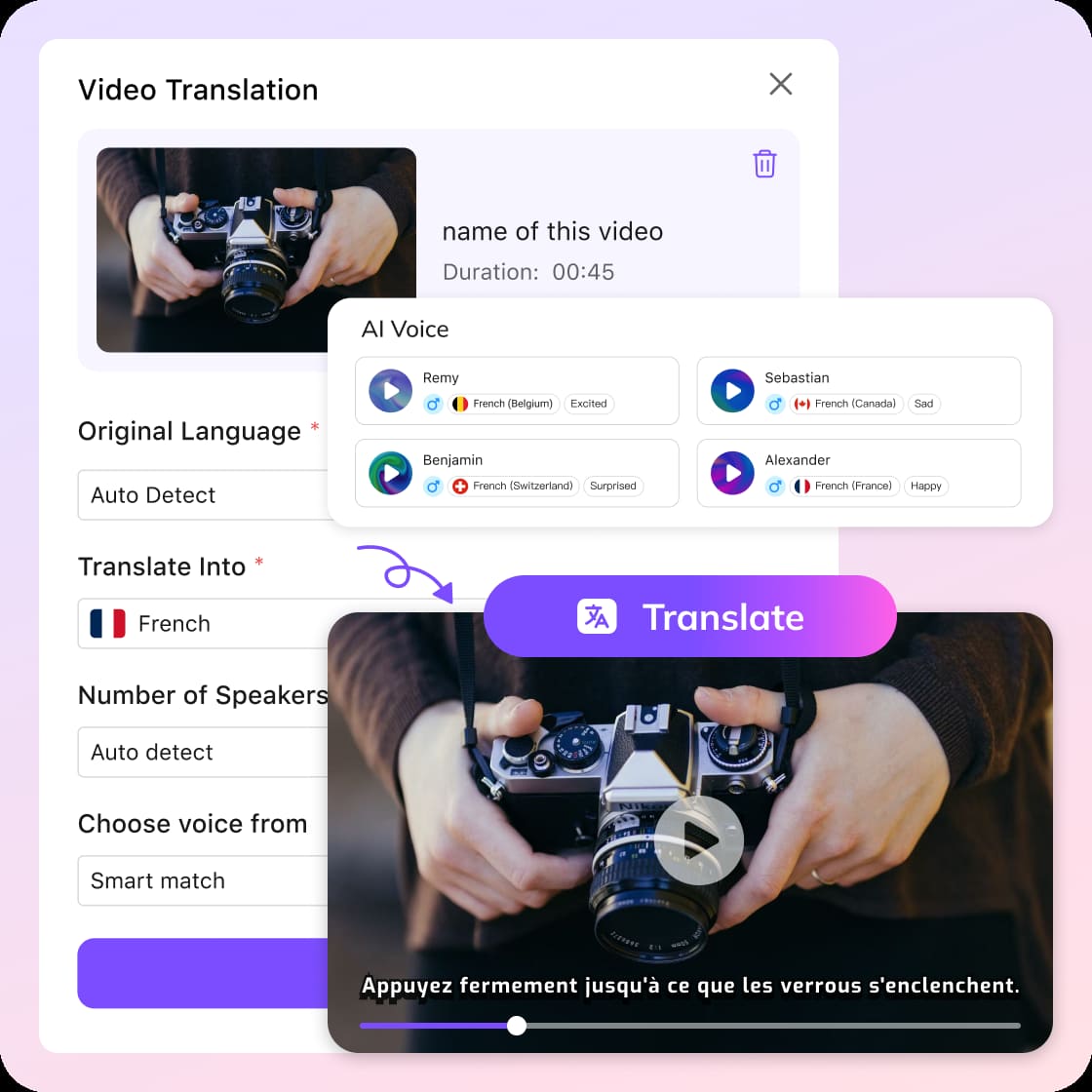


Why is VMEG AI's Voice Changer so popular?
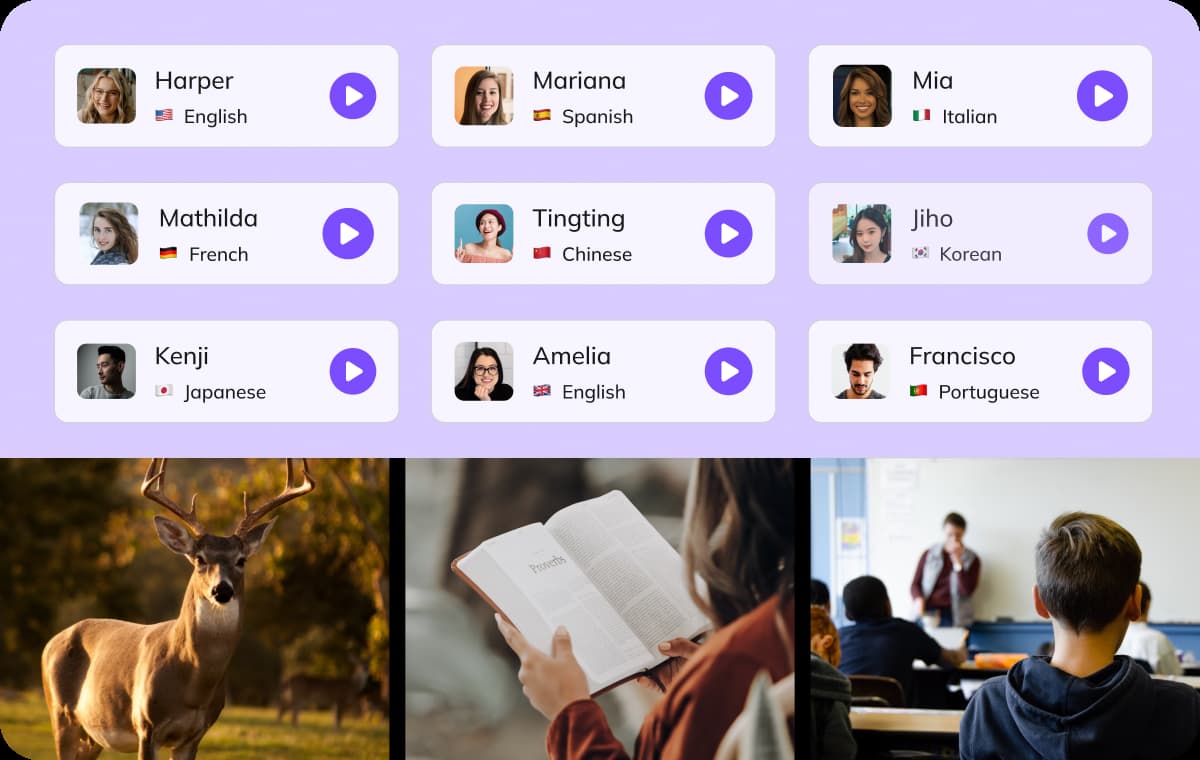
Massive Library with 7,000+ AI Voices
Find the perfect tone for any project with our library of over 7,000 unique voices. Whether you need a character for a video game or a professional narrator for an ad. VMEG AI voice changer online has it all. We support multiple languages and accents, ensuring your content sounds natural to a global audience. It is truly the best voice changer for anyone who needs variety without hiring multiple voice actors.
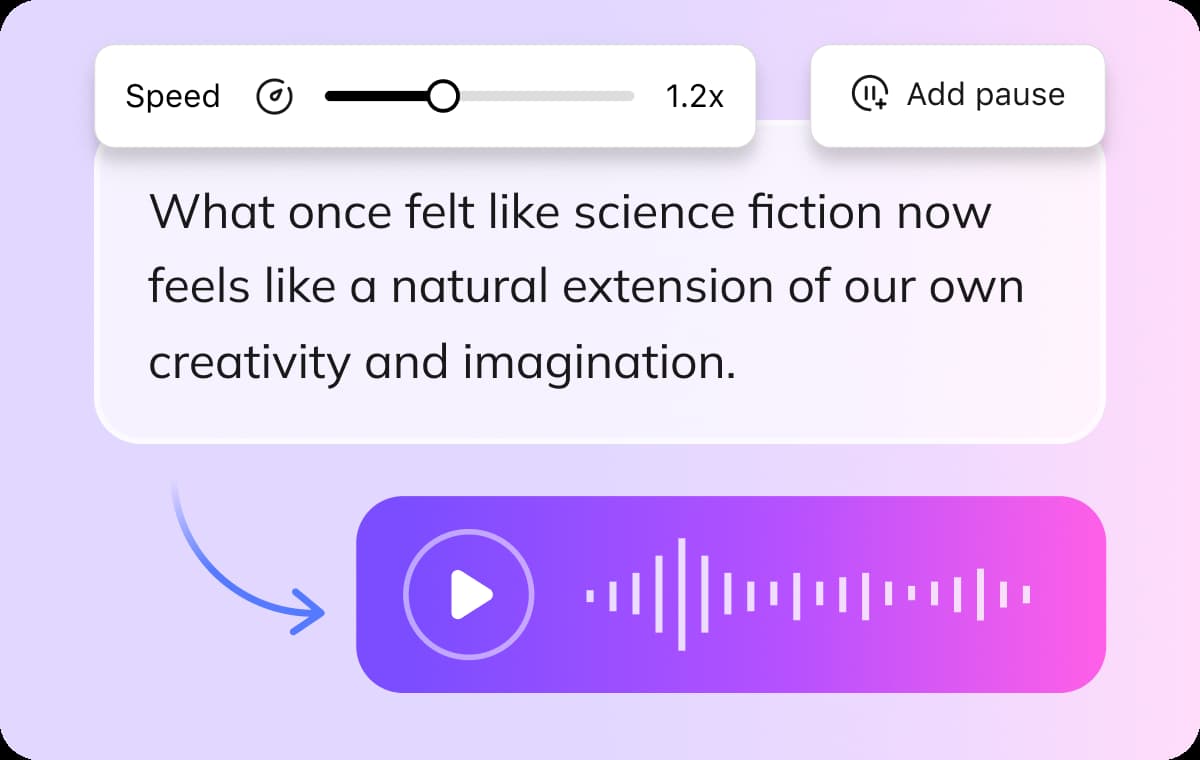
All-in-One Built-in Audio Editor
You don’t need to download extra voice changing software to polish your work. VMEG AI platform includes a professional audio editor where you can trim recordings, adjust pitch, and control volume directly in your browser. This tool helps you clean up your audio before applying the ai voice changer effects. It saves time and keeps your workflow simple, making VMEG a complete workstation for your audio needs.
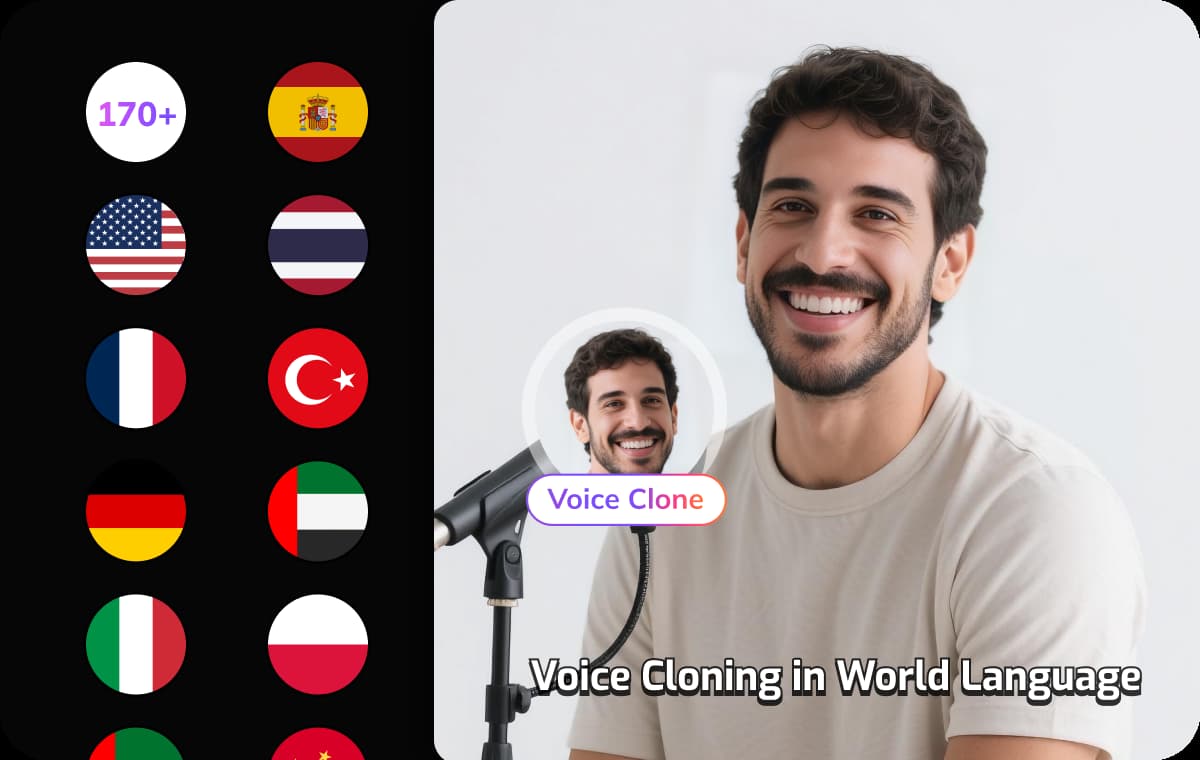
Custom Voice Cloning & Personalization
Take your creativity further with our artificial intelligence voice changer cloning feature. Simply upload a short sample of any voice, and our system will create a digital clone for you to use. This is perfect for maintaining brand consistency or creating unique personas that no one else has. By combining file-based conversion with custom cloning, VMEG stands out as the most flexible voice changer for pc and web users.
VMEG Offers More Than Voice Changer




Why VMEG is Trustworthy

Privacy-First by Design
VMEG is built on a privacy-first architecture. Your videos, voice samples, and scripts are encrypted, isolated, and never used to train AI models by default. You stay in full control of your data—always.

Enterprise-Grade Data Protection
VMEG is architected with enterprise security at its core. All customer data is encrypted using AES-256 at rest and TLS 1.3 in transit, ensuring sensitive media assets remain protected throughout the entire processing lifecycle.
Strict Data Isolation & Ownership
Customer data is fully isolated by workspace. VMEG does not access, reuse, or train on your proprietary videos, voice data, or scripts by default. You retain full ownership and intellectual property rights over all inputs and outputs.

Infrastructure Built for Scale & Compliance
Running on secure AWS infrastructure, VMEG delivers high availability, redundancy, and global scalability. VMEG is designed to support enterprise localization workflows while aligning with modern security and compliance standards.
What people say about VMEG AI

"Human support that actually cares"
Support is fast and effective, but also human. The team really listens and keeps improving the platform.



"Surprisingly good Thai dubbing"
The program is easy to use. If you don't understand something, there are staff members who are willing to help quickly and willingly. In addition, the Thai voice dubbing is high quality and accurate

"Easy to use, even on day one"
I love VMEG.AI for its clean UI, which made my learning curve very comfortable and allowed my friends, who never worked with similar tools, to easily create a very solid video on their first try.

"Scale global creatives without freelancers"
VMEG helps this user translate ad creatives for a global audience without needing to hire freelancers. It keeps the same consistent, natural voice across languages, so their ads don't sound robotic or like a generic voice pack, and the setup was easy enough to start using it right away.

"Voices that sound like real people"
The most natural AI voice I've ever used. It doesn't just translate words, it delivers the nuance.

"Made for perfectionists and pros"
My go-to-tool for natural English–Italian video dubbing. Love the editing tool! As a perfectionist, I tweak until it's exactly what I envisioned and no credits are used in the process!

"Best video translator for Italian to Spanish"
The VMEG.AI video translator is the BEST I've ever tried for translating videos from Italian to Spanish. It even changed the voice in the two-way sections. And if the scene changes, it adjusted the length of the scenes as needed. Awesome! Impressive Voice Changes and Scene Timing

"Saves me hours on every video I localize"
It handles translation, subtitles, lip‑sync, voice cloning, and multi‑language output in one place, which makes video localization much more efficient and saves users significant editing time.

"Impressive dubbing for YouTube channels"
I have a YouTube channel with 127k subscribers. I needed to expand my audience to other areas. With VMEG, I achieved a fantastic result, and the dubbing is very natural. It's exactly what I was looking for.

"Best tools for dubbing videos"
Everything is great. Best tools to translate and dub videos. There is nothing I don't like about it. It's a very complete tool.

"A fast-acting team that takes feedback seriously"
When some features were missing at the beginning, the team moved fast to add what was needed and fix bugs, and they appreciate being able to regenerate multiple voice options until they find the one that fits best.

"Impressive Accuracy"
The accuracy of subtitles and timing is impressive, and voice cloning adds a professional touch that keeps the speaker's tone consistent. It saves me hours of manual editing and improves audience reach globally.

FAQs about AI Voice Changer
What is an AI Voice Changer?
An AI Voice Changer is a tool that uses artificial intelligence to transform your original voice into another voice while preserving the natural speech, emotion, and speaking style. With VMEG AI Voice Changer, you can instantly convert your voice into different genders, ages, languages, or character styles without recording again.
How does the VMEG AI Voice Changer work?
VMEG AI analyzes your uploaded audio or video, separates the speech, and recreates it using advanced AI voice models. Simply upload your file, choose a target voice, and the system will generate a new version with realistic pronunciation and natural expression.
Can I change my voice in a video without re-recording?
Yes. VMEG AI allows you to change voices directly in existing videos. You can upload a video, select a new AI voice, and generate a dubbed version without re-recording the original audio.
Can I use AI Voice Changer for YouTube videos?
Absolutely. Many creators use VMEG AI Voice Changer to: Create multilingual YouTube channels or faceless channels.
Does VMEG AI Voice Changer support multiple languages?
Yes. VMEG supports voice changing and dubbing in multiple languages, helping creators localize content for global audiences.