

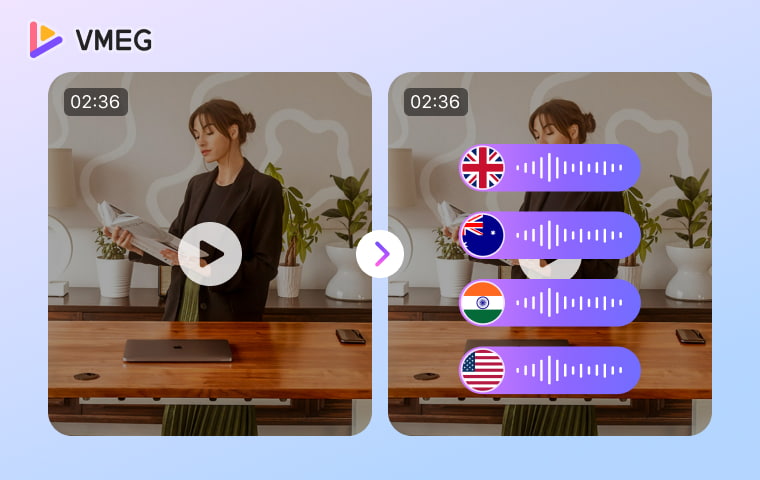
Video translation is the process of converting the spoken or visible language in a video into another language so a new audience can understand it. The translated content may appear as subtitles, voice-over, dubbed dialogue, or a combination of these outputs. The work can involve transcription, translation, voice production, timing, and review. It does not automatically require voice cloning, lip sync, or adaptation of every graphic; those are separate choices based on the footage, audience, and required deliverable.
- Translated subtitles, voice-over, and dubbing are three common ways to deliver video translation.
- Video localization is broader: it may also adapt on-screen text, graphics, terminology, cultural references, formats, and market-specific details.
- AI changes how parts of the workflow are completed; it does not change what the video translation task is.
- Errors can move from the transcript into the translation, voice track, subtitles, timing, and final video.
- A linguistically correct translation still needs audiovisual and production review before it is ready to publish.
- VMEG connects transcription, translation, dubbing, subtitles, editing, and export so teams can review language, speakers, and timing before publishing.
What Is Video Translation?

Unlike a text document, a video carries meaning through speech, voices, timing, images, graphics, and the relationship between what viewers hear and see. Video translation therefore starts with language transfer but must also respect the way the translated words fit the video.
The term is broad. A project may translate only the spoken dialogue into timed subtitles, replace the dialogue with a target-language voice track, or combine translated audio with subtitles and selected visual changes. AI video translation is not a separate content type. It means using AI technologies to automate parts of the same task.
In this article, video translation refers to language translation for audiovisual content. It does not mean video-to-video generation, style transfer, or converting one visual scene into another.
What Parts of a Video Can Be Translated?
A video contains several layers that may need different treatment. Defining the scope before production prevents teams from assuming that one translated output covers every layer.
Video layer | Examples | Possible translated output | Primary QA question |
Spoken language | Dialogue, narration, interviews | Translated transcript, subtitles, voice-over, or dub | Were names, numbers, speakers, and meaning captured correctly? |
Subtitle track | Timed dialogue text | Target-language subtitle file or burned-in subtitles | Are the wording, line breaks, reading time, and time codes usable? |
On-screen text | Titles, labels, lower thirds, UI text, slides, product graphics | Rebuilt or replaced visual text | Was text inside the picture handled separately from subtitles? |
Voice and presentation | Speaker identity, pronunciation, pace, pauses | Recorded or synthesized target-language speech | Does the delivery suit the speaker, message, and target locale? |
Audiovisual timing | Shot length, visible mouth movement, scene changes | Retimed speech, edited pauses, or optional lip sync | Does the translated output fit the picture without rushed or unnatural speech? |
Subtitles and on-screen text are not the same. Subtitles represent dialogue or narration in a timed text track. On-screen text already exists inside the picture, such as a product label or a slide heading, and may require separate visual editing.
Captions also have a specific accessibility role. They commonly include relevant non-speech information as well as dialogue. The W3C guidance on accessible audio and video explains the wider requirements for captions, transcripts, and descriptions. A translated subtitle track should not be treated as proof that every accessibility need has been met.
Three Common Video Translation Methods
The best method depends on how the audience will watch the video, what should remain from the original performance, and how much production work the project can support.
Translated Subtitles
Translated subtitles display target-language text while the original audio remains. They suit quiet viewing, projects that should retain the original performance, and lower-complexity multilingual delivery. Wording, line breaks, reading speed, time codes, and shot changes all affect usability.
Voice-over
In voice-over translation, target-language narration is placed over source audio that may remain audible at a lower level. It is common in interviews, documentaries, and news because it retains some of the original speaker and setting.
Dubbing
Dubbing replaces source dialogue with translated speech. It suits training, marketing, entertainment, and presenter-led content. The translated line needs the right meaning, voice, pronunciation, duration, and relationship to the visible speaker.
Method | What changes | Best suited to | Main limitation |
Translated subtitles | A target-language subtitle track is added | Quiet viewing and content that should retain the source voice | Viewers divide attention between reading and watching |
Voice-over | Translated speech is layered over source audio | Interviews, documentaries, and news | Two language tracks need careful mixing |
Dubbing | Source dialogue is replaced | Training, marketing, and entertainment | Voice, duration, and timing require more review |
Video localization is a broader process rather than a fourth delivery method. It may combine one of these methods with adaptation of on-screen text, terminology, graphics, cultural references, units, formats, and market-specific messages.
VMEG Video Translator supports the three common delivery paths described above in one workspace: a dubbed video, translated subtitles, or a separate translated audio track. This is useful when the same source video needs different outputs for a website, social channel, training portal, or review process.
How Video Translation Works

A reliable video translation workflow separates the task into stages so each output can be reviewed before errors spread:
Define the audience and deliverable. Set the target locale, channel, and required output.
Transcribe and identify speakers. Correct names, numbers, acronyms, speaker labels, and unclear speech.
Translate for meaning and context. Protect terminology, intent, tone, and wording that must remain unchanged.
Review the translated script. Correct language before it becomes subtitles or recorded speech.
Create the selected output. Build subtitles, voice-over, or dubbed dialogue with the right speakers.
Synchronize, review, and export. Check timing, pronunciation, subtitle readability, visual context, and audio balance.
This is a conceptual workflow. For product-specific steps, see how to translate a video.
How VMEG Connects the Workflow

VMEG is an AI video localization platform that helps teams translate, dub, subtitle, and adapt video content for multilingual audiences in one connected workflow.
Instead of moving a project between separate transcription, translation, voice, and subtitle tools, VMEG brings the main production stages into one editable workspace:
Create the first translated version. Upload a supported video file or paste a supported public link, choose the target language and output, and let VMEG identify speakers and generate translated speech or subtitles.
Review and refine the content. Check the source transcript and translation, correct wording or speaker assignments, change voices, and adjust timing, speed, volume, tone, and subtitles before generating the final output.
Handle terminology, voice, and audiovisual details. Use glossaries, translation prompts, pronunciation settings, authorized voice cloning, and optional lip sync when the project requires more control over terminology, brand voice, or visible speakers.
These controls make the workflow easier to review and correct, but the final video should still be checked for meaning, terminology, pronunciation, timing, and visual context before publishing.
For the complete interface workflow, see how to translate a video with VMEG.
Where AI Fits in Video Translation
AI can automate speech recognition, machine translation, speaker detection, speech synthesis, voice cloning, and parts of audiovisual alignment. Video translation describes the task; AI describes how parts of it are completed.
Research on large-scale multilingual audiovisual dubbing describes a pipeline of transcription, translation, and target-language speech generation. Automation reduces repetitive work, but an early error can enter every later output.
How Errors Move Through the Workflow
Source audio -> Transcript -> Translation -> Voice -> Timing -> Final video
If speech recognition turns a product name into a common word, the translation may reuse it, speech synthesis may mispronounce it, and subtitles may repeat it. Natural-looking lip sync cannot make the information correct.
A translation can also be accurate but take longer to say than the source. The voice may be rushed, pauses may disappear, or dialogue may drift from the picture. Research on speech-aware length control for video dubbing treats duration as a separate constraint.
Linguistically correct does not necessarily mean production-ready. Check the transcript, translation, voice, and timing before approval.
Video Translation vs. Video Localization
Translation and localization overlap, but they do not describe the same scope.
Video translation | Video localization |
Converts spoken or visible language into another language | Adapts the complete video for a specific market or audience |
May deliver subtitles, voice-over, dubbing, or a combination | May also change terminology, cultural references, on-screen text, graphics, formats, units, and market messages |
Can focus on one language layer or output | Usually coordinates several linguistic, visual, and production decisions |
Answers: How will this video be understood in another language? | Answers: How should this video work for this particular locale? |
Translation can be one part of localization, but not every translation project requires full localization. A product tutorial with interface labels may need both translated narration and localized screen text. A documentary interview may only need subtitles or voice-over while preserving the original visuals.
For a broader explanation of the scope, see what AI localization means.
What Determines Video Translation Quality?
Source Audio and Transcription
Background noise, overlapping speakers, clipped words, accents, code-switching, and music over dialogue can reduce transcription quality. Check proper nouns and numbers separately because a plausible transcript can still contain a factual error. In VMEG, the editable transcript and speaker controls give reviewers a place to correct these issues before they flow into the translated script and dub.
Meaning and Terminology
Translate the speaker's intent, not isolated words. Review idioms, humor, product language, calls to action, units, formality, and regional vocabulary. A terminology list keeps names, models, and abbreviations consistent across outputs. VMEG's glossary and translation-prompt controls can carry those instructions into the first draft, while the editor lets a reviewer refine the translated script before regenerating the voice track.
Voice and Pronunciation
Review speaker assignments, names, acronyms, emphasis, pace, and audio balance. VMEG can keep speakers distinct with system voices or authorized voice cloning, and the editor allows changes to voice, tone, volume, and pronunciation-related settings. If the workflow uses voice cloning, confirm consent and rights. Test similarity on the actual language pair instead of assuming the result.
Timing and Audiovisual Fit
A target sentence may need more or fewer syllables than the source. Check for rushed speech, compressed pauses, unreadable subtitle timing, and words that drift from the visual action. VMEG lets reviewers adjust sentence timing and voice speed, then preview the result before export. Optional lip sync can improve visible mouth alignment, but it does not correct language errors.
Human Review and Approval
Match the reviewer to the risk. Product videos may need language and brand review; technical training may need a subject expert. Medical, legal, financial, or safety content needs qualified approval.
YouTube's automatic dubbing guidance flags pronunciation, accents, dialects, background noise, proper nouns, idioms, and jargon as potential error sources. They are useful test cases for any automated workflow.
How to Choose the Right Video Translation Method
Start with the viewing experience and risk level, not with the longest feature list.
Video situation | Recommended starting point | Reason |
The audience often watches without sound | Translated subtitles | The message remains available without a translated audio track |
The original speaker and setting should remain audible | Voice-over | The translated narration can coexist with the source performance |
Viewers should listen without reading throughout | Dubbing | The dialogue is delivered directly in the target language |
A talking head stays visible for long periods | Dubbing; consider lip sync | Visible mouth movement can make timing differences more noticeable |
The video contains slides, UI, labels, or product graphics | Translation plus on-screen text review | Audio or subtitles alone may leave critical visual language untranslated |
The content is regulated or high risk | Hybrid workflow with qualified review | A specialist must approve terminology and meaning before publication |
For a comparison of platform capabilities after the method is clear, see the guide to the best-fit AI video translators.
Translate Videos with VMEG
VMEG Video Translator is part of VMEG's AI video localization platform. It brings transcription, translation, dubbing, subtitle creation, editing, and export into one connected workspace. VMEG currently supports translation into 170+ languages and regional accents, with a library of 17,000+ AI voices for multilingual voice production.
Choose the Output Your Audience Needs
Upload a supported file or paste a supported public video link, then select the target language and delivery format. VMEG can export a dubbed video, translated subtitles, or a separate audio track. That flexibility lets a team reuse one source video across sound-on and sound-off channels without forcing every audience into the same format.
Review and Refine Before Export
After the first version is generated, review the source transcript and translated script in the editor. You can correct names or terminology, retranslate a line, change a speaker or voice, adjust speed, volume, tone, and sentence timing, and add or edit subtitles. A glossary and translation prompt help guide terminology; voice cloning and lip sync can be enabled when the content, consent, and visual context call for them.
This editable approach is especially valuable for product demos, interviews, training, marketing, and other content where a small error can affect several later outputs. Correcting the script before the final dub is more reliable than treating an automatic result as finished.
Scale from One Video to Multilingual Production
For teams producing multiple language versions, VMEG also provides an Editing Studio, batch and automation capabilities, professional workflow tools, and a Localization Agent. These options extend the same reviewable translation process from a single video to larger content libraries and recurring localization work.
Try VMEG Video Translator to create a multilingual draft, review it in context, and export the output that fits your audience. For detailed interface steps, use the Video Translator Help Center guide.
Frequently Asked Questions
Is Video Translation the Same as Dubbing?
No. Dubbing is one delivery method that replaces source dialogue with target-language speech. Video translation can also use subtitles or voice-over.
Does Video Translation Include On-Screen Text?
It can, but the scope must say so. Titles, lower thirds, interface labels, slides, and product graphics are separate from subtitles and need their own review.
Does Every Translated Video Need Lip Sync?
No. It matters most when a speaker's mouth remains visible. Screen recordings, animation, slides, and narration-led footage may only need well-timed audio and subtitles.
Is AI Video Translation Accurate Enough to Publish?
It depends on the source, language pair, terminology, risk, and review. Check names, numbers, meaning, speakers, pronunciation, timing, and visual context before publishing.
What Is the Difference Between Translated Subtitles and Captions?
Translated subtitles provide target-language dialogue text. Captions can also identify relevant sounds, music, and speaker changes for viewers who may not hear the audio.
Can AI Video Translation Keep the Original Speaker's Voice?
Authorized voice cloning can create speech with characteristics similar to the source speaker. VMEG offers voice cloning alongside system voices, speaker assignment, and voice controls so teams can compare the most suitable option for each speaker. Results vary, so test the actual footage and confirm consent and usage rights.