A sermon can be translated word for word and still lose something important. Perhaps the speaker's warmth disappears. A familiar religious expression sounds unnatural. Or a quotation is translated differently from the version the audience knows.
These details matter when translating sermons, spiritual teachings, and other religious videos.
AI has made multilingual video production far more accessible, but choosing the right tool requires more than comparing language counts or listening to impressive voice samples.
One distinction I always come back to in video localization is whether the content needs to be translated live or can be reviewed before publication. That decision changes which tools are worth considering.
Here are six AI sermon translation tools, what each does well, and where I'd look more carefully before choosing one.
Best AI Sermon Translation Tools at a Glance
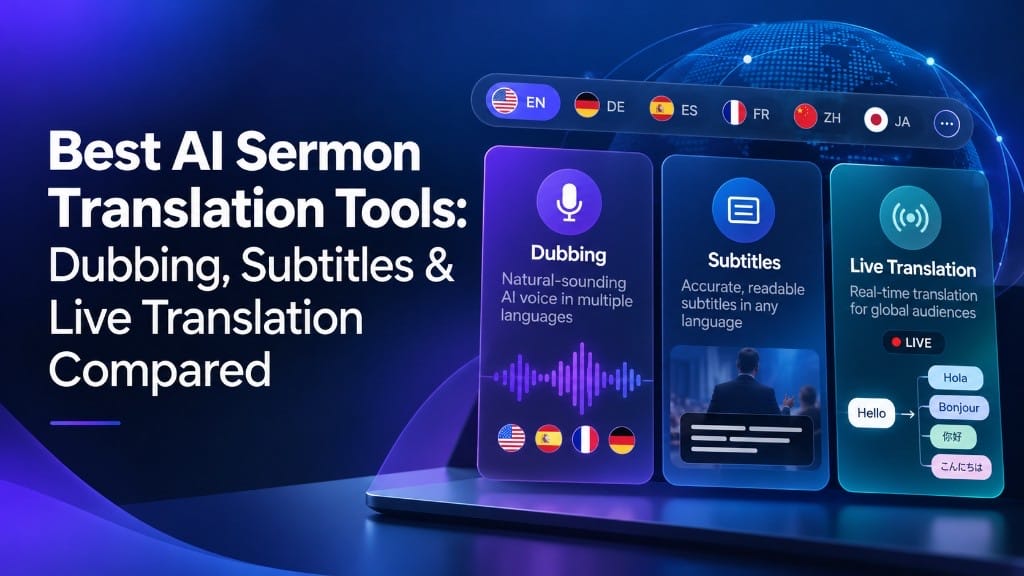
For recorded videos, ElevenLabs, HeyGen, and VMEG are worth comparing for dubbing. VEED is particularly useful for subtitles, YouTube offers automatic dubbing for eligible channels, and Wordly specializes in real-time interpretation.
| Tool | Best For | Key Consideration |
|---|---|---|
| ElevenLabs | Voice-focused AI dubbing | Voice quality |
| HeyGen | Dubbing with lip synchronization | Lip-sync needs |
| VMEG AI | Editable dubbing and subtitles | Editing options |
| VEED | Translated subtitles and video editing | Plan limits and export options |
| YouTube | Built-in automatic dubbing | Limited control over generated dubs |
| Wordly | Live translation and captions | Designed around live events |
Comparison based on publicly documented features as of October 2026.
ElevenLabs: For Voice-Focused Sermon Dubbing
Some speakers have a recognizable way of delivering a message. Their pacing, pauses, and vocal expression are part of what audiences connect with.
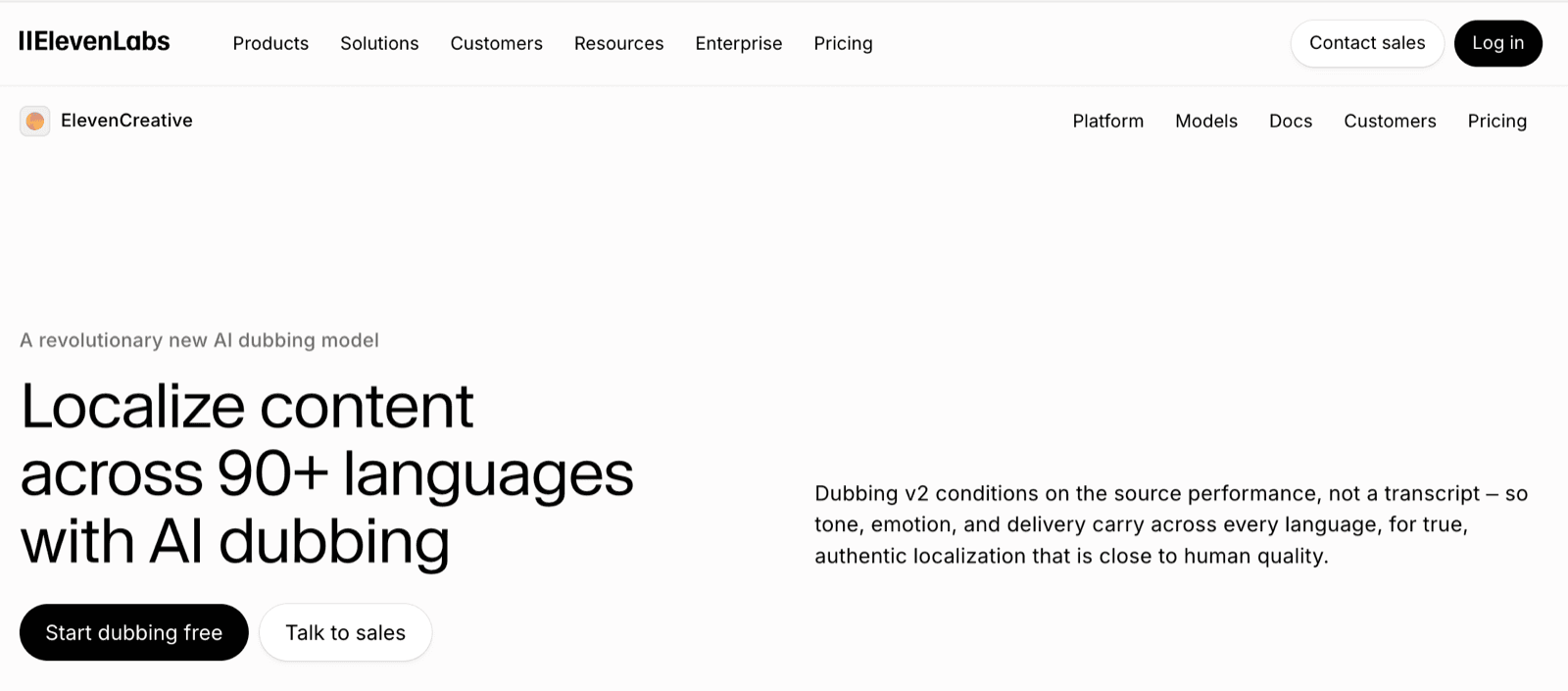
ElevenLabs focuses heavily on this side of AI dubbing.
Its technology translates audio and video while preserving characteristics of the original speaker's voice. Dubbing v2 also supports transcript and translation editing through its current web interface, allowing users to regenerate corrected segments.
For recorded sermons, audio lectures, and religious podcasts, that's an appealing combination.
But voice quality is only half the evaluation. I'd still check how the tool handles specialized terms, quotations, and proper names in the target language.
ElevenLabs also has different dubbing models and workflows, so it's worth reviewing their editing options and pricing before committing to a large project.
My take: A strong candidate when the listening experience is central to the content.
HeyGen: For Videos Where Lip Sync Matters
HeyGen takes video translation a step further by combining dubbed audio with AI lip synchronization.
This can make a real difference when someone is speaking directly to the camera. Instead of hearing translated speech over mismatched mouth movements, viewers see a more synchronized presentation.
HeyGen also provides captions, and translation proofreading features.
Still, I wouldn't automatically choose lip sync for every sermon.
A recording that mostly shows presentation slides, audience reactions, or a wide shot of the stage may benefit less from facial synchronization than a close-up teaching video.
Video duration is another consideration. HeyGen's current Creator and Pro plans limit video translation to 30 minutes per file, while Business supports up to 60 minutes and Enterprise offers higher limits.
My take: Especially relevant for speaker-focused video content where visual presentation matters as much as the audio.
VMEG AI: For Greater Control Over Dubbing and Multilingual Production
VMEG AI supports AI dubbing and subtitle translation in 100+ languages, with features for voice cloning, emotional expression, and speech timing adjustments.
Its dubbing models are designed to retain aspects of the original speaker's emotion, pacing, and vocal characteristics. Users can also select different voices and apply emotion prompts to individual segments.
One of VMEG's main features is its editing workflow. After translation, users can revise the script, correct pronunciation, adjust timing, change voices, and regenerate individual segments without additional editing credits. This is relevant to religious content, where specific terminology or quotations may need to be reviewed and corrected.
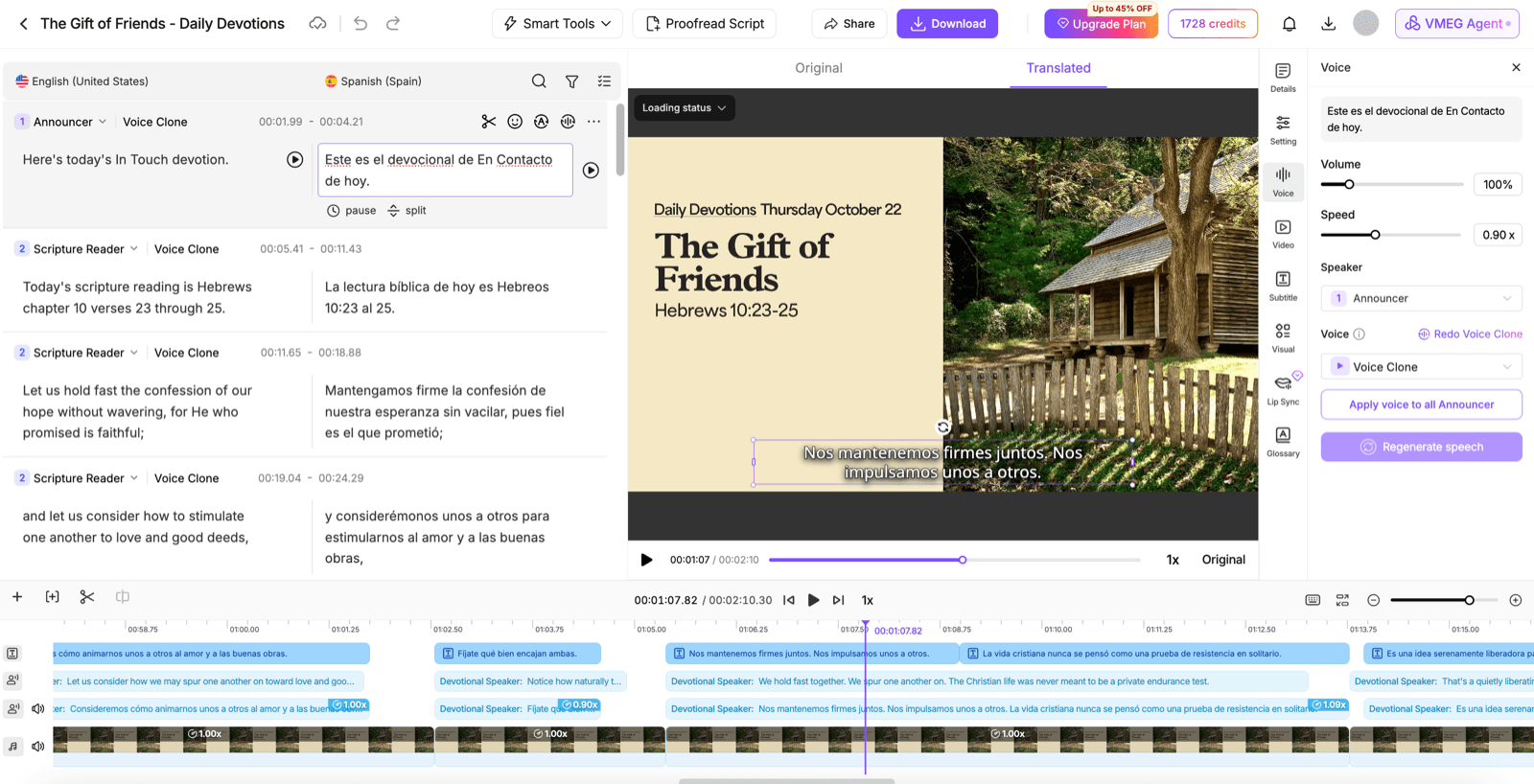
For larger projects, VMEG supports batch uploading and processing. This can be useful for organizations translating weekly sermons or maintaining multilingual video libraries.
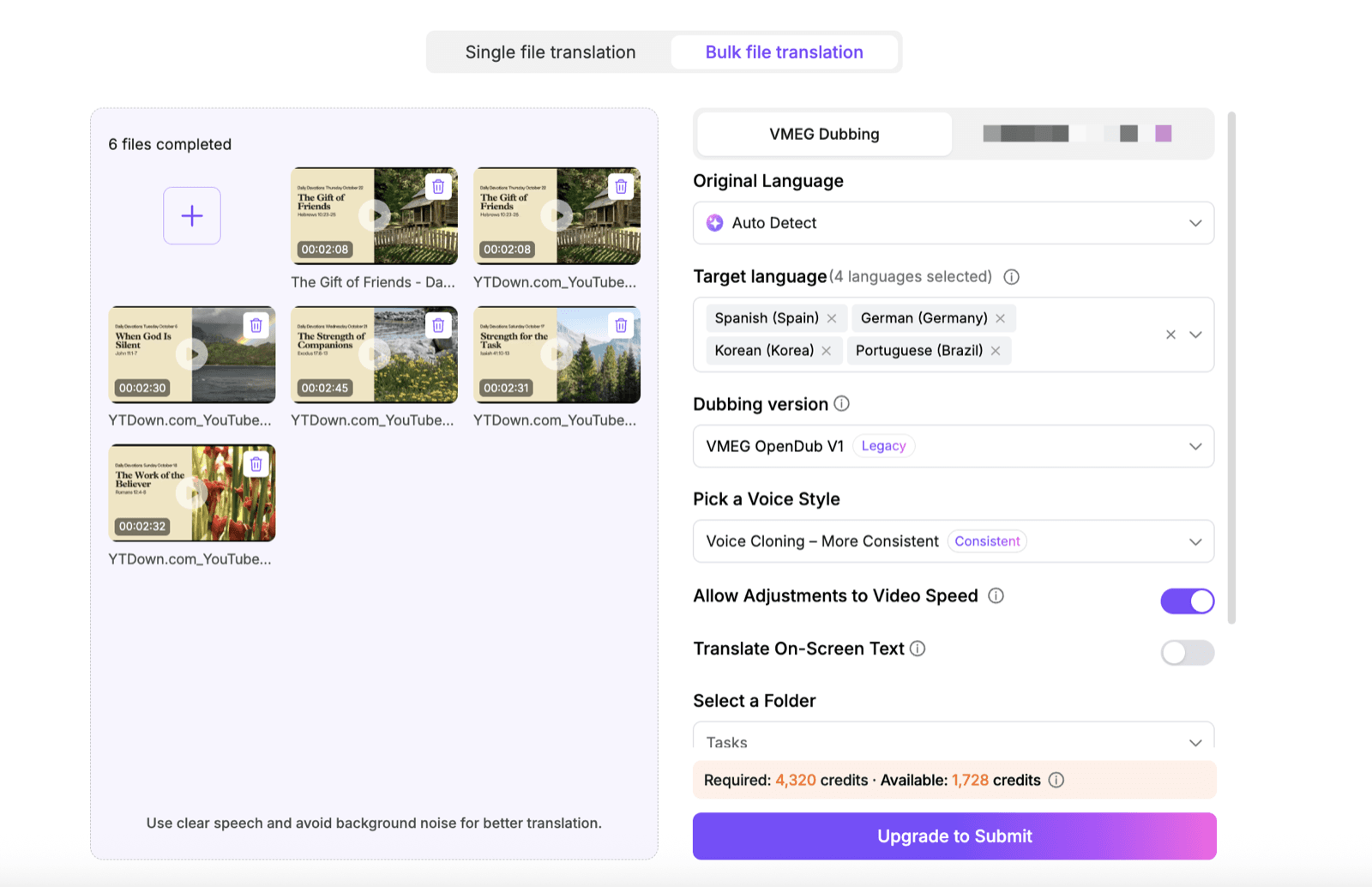
However, VMEG handles recorded videos rather than live interpretation. Its translation and voice controls allow for post-production adjustments, but sensitive religious content still requires human review.
My take: A practical option for teams that care about emotional delivery, want detailed control over their dubbing, and regularly produce content in multiple languages.
VEED: When Subtitles Are Enough
Not every religious video needs a new voice. Sometimes the original delivery is exactly what the audience wants to hear, with translated subtitles making the content accessible.
VEED makes this relatively straightforward. Users can upload a video or an existing SRT file, translate the subtitles, correct the text, and export either caption files or a subtitled video.
VEED also provides broader video editing and AI dubbing features.
For recorded talks, interviews, and short educational videos, a subtitle-first approach may be all that's necessary.
My take: A practical option when captions matter more than replacing the speaker's voice.
YouTube Automatic Dubbing: The Convenient Starting Point
If your organization already publishes videos on YouTube, its built-in automatic dubbing is worth exploring before adding another platform.
Eligible creators can generate translated audio tracks, allowing viewers to choose their preferred listening language without switching videos.
That's convenient, especially for channels with large existing libraries.
The trade-off is control. YouTube currently doesn't allow direct editing of automatically generated dubs. Videos longer than 120 minutes are also ineligible.
If terminology accuracy is especially important, these limitations deserve attention.
My take: A useful starting point for eligible YouTube creators who are comfortable with the platform's automatic dubbing workflow.
Wordly: For Live Sermon Translation
Everything changes when translation is needed during the event itself.
Wordly provides live multilingual audio interpretation and captions for gatherings, meetings, and houses of worship.
Attendees can access translated speech or text through their own devices, making it useful for multilingual audiences participating in the same event.
Wordly also supports custom glossaries and transcripts. It's a different approach from translating a recording after the event, where teams have time to revise scripts, regenerate voices, and approve the finished video.
My take: A relevant choice when the audience needs to understand the speaker in real time.
How Would I Choose Between These Tools?
Rather than picking a winner from feature lists, I'd start with one short recording and test the parts most likely to cause trouble. For religious content, I'd pay attention to four things:
Meaning and terminology. Does the translation preserve important expressions, names, and quotations? Can I provide preferred translations?
Voice and readability. Does the dubbed speech sound natural? Are subtitles readable and correctly timed?
Editing flexibility. Can I fix individual sentences without starting over?
Practical limits. Can the platform handle my usual video length, target languages, and publishing schedule at a reasonable total cost?
I'd also recommend having a bilingual reviewer familiar with the religious context check the final result. A translation can sound fluent while still conveying the wrong meaning.
One thing I'd avoid is judging a platform solely by how many languages it supports. Language coverage tells you where a tool can operate, not how well every language pair will perform.
Frequently Asked Questions
What is the best AI tool for translating sermons?
It depends on your requirements. ElevenLabs is worth considering for voice dubbing, HeyGen for lip-synced video, VMEG for editable dubbing and subtitles, VEED for captions, and Wordly for live interpretation. No single platform is the best fit for every situation.
Can AI translate sermons while preserving the original speaker's voice?
Yes. Tools such as ElevenLabs, HeyGen, and VMEG offer voice cloning or voice-preserving dubbing. Results vary by language and recording, and the original speaker's permission should be obtained.
Can I translate a sermon with both dubbing and subtitles?
Yes. Some AI video translation platforms, including VMEG, allow users to generate translated audio and subtitles in the same workflow.
Can AI translate religious terminology accurately?
AI can handle many religious expressions, but errors are possible, especially with specialized terms and quotations. Glossaries and human review help improve consistency and accuracy.
Final Thoughts
The best AI sermon translation tool isn't necessarily the one with the most features.
If the video is already published on YouTube, built-in dubbing might be enough. If facial synchronization is essential, HeyGen is worth exploring. If translation review is a major part of your process, look closely at the editing workflows offered by VMEG and ElevenLabs. And if your audience needs translation during a live event, choose a solution designed for that.
For a closer look at the challenges of terminology and quality review, you can read our Religious Video Localization Research Report.