
Dubbing adds a new spoken track to an existing video or film. It is commonly used to localize dialogue into another language, but it can also replace or re-record dialogue in the original language. If you are deciding between dubbing and subtitles, the right choice depends on the viewing experience, budget, content type, and level of review you need.
This guide explains what dubbing is, how traditional and AI-assisted workflows differ, and when to use dubbing, subtitles, or voice-over. You can then follow a practical workflow for dubbing a video.
Choose by outcome:
- Use subtitles when viewers can read while keeping the original audio.
- Use voice-over when narration or explanation matters more than matching a speaker’s mouth movements.
- Use dubbing when viewers need a new spoken-language experience that follows the original dialogue and performance.
What is Dubbing: The Basics
At its core, dubbing is a post-production process that records and mixes replacement dialogue or speech for an audiovisual work. In cross-language localization, the new dialogue is adapted into a target language; in other workflows, dubbing can also re-record dialogue in the same language.
Dubbing is used in film, series, animation, games, documentaries, training, marketing, and other video formats. A good dub aims to preserve meaning, timing, performance intent, and audience comprehension in the target version.
Dubbing is used in film, series, animation, games, documentaries, training, marketing, and other video formats. A good dub aims to preserve meaning, timing, performance intent, and audience comprehension in the target version.
Key Benefits of Dubbing:
- Similar to subtitles, dubbing breaks language barriers with language translation and cultural adaptation, making content understandable to audiences who don't speak the original language. Both can reach a wider audience and markets.
- While dubbing unifies character voices with video subjects to create a higher immersion than reading subtitles, especially for children, the visually impaired, or those who prefer to multitask.
Quick Comparison of Dubbing vs Subtitles vs Voice-over:
Dubbing | Subtitles | Voice-over | |
Original audio | Dialogue is replaced or re-recorded; music and effects are usually retained. | Original audio stays in place. | A new narration or spoken track is added; treatment of original audio varies by format. |
Spoken track | A target-language performance follows dialogue, timing, and—when required—lip movements. | No new spoken dialogue is required. | Explains, narrates, or translates without necessarily matching on-screen speech. |
Best fit | Immersive localization for character-led video, training, marketing, and entertainment. | Accessibility, lower-production-complexity localization, and viewers who prefer original audio. | Documentaries, interviews, explainers, and formats where exact lip matching is not needed. |
What is the Development of Dubbing
The brief history of dubbing
- Early Talkies (Late 1920s–1930s): With the arrival of sound films, studios scrambled to reach international audiences. Some even re-shot entire movies in multiple languages before true dubbing methods took shape in Europe (France, Germany, Italy, Spain).
- Growing Industry (1930s–1950s): Dubbing became standard practice in Europe, often supported by government policies that promoted domestic language versions.
- Analog Era (1960s–1980s): Advances in magnetic tape and ADR (Automated Dialogue Replacement) made lip-sync more precise. Specialized dubbing studios expanded, and demand surged with the rise of imported animation and foreign TV shows.
- Digital Revolution (1990s–2000s): Digital audio workstations (DAWs), nonlinear editing, and time-coding brought greater accuracy and efficiency. By this stage, localization pipelines had matured, with structured script adaptation and quality checks.
- Streaming Era (2010s): Enter Netflix, Disney+, and global streaming. To serve worldwide audiences quickly, dubbing had to become faster, more scalable, and still maintain quality. This era pushed the industry to work smarter than ever.
- AI Era (2020s–Today): Artificial intelligence is reshaping the field. Tools now automate transcription, translation, voice cloning, cutting costs and timelines dramatically. The future is a hybrid model, blending human creativity with AI-driven speed.
The Different Types of Dubbing
Depending on the different content types and budgets, dubbing has generally been divided into three types below:
- Lip-Sync Dubbing: This is the most common style, typically used for feature films and major TV series. Voice actors speak precisely to match the on-screen actors’ lip movements and emotions, making it look as if the dialogue was originally spoken in the new language.
- Voice-over / Phrase-Sync: Often used for documentaries and interviews, this approach places translated speech over or after the original speech. It follows the scene’s pacing without attempting full lip matching.
- Non-Lip-Sync Revoicing: A narrator or a small number of voices delivers translated content in time with the scene, without reproducing each character’s lip movements. Naming conventions vary by market, so clarify the required format with your distributor or audience.
Below are some newly named dubbing types, usually clarified into the above main types:
- Animation Dubbing: More flexible because animators (or timing edits) can adapt to new phonemes; focus on performance characterization.
- AI Dubbing: Uses automated transcription, translation, speech synthesis, and voice cloning.
- Simulated Real-Time Dubbing: Emerging for events and streaming; low-latency translation plus synthetic or rapid human re-voicing.
What is the Process of Traditional Dubbing
Professional dubbing is a meticulous, multi-step process that requires a team of skilled specialists.
Step 1. Transcribe and Translate
Translating the script of the video dialogue and narration is the first step. During this process, the translated words need to match the character’s lip movements, timing, and emotions. The goal is to make the audience feel natural, relatable, and culturally relevant.
Step 2. Casting Voice Actors
The voice directors pick voice actors whose voices, ages, and personalities fit the characters. Sometimes they audition for several actors or use voice banks to find the perfect voices that fit both the story and audience expectations.
Step 3. Recording
In the studio, actors watch the scene and record their lines, often using timed cues to hit the right moments. Multiple takes are done to get both perfect timing and authentic emotion, for example, one for lip sync accuracy, another for emotional performance, and sometimes extras as backups.
Step 4. Post-production and Mixing
Finally, the recordings are polished. Editors tweak timing, add breaths or reactions, and adjust the sound so it blends naturally with the music and effects. The result is a seamless, immersive audio track that brings the scene to life.
How to Use AI Dubbing Easily with VMEG AI
AI dubbing can accelerate transcription, translation, voice selection, and first-pass generation. It still benefits from human review of meaning, terminology, pronunciation, timing, speaker assignment, and final audio quality. For content creators and teams that need a scalable workflow, AI can reduce repetitive production work while preserving an editorial review step.
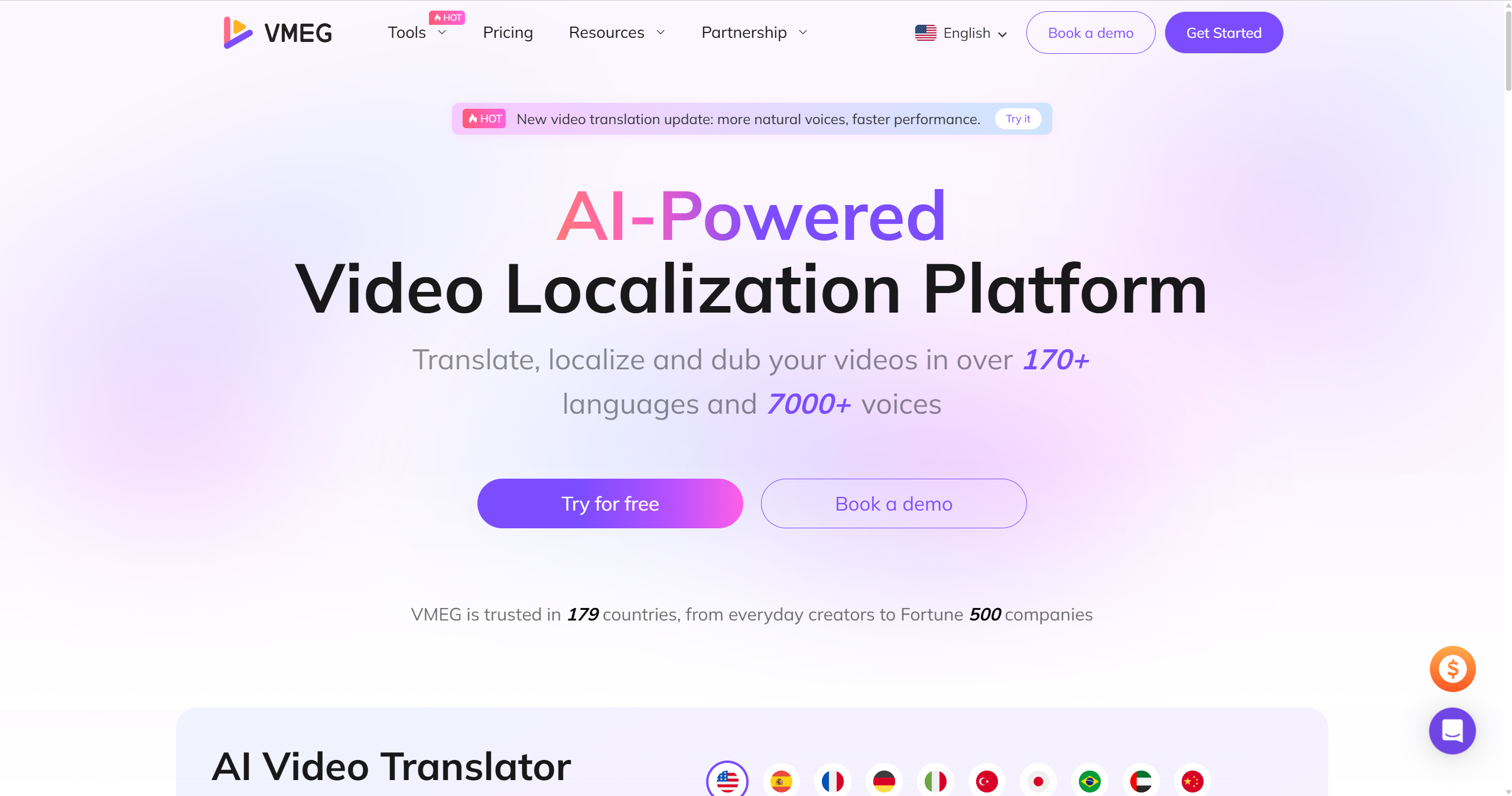
Here is an example workflow with VMEG AI, a video-localization platform with 17,000+ AI voices and support for 170+ languages.
Key Features of VMEG AI Dubbing
- 170+ Languages: Translate and dub videos into supported target languages, then review the output for your audience and use case.
- 17,000+ AI Voices: Choose an AI voice or, where you have permission, clone the original speaker’s voice. Review pronunciation, pace, and tone before publishing.
- Optional Lip Sync: Add lip sync when matching translated speech to on-screen mouth movements is important; it is not required for every dubbing workflow.
- Editable Subtitles: Generate subtitles and review their wording, timing, and placement for clarity and accessibility.
- Reviewable Workflow: Use the editor to check dialogue, speaker assignment, terminology, timing, and the final viewing experience before export.
Simple Dubbing Process with VMEG AI
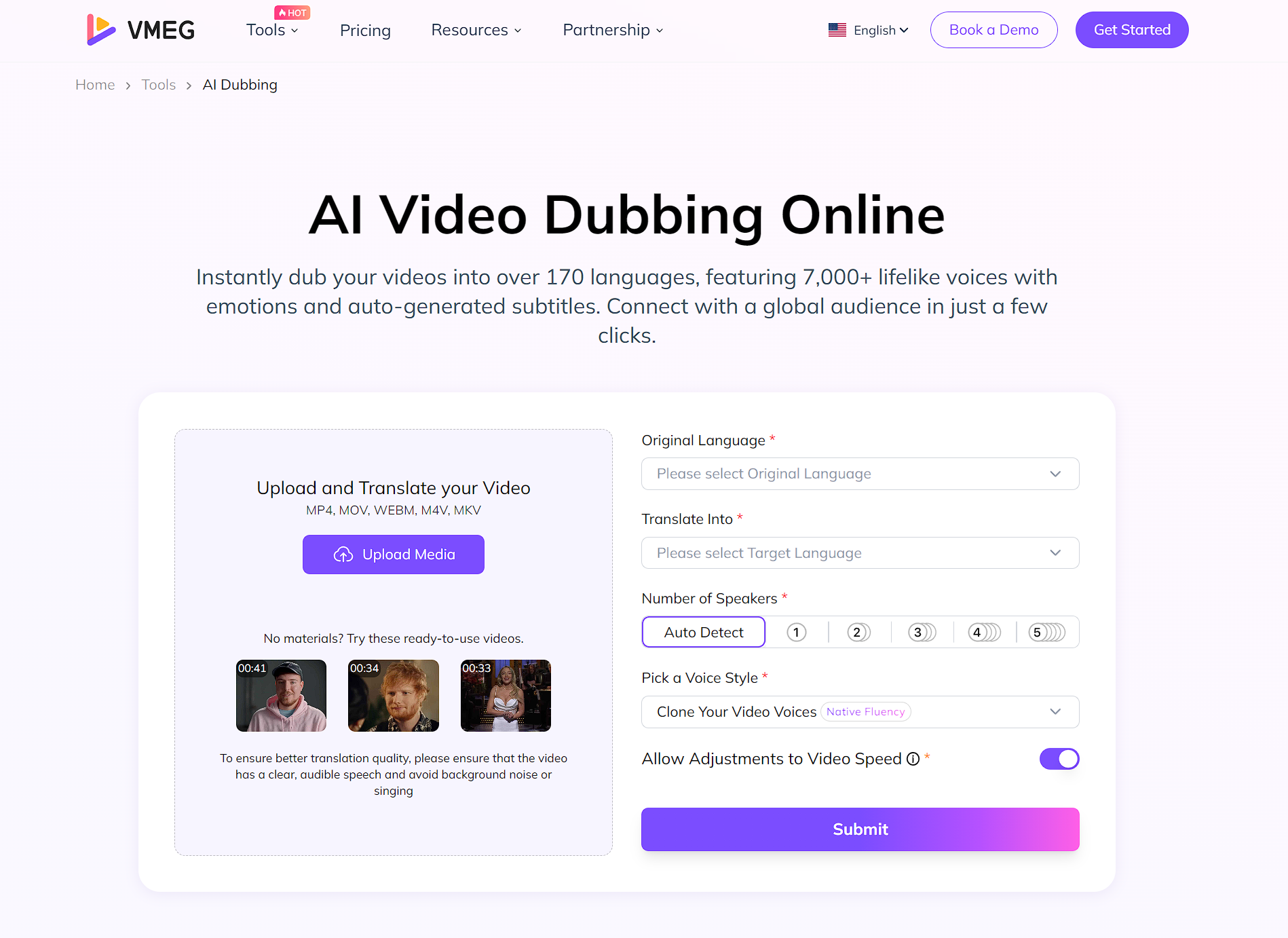
Step 1: Upload Your Video
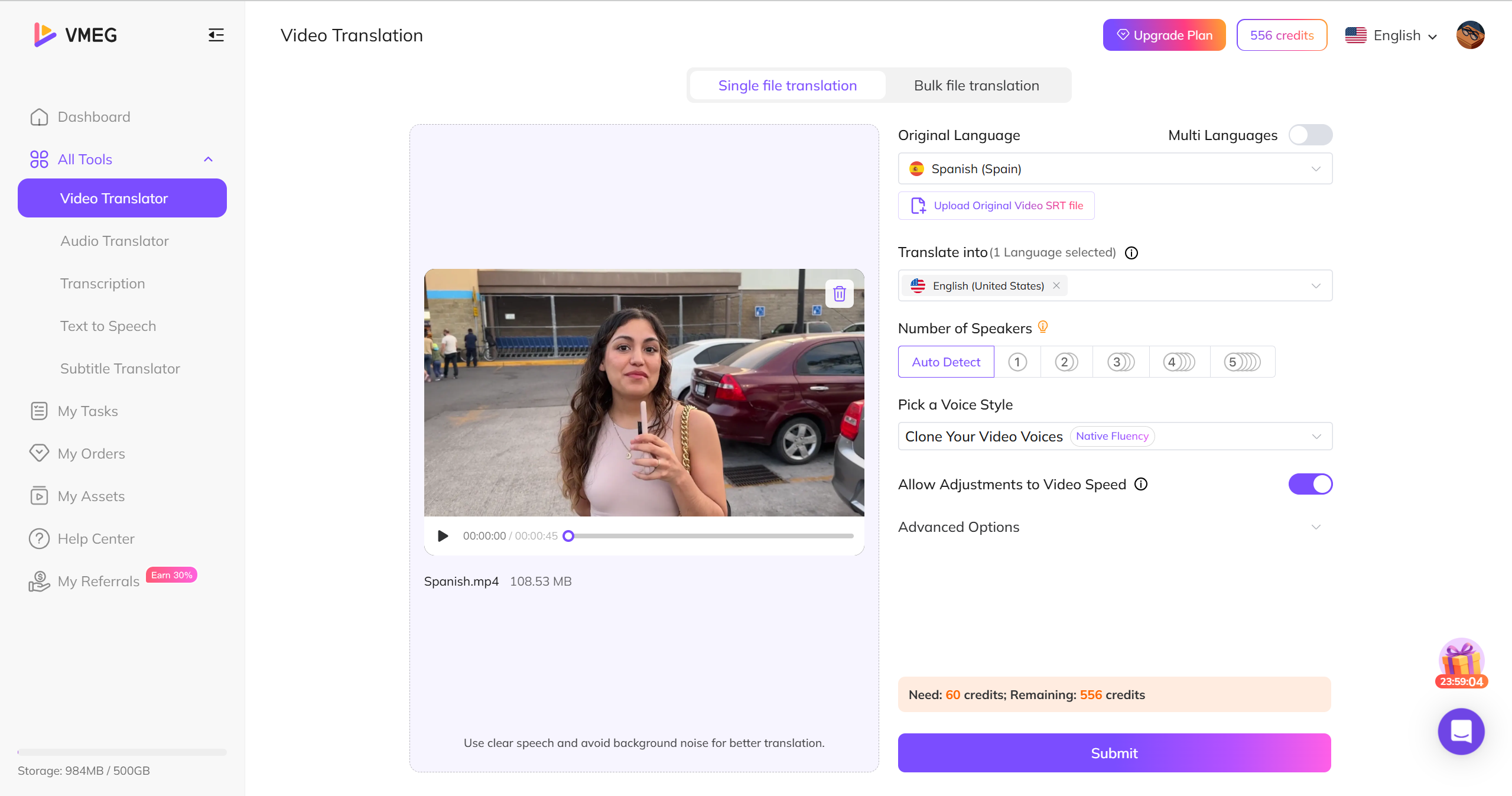
Step 2: Select Dubbing Settings
Select the source and target languages, review detected speakers, then choose an AI voice or clone the original voice only when you have permission. You can also set relevant preferences before creating the dubbing project.
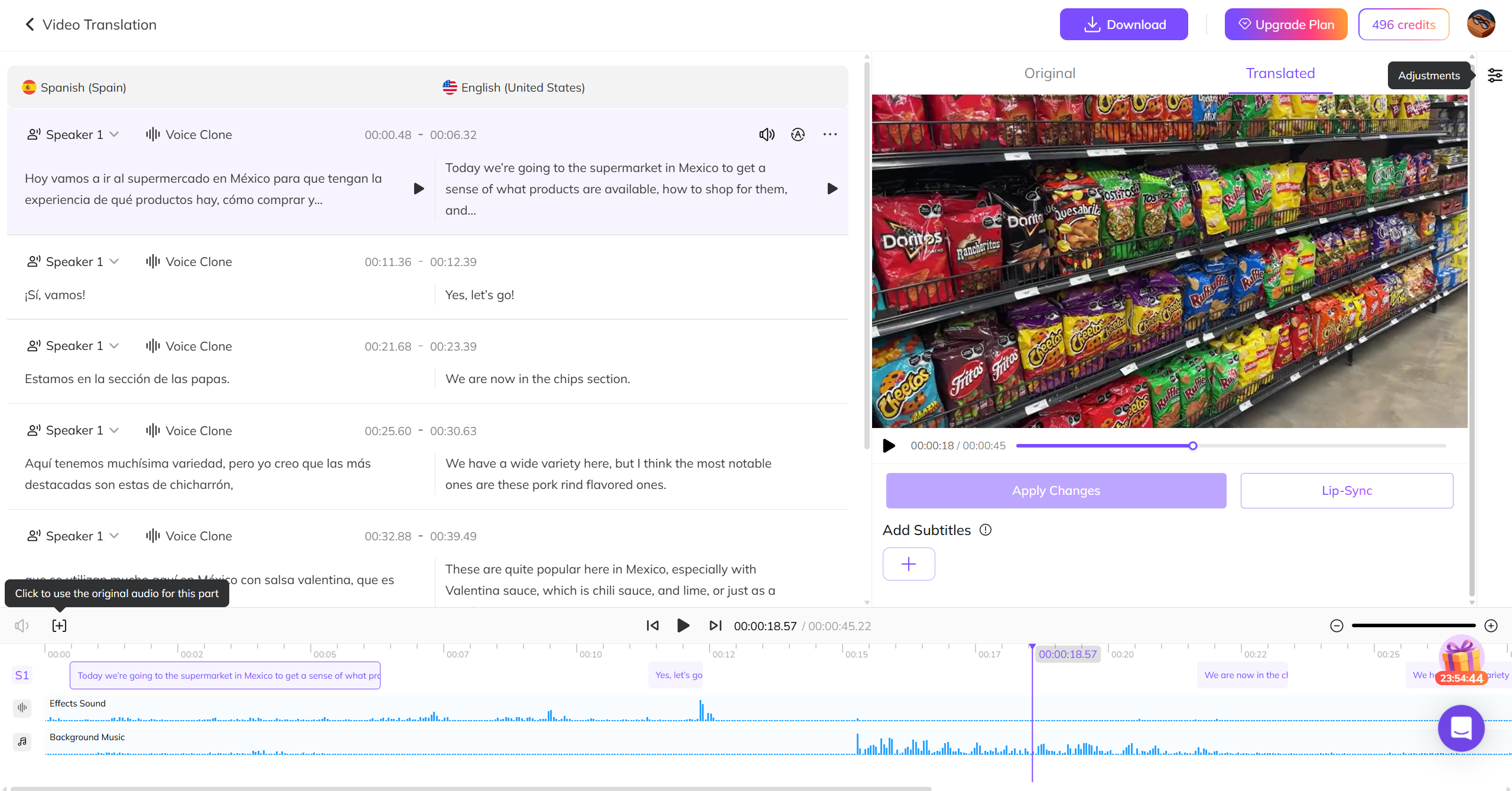
Step 3: Generate and Export
Generate a first pass, then review the transcript and translated dialogue line by line. Correct wording, pronunciation, voice, speed, or timing where needed; add subtitles if appropriate. Preview the result and export only after completing your quality check.
FAQs about What is Dubbing
Dubbing vs. Voice-over
Dubbing replaces the original dialogue completely and syncs with lip movements, while voice-over adds a narrative track over the original audio, often used in documentaries or interviews to explain.
Can AI completely replace human voice actors?
AI can automate many tasks and help to create realistic voices, but human nuance and emotion are still essential for high-quality dubbing, especially for complex characters.
Is dubbing only for movies and TV shows?
No, dubbing is also used in video games, animations, e-learning, advertisements, and more.
Why do some countries prefer dubbing while others prefer subtitles?
Dubbing focuses on immersion with natural and native-language experience, while subtitles preserve the original audio track to maintain cultural and language accessibility.
Dubbing or subtitles preferences are largely a matter of historical tradition, economic, and cultural preferences.
Dubbing or subtitles preferences are largely a matter of historical tradition, economic, and cultural preferences.
What should I review before publishing an AI dub?
Review the translated meaning, names, product terms, pronunciation, speaker assignment, timing, subtitle readability, and audio balance. If you use voice cloning, confirm that you have the required permission before you publish. For lip-synced video, also check the downloaded output because the final visual result may differ from the editor preview.
Conclusion
Dubbing gives audiences a spoken-language alternative to the original dialogue. Choose it when an immersive listening experience matters more than preserving the source-language audio, and use subtitles or voice-over when they better fit the content and audience.
AI tools can make dubbing workflows more accessible, but the strongest result still comes from reviewing translation, voice choice, timing, and rights before publication. VMEG AI can support that process with translation, dubbing, voice options, subtitles, and optional lip sync.


The VMEG Team
Behind VMEG stands a passionate team of creatives, engineers, and language lovers. At the crossroads of AI and storytelling, they craft tools that bridge languages and cultures.