

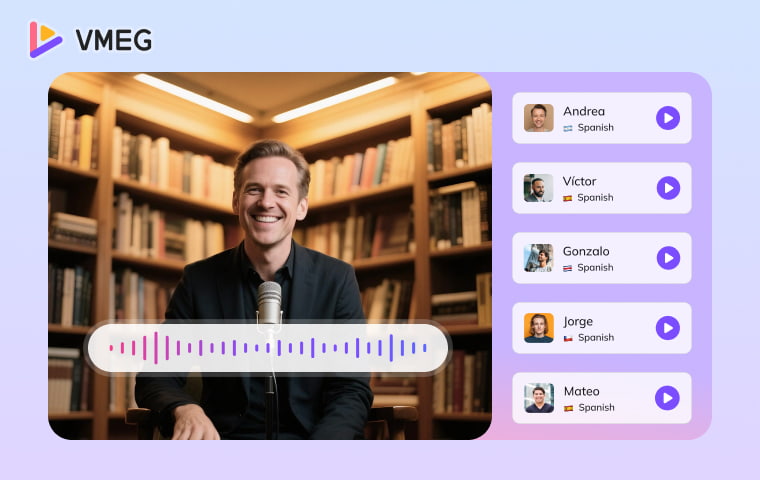
With AI dubbing tools, you can create a first dubbed version more quickly, then review translation, voice choice, timing, and publishing rights before release.
In this guide, we’ll show you exactly how to dub a video using modern AI tools — step by step. You’ll learn how to use features like voice cloning, automatic translation, and lip-syncing to create natural-sounding dubbed content in any language, using platforms like VMEG AI.
What is AI Video Dubbing?

Why Choose AI Video Dubbing?
With video content spreading worldwide, multilingual support has become essential. AI dubbing technology enables you to:
- Quickly localize content for different markets
- Maintain brand voice consistency across languages
- Reduce multilingual content production costs
- Increase content publishing efficiency
2. Technical Advantages
Modern AI dubbing technology offers these core benefits:
- Voice Cloning Technology: Precisely replicates original speaker characteristics
- Emotional Expression: Preserves the original audio's emotional tone and inflection
- Lip Synchronization: Ensures perfect alignment between dubbing and the speaker's mouth movements
Multi-Speaker Recognition: Automatically identifies and processes multiple speakers in videos
3. Wide Application Scenarios
AI video dubbing suits various use cases:
- Education & Training: Multilingual online courses
- Corporate Communications: Product introduction video localization
- Entertainment Content: YouTube videos and podcast dubbing
- News Media: Multilingual news report versions
- E-commerce Marketing: Product demonstration video translation
AI Dubbing vs. Traditional Dubbing
Feature | Traditional Dubbing | AI Dubbing with VMEG AI |
|---|---|---|
Cost | High (voice actors, studio time) | Low to moderate (based on video length) |
Speed | Several days to weeks | Minutes to hours |
Scalability | Difficult | Easily dub videos in 100+ languages |
Voice Consistency | Varies per actor | Voice cloning maintains brand/creator tone |
Lip Sync Accuracy | Manual, time-consuming | Automated and AI-enhanced |
How to Dub a Video Using VMEG AI
Before you start, decide whether you need dubbed audio, translated subtitles, or a lip-synced localized video. Use a clean source file, confirm that you have rights to use the video and any cloned voice, and prepare key names or terminology for review.
Follow these steps to create and review a dubbed version:
Step 1. Visit the VMEG AI Dubbing Tool
Go to VMEG AI Dubbing Tool. Drag and drop your video file into the upload area or use the file picker to select it from your device. VMEG will automatically begin analyzing your video and detecting the spoken language.
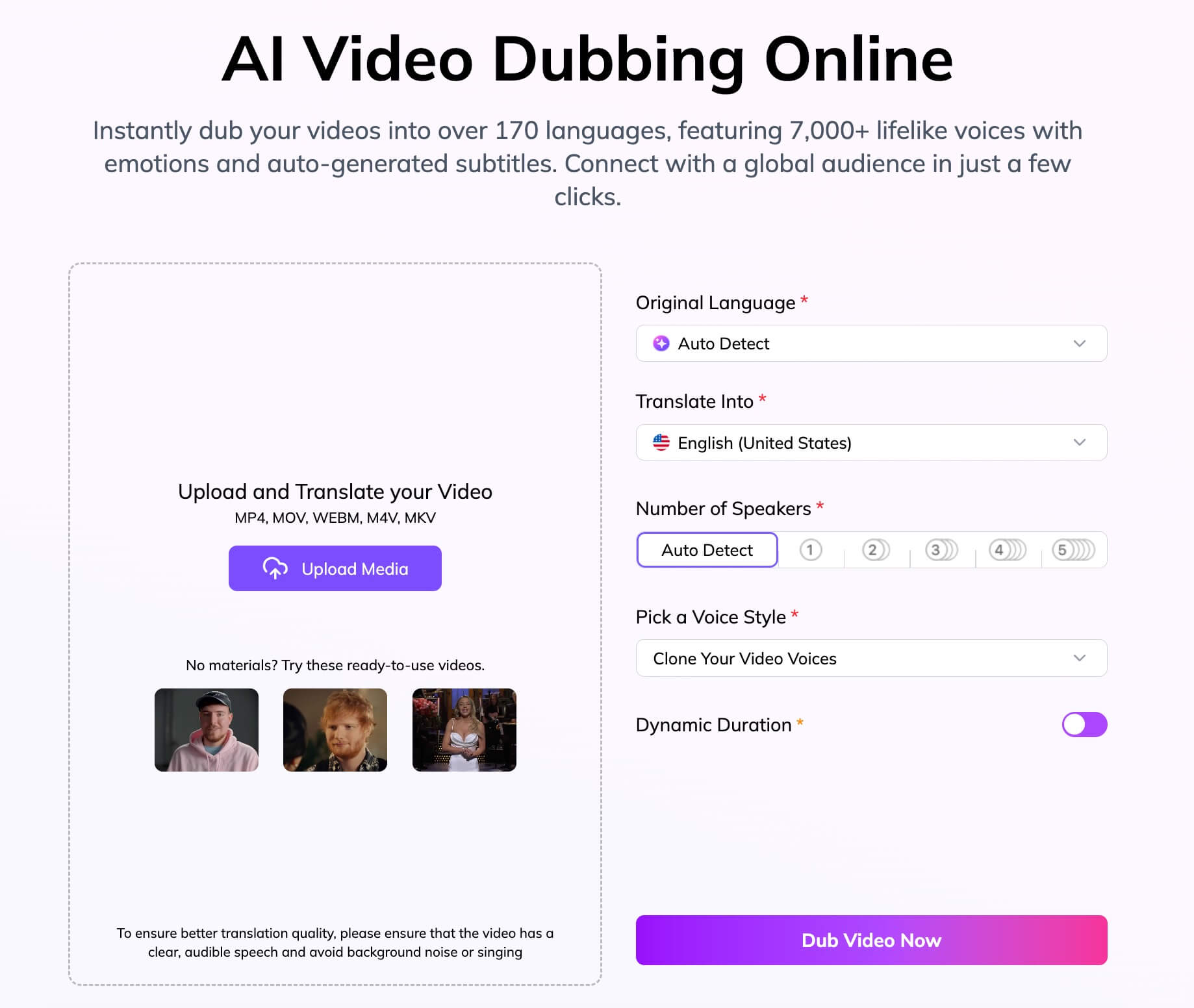
Once your video has finished uploading and processing, you’ll be prompted to log in or create a free account to continue.

Step 3. Configure Your Dubbing Settings
Select the source language of the video — the system will auto-detect, but manual confirmation ensures accuracy. Then choose the target language or languages available for your workflow.

Processing time depends on video length, speakers, and selected options. Before export, review names, numbers, terminology, speaker assignment, translation meaning, voice delivery, subtitle timing, and visible lip alignment. Export the file type available for your chosen workflow.
VMEG AI supports dubbing and localization workflows across 170+ languages and dialects. Check current availability for the features, language pair, and plan you intend to use.
2. Extensive Voice Library
Choose an available voice that fits your intended audience, then review pronunciation, pace, tone, and emotional delivery in the final video.
3. High-Quality Voice Cloning
Where a custom-voice workflow is available, use only a voice you are authorized to clone. Review the translated delivery carefully, especially for brand names, technical terms, and emotional content.
4. Realistic Lip Sync
Lip sync can help a localized on-camera video feel more natural. Review close-ups, fast speech, and language-specific mouth movements before publishing.
5. Smart Multi-Speaker Support
For multi-speaker videos, check each speaker assignment, overlapping dialogue, and voice consistency before export. Complex audio may need additional review.
VMEG.AI vs. Other AI Dubbing Tools Comparison
Tool | Primary workflow | Voice option | Lip sync | Best for | Check before choosing |
|---|---|---|---|---|---|
VMEG AI | Video localization | Platform voices and custom-voice workflows | Available in supported workflows | Translated video with subtitles and review controls | Language pair, plan, voice authorization, and final QA |
HeyGen | Avatar-led video creation and localization | Custom voice features | Available in supported workflows | Presenter-style videos | Avatar, voice, and translation feature access |
Dubverse | Dubbing and subtitle workflows | Platform voice options | Check current availability | Creator and marketing localization | Language coverage and export controls |
Rask AI | Localization and dubbing workflows | Voice-cloning options | Check current availability | Multilingual business content | Plan limits, terminology, and speaker review |
InVideo | Video creation and editing | Platform voice options | Check current availability | Template-led video creation | Whether the dubbing workflow fits your delivery needs |
FAQs on AI Dubbing
AI-generated translation and dubbing should be treated as a first version that needs review. Check names, numbers, terminology, pronunciation, speaker assignment, timing, and tone before publishing, especially for technical or regulated content.
How long does dubbing processing take?
Processing time depends on video length, source-audio quality, number of speakers, selected languages, and current service conditions. Run a representative sample before planning a production schedule.
What video formats are supported?
Check the current upload requirements and supported file types on the VMEG tool page before beginning a project. A clean source file and clear audio make review easier.
Can dubbing quality reach professional standards?
Dubbing quality depends on source audio, language pair, speaker changes, pronunciation, translation, and final review. For high-stakes or public-facing content, use a human review process before release.
Does it support custom voices?
Where a custom-voice workflow is available, use a voice only with clear authorization from the voice owner. Test a short sample first and review the final localized delivery.
Who owns the copyright of dubbed files?
A: You are responsible for confirming rights to the source video, script, translation, voice, and likeness before publishing. Review the current platform terms, privacy policy, commercial-use terms, and applicable local law; this article is not legal advice.
Conclusion
Whether you are a creator or part of a global team, begin with a short representative video. Confirm the target language, review the translated script and voices, check subtitle timing and lip sync, and publish only after the result meets your quality and rights requirements.