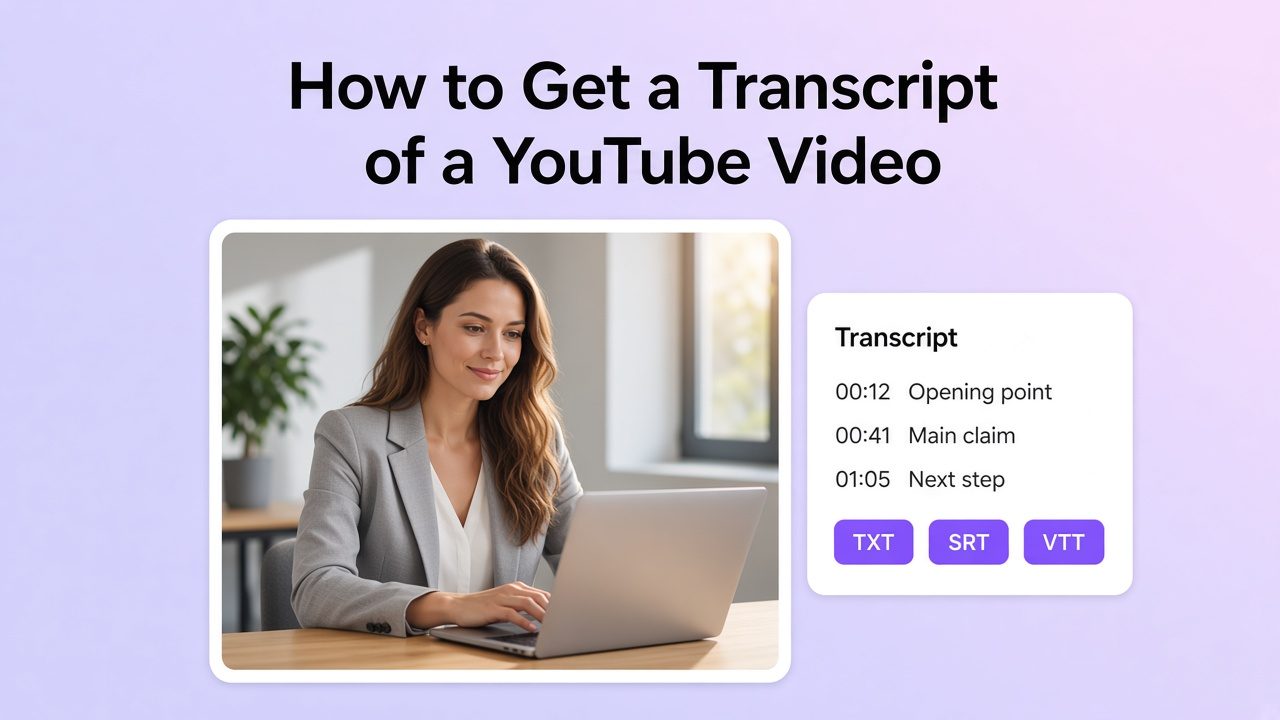
You can get a transcript of most YouTube videos in under a minute. If captions exist, open Show transcript on desktop or in the YouTube app, then copy the text on a computer. If that button is missing, or you need a downloadable file (TXT, SRT, VTT) with cleaner punctuation, generate the transcript from the audio with an AI tool instead of scrubbing the timeline.
A YouTube transcript is the written version of the spoken audio. YouTube usually builds it from caption tracks (auto-generated or uploaded). Dedicated transcription tools rebuild text from the audio itself, which matters when captions are off, sparse, or too messy to edit.
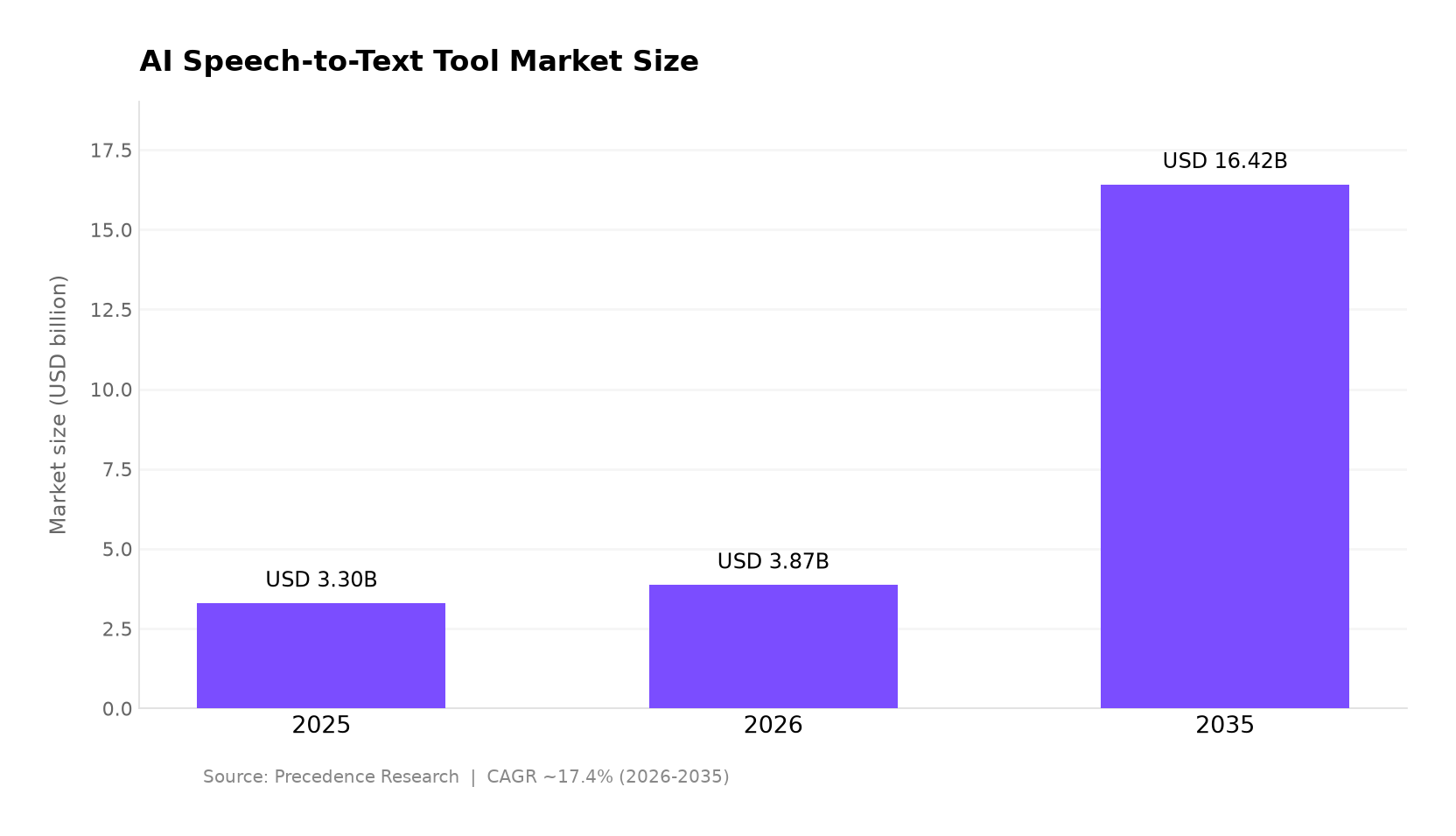
Demand for speech-to-text tooling keeps rising. According to Precedence Research, the global AI speech-to-text tool market was about USD 3.30 billion in 2025, is estimated at USD 3.87 billion in 2026, and may reach about USD 16.42 billion by 2035 (CAGR ~17.41% from 2026 to 2035). Teams use transcripts for notes, captions, SEO text, and localization drafts.
Why people pull YouTube transcripts
- Reference without rewatching: jump to a line, quote a claim, or skim a lecture.
- Accessibility: text helps viewers who are deaf or hard of hearing, and readers who prefer text alongside audio.
- Reuse: turn spoken points into blog outlines, social captions, show notes, or subtitle files.
- Discovery: searchable text helps you (and sometimes search engines) understand what the video covers.
- Localization: a clean transcript is the first draft for translation and dubbing workflows.
Which method should you use?
| Your situation | Best method | Why |
|---|---|---|
| Captions exist; you only need to read or paste text | YouTube built-in (desktop) | Free, no extra tool |
| Same, but you are on a phone | YouTube app transcript | Fine for reading; full copy/export is awkward |
| You need TXT / SRT / VTT, speaker labels, or translation | AI transcript generator (paste URL) | Export + edit; works when captions are weak |
| No Show transcript | AI transcription from audio or an uploaded file | Native panel has nothing to show |
| Legal, medical, or high-stakes verbatim | Human transcription service | AI and auto-captions still need heavy review |
| You only need one quote inside a long video | Search inside the transcript panel (Ctrl/Cmd+F on desktop) | Faster than exporting first |
This page is about getting the transcript. For non-YouTube files, see how to get a transcript of a video. For a wider overview of tools and use cases, see the YouTube transcription guide.
Method 1: YouTube’s built-in transcript (desktop)
YouTube shows a full transcript when a caption track exists. Official Help: open the transcript from the video description, follow along as it scrolls, and click a line to jump to that moment (View video transcripts).
- Open the video on YouTube in a desktop browser.
- Expand the description (often labeled …more).
- Click Show transcript.
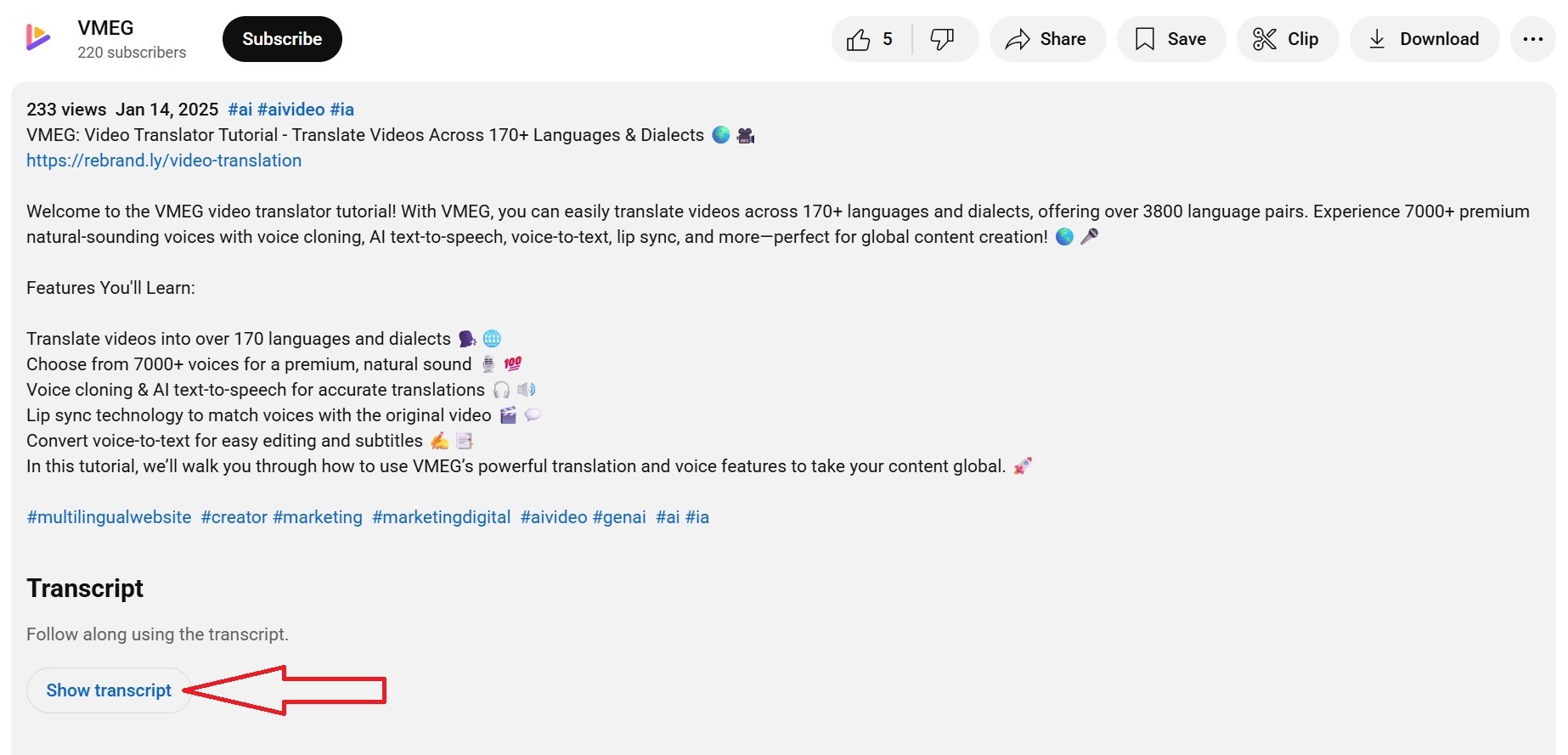
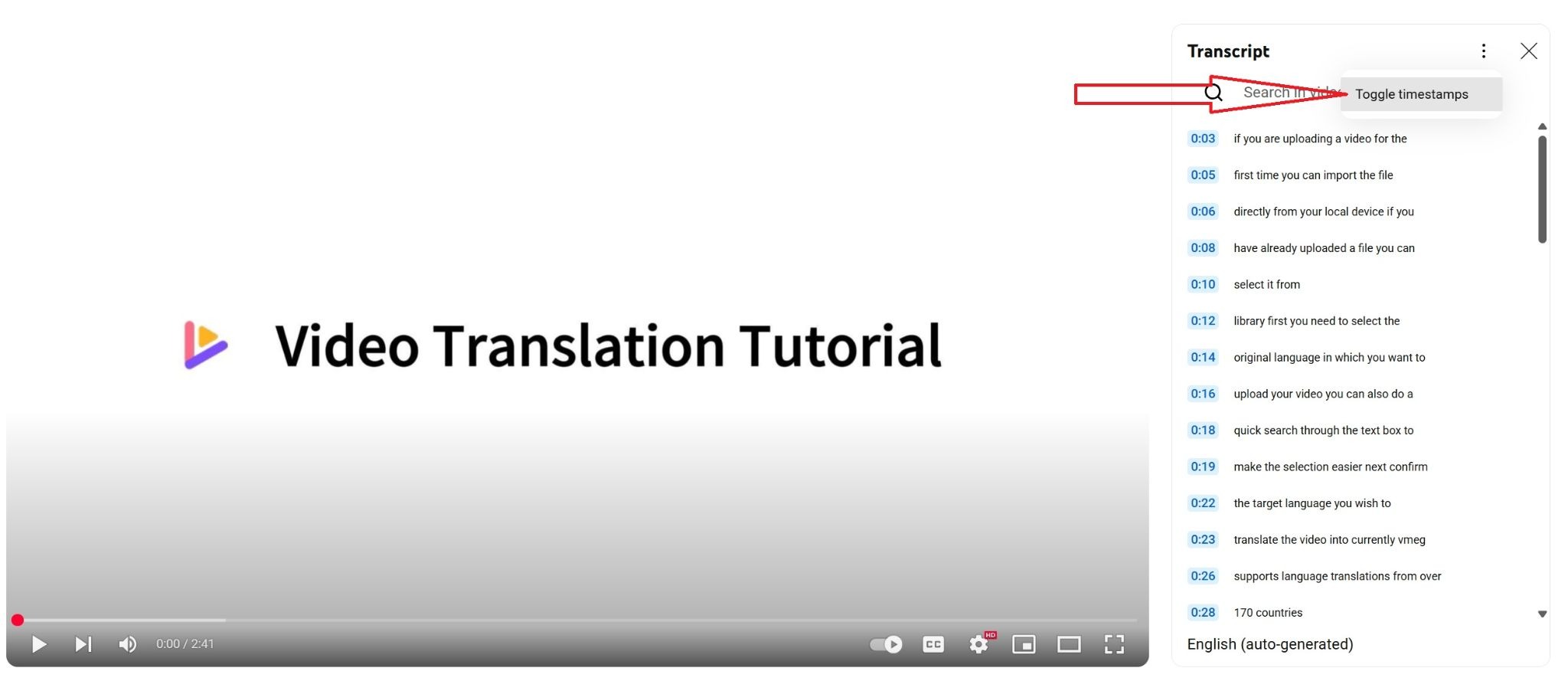
4. Review the side panel. Use the panel menu to Toggle timestamps if you want plain text.
5. If other caption languages exist, switch language from the transcript or caption controls before you copy.
6. Select the text, copy it, and paste into Docs, Notes, or your CMS. On many apps, paste without formatting with Ctrl+Shift+V (Windows) or Cmd+Shift+V (Mac).
Limits to expect
- No captions (or captions disabled) means no Show transcript.
- Auto-generated captions often miss names, jargon, overlapping speakers, and consistent punctuation.
- YouTube does not offer a one-click download of SRT/VTT from this panel. Copy-paste only.
- The paste is a draft. Expect cleanup before client delivery or publication.
Method 2: Get the transcript on mobile
- Open the video in the YouTube app.
- Tap the title or description area to expand details (…more).
- Scroll to Show transcript and open it.
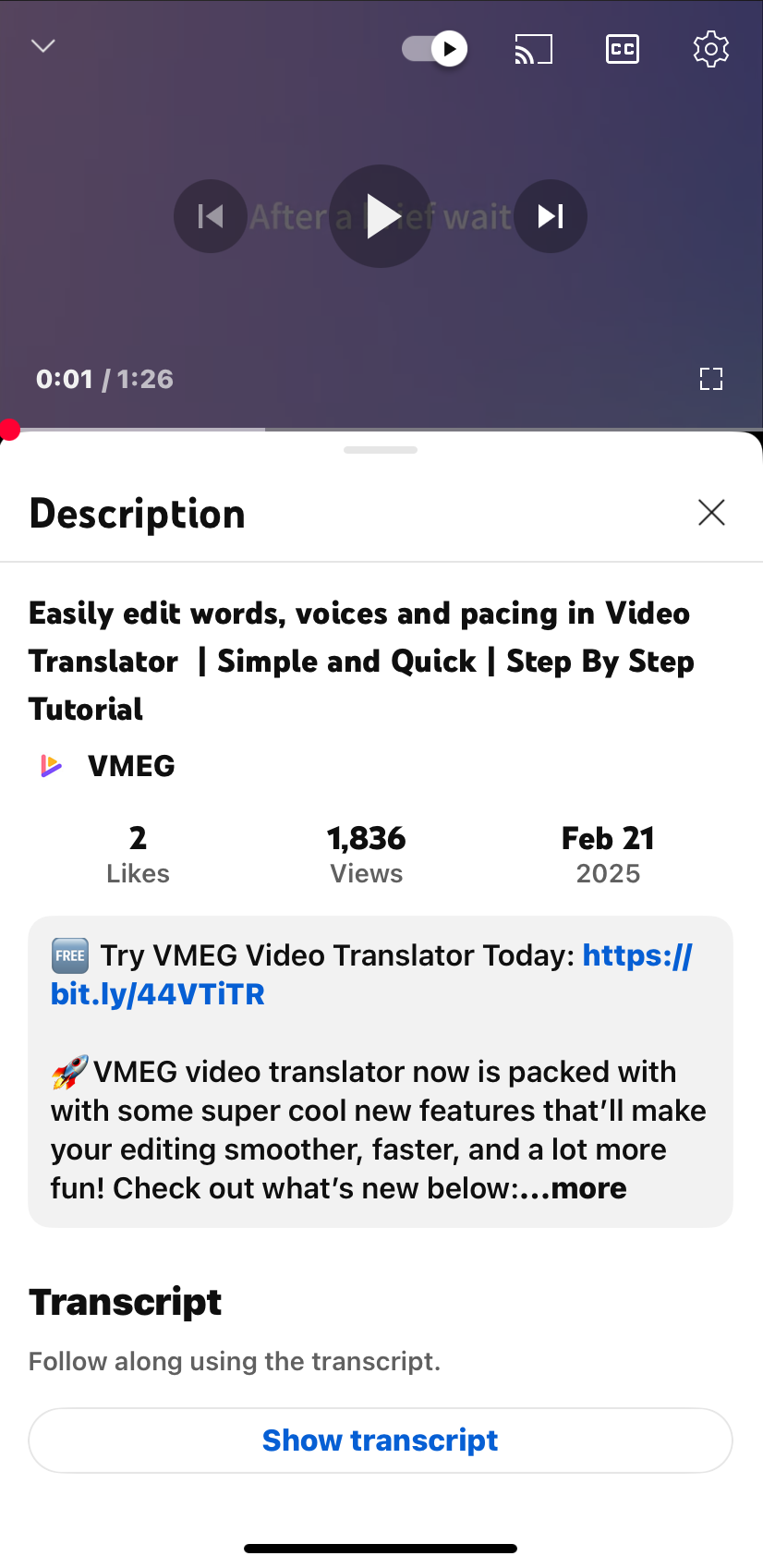
4. Tap a line to jump to that moment in the video.
5. Read along. If you need the full text in a document, finish on desktop: mobile copy/export is limited compared with a computer.
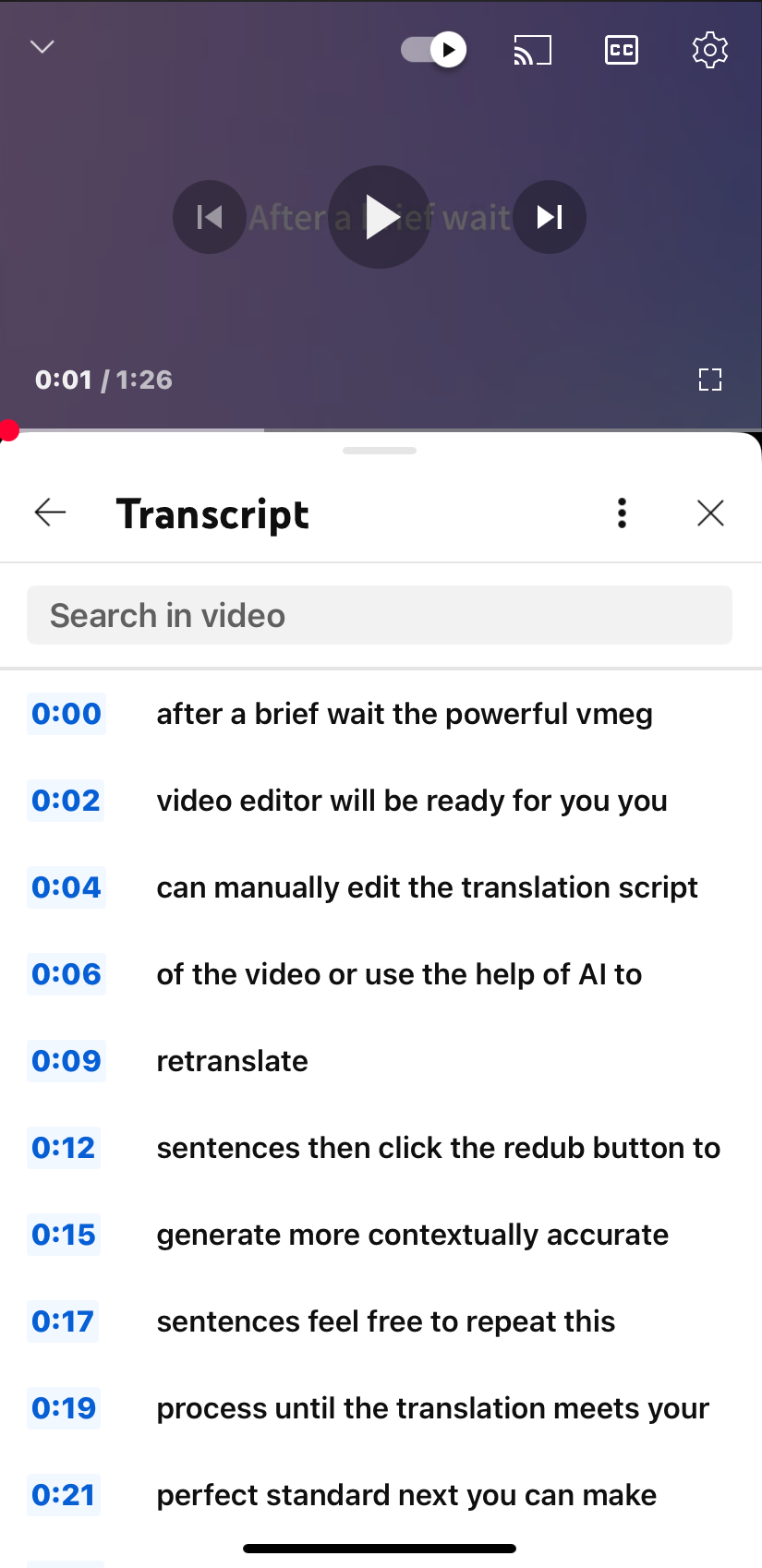
Mobile is for quick review and timestamp jumps. For long exports, speaker labels, subtitle files, or translation, use Method 3.
Method 3: Generate and export with an AI YouTube transcript tool
Use this path when captions are missing or messy, or when you need formats for editors and localization. Paste the YouTube URL into a web generator such as VMEG’s YouTube Transcript Generator. If you already have the clip offline, upload it on Video to Text.
Unlike meeting-note apps that ask you to convert YouTube to an audio file and upload a desktop app first, a link-based web tool keeps the path short: paste → submit → edit → export.
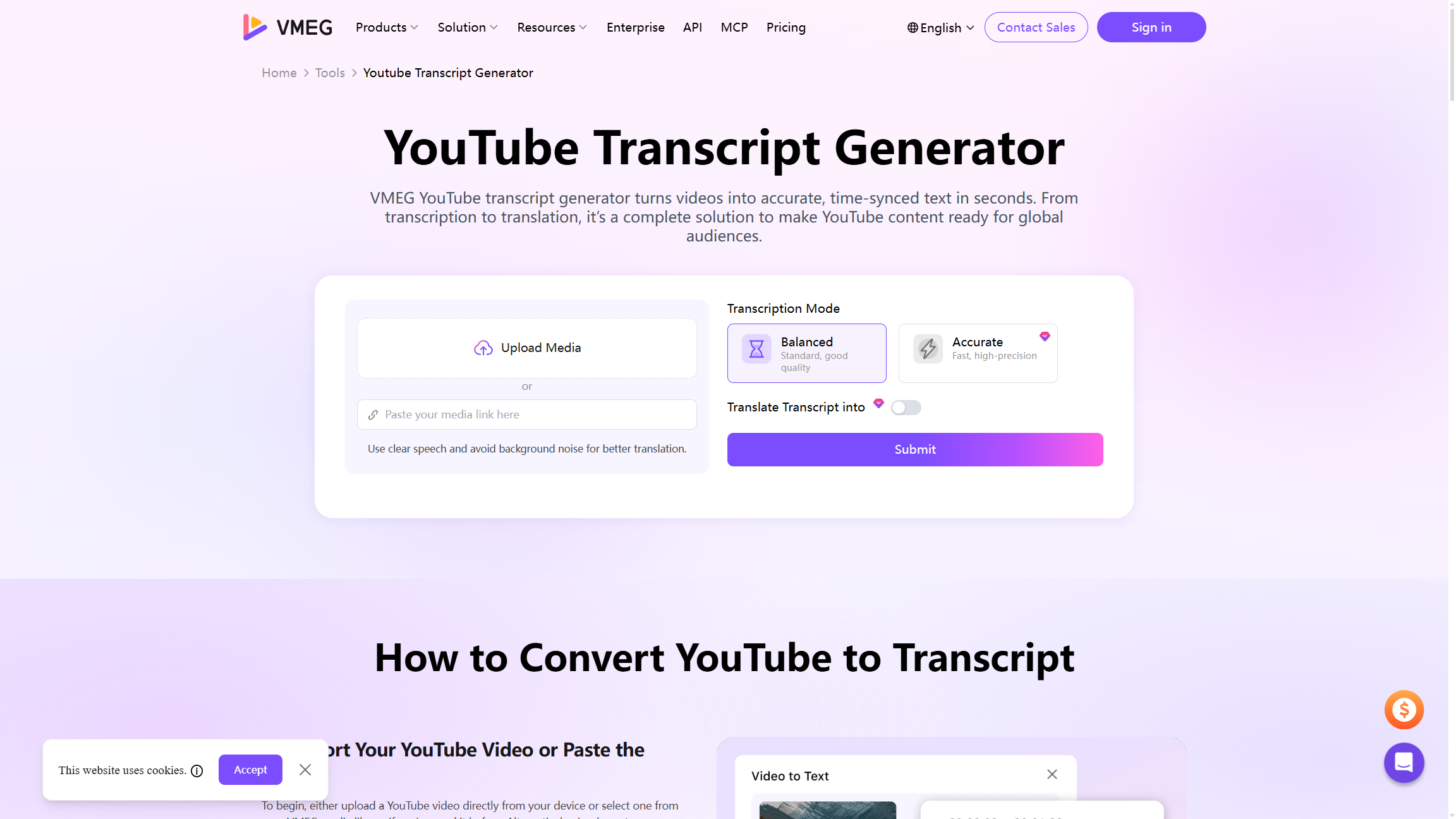
Typical steps on VMEG (2026 UI)
- Open the YouTube Transcript Generator page.
- Paste the YouTube URL into Paste your media link here, or use Upload Media.
- Choose Balanced (standard) or Accurate (higher-precision path on the tool page).
- Turn on Translate Transcript into only if you need a translated text track in the same job.
- Click Submit, then edit in the transcript editor and export (formats commonly include TXT, SRT, VTT, TTML, SBV).
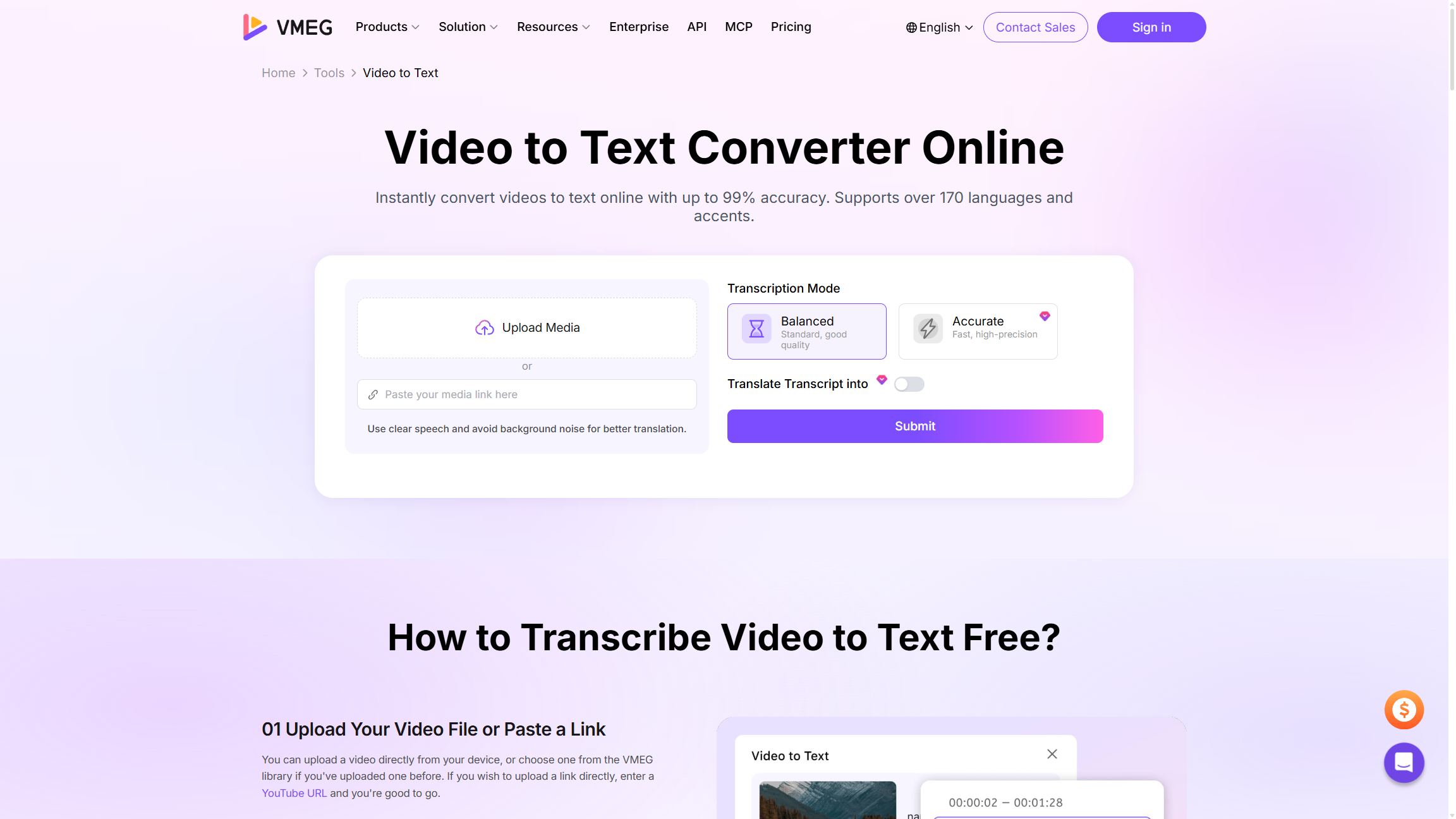
Language coverage is listed as 170+ languages on the tool pages. After you have a clean transcript, multilingual reuse often moves into video translation and dubbing, not another round of manual retyping.
When free auto text is not enough
YouTube’s free transcript is enough for casual notes and light skimming. Move up the ladder when:
- You need consistent punctuation and readable paragraphs.
- You must deliver SRT/VTT to an editor or accessibility workflow.
- Captions are missing, disabled, or wrong for the spoken language.
- The video mixes speakers, accents, or domain terms that auto-captions mangled.
- The output will be translated, published, or used in a regulated context.
For regulated or verbatim-critical work, budget for human review or a professional transcription service. AI speeds the first pass; it does not remove the need for QC on high-stakes text.
QC checklist before you cite or publish the text
- Spot-check proper nouns, numbers, and product names against the audio.
- Mark sections with heavy accents, music beds, or crosstalk as “needs review.”
- Keep timestamps if you will clip or subtitle; strip them only for prose drafts.
- If the native panel text is too broken to fix quickly, re-transcribe from audio instead of polishing garbage captions.
- For accessibility or client delivery, prefer an exported subtitle format (SRT/VTT) over a raw paste.
FAQs
Can I get a free transcript of a YouTube video?
Yes, when captions exist. Use Show transcript on desktop or mobile at no extra cost. Free does not mean publication-ready.
Does YouTube auto-generate transcripts for every video?
No. Auto captions cover many videos, but not all languages, audio conditions, or creator settings. Owners can disable captions. Older or very long videos may lag (automatic captioning).
Why can’t I see Show transcript?
Common causes: no caption track, captions turned off, unsupported language for auto captions, or access limits on the video. Switch to AI transcription from the audio or an uploaded file.
Can I download a YouTube transcript as SRT, VTT, or Word?
Not from the native panel. Copy text on desktop into a document, or use a generator that exports subtitle and text formats.
Can I translate a YouTube transcript?
YouTube offers auto-translate on some caption tracks. For editable translated text plus export, generate and translate in one transcription workflow, then move into video translation if you need dubbed audio.
Is the free YouTube transcript accurate enough?
Sometimes for skimming. Treat it as a draft. Accuracy drops with accents, noise, crosstalk, and technical vocabulary. Run QC before you cite or publish.
Conclusion
Start with YouTube’s built-in transcript when captions exist. Move to a link-based AI generator when you need exports, translation, cleaner structure, or a fallback for videos without Show transcript. Escalate to human review for high-stakes verbatim work. Treat every auto pass as a draft and run a short QC checklist before notes, captions, or localized versions go live.