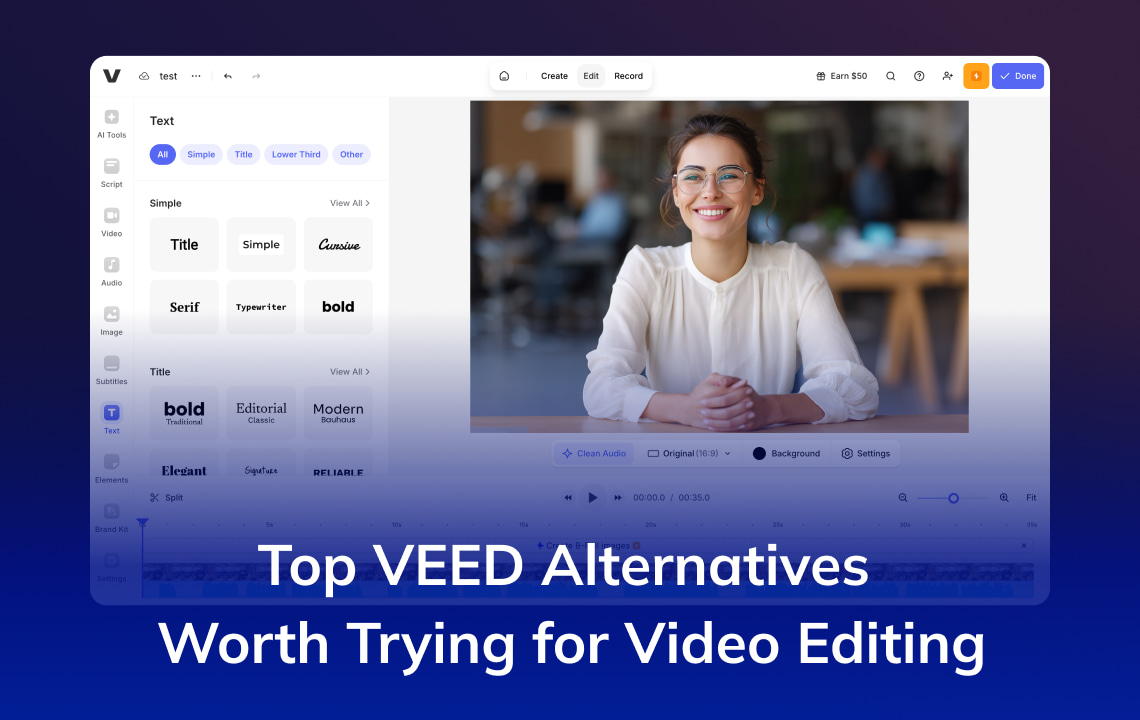
VEED remains a widely used browser-based AI video editor. In 2026 the product shifted further into AI generation and developer APIs: plans now use a per-seat plus AI credits model, and VEED shipped OpenEdit plus subtitle and lip-sync APIs. When you compare VEED alternatives, shortlist by job: general editing, avatar video, or multilingual localization.
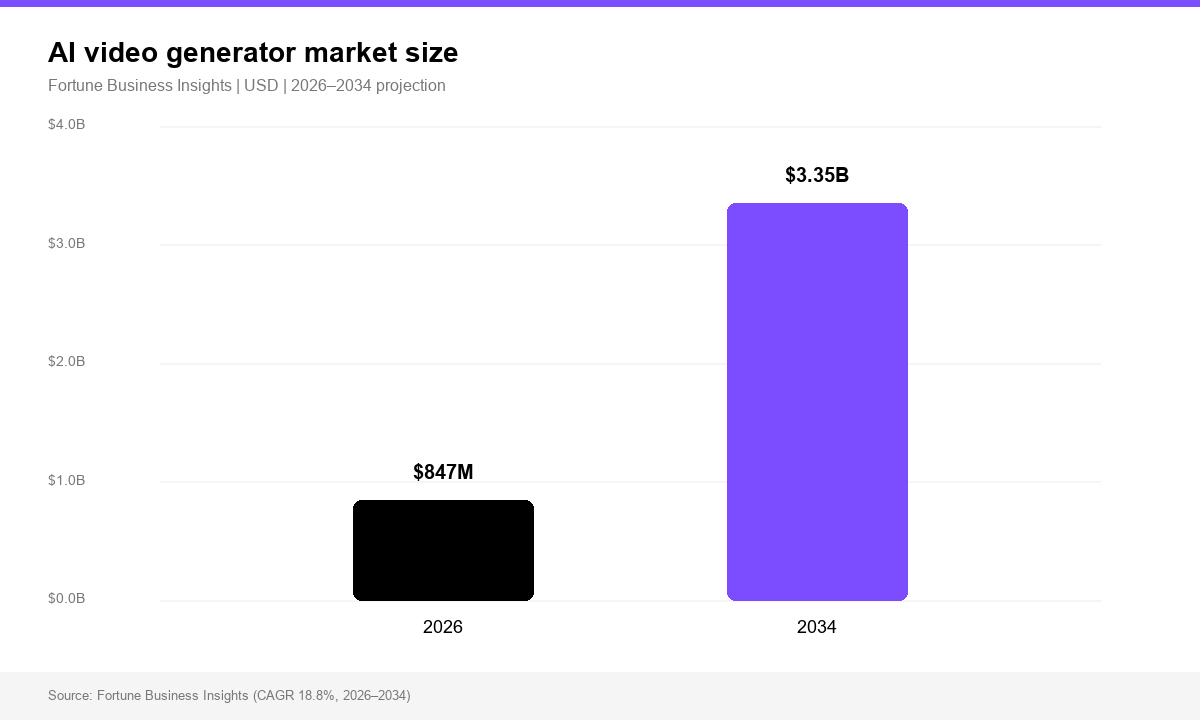
According to Fortune Business Insights, the global AI video generator market is projected at USD 847 million in 2026 and USD 3.35 billion by 2034 (18.8% CAGR). Editors, clippers, avatar tools, and localization platforms now compete for the same budget, so pricing units and quality for your workflow matter more than a single “all-in-one” label.
Key Takeaways
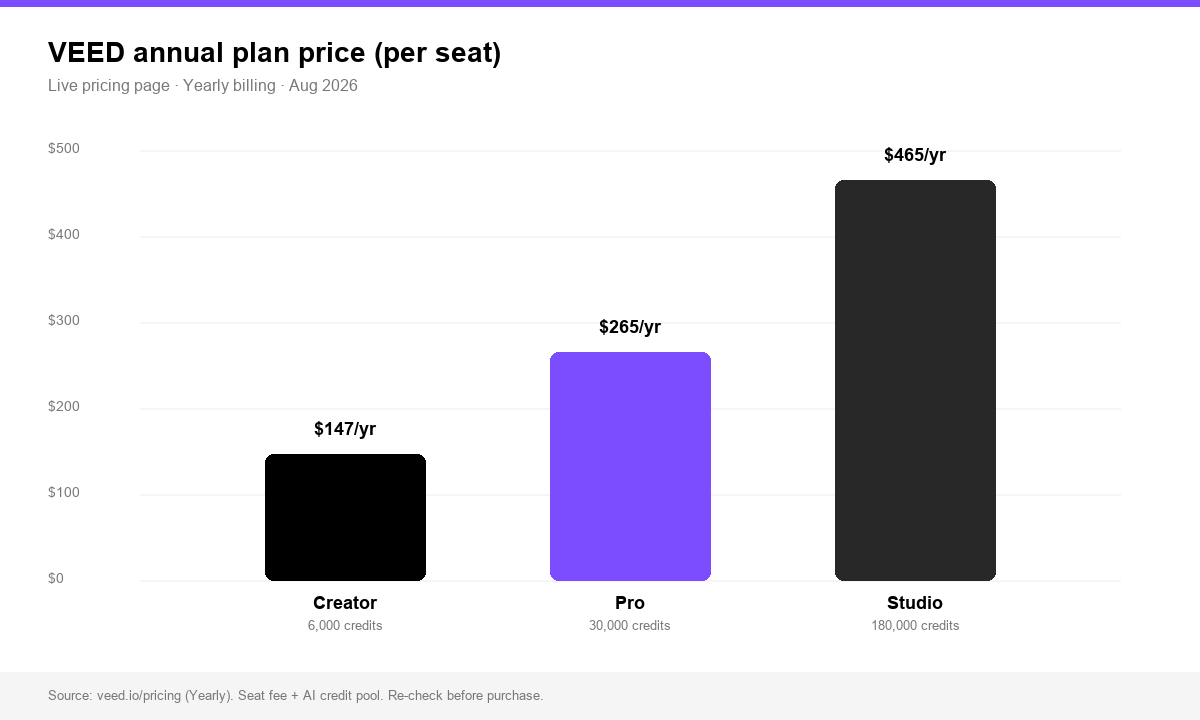
- VEED retired the old Basic/Business naming. Live plans are Free / Creator / Pro / Studio / Enterprise, with paid tiers built on an annual AI credit pool. Yearly billing (Aug 2026 screenshot): Creator 12/mo (147/yr), Pro 22/mo (265/yr), Studio 39/mo (465/yr). Confirm on veed.io/pricing.
- Major 2026 releases: OpenEdit, Lip Sync 2.0 API, and the Subtitle API on fal.ai. These help creators and developers; they do not form a full localization stack on their own.
- For video translation, dubbing, voice cloning, and lip-sync, start with VMEG AI before buying more VEED seats.
- Use Synthesia or HeyGen for avatars. Use Kapwing or Clipchamp for lightweight team or social editing.
- Compare credit math (VEED AI credits vs minutes or seats elsewhere), not only the monthly sticker price.
What Changed in VEED in 2026 (Products, APIs, Pricing)
New product lines and features
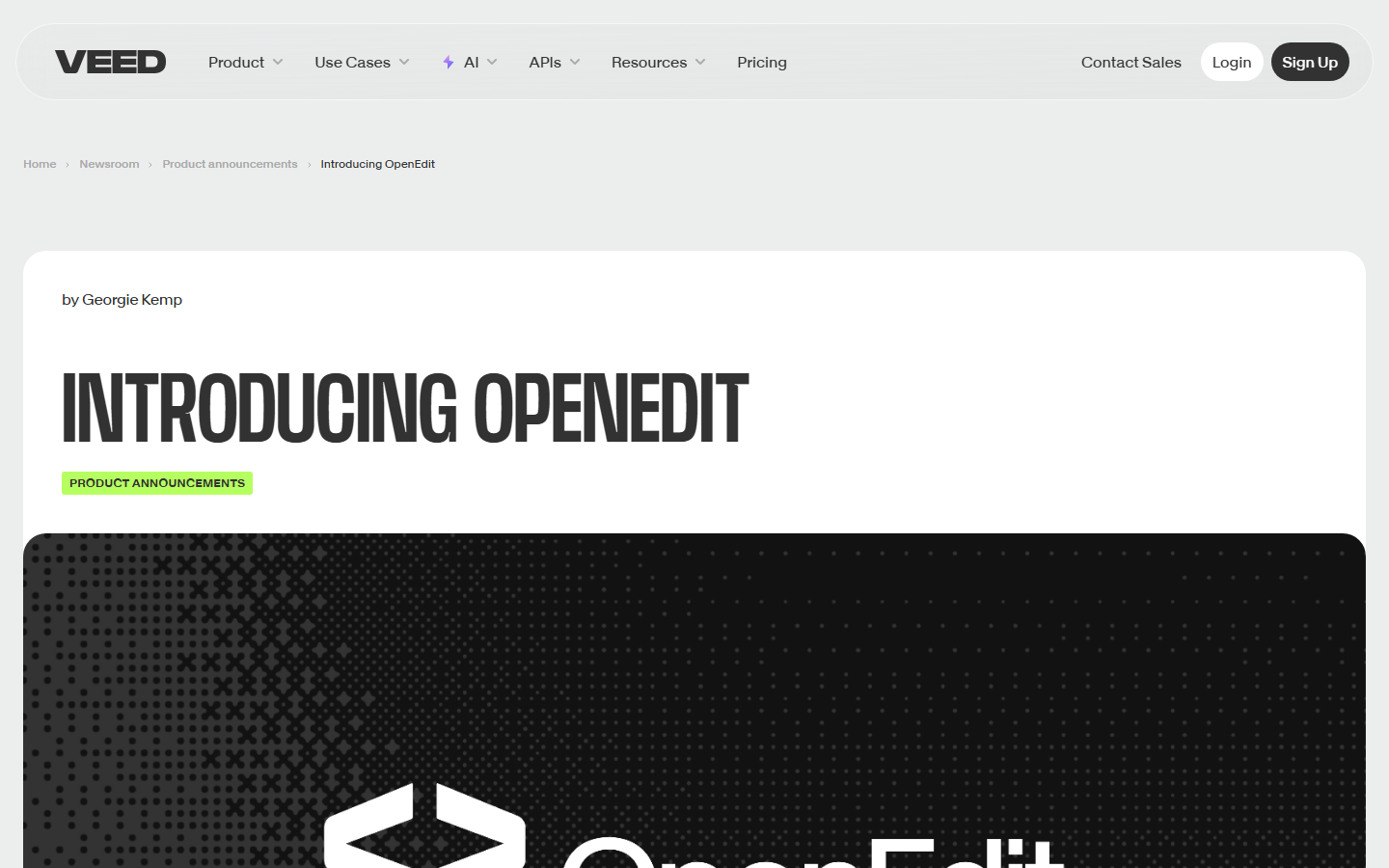
- OpenEdit (agent-native editor) OpenEdit is an agent-driven pipeline (Claude Code, Codex, Gemini) that can transcribe, design captions, and render locally with VEED Engine. The editor is open source (Apache-2.0); renderer binaries are closed (PolyForm Shield). V1 focuses on captions. Beta currently targets Apple Silicon + macOS 26 (Tahoe).
- Lip Sync 2.0 API With Magnific, Lip Sync 2.0 swaps audio and re-syncs lips without per-subject training. VEED lists API pricing at $0.07 per second. Announced limits: about 10-minute clips, 4K, one active speaker, human subjects only for now.
- Subtitle API The VEED Subtitle API turns a video URL into a burned-in, styled MP4 in one call (transcription, presets, render). Listed from $0.10/min via fal.ai, with multipliers for >1080p and Dynamic presets. It captions and styles; it does not translate. Bring a translated SRT for other languages.
- Multi-Shot Characters In July 2026 VEED promoted Multi-Shot Characters for multi-angle AI character videos from a single source workflow. Treat this as generative creation, separate from localization QA.
VEED pricing in 2026 (Creator / Pro / Studio + AI credits)
Live veed.io/pricing (Aug 2026, Yearly toggle):
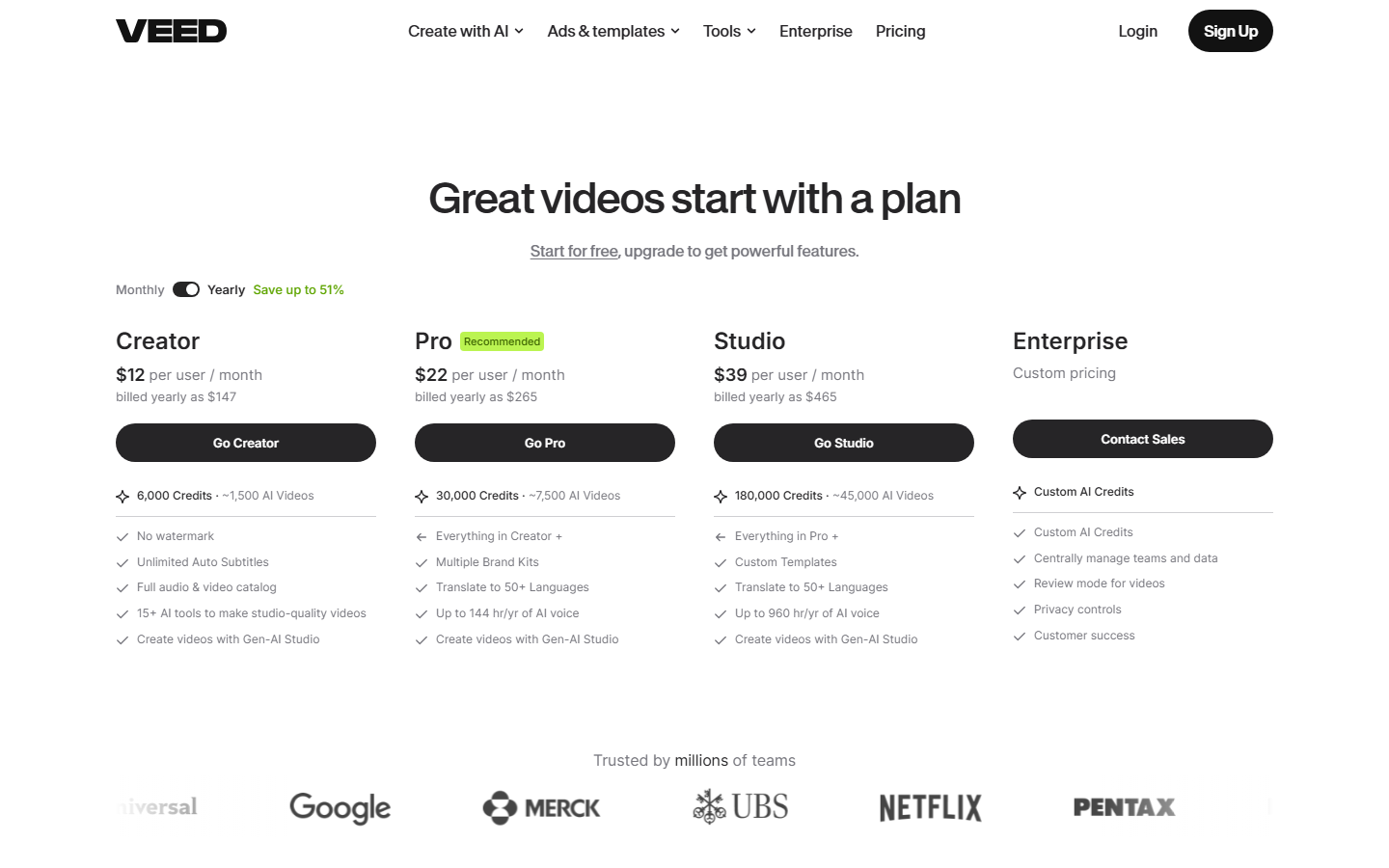
How the model works:
- The seat fee unlocks the editor.
- AI avatars, AI voice, translation, and similar features burn credits.
- Model monthly AI minutes first. A low seat price still gets expensive when every export pulls from a small credit pool.
Why teams look for VEED alternatives
Teams switch when they need:
- Deeper localization than caption styling plus light translation credits
- Clearer per-minute localization pricing
- Avatar-first workflows (training, UGC ads)
- Offline or desktop editing (VEED stays cloud-first)
- Agent pipelines without OpenEdit’s current Mac Tahoe beta gate
Quick Comparison Table
| Tool | Best for | Gap vs VEED | 2026 pricing shape |
|---|---|---|---|
| VMEG tools | Translation, dubbing, lip-sync, subtitles | Narrower general timeline editor | Usage or credits for localization |
| Synthesia | Avatar training and corporate explainers | Weaker “edit filmed footage” path | Seat or minute avatar plans |
| HeyGen | Avatar marketing and lip-sync | Cost rises with avatar volume | Subscription plus generation usage |
| Kapwing | Collaborative social editing | Shallower localization | Seat or plan based |
| Clipchamp | Simple Microsoft 365 editing | Limited AI localization | Free plus Microsoft 365 bundling |
Best VEED Alternatives in 2026
VMEG AI: best for video translation, dubbing, and lip-sync localization
If VEED translation or voice credits feel expensive, or burned-in captions fall short for global releases, start with VMEG’s AI dubbing and video translator stack.
VMEG focuses on AI video localization:
- AI Video Translator for multilingual video
- AI Dubbing with natural voiceovers
- Subtitle generation and editing with lip-sync workflows for speaker videos
- 170+ languages and dialects, plus a large AI voice library for brand tone
Why teams pick VMEG for localization
- VEED’s Subtitle API does not translate; localization still needs another pass.
- Lip Sync 2.0 helps audio swaps, while most product teams want one translate → voice → lip-sync → subtitle QA loop.
- OpenEdit helps agent captioning on Mac; it does not replace multilingual dubbing QA for courses, ads, or YouTube catalogs.
How to use VMEG in 3 steps
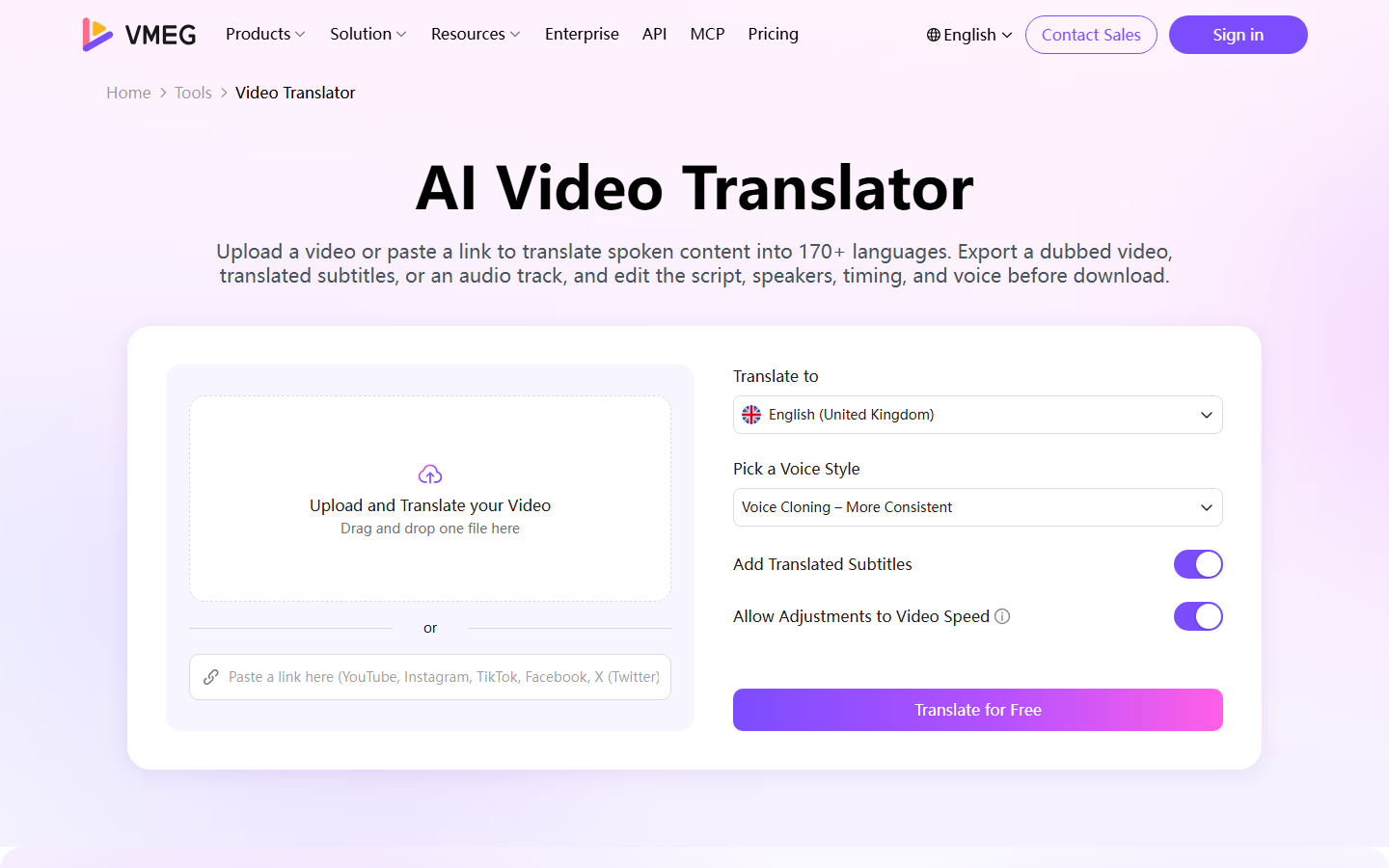
- Upload your source video in the VMEG Video Translator workspace.
- Choose target language(s), voice style, and whether you need dubbing plus subtitles.
- Review timing and voice in the editor, then export for each market.
Fits: YouTube operators, course producers, performance marketers, and localization teams who shoot real people on camera.
Synthesia: best for avatar-led training videos
Synthesia fits L&D, onboarding, and policy videos where an AI presenter replaces reshoots every time the script changes.
Trade-off: strong for script-to-avatar; weaker when your library is already filmed footage that needs translation and lip-sync.
HeyGen: best for avatar marketing and lip-sync
HeyGen competes on expressive avatars, lip-sync, and marketing localization. Choose it when talking-head generation is the job, not timeline editing.
Trade-off: cost scales with generation volume. For filmed-content localization at scale, compare VMEG’s AI dubbing workflow before you commit.
Kapwing: best for team social editing
Kapwing sits close to VEED’s collaborative browser-editor lane: templates, comments, brand kits, and fast social cuts. Choose it when team workflow and template speed matter more than dubbing quality.
Clipchamp: best free or simple Microsoft-stack editing
Clipchamp (Microsoft) fits creators inside Microsoft 365 who need auto captions, basic AI cleanup, and simple exports. It skips VEED’s newer API and agent stack; that trade is fine for a basic editor.
How to Choose the Right VEED Alternative
Checklist before you migrate:
- Primary job: edit real footage, generate avatars, clip long-form, or localize?
- Language quality: translation plus dubbing QA, or English captions only?
- Pricing unit: seats, AI credits, source minutes, or rendered minutes?
- Team shape: solo creator, agency seats, or developer API pipeline?
- Export constraints: watermark, resolution, commercial rights, storage retention
Quick guide for 2026:
- Stay on VEED when the browser editor fits and AI credit burn stays predictable.
- Move to VMEG when multilingual spoken delivery is the product.
- Move to Synthesia or HeyGen when the presenter should be generated.
- Move to Kapwing or Clipchamp when collaboration or price simplicity beats AI depth.
FAQs
1. What are the best VEED alternatives in 2026?
For localization-first teams, start with VMEG and read subtitles vs dubbing before you pick a delivery format. For avatars, Synthesia or HeyGen. For collaborative social editing, Kapwing or Clipchamp.
2. Did VEED change pricing in 2026?
Yes. Basic/Business naming is outdated. Current plans center on Creator / Pro / Studio with AI credits on per-seat subscriptions. Confirm live numbers on the VEED pricing page.
3. What is VEED OpenEdit?
OpenEdit is VEED’s agent-native editing pipeline for captioning and related agent workflows. It runs with coding agents and VEED Engine locally. Beta hardware currently includes Apple Silicon and macOS 26.
4. Does VEED’s Subtitle API translate videos?
No. Per VEED’s docs, the Subtitle API transcribes and styles burned-in captions. Bring a translated SRT for another language, or use a localization platform like VMEG for translation and dubbing.
5. Is VEED still good for beginners?
Yes. The browser editor stays approachable. The new work is credit budgeting and deciding whether you also need APIs or OpenEdit.
6. When should I choose VMEG over VEED?
Choose VMEG when viewers in other languages need natural dubbing with aligned lips and subtitles, beyond English captions on a timeline.
7. Are VEED alternatives cheaper?
Sometimes. Compare total monthly cost of seats plus AI usage. A lower seat price can lose if every translation or avatar render burns credits.
Conclusion
VEED in 2026 added credit-based AI plans, OpenEdit for agents, and APIs for subtitles and lip sync. Those upgrades help creators and developers, and they also show when VEED should sit beside other tools instead of owning the whole stack.
For global distribution of filmed footage, start with VMEG’s audio translator and video localization tools. For avatars, look at Synthesia or HeyGen. For simple collaborative editing, Kapwing or Clipchamp can be enough.
Pick the tool that matches the expensive part of your workflow: editing time, avatar generation, or multilingual localization.
Try VMEG free: translate, dub, and subtitle your next video for international audiences.