
Closed captions and subtitles may look similar, but they solve different viewer needs. Captions primarily make audio information accessible; subtitles primarily help viewers understand spoken language.
This guide explains the practical differences, when to use each option, and how to choose the right delivery for accessibility, localization, and audience goals. By the end, you will know how to select the right option for your video localization workflow.
This guide explains the practical differences, when to use each option, and how to choose the right delivery for accessibility, localization, and audience goals. By the end, you will know how to select the right option for your video localization workflow.
What Are Closed Captions
Closed captions (often abbreviated as CC) are time-synced on-screen text that represents relevant spoken and non-speech audio information, usually in the source language.
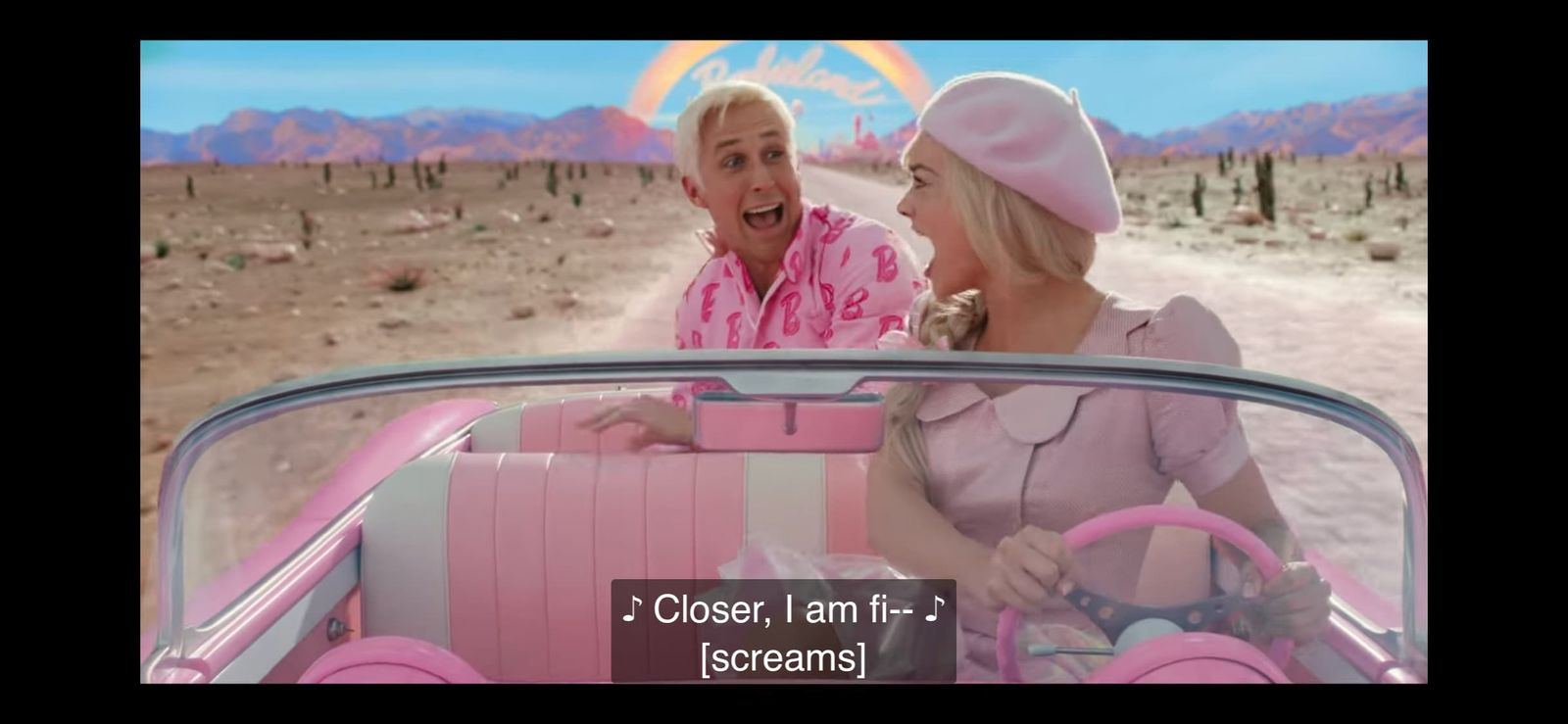
Captions cover dialogue and non-speech sounds like [door creaks] and [applause]—they’re designed to make the full audio experience accessible.
Captions cover dialogue and non-speech sounds like [door creaks] and [applause]—they’re designed to make the full audio experience accessible.
Captions are mainly used by people who are Deaf or hard of hearing, but they’re also useful when watching a muted video, or when the sound is unclear in a noisy café or library.
Key things to know about closed captions:
- Same language as the audio.
- Include more than speech.
- Add context.
- A separate track.
- Regulated in some places.
- Style (Keep lines short and use brackets for extra sounds).
What Are Subtitles
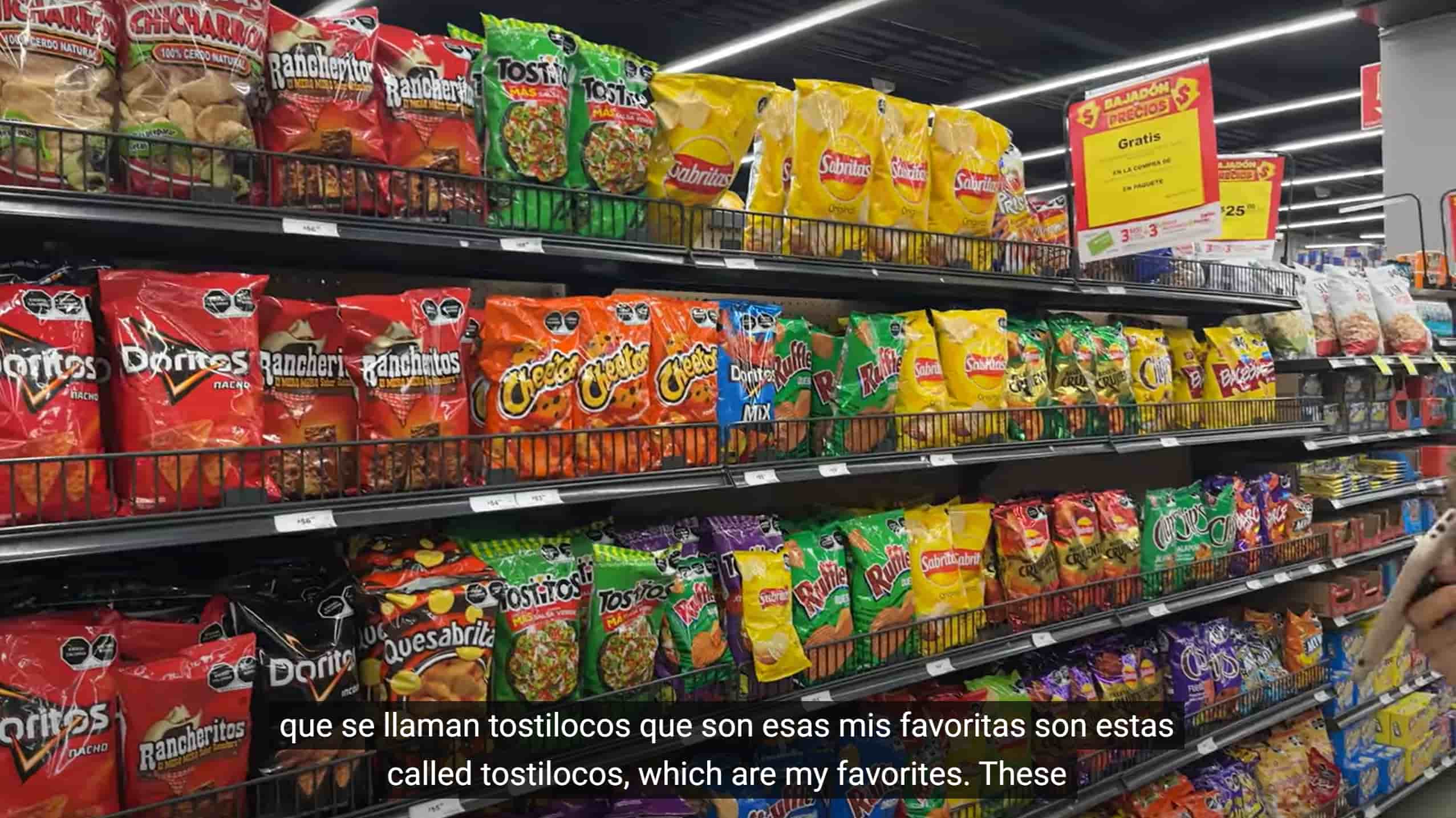
Subtitles are also time-synced text. The goal is to help viewers understand speech, which is crucial for localization and reaching international audiences. Subtitles can transcribe or translate spoken dialogue. They usually focus on language content rather than every relevant sound.
Unlike captions, subtitles usually assume the viewer has access to the rest of the audio. For example, you’ll see the translation of what a character says, but you won’t usually see notes like [laughter] or [music playing]—unless the style is specifically “SDH” (Subtitles for the Deaf and Hard of Hearing).
Key things to know about subtitles:
- Same or different language.
- Dialogue-focused.
- Global use.
- Optional or burned in.
- Translation and clarity.
Closed Captions vs. Subtitles: Key Differences
In short, captions provide access to relevant audio information, while subtitles provide access to spoken language. The right choice depends on purpose, audience, content scope, and delivery requirements.
Purpose
- Closed captions exist to make video content accessible and act as a replacement for audio. If you can’t hear the audio, captions give you everything you need to follow along.
- Subtitles help language comprehension and act as a supplement to the audio. They help people who can hear the audio but don’t understand the spoken language (or prefer to read along).
Audience
- Captions: Viewers who are Deaf, hard of hearing, or simply watching in “sound-off” mode.
- Subtitles: Hearing viewers watching content in an unfamiliar language or accent.
Content Scope
- Captions include dialogue plus background noises, music, and tone cues. Usually appear as: [door creaks], [laughter], [somber music fades].
- Subtitles usually stick to dialogue only—unless they’re specifically SDH (Subtitles for the Deaf and Hard of Hearing).
Language
- Captions almost always stay in the original spoken language.
- Subtitles can be either the same language (for clarity) or translated into another language.
Regulations
- Caption requirements vary by country, publisher, platform, organization type, and content type. In the U.S., FCC rules, Section 508 obligations, and accessibility standards can apply in different contexts; confirm the requirements that govern your distribution.
- Subtitles are often a localization choice, although specific markets, contracts, or platforms may require them. This article is not legal advice.
User Expectations
- Captions: Viewers expect a complete representation of the audio. Miss a lyric, scream, or sarcasm note, and accessibility suffers.
- Subtitles: Viewers expect clear, well-timed, culturally accurate text.
Quick Comparison Table of Closed Captions vs. Subtitles
Aspect | Closed Captions (CC) | Subtitles |
Purpose | Make content accessible by fully representing the original audio | Aid comprehension as a supplement to the original audio |
Audience | Deaf, hard-of-hearing, or muted viewers | Hearing viewers who don’t understand the language |
Target Content | All sounds, including dialogue, music, tone, and speaker cues | Dialogue only |
Language | Usually, the same as the original audio | Same or translated |
Use Case | Accessibility, engagement, and learning retention | Localization, international distribution, and accent clarity |
Closed Captions vs. Subtitles: Processes
Closed captions and subtitles share a production foundation—source review, text preparation, timing, quality control, and export—but their requirements differ. Captions prioritize accessibility information; subtitles prioritize language clarity and localization.
Step 1. Source Preparation
- Captions work from the final video cut and full audio mix, including dialogue and non-speech sounds.
- Subtitles work from the final video cut and dialogue track.
Step 2. Transcription
- Captions begin with an accurate transcript, then add speaker identification and meaningful sound information where needed.
- Subtitles begin with an approved source transcript or translation.
Step 3. Timecoding
Sync dialogue and relevant sound cues with the video so viewers receive the information at the right moment.
Sync subtitle text with dialogue, allowing enough time to read each segment naturally.
Step 4. Sound Annotation
Add bracketed cues like [door slams], [applause], [somber music].
Usually not included unless creating SDH (Subtitles for the Deaf and Hard of Hearing).
Step 5. Translation
- This is optional for captions, only if multi-language captions are needed.
Step 6. Quality Check
- For captions, check speech accuracy, speaker labels, meaningful sound cues, timing, readability, and the requirements of the intended platform.
- For subtitles, check translation fidelity, reading speed, line breaks, terminology, and timing accuracy.
Step 7. Formatting & Export
- Choose the caption format required by the destination, such as SCC for some broadcast workflows or WebVTT/TTML for supported web and OTT workflows.
- Subtitles are commonly delivered as SRT, WebVTT, or styled formats such as ASS/SSA, depending on the platform and creative requirements.
Step 8. Integration
- Captions are delivered as a separate track embedded in the video container or streaming manifest.
- Subtitles have the same embedding process, often with multiple language tracks for localization.
Similarities: They all start with the final video, rely on transcripts, get synced to the timeline, and end up exported as text tracks for playback.
The big differences are Transcription, Sound Annotation, and Translation. Captions are all about accessibility—covering every sound, not just dialogue, and often subject to regulation. Subtitles are about language access on spoken words, with translation and cultural adaptation playing a central role.
Closed Captions vs. Subtitles: How to Choose
When to Use Closed Captions
Use closed captions when you need to provide access to relevant audio information for Deaf and hard-of-hearing viewers, or when the video will often be watched without sound. For public-facing education, government, broadcast, or corporate content, confirm the accessibility requirements that apply to the specific distribution context.
When to Use Subtitles
Use subtitles when viewers need to understand dialogue in another language while preserving the original audio. They are useful for localizing films, e-learning, and global releases. Review translations for terminology, reading speed, and cultural clarity before publishing.
When to Use Both
In many cases, captions and subtitles work best together. For example, you might need English captions to meet accessibility requirements while also offering translated subtitles for international audiences.
How to Generate Closed Captions and Subtitles
AI tools can speed up the first draft of timed subtitles and caption text, but the output still needs review before publication.
VMEG AI supports an editable subtitle workflow for transcription, translation, timing, and export. For accessibility-focused closed captions, review speaker labels and meaningful non-speech cues before delivery.
VMEG AI supports an editable subtitle workflow for transcription, translation, timing, and export. For accessibility-focused closed captions, review speaker labels and meaningful non-speech cues before delivery.
Key Features
- Auto-Generate Subtitle Drafts: Upload a video to generate editable, time-synced subtitle text.
- Multilingual Workflow: Create and translate subtitles across 170+ languages and dialects; verify current language availability for your chosen workflow.
- Editing Controls: Review text, timing, and styling before export.
- Video Localization Options: Use VMEG's voice cloning and lip-sync features when a project also requires translated video audio.
- Speaker Review: Select the appropriate speaker settings and verify names, dialogue assignment, and meaningful sound cues before delivery.
How to Generate Subtitles with 3 Steps
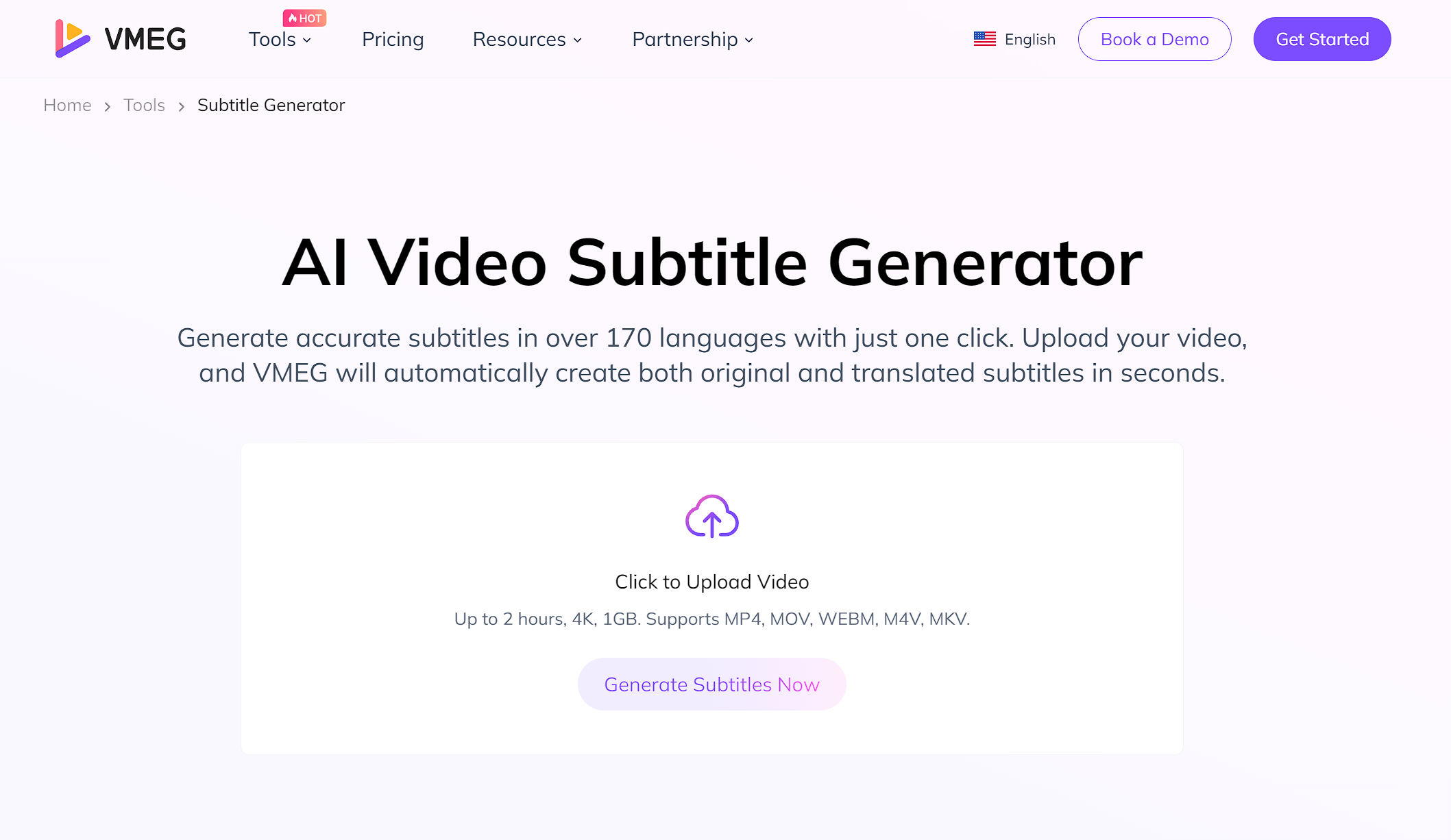
Step 1. Upload Your Video
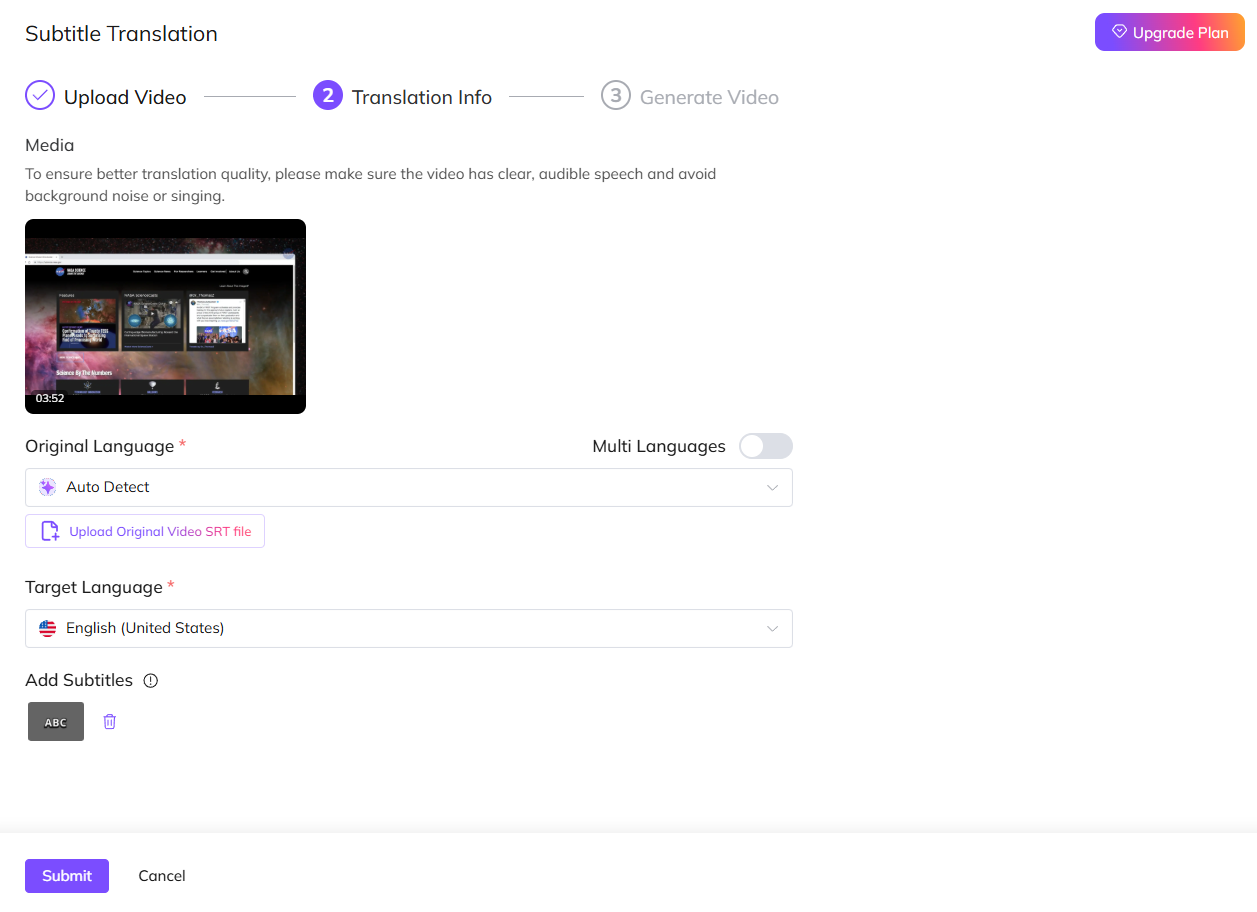
Step 2. Select Original and Target Language
Select the original and target language you need to generate. Choose the number of speakers and submit.
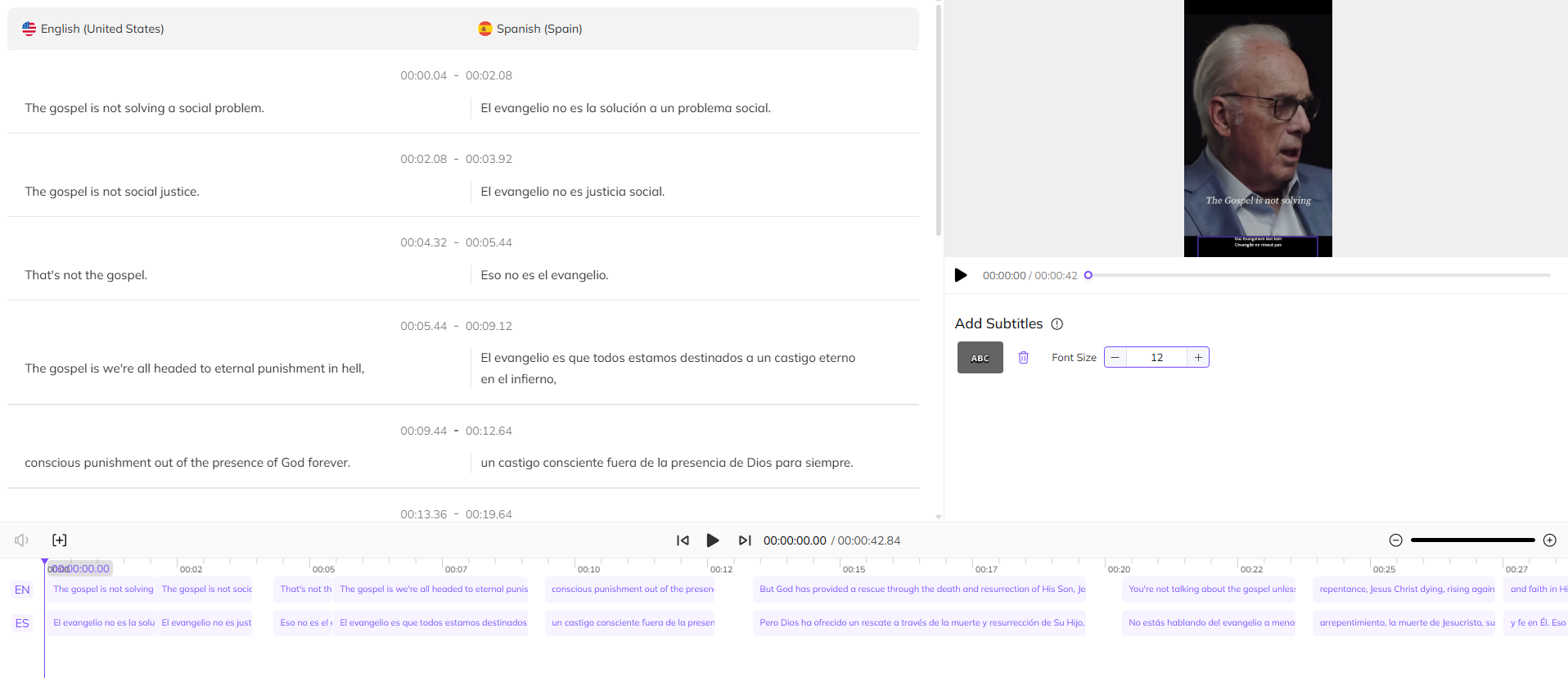
Step 3. Edit Subtitles and Export
When you get the translated result, check the accuracy and adjust the subtitles' style. Once done, click the Download button to get the edited video with embedded subtitles.
FAQs about Closed Captions vs. Subtitles
Are closed captions the same as subtitles?
No. Captions include all audio information; subtitles focus on spoken dialogue, often in a different language.
What are open captions?
Open captions are captions permanently burned into the video, which cannot be turned off. Closed captions exist as a separate selectable track that can be turned off.
Should I create captions first or subtitles first?
Start with an approved source transcript. If accessibility is required, add and review the caption information needed for the target platform; then adapt or translate the subtitle track from that approved source.
Which is better, subtitles or captions?
Captions make your videos accessible by showing every sound and dialogue, while subtitles help viewers understand the language without losing the original audio. If you want maximum reach, offering both is the smartest move.
Is there a difference between transcription and captioning?
Transcription converts audio to text (raw). Captioning adds timing, segmentation, and non-speech annotations.
Conclusion
Closed captions and subtitles may look similar at first glance—both appear as text on screen—but they serve very different purposes. This post discussed the key differences and similarities between them, including purpose, process, etc.
Choosing the right option according to your needs—accessibility, user experience, engagement, and even global reach. For many creators, the best approach is a combination of captions for accessibility and subtitles for translation.
Generate Subtitles or Captions Easily
VMEG helps create editable, time-synced subtitle drafts across 170+ languages and dialects. Review the text, timing, speaker information, and accessibility cues before publishing.


The VMEG Team
Behind VMEG stands a passionate team of creatives, engineers, and language lovers. At the crossroads of AI and storytelling, they craft tools that bridge languages and cultures.