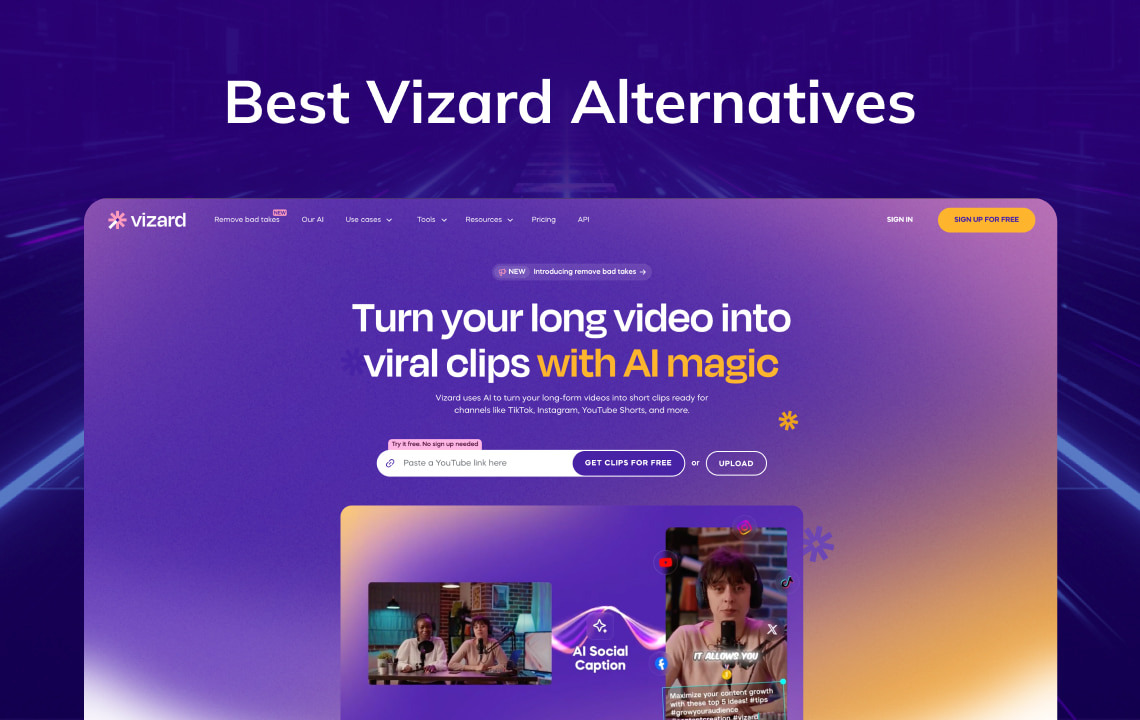
Vizard turns long podcasts, webinars, and interviews into short-form clips. In 2026 it also shipped Model v2, AI Studio generative models, Auto Censorship, and a clearer credit = source minute pricing model.
If you need stronger multilingual dubbing, a different clipping model, or a simpler editor, the Vizard alternatives below are grouped by job.
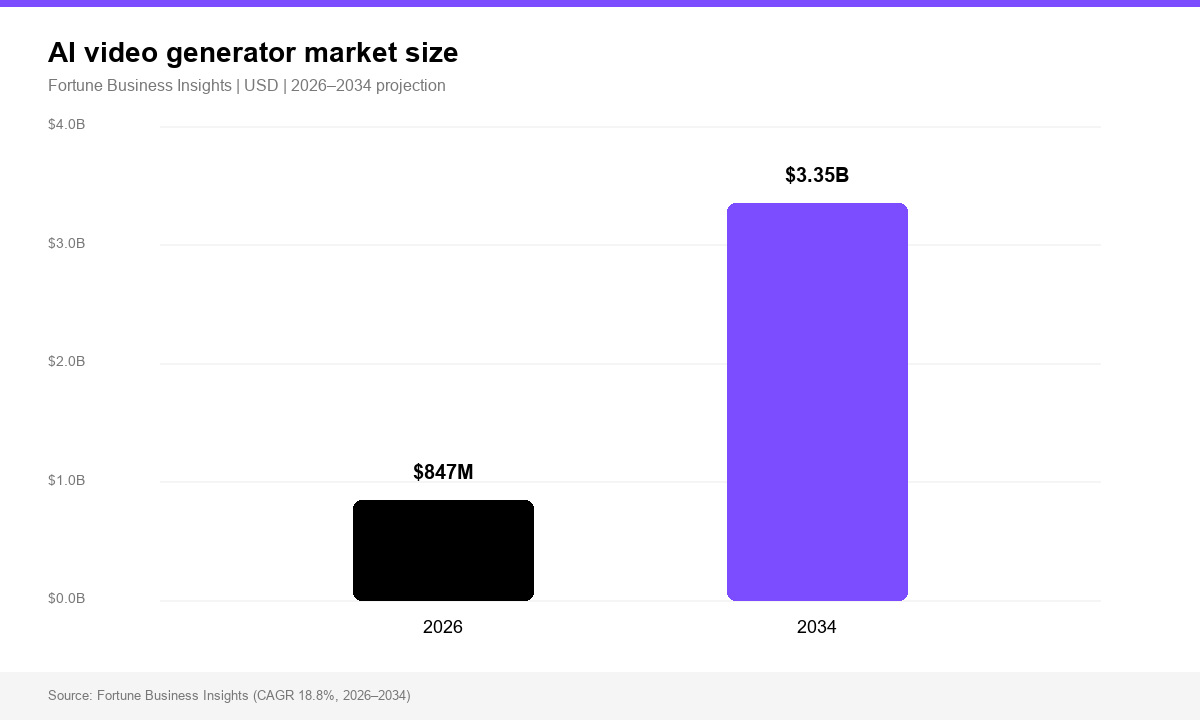
According to Fortune Business Insights, the AI video generator market is projected at USD 847 million in 2026 and USD 3.35 billion by 2034. Short-form repurposing sits inside that growth, so clipping tools, editors, and localization platforms often share the same budget line.
Key Takeaways
- Vizard’s core job remains long video → many short clips, with auto captions, reframing, and social publishing.
- 2026 upgrades: Model v2 (full-context clips), AI Studio (text-to-image/video, currently promoting Seedance 2.0 and GPT Images 2), Auto Censorship, Spark prompt search, and API clip_v2 at 1.25× v1 billing.
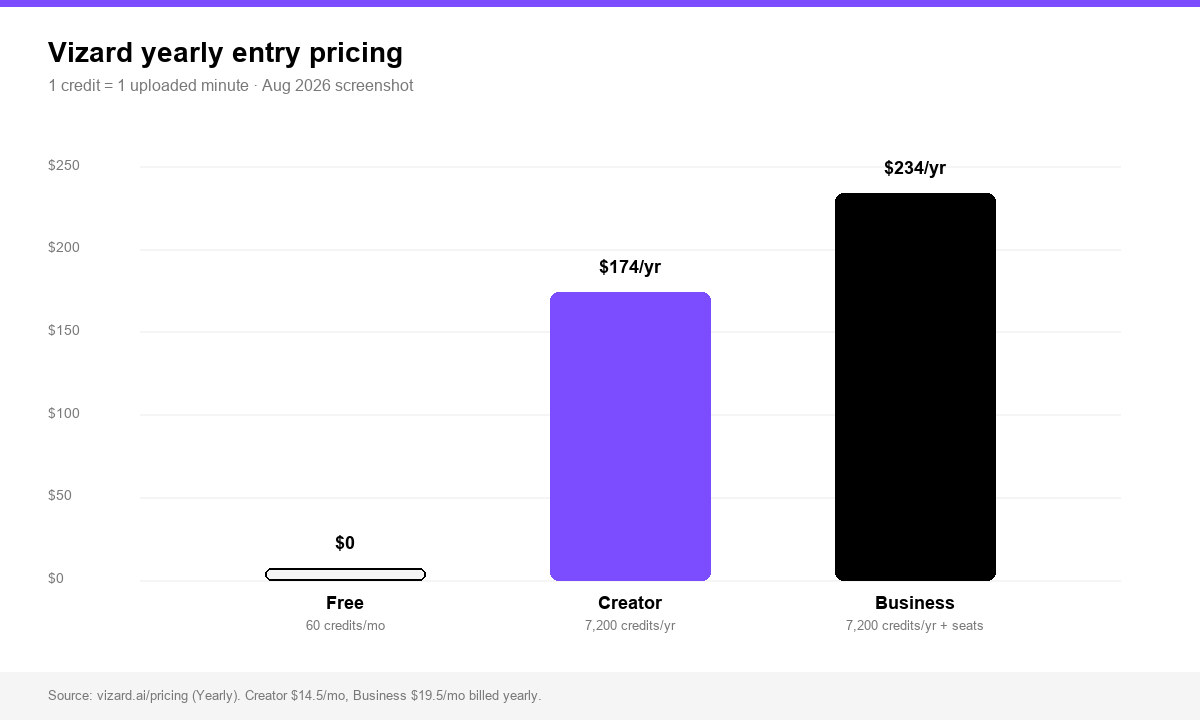
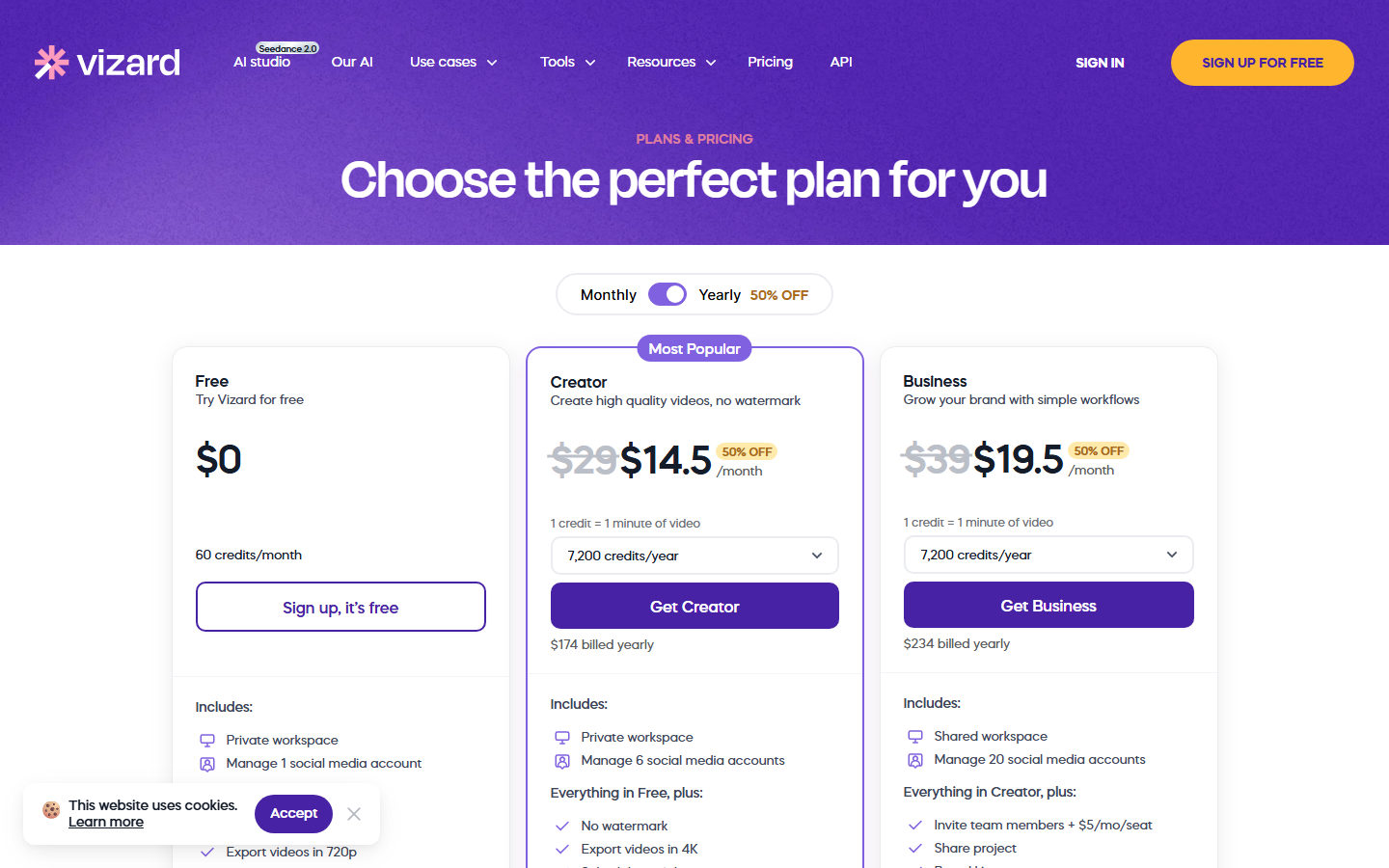
- Pricing uses credits: 1 credit = 1 minute of uploaded source video. Free: 60 credits/month. Yearly entry tiers (Aug 2026 screenshot): Creator 14.5/mo (174/yr) and Business 19.5/mo (234/yr) for 7,200 credits/year. Business seats: +$5/mo/seat. Confirm on vizard.ai/pricing.
- For translation + dubbing + lip-sync, use VMEG AI as the primary localization layer.
- For clipping volume, compare OpusClip. For editing and templates, compare VEED / Kapwing / CapCut.
What Is Vizard in 2026?
Vizard is an AI repurposing platform. Upload or link a long recording; the AI detects highlights, cuts vertical clips, adds animated captions, scores social signals, and helps publish to TikTok, Reels, and Shorts.
It also includes a browser editor, subtitle tools, transcript download, and limited multilingual features. The product still centers on clipping and distribution, not professional localization or net-new ads from a product URL.
What Vizard Shipped in 2026 (New Features + Pricing)
Model v2 + Spark clipping
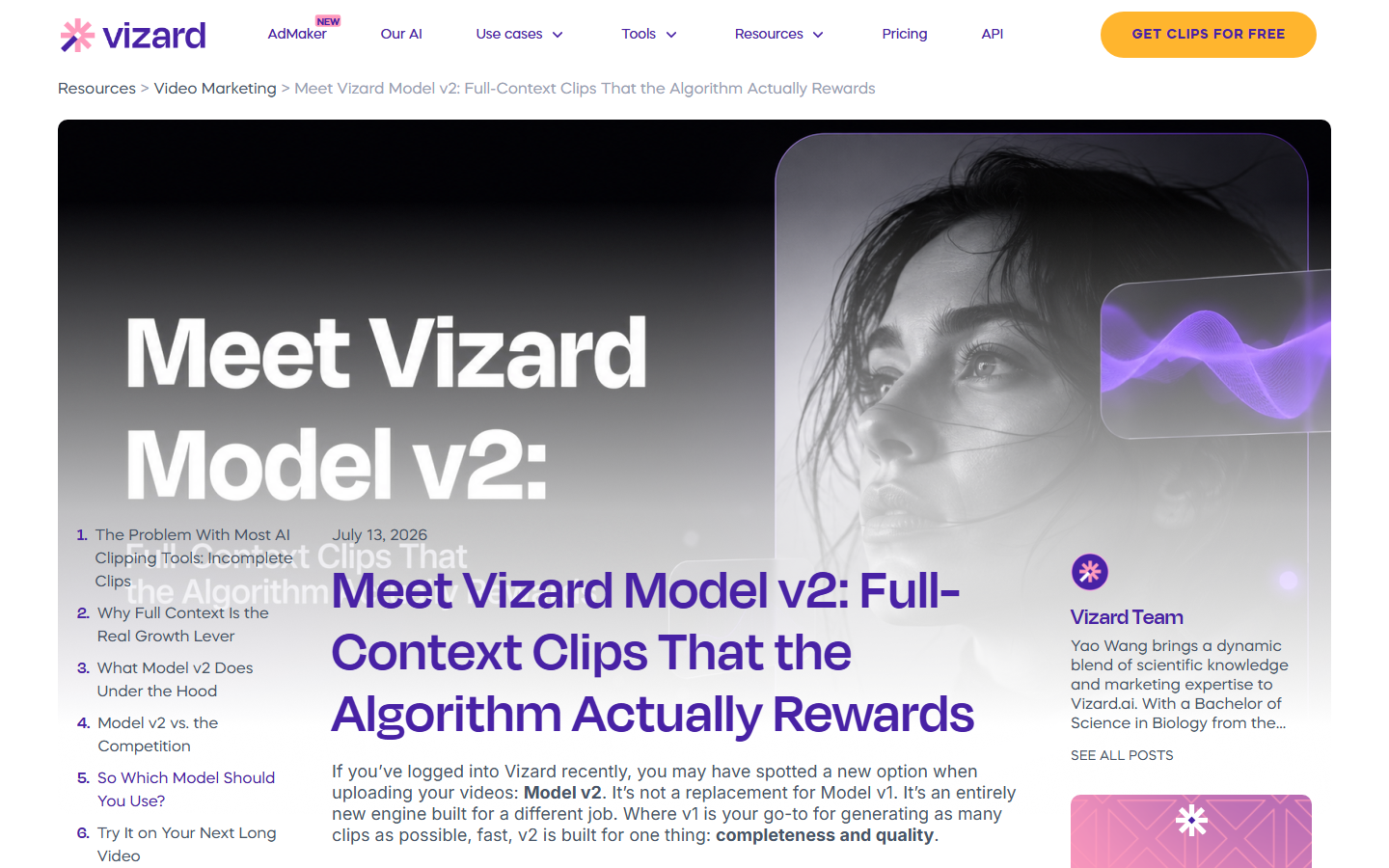
In July 2026 Vizard launched Model v2: a second clipping engine built for complete clips (setup, insight, payoff) instead of maximum clip count. V1 stays for high-volume speed. V2 targets podcasts, interviews, webinars, and founder talk tracks where context matters.
Spark adds prompt search: describe the moment (“penalty save,” “pricing objection,” “funny reaction”) and surface those segments without scrubbing the timeline.
Vizard AI Studio (text-to-image / text-to-video)
In February 2026 Vizard introduced AI Studio inside the editor for b-roll, thumbnails, and overlays (models cited then include Veo, Kling, Seedance, Flux, and Imagen-class image models).
As of Aug 2026, the live site promotes Seedance 2.0 and GPT Images 2 in nav and banners. AI Studio is a visible product line, not only a changelog note. The workflow still starts from footage you already have; generative assets polish clips inside the same app.
Auto Censorship + API clip_v2
- Auto Censorship (July 2026): detects and cleans profanity and custom sensitive terms at the audio level before publish. Useful for sports, livestream, and unscripted podcast clips (announcement).
- API clip_v2: request the v2 model per project at 1.25× clip_v1 billing (API update).
- Vizard has also discussed agent-style production workflows. Check what is live in your account before planning around roadmap language.
Vizard pricing in 2026 (credits = source minutes)
Live vizard.ai/pricing (Aug 2026, Yearly):
| Plan | Price | Credits | What you get |
|---|---|---|---|
| Free | $0 | 60 credits / month | AI clips, 720p watermarked export, ~10-min export cap, 1 social account, 3-day storage |
| Creator | 14.5/mo yearly (174/yr); $29/mo monthly | From 7,200 credits/year | No watermark, 4K, 6 social accounts |
| Business | 19.5/mo yearly (234/yr); $39/mo monthly | Same credit ladder | Shared workspace, 20 social accounts, invite seats +$5/mo/seat |
Billing rule: every uploaded source minute costs 1 credit, whether that minute yields 3 clips or 30. Annual billing shows about 50% off vs monthly. API clip_v2 can raise project cost.
Tip: trim silence before upload. Raw multi-hour livestreams burn credits quickly.
Why Creators Look for Vizard Alternatives
Teams switch when they need:
- Stronger translation and dubbing for non-English releases
- Localization QA (voice match, lip-sync, glossary)
- Another clipper’s selection model (OpusClip and peers)
- A fuller editor or template library (VEED, Kapwing, CapCut)
- Ads generated from a product, when no long-form source exists
Best Vizard Alternatives by Job
Best for multilingual localization: VMEG AI
If the real problem is “our clips need to work in Spanish, Portuguese, Japanese, or Arabic,” use VMEG as the localization layer.
Vizard finds the moment. VMEG moves that moment across languages:
- Video Translator for multilingual video
- AI Dubbing with natural voices
- Subtitle alignment and lip-sync workflows for talking-head content
- 170+ languages and dialects for channel expansion
Combo workflow
- Cut highlights in Vizard or OpusClip.
- Send winner clips into the VMEG Video Translator workspace.
- Export dubbed and subtitled versions per market.
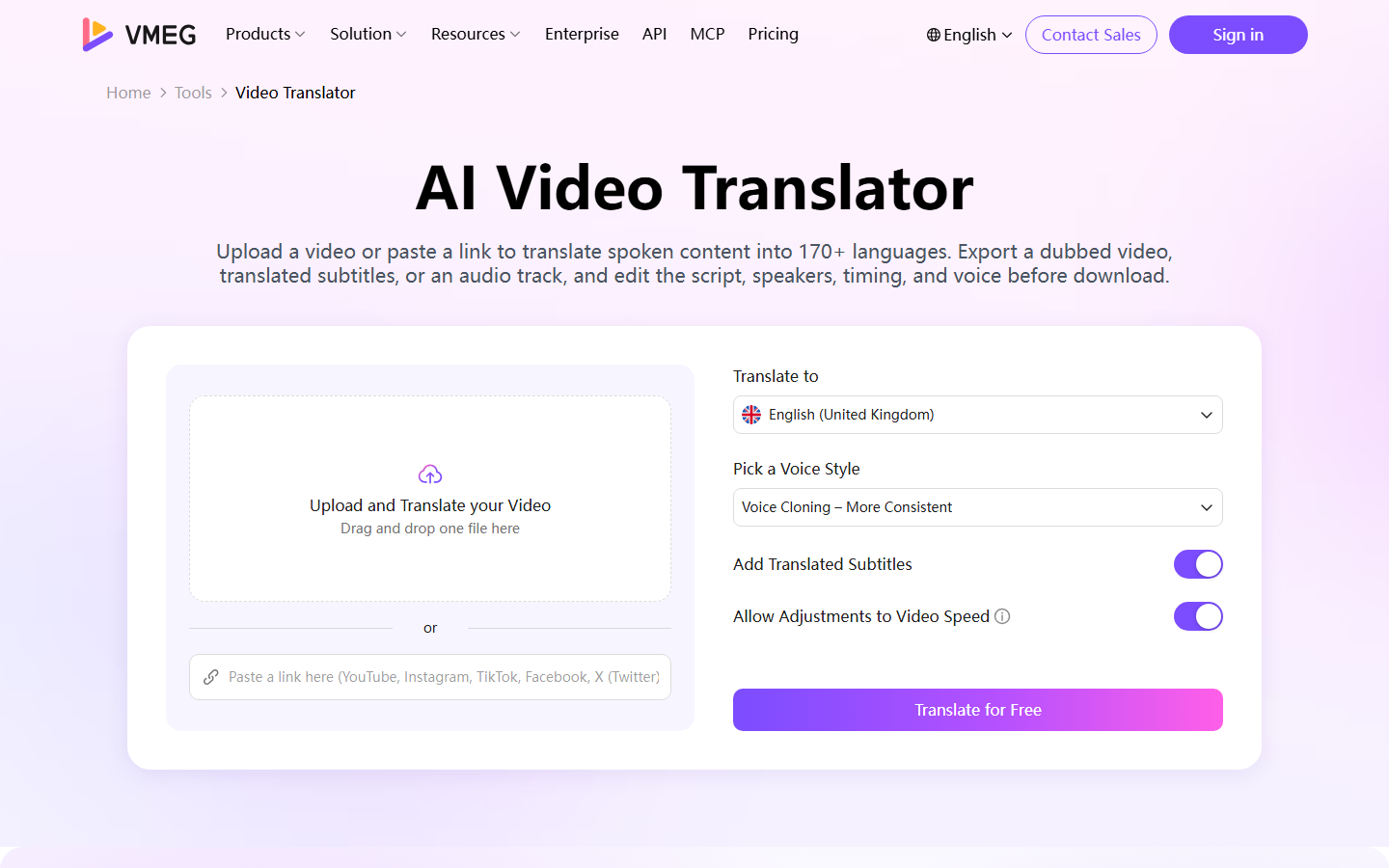
This usually costs less and stays cleaner than forcing a clipper to own localization.
Best for high-volume clipping: OpusClip
OpusClip remains the main head-to-head alternative. Compare both free tiers on your podcast or webinar. Some teams prefer OpusClip’s moment detection; others prefer Vizard’s editor, 4K exports, or Model v2 completeness.
Best browser editors: VEED / Kapwing / InVideo
Use these when clipping is only step one and you still need heavier design:
- VEED: browser AI editor plus 2026 API and OpenEdit direction; see also our VEED alternatives roundup
- Kapwing: collaboration and social templates
- InVideo: script-to-video and high-volume template generation
Best subtitle-first tools: Captions / CapCut
When you want more stylish short-form typography:
- Captions: mobile-first talking-head captions
- CapCut: free, effects-heavy editor with auto captions and templates
Best transcription: Notta / HappyScribe / Trint
When the deliverable is a searchable transcript or meeting notes, use a transcription tool instead of stretching a clipper.
Comparison Table
| Need | Vizard fit | Stronger alternative |
|---|---|---|
| Long podcast → many Shorts | Strong (try Model v2) | OpusClip |
| Clip + multilingual dubbing | Partial | VMEG AI |
| Team social design / templates | Partial | Kapwing / VEED |
| Avatar / product-URL ads | Weak | HeyGen / ad generators |
| Caption polish on a budget | Partial | CapCut / Captions |
| Enterprise transcript workflows | Weak | HappyScribe / Trint |
How to Choose the Right Vizard Alternative in 2026
Ask five questions:
- Do I already have long-form footage every week?
- Is my bottleneck finding moments, or localizing winners?
- Do I need 4K watermark-free exports and social scheduling in one app?
- Will upload-minute credits beat seat plus AI-credit editors on cost?
- Do I need API control (clip_v1 vs clip_v2) for a pipeline?
No weekly long-form: skip clippers.
Localization bottleneck: budget for VMEG.
Moment-finding bottleneck: A/B Vizard Model v2 vs OpusClip on the same episode.
FAQs About Vizard Alternatives (2026)
1. What is Vizard mainly used for?
Turning long-form video into short, captioned, vertical clips for social platforms, with optional editing, scheduling, and generative b-roll.
2. How much does Vizard cost in 2026?
Free: 60 credits/month. Creator about 14.50/mo* and Business about *19.50/mo on yearly billing for entry credit packs. Confirm on the Vizard pricing page; the UI is interactive.
3. What is Vizard Model v2?
A July 2026 clipping engine for full-context, publish-ready clips and richer viral-score breakdowns. It sits beside Model v1.
4. What is the best Vizard alternative for translation?
AI dubbing and video translator, especially when you need dubbing and lip-sync beyond subtitle translation.
5. Is Vizard good for long videos?
Yes for repurposing. Credit cost scales with upload length, so trim first. Selection quality can drop on messy multi-speaker footage.
6. Does Vizard replace CapCut or Premiere?
No. It cuts short-form repurposing time. Complex motion design and long-form finishing still belong in a full editor.
7. Can I use Vizard and VMEG together?
Yes. A common 2026 stack: Vizard or OpusClip to discover clips, VMEG to localize the winners.
Conclusion
Vizard in 2026 is a stronger clipper than older reviews describe: Model v2, AI Studio, Auto Censorship, and credit-based pricing fit podcast and webinar teams. The best alternative still depends on the job.
- Better clips from the same footage: test OpusClip or Vizard Model v2.
- Design-heavy social editing: VEED / Kapwing / CapCut.
- Global distribution with natural dubbing: VMEG tools.
Choose the tool that removes the expensive bottleneck in your weekly pipeline.
Try VMEG free: localize your best clips for every market you sell into.