Transpose music without a DAW
A cover sitting too high, a karaoke track in the wrong key, a practice loop you want down a step: change music pitch by semitones and listen here before you save.
Transpose music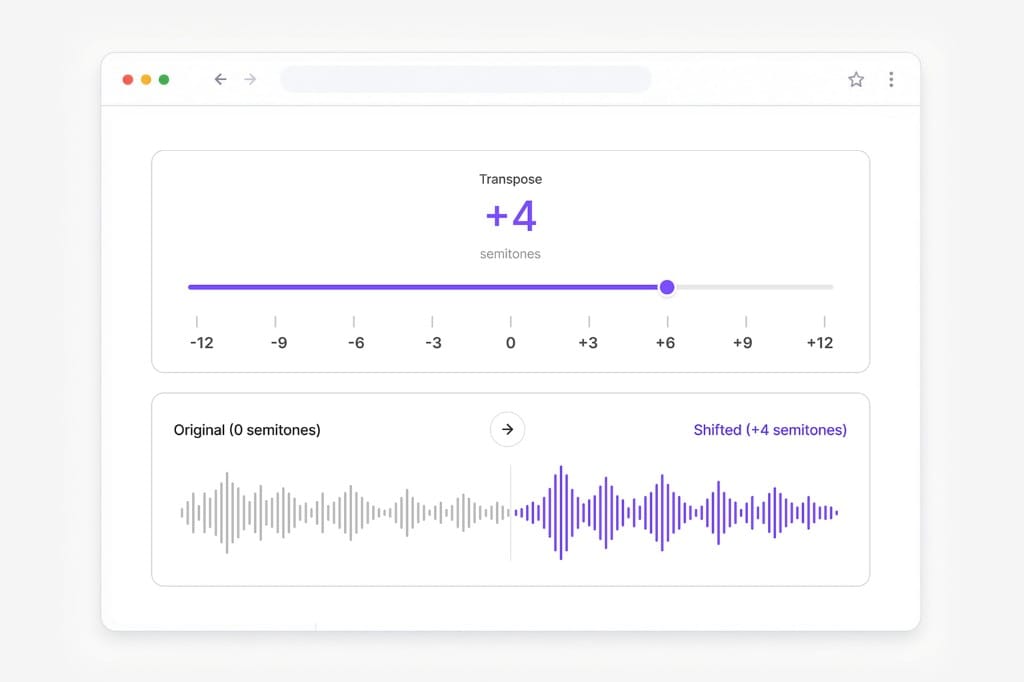
Change music pitch in your browser. Transpose songs up or down for practice or karaoke, then export MP3, WAV, M4A, or AAC.
Loading audio editor…
01Load the song or video
Upload an MP3, WAV, M4A, or a video with music. You can also paste a URL. The waveform loads on this page so you can change music pitch without a DAW.
02Transpose music by semitones
The Pitch tab is selected when you land here. Drag up to raise the key or down to drop it. Play a few seconds first. Large jumps can make the mix thin.
03Export the transposed track
Pick MP3 for sharing, WAV for a DAW, or M4A/AAC for Apple playback. Sign in when you download.
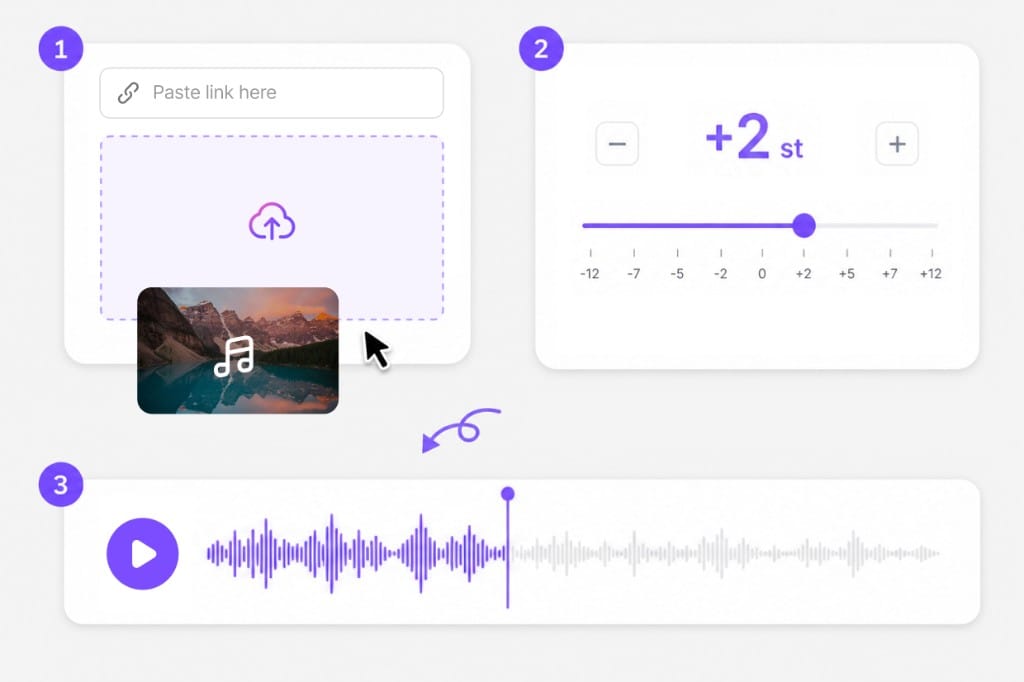
This page is for songs and backing tracks. Transpose music, preview the new key, then export.
A cover sitting too high, a karaoke track in the wrong key, a practice loop you want down a step: change music pitch by semitones and listen here before you save.
Transpose musicCut to a verse or chorus on the Trim tab, then transpose only that section. You do not have to process the whole file if you only need eight bars.
Trim then transpose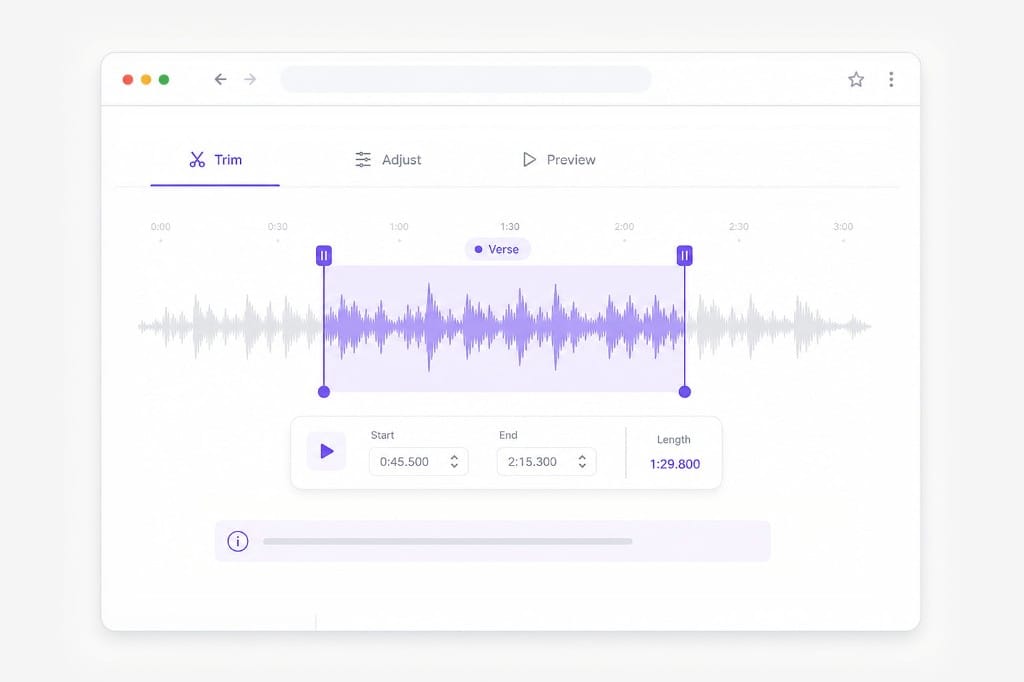
Pitch and Speed are separate tabs. Transpose music first, then slow the backing if it still feels too fast. Volume stays in the same session.
Open editor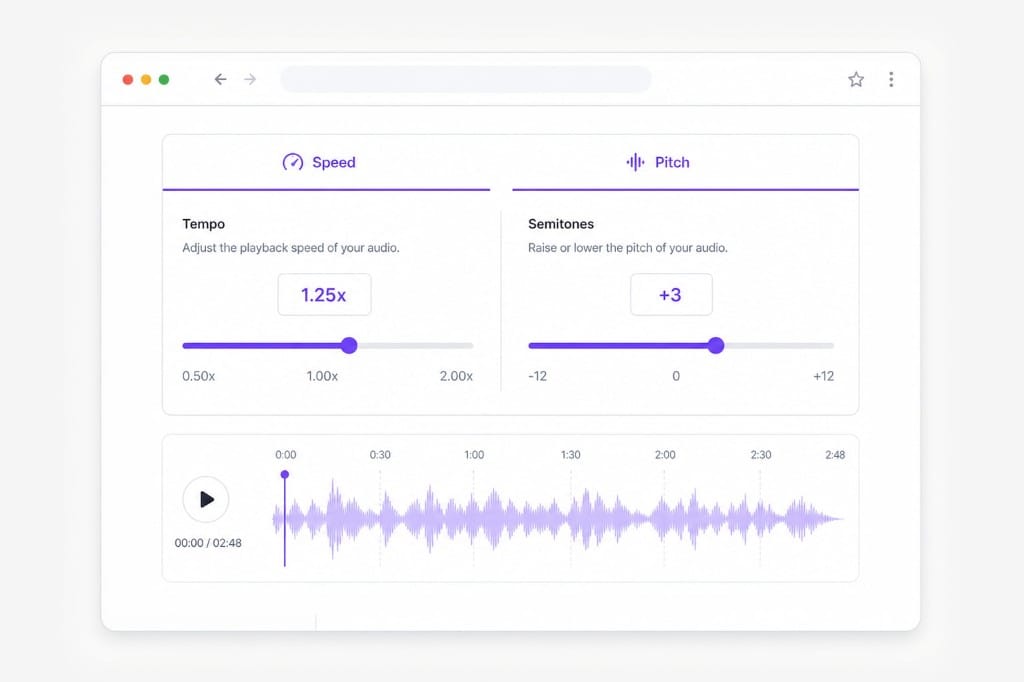
Upload the song or paste a URL and wait for the waveform. This page opens on the Pitch tab, so you can transpose music, preview, then export MP3, WAV, M4A, or AAC. If a URL never loads, upload a saved file and use the same slider.
Yes. Upload MP3, WAV, M4A, AAC, or a video and this page pulls the soundtrack so you can change music pitch. Export stays audio-only: a transposed MP3, WAV, M4A, or AAC, not a new video with the picture.
Use the Pitch tab. Music key changer, pitch shifter, and transpose music are the same slider: one semitone is the next key, twelve is an octave. Play the chorus after each move and ease back if the mix sounds thin.
Yes. Pitch and Speed are separate tabs, so transposing a song does not have to speed it up or slow it down. Open Speed only if the backing still feels rushed after the new key.
The Pitch slider goes from −12 to +12 semitones, a full octave either way. Jumps near the ends can sound metallic, so preview before you export. Trim to the hook first if you only need that section in a new key.
Yes. Load the instrumental, shift it into your range, and listen to a chorus before you commit. Trim a long intro if you only want the verse you are practicing. Export MP3 for your phone or WAV for a DAW.
Handle feature-length movies and series with AI translation, voice replacement, and subtitle tracks in one place.