Can I upload .doc to this Word translator?
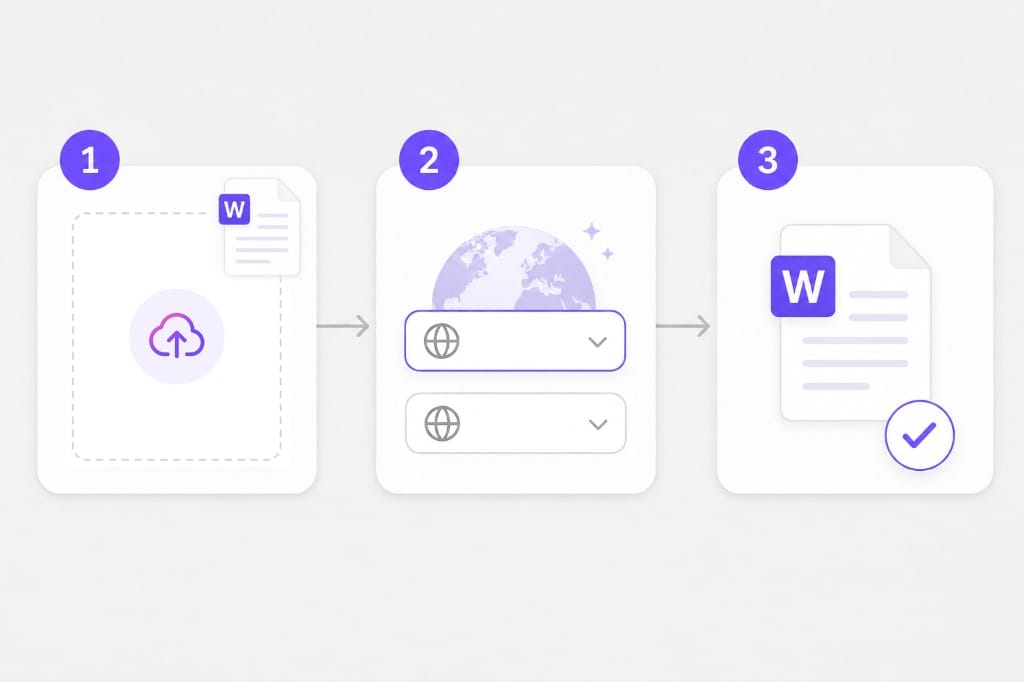
Not yet. Open the file and save it as .docx, then upload again. The Word Translator keeps your file format where possible — upload, pick languages, preview, then download the translated document from this page.
Are Word headers and footers translated?
Main document body text in document.xml is covered first. Some header, footer, or text-box edge cases may stay in the source language in this version.
Will tracked changes in Word survive?
Complex revision markup may not round-trip cleanly. Accept or reject changes before upload when possible. The Word Translator keeps your file format where possible — upload, pick languages, preview, then download the translated document from this page.
Is there a Word file size limit?
Yes. 20 MB per file. If a deck or spreadsheet exceeds the cap, split it into smaller files or export a lighter PDF, then run Word Translator again on each part.
Do images inside Word get OCR?
No. Only text in the document XML is translated. For scanned PDFs or photos of text, run OCR first so the file has a selectable text layer, then upload it to Word Translator.
Can I upload a PDF on this Word page?
Yes. The shared tool accepts PDF, DOCX, PPTX, XLSX, TXT, and SRT. This page is aimed at Word (.docx) searches and workflows. The Word Translator keeps your file format where possible — upload, pick languages, preview, then download the translated document from this page.