Free Add Audio to Video Online
Upload video and a separate audio track, combine them in your browser, and export MP4 or WebM. Free online — no install needed.
Loading add audio to video tool…
How to Add Audio to Video Online
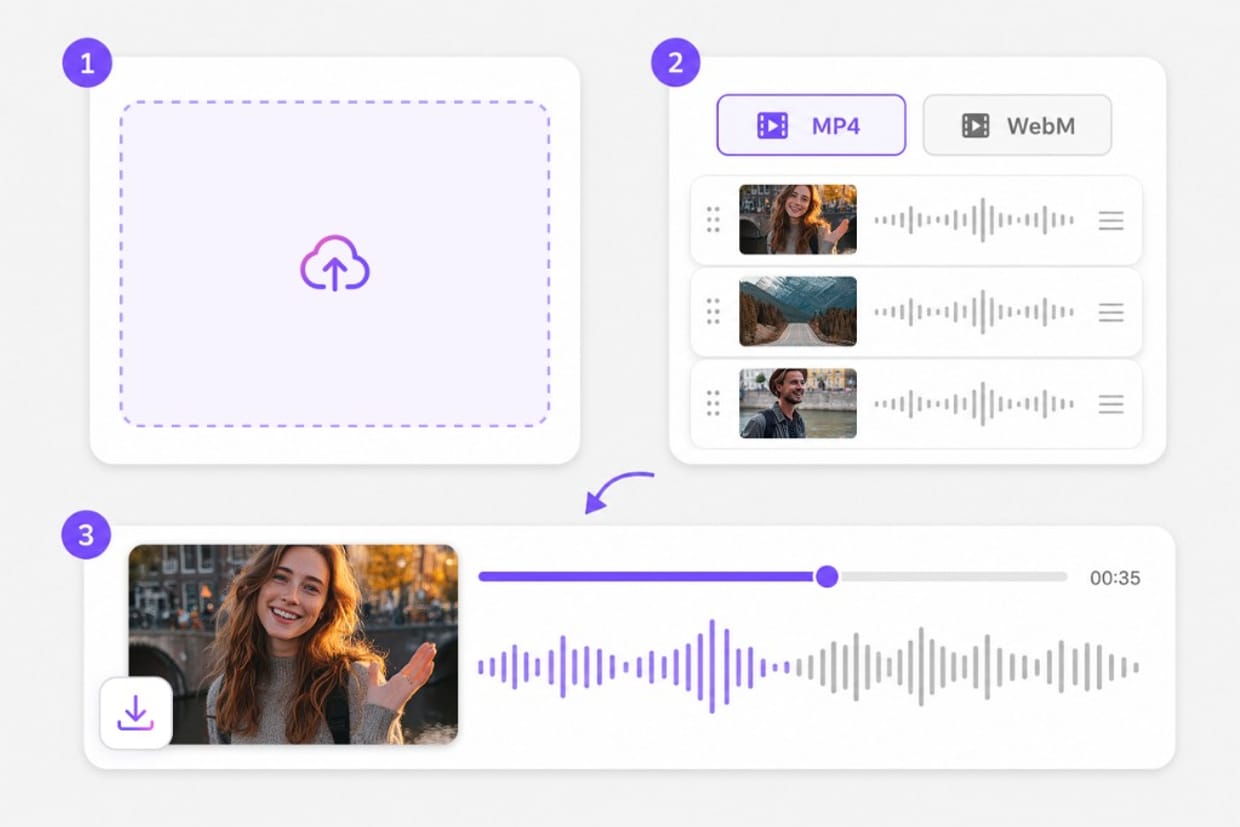
01Upload your video and audio files
Add video clips to the video track and your new audio to the audio track. Mixed formats on each side are supported.
02Order clips and choose an export format
Arrange files in the order you want them combined. Pick MP4 for broad compatibility or WebM for web playback.
03Merge, preview, and download
Processing runs in your browser with ffmpeg.wasm. Preview the result, then sign in to download your video with the added audio.
Why Add Audio to Video with VMEG
Attach a voiceover, music bed, or podcast clip to silent or replacement footage — separate tracks, one MP4 or WebM export. Drag clips into playback order, preview the full join in your browser, and export one continuous MP3 or WAV track without opening a desktop editor.
Video and audio on separate tracks
Upload the picture on one track and the new sound on another. Order each side, then export one file — no timeline software required for a straight mux. MP3 suits hosts and phone libraries; WAV hands off cleanly to Audacity, Logic, or Premiere — export from the same browser merge workflow.
Voiceovers, music beds, and podcast audio
Pair narration with screen recordings, lay a music track under B-roll, or attach interview audio to silent footage. Built for everyday add-audio jobs. Preview seams between segments before you commit — catch awkward level jumps early without reopening a desktop editor.
Add audio to video in the browser
Open the page, upload both tracks, preview the combined clip, and sign in to download MP4 or WebM when it sounds right. No desktop software to configure — open Add Audio to Video in a modern browser, adjust settings in the same tab, and export when the preview looks right.
Multiple clips on each track
Chain several video segments and several audio files in order. Each track concatenates first, then combines into one export. Export a single continuous track when the order sounds right; sign in only when you download from Add Audio to Video.
MP4 or WebM before export
Pick MP4 for social and editing apps, or WebM for lightweight web playback after you add audio to video. Export a single continuous track when the order sounds right; sign in only when you download from Add Audio to Video.
Preview before you save
Watch the merged video with your added audio on the page. Processing runs locally with ffmpeg.wasm in your browser. Preview stays free in your browser; sign in only when you download the finished Add Audio to Video output so exports stay reliable.
Frequently Asked Questions about Add Audio to Video
How to add audio to video?
Upload video to the video track and audio to the audio track, set the order on each side, choose MP4 or WebM, and click Merge. Preview, then sign in to download.
Can I add audio to video online for free?
Yes. Upload and combine tracks in the browser. Preview is free; sign in to download the merged file. Preview and core processing are free in your browser; sign in when you download the finished Add Audio to Video output so exports stay reliable.
Do I need editing software?
No. Upload video and audio, merge tracks, preview, and download without installing desktop editing apps. No encoder install is required — open Add Audio to Video in a modern browser, add your file or link, and export from the same tab.
Can I add multiple audio clips to a video?
Yes. Upload multiple video clips and multiple audio clips. Each track is concatenated in order, then combined into one export. Add your clips in the merger workspace, arrange order on the timeline, preview the combined output, then export from this Add Audio to Video page.
Which formats are supported?
Video uploads include MP4, MOV, WebM, and MKV. Audio uploads include MP3, WAV, M4A, and OGG. Export as MP4 or WebM. Check the upload chip on this page for the full list of supported containers; matching those formats avoids failed imports.
Will adding audio replace the original video sound?
In Video+audio tracks mode, the exported file uses your uploaded audio combined with the video track. Upload only the audio you want in the final file.
Translate YouTube videos without re-editing
Paste a YouTube URL and dub or subtitle the full video online — keep pacing and speaker tone intact.